Search packages, repositories and app categories

figma_frame_inspector cover
Package detailsv0.0.5

figma_frame_inspector

A Flutter plugin to verify how accurately the Figma frame was implemented in the app.

AndroidiOSmacOSWindowsLinux
30-day downloads
45
Likes
25
Pub points
150

Install package

flutter pub add figma_frame_inspector

Package Overview

Package selection guidance compiled from public package information, community data, and project usage.

Figma Frame Inspector is a Flutter plugin designed to help developers verify the accuracy of Figma design implementations in their apps. It overlays Figma frame boundaries and dimensions directly on the running app, enabling real-time visual comparison between design and development. This tool streamlines UI validation during testing, ensuring pixel-perfect alignment with design specifications. It supports multiple platforms including Android, iOS, macOS, Windows, and Linux, making it versatile for cross-platform teams. The plugin is particularly useful in collaborative environments where designers and developers work closely together.

Use cases

  • Validating UI fidelity against Figma designs
  • Cross-platform UI consistency checks
  • Design handoff verification
  • Real-time debugging of layout discrepancies
  • Team collaboration between designers and developers

Key features

  • Overlays Figma frame boundaries on the app
  • Supports multiple platforms
  • Real-time visual comparison
  • Simple integration via pub add
  • Highlights layout deviations

Suitable for

  • UI/UX developers
  • Designers working with Flutter
  • Cross-platform development teams
  • Quality assurance testers
  • Teams using Figma for design

Considerations

  • Only for development/testing use
  • Requires Figma frame data
  • Not suitable for production builds
  • May impact performance in debug mode
  • Limited to visual inspection without automated assertions

Original README

Original README snapshot from the linked source repository. Visit the repository for the latest content.

Figma Frame Inspector

Pub Version

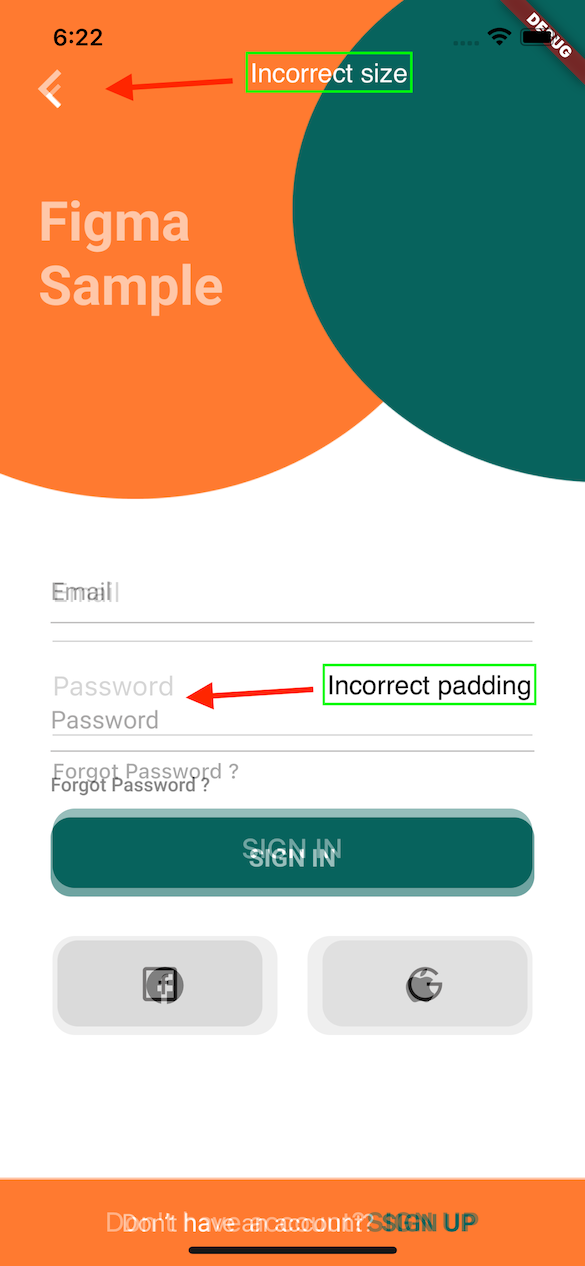
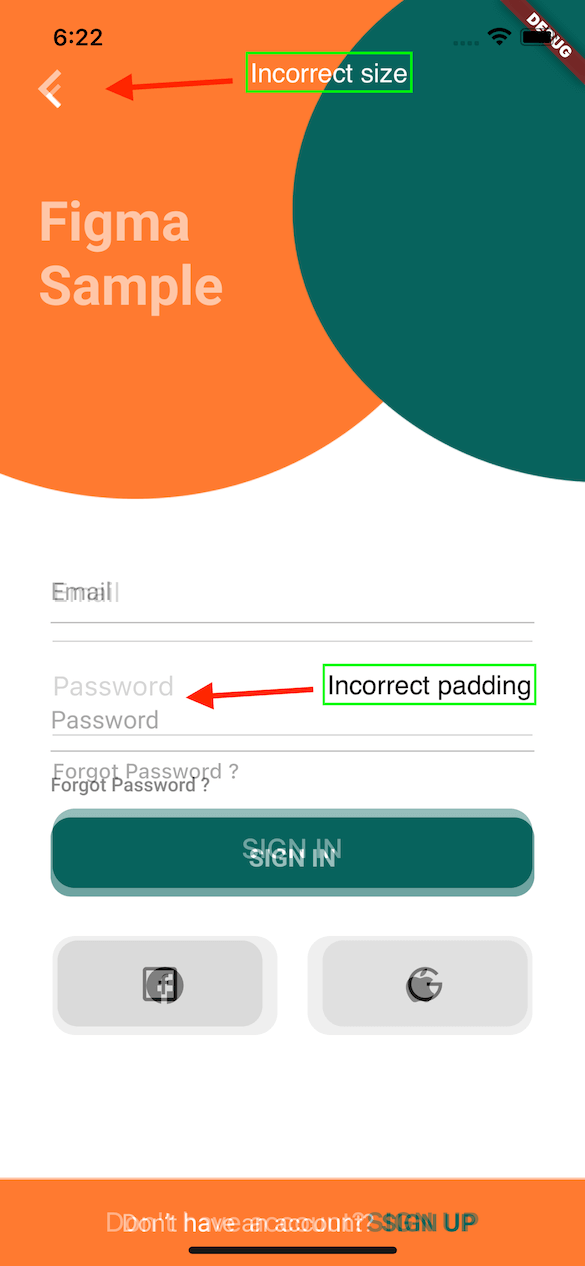
A Flutter plugin to verify how accurately the Figma frame was implemented in the app (whether paddings and elements sizes are correct).

With this tool any developer can verify all the paddings, font styles and elements sizes matches design specification in Figma.

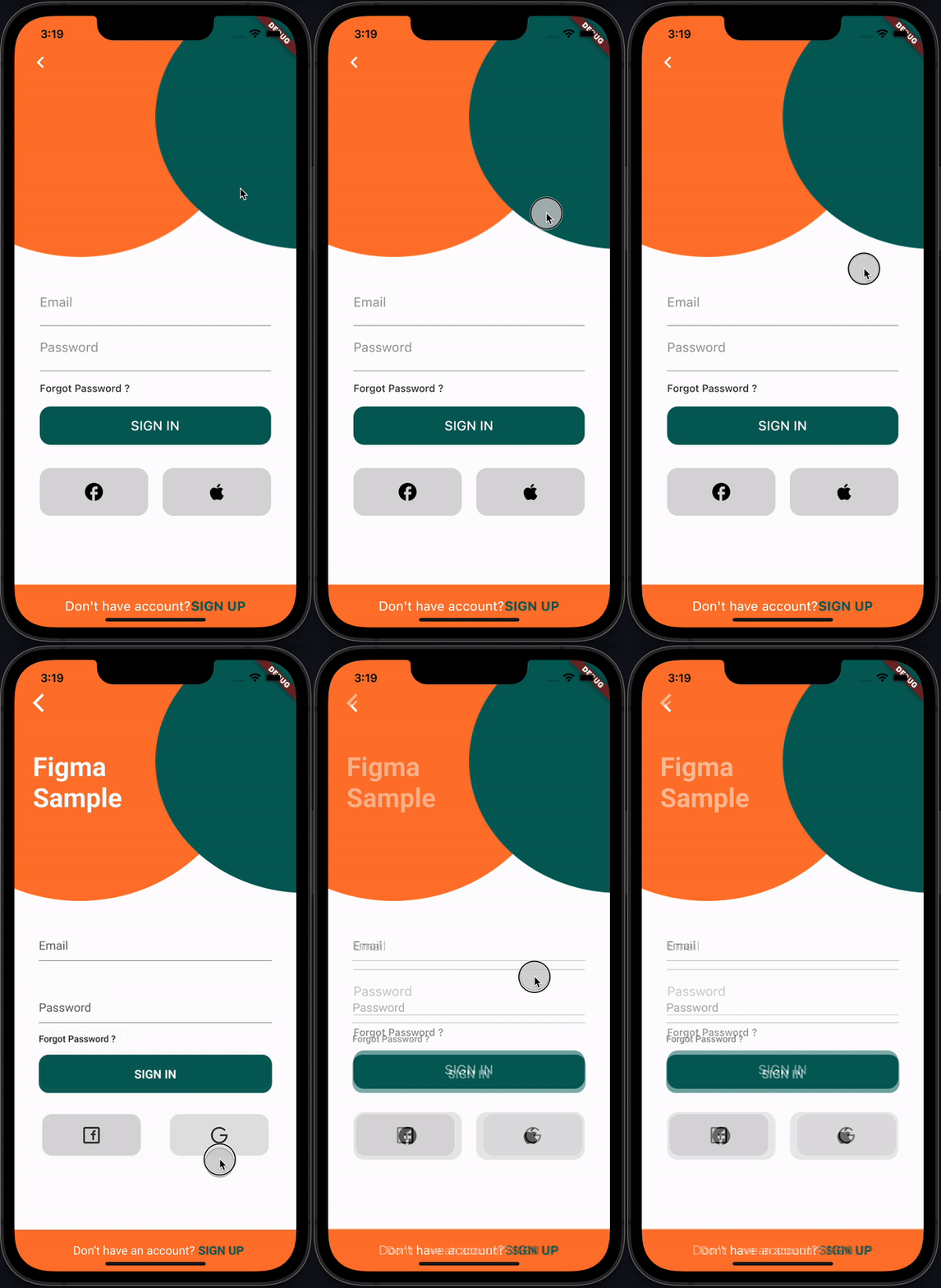
recording

How it works

This plugin provides FigmaFrameInspector widget that renders provided Figma frame on top of child screen widget. This helps to check proper frame implementation.

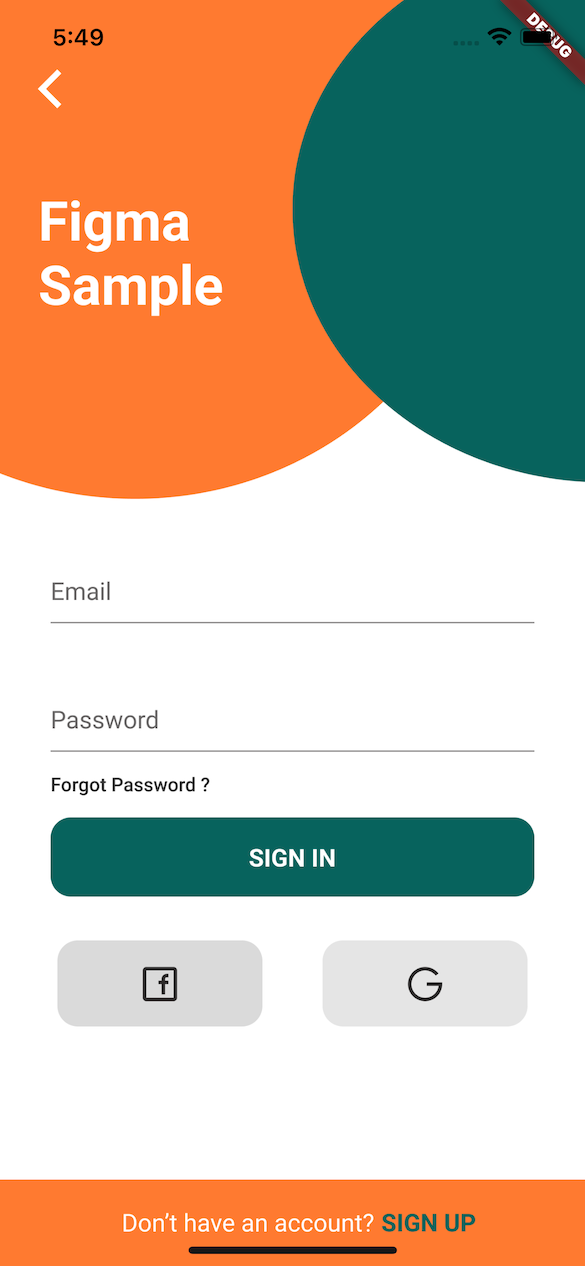
PS: Example Figma frame was taken from here

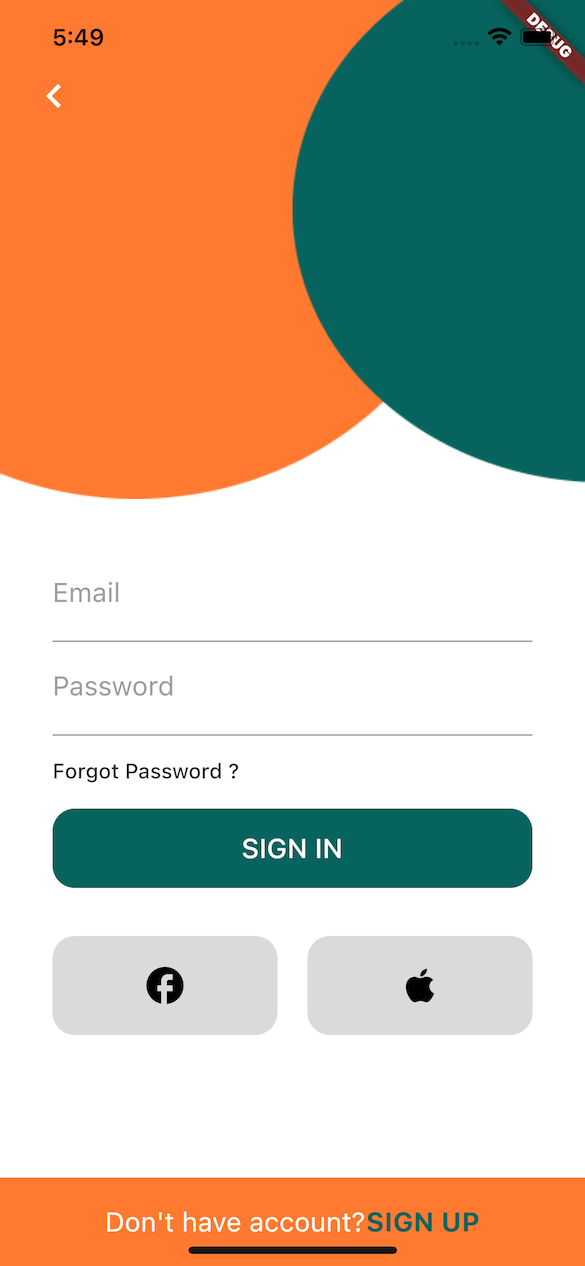
Implementation Figma Diff

Installation

flutter pub add figma_frame_inspector

Usage

Get Figma Personal Access Token
  • In Figma go to Account -> Personal Access Tokens
  • Generate a new token
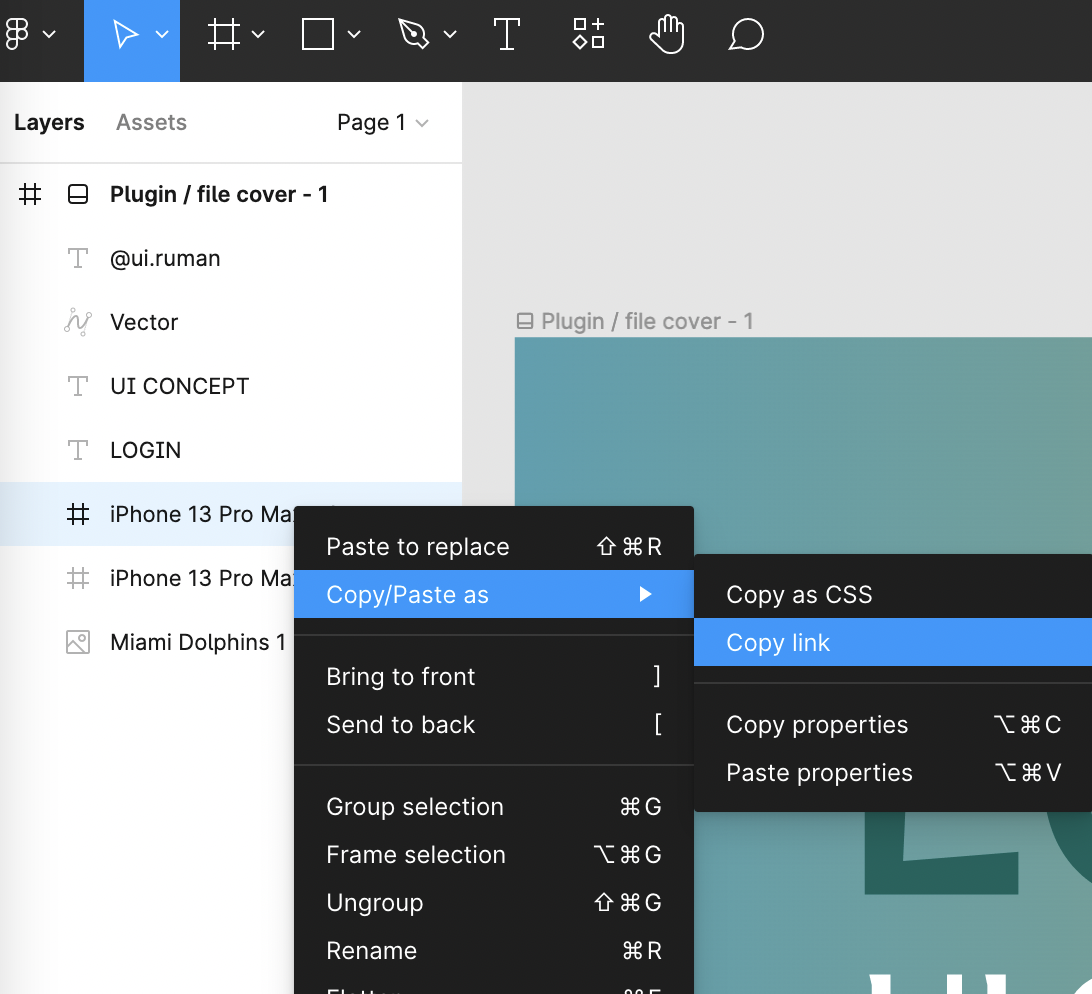
Get Figma Frame URL
  • In Figma open design file
  • On the left side in Layers section select a frame that you need to verify
  • Copy the URL of the frame

figma-copy-frame

Integration
  • import 'package:figma_frame_inspector/figma_frame_inspector.dart';
  • Wrap your app with FigmaFrameInspector widget:
class MyHomePage extends StatelessWidget {
  const MyHomePage({Key? key, required this.title}) : super(key: key);

  final String title;

  @override
  Widget build(BuildContext context) {
    return FigmaFrameInspector( // <-- Wrap your screen widget with this widget.
      frameUrl:
          "<figma-frame-url>", // <-- Specify the Figma frame url. Looks like this: https://www.figma.com/file/<file_key>/<file_name >?node-id=<node_id>
      figmaToken: '<figma-token>', // <-- Specify the Figma `Personal access token` from Account Settings page.
      // Optional parameters:
      scale: 3, // A number between `0.01` and `4`, the image scaling factor.
      initialOpacity: .3, // Opacity of the frame on the screen start (default `30%`).
      enabled: true, // Enable or disable the frame overlay (default `true`).
      isTouchToChangeOpacityEnabled: true, // Enable or disable vertical scroll to change the frame overlay opacity (default `true`).
      child: Scaffold(
        appBar: AppBar(
          title: Text(title),
        ),
        floatingActionButton: const FloatingActionButton(
          onPressed: null,
          tooltip: 'Increment',
          child: Icon(Icons.add),
        ),
      ),
    );
  }
}

Credits

This plugin was heavily inspired by flutter_figma_preview

Figma sample design taken from here https://www.figma.com/community/file/1060856334579637757

License

Can be found here.

Categories

Dependencies

Dependency list 2 items

Source repository

Projects using this package

No data available yet.