
Overview
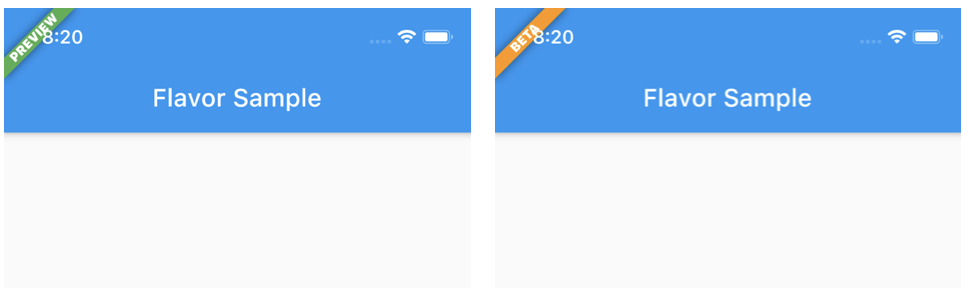
Flavor is a Flutter package that simplifies the configuration of app flavors and displays a visible flavor banner in debug builds. It enables developers to easily distinguish between different build variants—such as development, staging, and production—by showing a customizable banner on the screen. The banner is automatically hidden in release builds, ensuring a clean user experience. Ideal for teams managing multiple environments, it streamlines setup and improves visibility during testing.
Use cases
- Debugging different build environments
- Identifying development vs production builds
- Displaying environment info during testing
- Customizing banners per flavor
- Enhancing team collaboration in multi-environment projects
Key features
- Easy flavor configuration
- Automatic banner display in debug mode
- Customizable banner appearance
- Supports all Flutter platforms
- Hides banner in release builds
Suitable for
- Developers working with multiple app flavors
- Teams testing different environments
- Apps requiring clear build identification
- Flutter projects with CI/CD pipelines
- Projects needing visual feedback during development
Considerations
- Banner only appears in debug builds
- Requires manual setup for new flavors
- May need styling adjustments for complex UIs
- Not intended for production use
- Limited customization beyond basic banner properties