Package selection guidance compiled from public package information, community data, and project usage.
Flick Video Player is a high-level video playback package for Flutter, built on top of the native video_player plugin. It provides an easy-to-use, customizable interface with features like play/pause controls, progress tracking, fullscreen support, and gesture handling. Designed to simplify video integration in Flutter apps, it abstracts low-level complexities while offering flexibility for developers. The package supports Android, iOS, and macOS platforms, making it ideal for cross-platform video applications.
Use cases
Streaming video content in mobile apps
Adding video playback to educational or entertainment apps
Integrating video tutorials or demos
Building media player interfaces
Creating video-rich social media features
Key features
Pre-built UI components
Gesture-based controls
Fullscreen mode support
Customizable themes
Cross-platform compatibility
Smooth playback performance
Suitable for
Flutter developers building media apps
Apps requiring simple video playback
Projects needing responsive video UIs
Developers seeking quick video integration
Teams prioritizing cross-platform consistency
Considerations
Requires video_player as a dependency
Limited customization beyond provided widgets
May need additional styling for complex UIs
Depends on platform-specific video codecs
Not ideal for advanced video editing features
Original README
Original README snapshot from the linked source repository. Visit the repository for the latest content.
Flick Video Player
Flick Video Player is a video player for flutter.
The video_player plugin gives low level access for the video playback. Flick Player wraps video_player under the hood and provides base architecture for developers to create their own set of UI and functionalities.
Features
Double tap to seek video.
On video tap play/pause, mute/unmute, or perform any action on video.
Main entry point, takes a FlickManager and a widget flickVideoWithControls as one of the arguments.
FlickManager
Manages all the video related operations with the help of different managers. FlickVideoManager is responsible to maintain life-cycle of a video, change a video and listen to state changes on the video. FlickControlManager is responsible to perform action on the video such as play, mute, seek, toggle full-screen etc. FlickDisplayManager is responsible to show/hide controls when player state changes.
FlickVideoWithControls
A helper widget to render video_player using FlickNativeVideoPlayer and Custom player controls. To create video player with custom controls you have to use this widget and pass this to FlickVideoPlayer in the argument flickVideoWithControls. closedCaptionTextStyle argument added to style video subtitles.
FlickPlayToggle
A UI helper widget to create play/pause/replay button for the video player. You can either pass your custom play, pause and replay widgets or change settings for the default icons.
FlickSoundToggle
A UI helper widget to create mute/unmute button for the video player. You can either pass your custom mute and unmute widgets or change settings for the default icons.
FlickFullscreenToggle
A UI helper widget to create fullscreen/fullscreen_exit button for the video player. You can either pass your custom fullscreen and fullscreen_exit widgets or change settings for the default icons.
FlickVideoProgressBar
A UI helper widget to create progress bar for your video player. It takes FlickProgressBarSettings as one of the arguments so that user can create a custom progress bar. This is highly customizable, user can almost change all the properties of the progress bar like height, handleRadius, provide custom Color or custom Paint.
FlickTotalDuration
A text UI helper widget to show total duration of the video.
FlickCurrentPosition
A text UI helper widget to show current position of the video.
FlickLeftDuration
A text UI helper widget to show left duration of the video.
FlickSetPlayBack
A text UI helper widget to change the playback speed of the video.
FlickVideoBuffer
A UI helper widget to show CircularProgressIndicator or your custom widget when the video is buffering.
FlickAutoPlayCircularProgress
A UI helper widget to show circular progress bar with timer to switch to the next video.
FlickSeekVideoAction
An Action helper to seek video forward/backward by custom Duration on double tap of screen. Takes child as one of the arguments to nest other actions or widgets.
FlickShowControlsAction
An Action helper to toggle between show/hide of controls on tap of the screen. Takes child as one of the arguments to nest other actions or widgets.
FlickTogglePlayAction
An action helper to toggle between play/pause on tap of the screen. Takes child as one of the arguments to nest other actions or widgets.
FlickToggleSoundAction
An action helper to toggle between mute/unmute on tap of the screen. Takes child as one of the arguments to nest other actions or widgets.
FlickSubtitleToggle
An action helper to toggle between display subtitle/no-subtitle on tap of the screen. Takes child as one of the arguments to nest other actions or widgets.
To play a list of videos you have to create your custom DataManager, You can find some of the implementations in /example folder.
UI Helper and Action helpers are widgets which interacts with FlickDisplayManager, FlickControlManager and FlickVideoManager you can easily create your custom widgets/actions, Provider package is used for state management.
Web
Guideline for web: As we are using video_player_web under-hood please follow video_player_web doc before you start.
Default shortcuts
Key
Behavior
f
Toggle full-screen
m
Toggle mute
ArrowRight
Seek forward
ArrowLeft
Seek backward
(Space character)
Toggle play
ArrowUp
Increase volume
ArrowDown
Decrease volume
You can pass webKeyDownHandler argument to FlickVideoPlayer and manage the keyboard shortcuts yourself.
Notes
Esc shortcut to exit from full-screen is in development.
Origin of third party content
Videos
9th May & Fireworks - https://mazwai.com/video/9th-May-&-Fireworks/455089
Iceland | Land of Fire and Ice - https://mazwai.com/video/iceland-%7C-land-of-fire-and-ice/455108
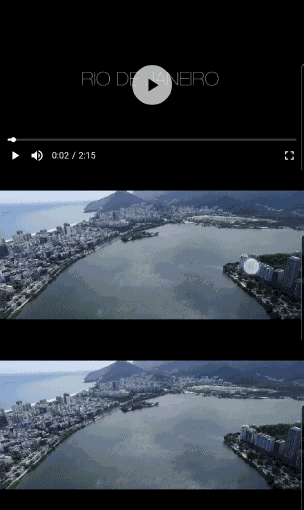
Rio from Above - https://mazwai.com/video/rio-from-above/455099
The Valley - https://mazwai.com/video/the-valley/455101