Search packages, repositories and app categories

Package detailsv1.0.1

floating_ribbon

A new Flutter package for creating floating ribbons on images.

30-day downloads
43
Likes
22
Pub points
30

Install package

flutter pub add floating_ribbon

Package Overview

Package selection guidance compiled from public package information, community data, and project usage.

Floating Ribbon is a Flutter package that enables developers to add stylish, floating ribbons to images with ease. These ribbons can be customized in shape, color, and position, making them ideal for highlighting special content such as discounts, new arrivals, or featured items. The package integrates seamlessly into existing UIs and supports responsive design across different screen sizes. It leverages Flutter's rendering capabilities for smooth performance and visual appeal.

Use cases

  • Highlighting sale items in e-commerce apps
  • Marking new or trending content
  • Adding decorative accents to image cards
  • Displaying status labels on product images
  • Enhancing user interface with visual cues

Key features

  • Customizable ribbon shapes and colors
  • Easy integration with Image widgets
  • Responsive layout support
  • Smooth animations for ribbon appearance
  • Lightweight and minimal dependencies

Suitable for

  • E-commerce app developers
  • UI designers seeking visual enhancements
  • Developers creating dynamic image overlays
  • Projects requiring branded badges or labels
  • Apps with image-heavy interfaces

Considerations

  • May require additional styling for complex layouts
  • Limited platform-specific optimizations
  • Not suitable for high-performance animation-heavy scenarios
  • Best used with static or semi-static image content
  • Requires careful positioning to avoid overlapping important content

Original README

Original README snapshot from the linked source repository. Visit the repository for the latest content.

Floating Ribbon

pub package Build Status LICENSE

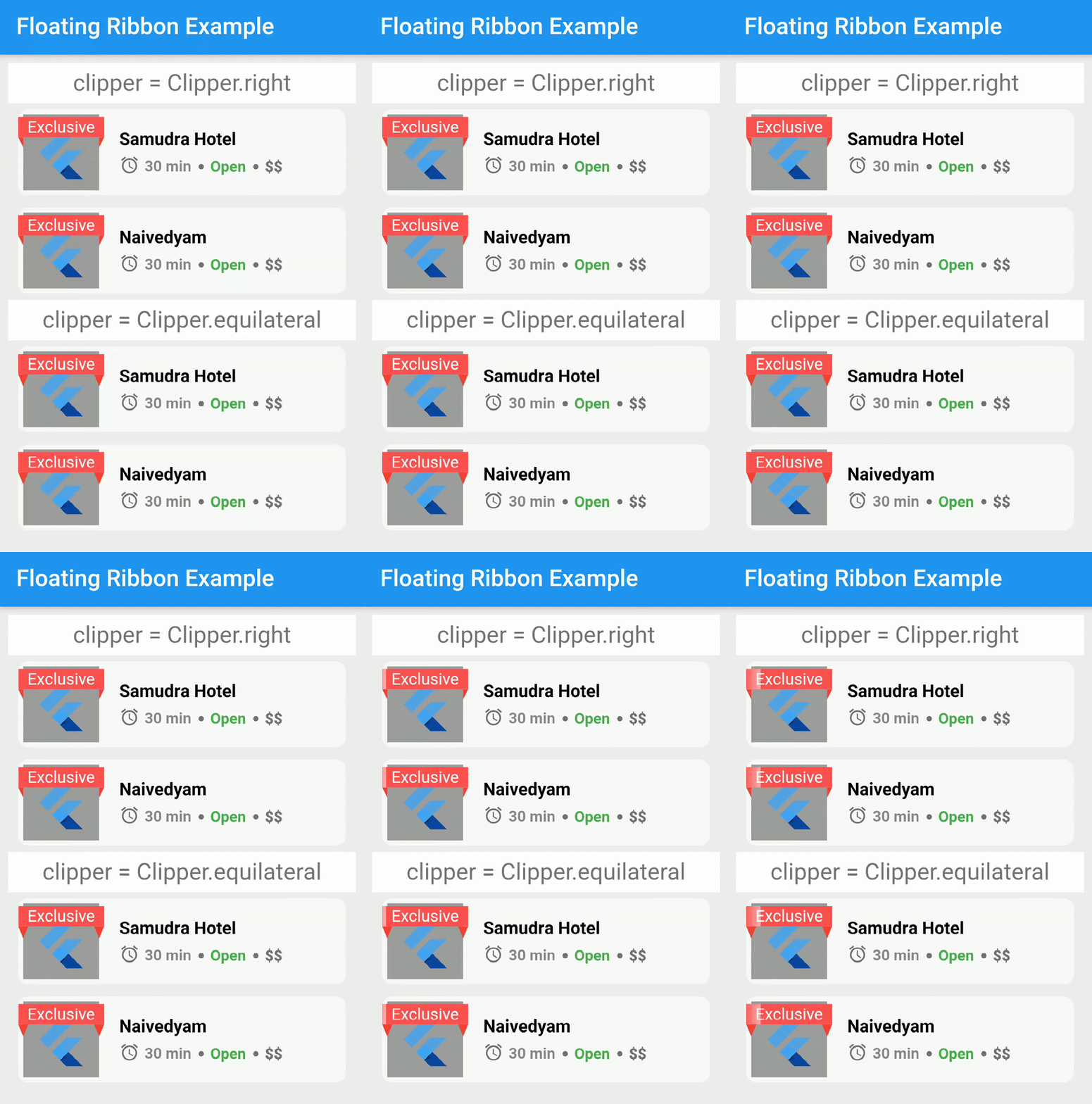
A new Flutter package for creating floating ribbons on images.

Dependency

dependencies:
  floating_ribbon: any

How To Use

In order to achieve the shimmering effect, you need to add a package in pubspec.yaml.

dependencies:
  skeleton_text: any

The code to reproduce it,

import 'package:skeleton_text/skeleton_text.dart';
import 'package:floating_ribbon/floating_ribbon.dart';
FloatingRibbon(
  height: 85,
  width: 85,
  childHeight: 75,
  childWidth: 75,
  child: Padding(
    padding: const EdgeInsets.all(8.0),
    child: FlutterLogo(),
  ),
  childDecoration: BoxDecoration(color: Colors.grey),
  ribbon: SkeletonAnimation(
    child: Center(
      child: Text(
        'Exclusive',
        style: TextStyle(
          color: Colors.white,
        ),
        textAlign: TextAlign.center,
      ),
    ),
  ),
  shadowHeight: 5,
);

Getting Started

This project is a starting point for a Dart package, a library module containing code that can be shared easily across multiple Flutter or Dart projects.

For help getting started with Flutter, view our online documentation, which offers tutorials, samples, guidance on mobile development, and a full API reference.

Categories

Source repository

Projects using this package

No data available yet.