Search packages, repositories and app categories

Package detailsv1.2.0

flutter_asset_generator

Generates the resource file by scanning assets defined in the pubspec.yaml, imitation R file short name.

AndroidiOSmacOSWindowsLinux
30-day downloads
8.2K
Likes
112
Pub points
130

Install package

flutter pub add flutter_asset_generator

Package Overview

Package selection guidance compiled from public package information, community data, and project usage.

A code generation tool for Flutter that automatically creates a resource class by scanning assets listed in pubspec.yaml, similar to Android's R.java. It simplifies asset access with type-safe, compile-time checked references, reducing errors and improving maintainability. The generated file provides short, readable names for images, fonts, and other assets, streamlining development workflows across multiple platforms.

Use cases

  • Simplifying asset management in large Flutter projects
  • Reducing runtime errors from misspelled asset paths
  • Enabling type-safe access to app resources
  • Automating resource class generation during build
  • Improving code readability with concise asset references

Key features

  • Auto-generates resource class from pubspec.yaml
  • Provides short, clean asset names
  • Type-safe asset access
  • Supports images, fonts, and other assets
  • Cross-platform compatibility

Suitable for

  • Developers managing many assets in Flutter apps
  • Teams seeking to reduce asset-related bugs
  • Projects requiring consistent asset naming conventions
  • Build pipelines needing automated resource generation
  • Apps targeting multiple platforms

Considerations

  • Requires setup of build_runner and dependencies
  • Generated files should not be manually edited
  • May increase build time slightly
  • Needs pubspec.yaml to be correctly configured
  • Best used in conjunction with code analysis tools

Original README

Original README snapshot from the linked source repository. Visit the repository for the latest content.

flutter_asset_generator

English | 中文文档

Automatically generate the dart file for pubspec.yaml

The purpose of this library is to help flutter developers automatically generate asset corresponding dart files to help developers release their hands from this meaningless job, and the open source community has a lot of the same functionality.

This library is based on dartlang's build library.

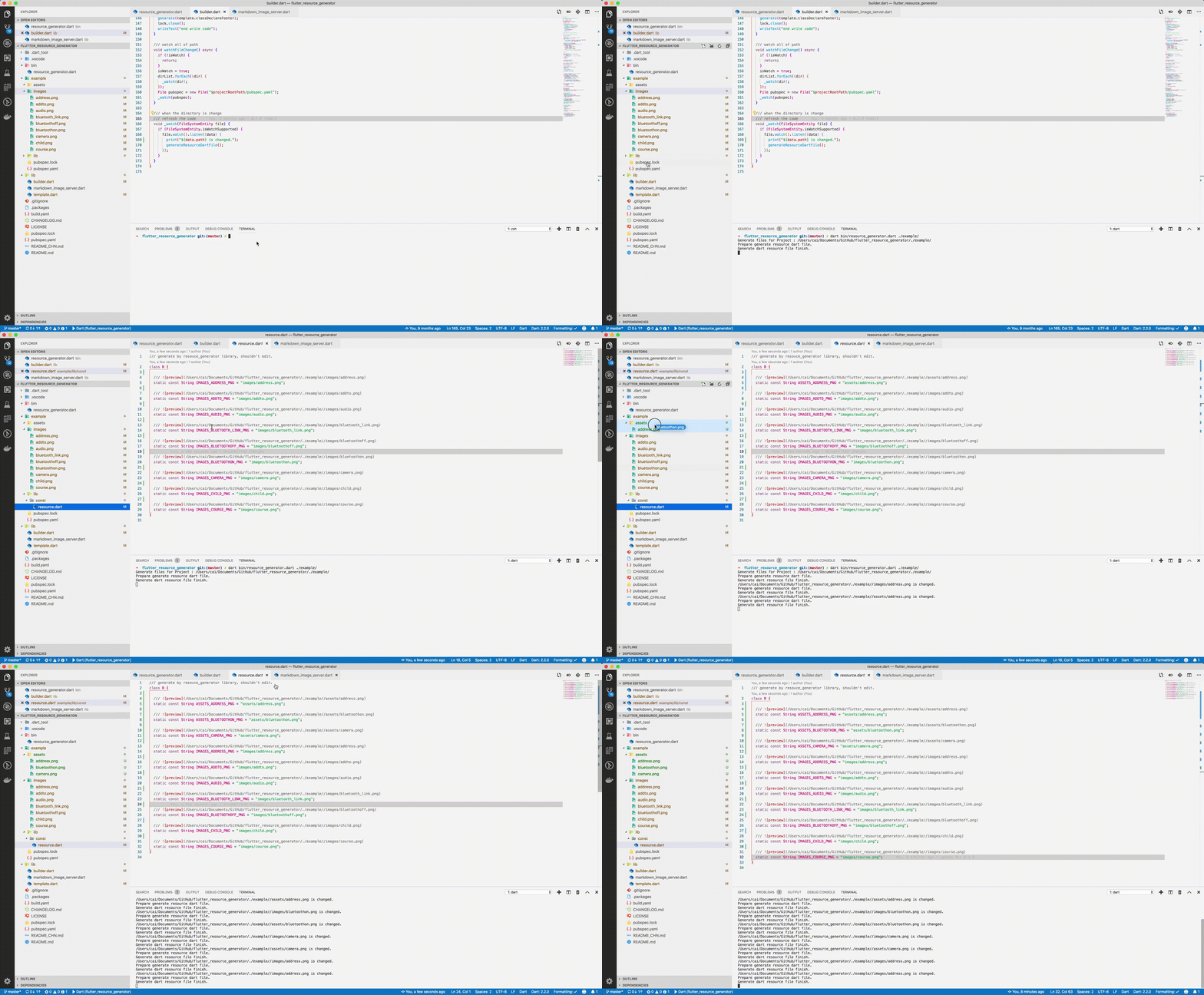
screenshot

img

Usage

Run from source

Add dart to your $PATH environment.

git clone https://github.com/fluttercandies/flutter_asset_generator
cd flutter_asset_generator
dart pub get
dart bin/asset_generator.dart $flutter_project
Run from pub global
  1. Install using pub global:
dart pub global activate flutter_asset_generator

# or 

dart pub global activate -s git https://github.com/fluttercandies/flutter_asset_generator.git                 
  1. Run below commands: fgen or fgen -s $flutter_project
Support options

Use $ fgen -h or $ fgen --help see usage document.

fgen -h
-w, --[no-]watch    Continue to monitor changes after execution of orders.
                    (defaults to on)

-p, --[no-]preview  Generate file with preview comments.
                    (defaults to on)

-o, --output        Your resource file path.
                    If it's a relative path, the relative flutter root directory
                    (defaults to "lib/const/resource.dart")

-s, --src           Flutter project root path
                    (defaults to ".")

-n, --name          The class name for the constant.
                    (defaults to "R")

-h, --[no-]help     Help usage

-d, --[no-]debug    debug info

File name

Space, '.' and '-' in the path will be converted to _. @ will be converted to _AT_.

convert filed name example:

images/1.png => IMAGES_PNG
images/hello_world.jpg => IMAGES_HELLO_WORLD_JPG
images/hello-world.jpg => IMAGES_HELLO_WORLD_JPG

Errors will occur in the following situations:

images/
├── main_login.png
├── main/
    ├── login.png

Because the two field names will be exactly the same.

Config file

The location of the configuration file is conventional. Configuration via commands is not supported. The specified path is fgen.yaml in the flutter project root directory.

Config schema for vscode

Install YAML Support plugin.

Config your vscode settings.json file.

It can be used to prompt the configuration file.

{
  "yaml.schemas": {
    "https://raw.githubusercontent.com/fluttercandies/flutter_asset_generator/master/fgen_schema.json": ["fgen.yaml"]
  }
}
exclude and include rules

The file is yaml format, every element is glob style.

The name of the excluded file is under the exclude node, and the type is a string array. If no rule is included, it means no file is excluded.

The include node is the name of the file that needs to be imported, and the type is a string array. If it does not contain any rules, all file are allowed.

In terms of priority, exclude is higher than include, in other words:

First import the file according to the include nodes, and then exclude the files.

Replacement Rules

File names can be replaced according to the configuration file as shown below:


replace:
  - from: “
    to: 
  - from: ”
    to: 
  - from: ’
    to:
  - from: (
    to:
  - from: )
    to:
  - from: "!"
    to:
Example
exclude:
  - "**/add*.png"
  - "**_**"

include:
  - "**/a*.png"
  - "**/b*"
  - "**/c*"
assets
├── address.png           # exclude by "**/add*.png"
├── address@at.png        # exclude by "**/add*.png"
├── bluetoothon-fjdfj.png
├── bluetoothon.png
└── camera.png

images
├── address space.png     # exclude by "**/add*.png"
├── address.png           # exclude by "**/add*.png"
├── addto.png             # exclude by "**/add*.png"
├── audio.png
├── bluetooth_link.png    # exclude by **_**
├── bluetoothoff.png
├── child.png
└── course.png
/// Generate by [asset_generator](https://github.com/fluttercandies/flutter_asset_generator) library.
/// PLEASE DO NOT EDIT MANUALLY.
class R {
  const R._();

  /// ![preview](file:///Users/jinglongcai/code/dart/self/flutter_resource_generator/example/assets/bluetoothon-fjdfj.png)
  static const String ASSETS_BLUETOOTHON_FJDFJ_PNG = 'assets/bluetoothon-fjdfj.png';

  /// ![preview](file:///Users/jinglongcai/code/dart/self/flutter_resource_generator/example/assets/bluetoothon.png)
  static const String ASSETS_BLUETOOTHON_PNG = 'assets/bluetoothon.png';

  /// ![preview](file:///Users/jinglongcai/code/dart/self/flutter_resource_generator/example/assets/camera.png)
  static const String ASSETS_CAMERA_PNG = 'assets/camera.png';

  /// ![preview](file:///Users/jinglongcai/code/dart/self/flutter_resource_generator/example/images/audio.png)
  static const String IMAGES_AUDIO_PNG = 'images/audio.png';

  /// ![preview](file:///Users/jinglongcai/code/dart/self/flutter_resource_generator/example/images/bluetoothoff.png)
  static const String IMAGES_BLUETOOTHOFF_PNG = 'images/bluetoothoff.png';

  /// ![preview](file:///Users/jinglongcai/code/dart/self/flutter_resource_generator/example/images/child.png)
  static const String IMAGES_CHILD_PNG = 'images/child.png';

  /// ![preview](file:///Users/jinglongcai/code/dart/self/flutter_resource_generator/example/images/course.png)
  static const String IMAGES_COURSE_PNG = 'images/course.png';
}
Other config

Since version 1.1.0:

Next command config option also support in config file.

But the command line option has a higher priority than the config file.


watch: false
# watch: true

preview: false

output: lib/const/r.dart
# output: lib/const/resource.dart

name: RRR

Categories

Dependencies

Dependency list 6 items

Source repository

Projects using this package

No data available yet.