Search packages, repositories and app categories

Package detailsv2.0.0

flutter_focus_watcher

A new Flutter package.

AndroidiOSWebmacOSWindowsLinux
30-day downloads
290
Likes
23
Pub points
140

Install package

flutter pub add flutter_focus_watcher

Package Overview

Package selection guidance compiled from public package information, community data, and project usage.

Flutter Focus Watcher is a Flutter package designed to monitor focus changes on widgets, particularly useful for form handling. It allows developers to detect when a widget gains or loses focus, enabling responsive UI behavior such as highlighting focused fields or triggering validation. The package supports all major platforms including Android, iOS, Web, macOS, Windows, and Linux, making it ideal for cross-platform applications. With minimal setup via pub add, it integrates seamlessly into existing forms and input workflows.

Use cases

  • Monitoring focus state in forms
  • Triggering validation on focus change
  • Enhancing accessibility with focus feedback
  • Implementing dynamic UI updates based on focus
  • Tracking user interaction patterns
  • Improving form usability in complex inputs

Key features

  • Real-time focus change detection
  • Cross-platform compatibility
  • Simple integration with existing widgets
  • Supports both gain and loss of focus events
  • Lightweight and efficient
  • Works with text fields and custom focusable widgets

Suitable for

  • Form-heavy applications
  • Accessibility-focused development
  • Interactive UI components
  • Cross-platform mobile and web apps
  • Developers seeking real-time input feedback
  • Apps requiring advanced form state management

Considerations

  • Requires manual handling of focus states in complex scenarios
  • May need additional logic for nested or dynamic forms
  • Not intended for non-form use cases
  • Limited to focus-related events only
  • Best used alongside other form validation packages
  • Performance impact negligible but should be tested in large forms
Original README

Original README snapshot from the linked source repository. Visit the repository for the latest content.

Flutter Focus Watcher

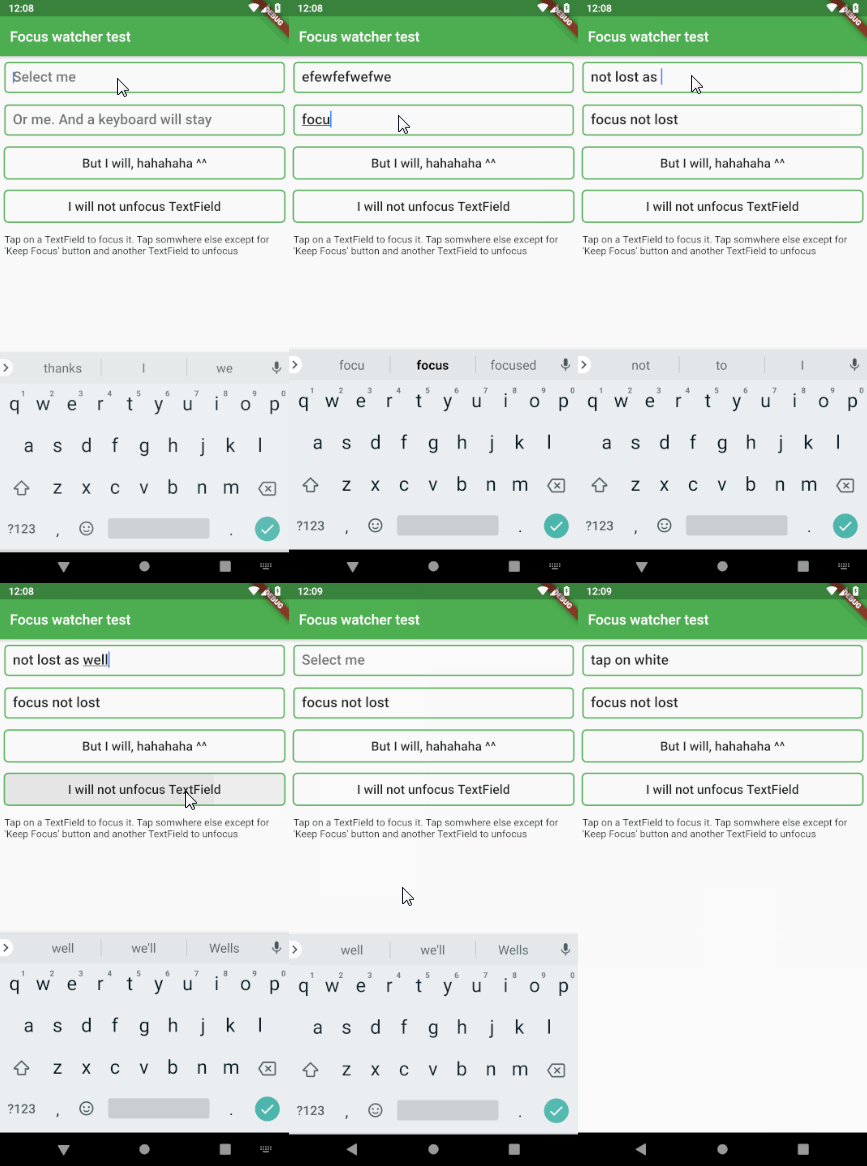
This widget is used to remove TextField focus if a tap occured somewhere else In order for this to work properly, it must be placed inside MaterialApp or WidgetsApp. This is necessary because this widget requires MediaQuery, which is supplied by those two.

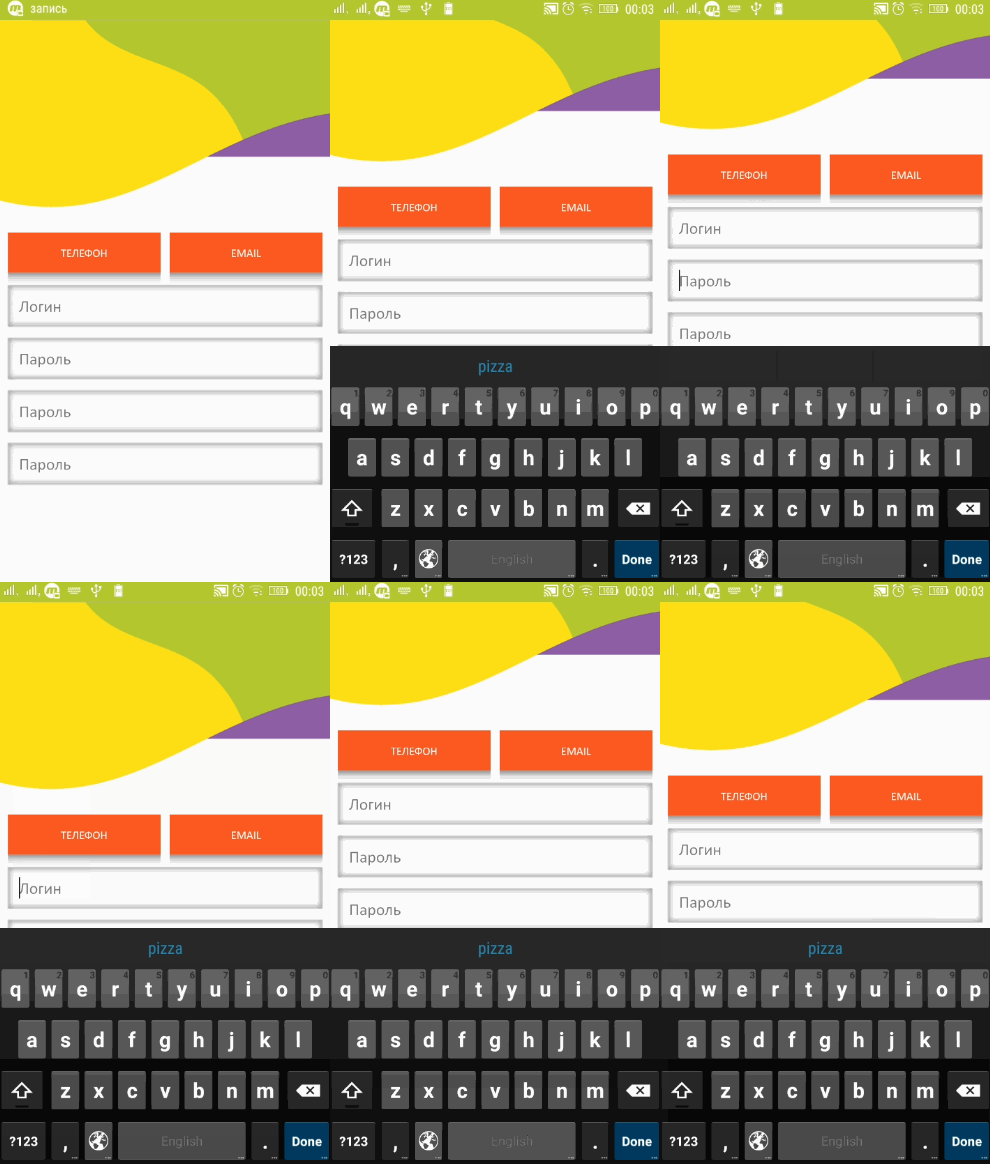
The widget also keeps track of a keyboard space and moves the whole application up if a focused TextField gets obscured by the keyboard The only additional thing you need to do for it is to set your Scaffold's resizeToAvoidBottomInset to false (in case you use scaffold) and that's it. If you want to change the height of application lift, simply set your preferred value to the FocusWatcher's liftOffset variable. The default value is 15.0. This means the number of points above the keyboard's upper bound

Example

It's very easy to use. You may add it as a library or simply copy flutter_focus_watcher.dart into your project. It doesn't have any external dependencies

Then simply do this. Notice that FocusWatcher is inside MaterialApp. That's because it inherits MediaQuery from that

IMPORTANT! You must wrap with the FocusWatcher every scaffold where you want this functionality

import 'package:flutter/material.dart';
import 'package:flutter_focus_watcher/flutter_focus_watcher.dart';

void main() => runApp(MyApp());

class MyApp extends StatelessWidget {
  // This widget is the root of your application.
  @override
   Widget build(BuildContext context) {
      return MaterialApp(
        title: 'Demo app',
        theme: ThemeData(
          primarySwatch: Colors.blue,
        ),
        home: MyHomePage(title: 'Flutter Demo Home Page')
      );
    }
}

 @override
  Widget build(BuildContext context) {
    return FocusWatcher(
        child: Scaffold(
         // don't forget about this
         resizeToAvoidBottomInset: false,
         ...
       )
    );
     
  }

And it will do the rest.

alt watcher

And here is how it handles the keyboard

alt keyboard

In case you want to exclude some widget from this workflow, simply wrap that widget with

@override
Widget build(BuildContext context) {
    return IgnoreFocusWatcher(
      child: TextField("I will be ignored by FocusWatcher")
    );
}

And this widget will be ignored by FocusWatcher

There may also be some cases when a TextField (like material text field) does not apply a RenderEditable or RenderParagraph thus making this plugin useless. You can simply fix it by wrapping the TextField in a ForceFocusWatcher() widget. That's it

@override
Widget build(BuildContext context) {
    return ForceFocusWatcher(
      child: TextField("I'm forced to activate focus watcher")
    );
}

Categories

Source repository

Projects using this package

No data available yet.