
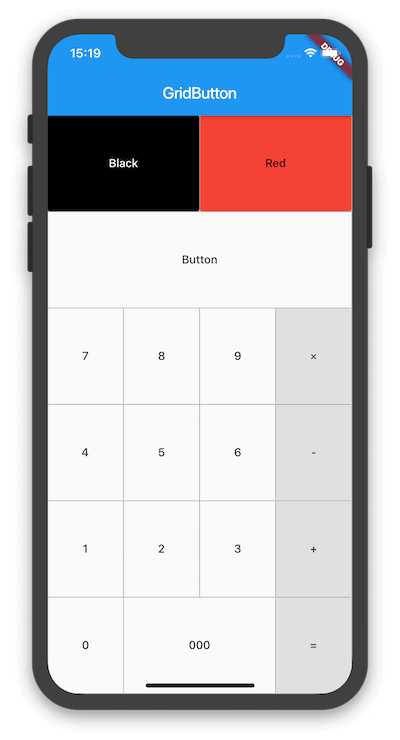
A Flutter widget that arranges buttons in a customizable grid layout. Ideal for creating interfaces like number pads, calculators, or any grid-based button system. It simplifies the creation of responsive and visually consistent button grids across multiple platforms. The package supports various configurations for spacing, alignment, and button styling, making it flexible for different UI needs. Built with simplicity and reusability in mind, it integrates seamlessly into existing Flutter projects.
Use cases
- Creating calculator interfaces
- Designing numeric input pads
- Building game control panels
- Developing form layouts with grouped actions
- Implementing keyboard-like button arrangements
Key features
- Grid-based button arrangement
- Customizable spacing and alignment
- Responsive design across platforms
- Easy integration with Flutter
- Support for platform-specific rendering
Suitable for
- Developers building calculator apps
- UI designers needing grid button layouts
- Projects requiring consistent button grids
- Cross-platform mobile and web applications
- Apps with numeric or action-based input systems
Considerations
- Limited to button grid use cases
- Requires manual handling of button tap logic
- No built-in support for complex animations
- Best suited for static or simple interactive grids
- May need additional styling for advanced visual effects

