Search packages, repositories and app categories

Package detailsv1.0.1

flutter_hls_video_player

A highly customizable and efficient HLS (m3u8) video player for Flutter applications. Supports adaptive bitrate, custom UI controls, and seamless streaming on Android & iOS.

AndroidiOSWebmacOSWindows
30-day downloads
1.1K
Likes
38
Pub points
130

Install package

flutter pub add flutter_hls_video_player

Package Overview

Package selection guidance compiled from public package information, community data, and project usage.

A highly customizable and efficient HLS (m3u8) video player for Flutter, designed for seamless streaming across Android, iOS, Web, macOS, and Windows. It supports adaptive bitrate streaming, allowing optimal playback quality based on network conditions. Developers can implement custom UI controls to match app design. Built for performance and reliability, it ensures smooth playback of live and on-demand HLS content with minimal latency.

Use cases

  • Live streaming applications
  • On-demand video platforms
  • Educational apps with video content
  • Media-rich mobile and desktop apps
  • Custom video player integrations

Key features

  • Adaptive bitrate streaming
  • Customizable UI controls
  • Cross-platform support (Android, iOS, Web, macOS, Windows)
  • Efficient HLS (m3u8) playback
  • Low-latency streaming

Suitable for

  • Developers building media-heavy Flutter apps
  • Apps requiring live or on-demand video streaming
  • Teams needing cross-platform video solutions
  • Projects with custom video player requirements

Considerations

  • Requires valid HLS (m3u8) stream URLs
  • May need additional configuration for specific streaming scenarios
  • Best suited for apps with consistent internet connectivity

Original README

Original README snapshot from the linked source repository. Visit the repository for the latest content.

Flutter HLS Video Player

Flutter HLS Video Player is a highly customizable and efficient m3u8 video player for Flutter applications, enabling seamless HLS (HTTP Live Streaming) playback. It offers adaptive quality selection, smooth streaming, and interactive controls, providing an optimal viewing experience across iOS and Android devices.

📦 Installation

Add the dependency in your pubspec.yaml:

dependencies:
  flutter_hls_video_player: latest_version

Run:

flutter pub get

🎥 Usage

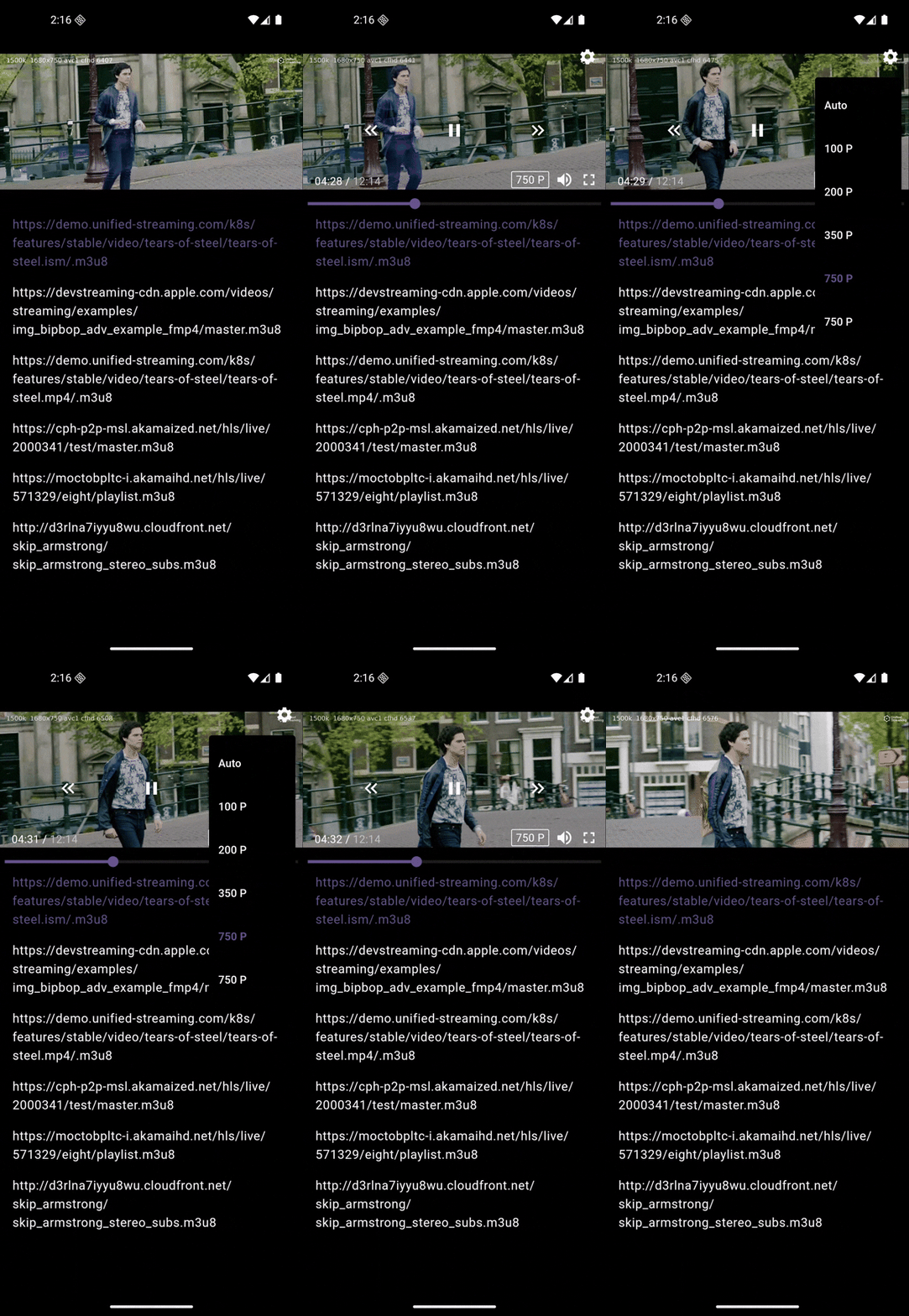
📽️ Portrait Video

Check out the player in action:

Portrait GIF

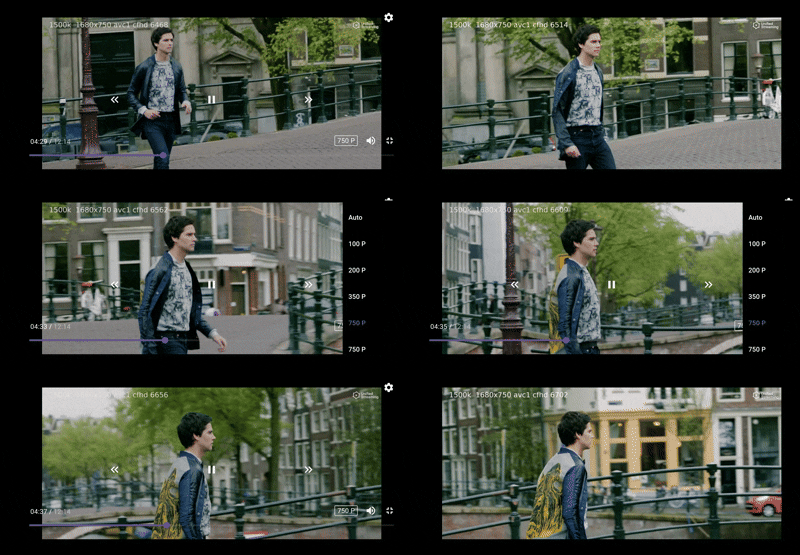
📽️ Landscape Video

Check out the player in action:

Landscape GIF

Import the package:
import 'package:flutter/material.dart';
import 'package:flutter_hls_video_player/controller/flutter_hls_video_player_controller.dart';
import 'package:flutter_hls_video_player/view/flutter_hls_video_player.dart';
Example Implementation (Portrait & Landscape Support)
import 'dart:async';
import 'package:flutter/material.dart';
import 'package:flutter_hlf_video_player/flutter_hls_video_player/controller/flutter_hls_video_controls.dart';
import 'package:flutter_hlf_video_player/flutter_hls_video_player/controller/flutter_hls_video_player_controller.dart';
import 'package:flutter_hlf_video_player/flutter_hls_video_player/controller/flutter_hls_video_player_state.dart';
import 'package:flutter_hlf_video_player/flutter_hls_video_player/view/flutter_hls_video_player.dart';

class HomeView extends StatefulWidget {
  const HomeView({super.key});

  @override
  State<HomeView> createState() => _HomeViewState();
}

class _HomeViewState extends State<HomeView> {
  List<String> demoM3u8VideoUrls = [
    "https://demo.unified-streaming.com/k8s/features/stable/video/tears-of-steel/tears-of-steel.ism/.m3u8",
    "https://devstreaming-cdn.apple.com/videos/streaming/examples/img_bipbop_adv_example_fmp4/master.m3u8",
    "https://demo.unified-streaming.com/k8s/features/stable/video/tears-of-steel/tears-of-steel.mp4/.m3u8",
    "https://cph-p2p-msl.akamaized.net/hls/live/2000341/test/master.m3u8",
    "https://moctobpltc-i.akamaihd.net/hls/live/571329/eight/playlist.m3u8",
    "http://d3rlna7iyyu8wu.cloudfront.net/skip_armstrong/skip_armstrong_stereo_subs.m3u8 "
  ];
  ValueNotifier<int> activeVideoIndexValueNotifier = ValueNotifier(-1);

  FlutterHLSVideoPlayerController flutterHLSVideoPlayerController =
      FlutterHLSVideoPlayerController();

  @override
  void initState() {
    Future.delayed(const Duration(seconds: 3), () {
      _playVideoFromList(0);
    });
    super.initState();
  }

  void _playVideoFromList(int index) {
    activeVideoIndexValueNotifier.value = index;
    flutterHLSVideoPlayerController.loadHlsVideo(demoM3u8VideoUrls[index]);
    flutterHLSVideoPlayerController.play();
  }

  void _showPopupMenu({required BuildContext mContext}) {
    final RenderBox overlay =
        Overlay.of(context).context.findRenderObject() as RenderBox;

    FlutterHLSVideoPlayerState videoState =
        flutterHLSVideoPlayerController.initialState;

    showMenu(
      context: mContext,
      position: RelativeRect.fromLTRB(overlay.size.width - 50, 100, 10, 0),
      items: [
        PopupMenuItem(
            child: Column(
          mainAxisSize: MainAxisSize.min,
          children: List.generate((videoState.availableQualities ?? []).length,
              (index) {
            return ListTile(
              selected: videoState.currentQuality == index,
              title: Text(
                videoState.availableQualities![index]['height'] == "Auto"
                    ? videoState.availableQualities![index]['height']
                    : "${videoState.availableQualities![index]['height']} P",
                style: TextStyle(
                    fontWeight: videoState.currentQuality == index
                        ? FontWeight.bold
                        : null),
              ),
              onTap: () {
                flutterHLSVideoPlayerController
                    .changeQuality(index == 0 ? -1 : index);
                Navigator.pop(context);
              },
            );
          }),
        )),
      ],
    );
  }

  @override
  Widget build(BuildContext context) {
    return Scaffold(
      backgroundColor: Colors.black,
      body: SafeArea(
        child: StreamBuilder<FlutterHLSVideoPlayerState>(
            stream: flutterHLSVideoPlayerController.stateStream,
            builder: (mContext, snapshot) {
              bool isFullScreen =
                  (snapshot.data != null && snapshot.data!.fullScreen);

              // Video Player
              return Stack(
                children: [
                  // Video Background UI For Portrate
                  if (isFullScreen == false)
                    Column(
                      children: [
                        AspectRatio(
                          aspectRatio: 16 / 9,
                          child: Container(
                            color: Colors.black,
                          ),
                        ),

                        // Body Content
                        Expanded(
                            child: ValueListenableBuilder<int>(
                                valueListenable: activeVideoIndexValueNotifier,
                                builder: (context, activeIndex, _) {
                                  return ListView.builder(
                                      itemCount: demoM3u8VideoUrls.length,
                                      itemBuilder: (context, index) {
                                        return ListTile(
                                          onTap: () {
                                            _playVideoFromList(index);
                                          },
                                          title: Text(
                                            demoM3u8VideoUrls[index],
                                            style: TextStyle(
                                              color: activeIndex == index
                                                  ? Theme.of(context)
                                                      .primaryColor
                                                  : Colors.white,
                                            ),
                                          ),
                                        );
                                      });
                                }))
                      ],
                    ),
                  FlutterHLSVideoPlayer(
                    controller: flutterHLSVideoPlayerController,
                    controls: FlutterHLSVideoPlayerControls(
                      hideBackArrowWidget: true,
                      onTapArrowBack: () {},
                      onTapSetting: () {
                        _showPopupMenu(mContext: context);
                      },
                    ),
                  ),
                ],
              );
            }),
      ),
    );
  }

  @override
  void dispose() {
    flutterHLSVideoPlayerController.dispose();
    super.dispose();
  }
}

🎛️ Features

  • Play HLS (m3u8) streaming videos
  • Customizable controls (play, pause, fullscreen, mute, quality selection)
  • Supports landscape and portrait mode
  • Quality Selection from multiple available resolutions
  • Seamless integration with Flutter's state management
  • Works on iOS and Android

📜 Permissions

iOS Permissions

Add the following permissions in Info.plist:

<key>NSAppTransportSecurity</key>
<dict>
    <key>NSAllowsArbitraryLoads</key>
    <true/>
    <key>NSAllowsArbitraryLoadsInWebContent</key>
    <true/>
    <key>NSAllowsLocalNetworking</key>
    <true/>
</dict>

<key>IOSWebViewOptions</key>
<dict>
    <key>AllowsInlineMediaPlayback</key>
    <true/>
    <key>MediaTypesRequiringUserActionForPlayback</key>
    <string>None</string>
</dict>

<key>NSAllowsArbitraryLoadsForMedia</key>
<true/>
Android Permissions

Add the following permissions in AndroidManifest.xml:

<uses-permission android:name="android.permission.INTERNET"/>
<uses-permission android:name="android.permission.ACCESS_NETWORK_STATE"/>
⚠️ Important Note
  • ⚠ Supports only m3u8 URLs for HLS streaming. Other formats are not supported..

  • On iOS Simulators and Android Emulators, the player may not function correctly. Please use a physical device for accurate testing

⏭️ Upcoming Features

  • Subtitle Support for Enhanced Accessibility
  • Adjustable Playback Speed (Slow-Motion & Fast-Forward)

🤝 Contribute & Collaborate

Have suggestions or found a bug? Open an issue or submit a pull request on GitHub. Let's build a better player together!

📝 License

This project is licensed under the MIT License.

Categories

Dependencies

Dependency list 1 items

Source repository

Projects using this package

No data available yet.