Search packages, repositories and app categories

flutter_incoming_call cover
Package detailsv0.1.2

flutter_incoming_call

A Flutter plugin to show incoming call in your Flutter app!

AndroidiOS
30-day downloads
38
Likes
43
Pub points
140

Install package

flutter pub add flutter_incoming_call

Package Overview

Package selection guidance compiled from public package information, community data, and project usage.

A Flutter plugin that enables your app to display incoming call interfaces on Android and iOS devices. It allows developers to create custom call UIs, manage call states, and handle incoming calls with system-level integration. The plugin is designed for apps requiring real-time communication features such as VoIP or telehealth applications. It leverages native platform capabilities to ensure reliable performance and user experience across both operating systems.

Use cases

  • VoIP calling apps
  • Telehealth platforms
  • Real-time communication services
  • Custom call interface implementations
  • Emergency alert systems

Key features

  • Native incoming call UI support
  • Cross-platform Android and iOS compatibility
  • Call state management
  • System-level call handling
  • Customizable call screen design

Suitable for

  • Developers building VoIP applications
  • Apps needing real-time call notifications
  • Healthcare or emergency response software
  • Mobile communication platforms

Considerations

  • Requires native platform permissions
  • May need additional configuration for background execution
  • Limited to call simulation rather than actual phone calls
  • Depends on device-specific behavior
  • Not suitable for traditional phone call routing

Original README

Original README snapshot from the linked source repository. Visit the repository for the latest content.

flutter_incoming_call

A Flutter plugin to show incoming call in your Flutter app! Alpha version(not ready for production!)

Usage

To use this plugin:

  1. Configure android project: Just add to your manifest activity and receiver.
<activity
    android:name="com.github.alezhka.flutter_incoming_call.IncomingCallActivity"
    android:theme="@style/Theme.AppCompat"
    android:screenOrientation="portrait"
    android:showOnLockScreen="true">
    <intent-filter>
        <action android:name="com.github.alezhka.flutter_incoming_call.activity.ACTION_INCOMING_CALL" />
        <category android:name="android.intent.category.DEFAULT" />
    </intent-filter>
</activity>

<receiver android:name="com.github.alezhka.flutter_incoming_call.CallBroadcastReceiver"
    android:enabled="true"
    android:exported="false"/>
  1. Configure Flutter plugin:
FlutterIncomingCall.configure(
    appName: 'example_incoming_call',
    duration: 30000,
    android: ConfigAndroid(
        vibration: true,
        ringtonePath: 'default',
        channelId: 'calls',
        channelName: 'Calls channel name',
        channelDescription: 'Calls channel description',
    ),
    ios: ConfigIOS(
        iconName: 'AppIcon40x40',
        ringtonePath: null,
        includesCallsInRecents: false,
        supportsVideo: true,
        maximumCallGroups: 2,
        maximumCallsPerCallGroup: 1,
    )
)
  1. Listen events:
FlutterIncomingCall.onEvent.listen((event) {
    if(event is CallEvent) { // Android | IOS
    } else if(event is HoldEvent) { // IOS
    } else if(event is MuteEvent) { // IOS
    } else if(event is DmtfEvent) { // IOS
    } else if(event is AudioSessionEvent) { // IOS
    }
});
  1. Call api:
FlutterIncomingCall.displayIncomingCall(String uid, String name, String avatar, String handle, String type, bool isVideo);
FlutterIncomingCall.endCall(String uuid);
FlutterIncomingCall.endAllCalls();

Demo

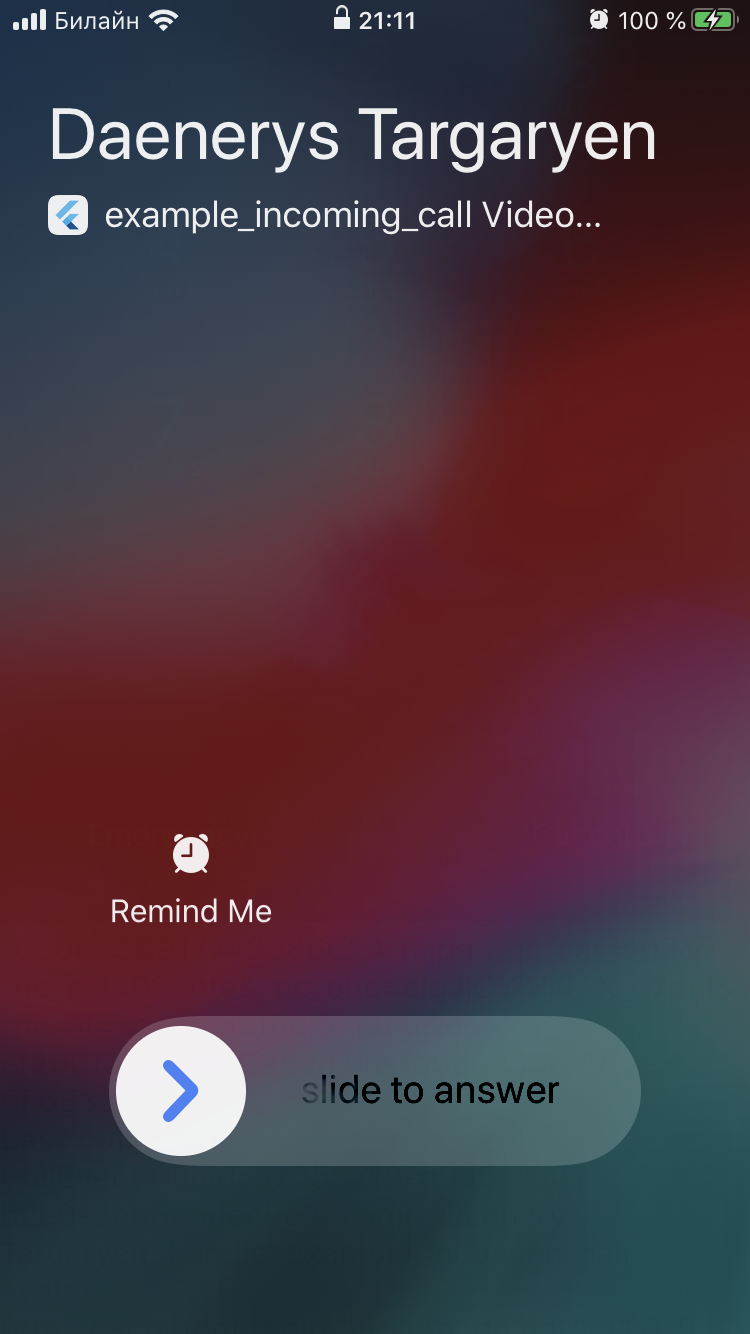
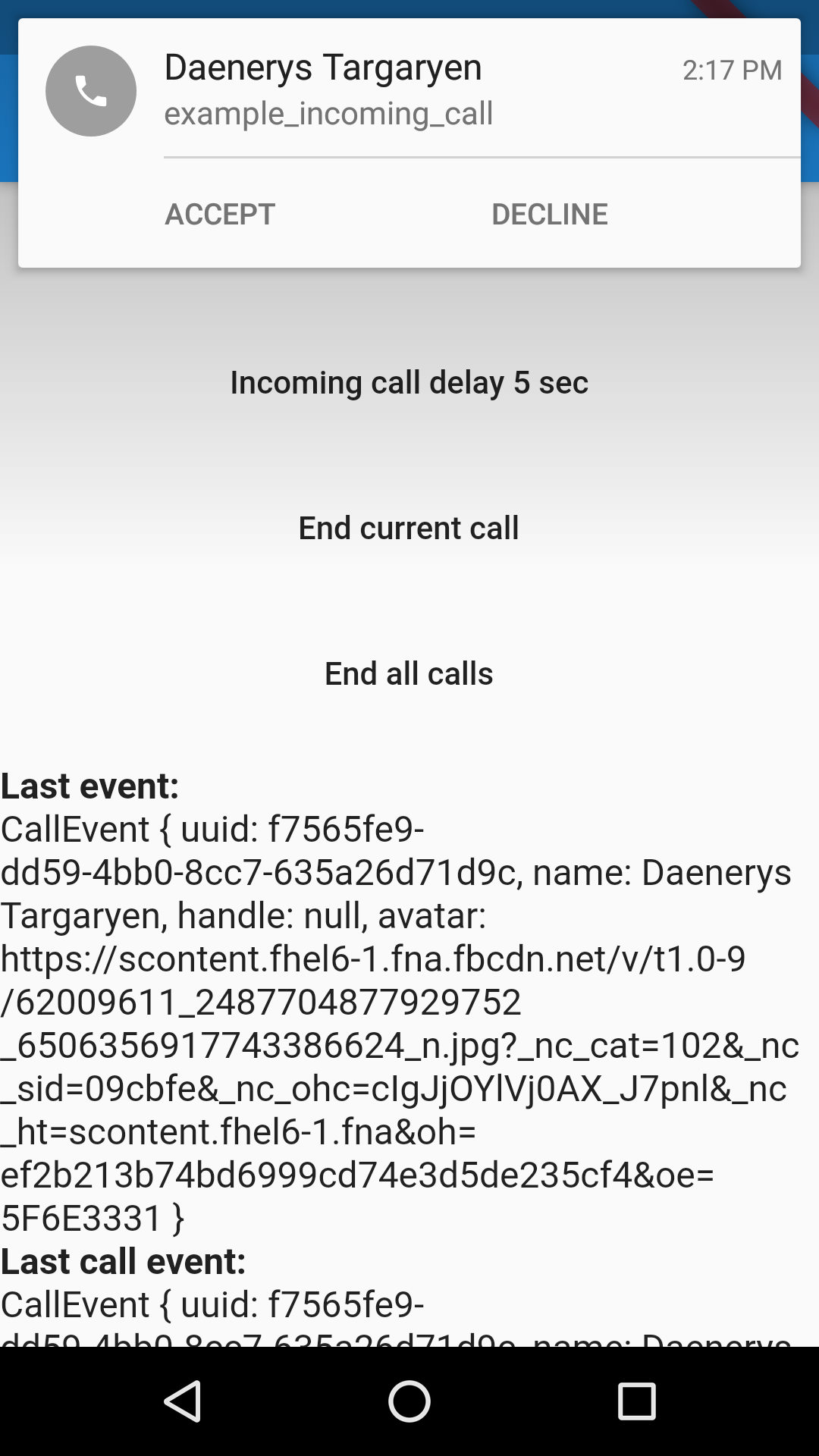
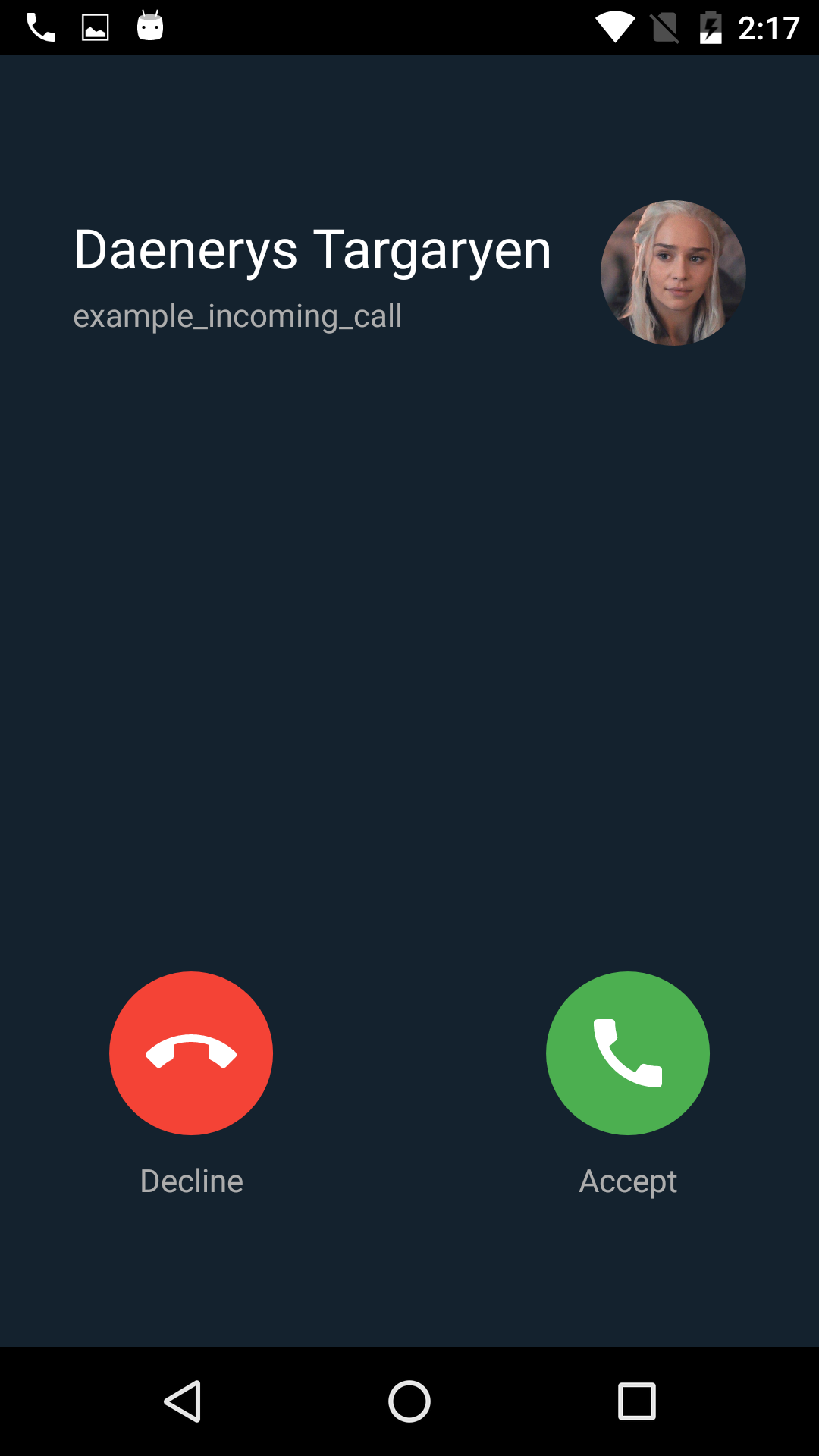
ios ios (Lockscreen) Android Android (Lockscreen)

Example

Check out the example in the example project folder for a working example.

Categories

Source repository

Projects using this package

No data available yet.