Search packages, repositories and app categories

Package detailsv1.0.2

flutter_json_widget

A Json viewer widget for flutter. Shows json data in an extensible list. Makes data readable on the phone easily.

30-day downloads
102
Likes
30
Pub points
40

Install package

flutter pub add flutter_json_widget

Package Overview

Package selection guidance compiled from public package information, community data, and project usage.

A Flutter widget that displays JSON data in a readable, extensible list format. Designed for easy visualization of JSON on mobile devices, it enhances data inspection during development or debugging. The widget supports nested structures and provides a clean, hierarchical view of JSON content. It is particularly useful for developers who need to quickly examine API responses or configuration files directly within the app interface. Built with simplicity and usability in mind, it integrates seamlessly into Flutter applications.

Use cases

  • Debugging API responses
  • Inspecting configuration files
  • Viewing nested JSON data
  • Enhancing developer tooling
  • Displaying raw JSON in apps

Key features

  • Hierarchical JSON display
  • Extensible list structure
  • Mobile-friendly design
  • Easy integration with Flutter
  • Supports nested JSON objects

Suitable for

  • Flutter developers
  • App debuggers
  • API testers
  • Mobile UI builders
  • Configuration viewers

Considerations

  • Limited to JSON data only
  • No editing capabilities
  • Not optimized for very large JSON files
  • Requires manual setup for dynamic data
  • No built-in search or filtering

Original README

Original README snapshot from the linked source repository. Visit the repository for the latest content.

flutter_json_widget

A Json viewer widget for flutter.

Using the library

The /example/ folder in the GitHub repo contains a full Flutter app with demo examples.

Use this package as a library on Dart dev

1. Depend on it

Add this to your package's pubspec.yaml file:

dependencies:
  flutter_json_widget: ^1.0.3
2. Install it

You can install packages from the command line:

with Flutter:

$ flutter pub get

Alternatively, your editor might support flutter pub get. Check the docs for your editor to learn more.

3. Import it

Now in your Dart code, you can use:

import 'package:flutter_json_widget/flutter_json_widget.dart';
4. Show it
@override
Widget build(BuildContext context) {
    var testString = '''{
        "I": "How are you?",
        "You": "Excellent!"}
        ''';
    Map<String, dynamic> jsonObj = jsonDecode(testString);
    return SafeArea(
        child: SingleChildScrollView(
            child: JsonViewerWidget(jsonObj)
        ),
    );
}

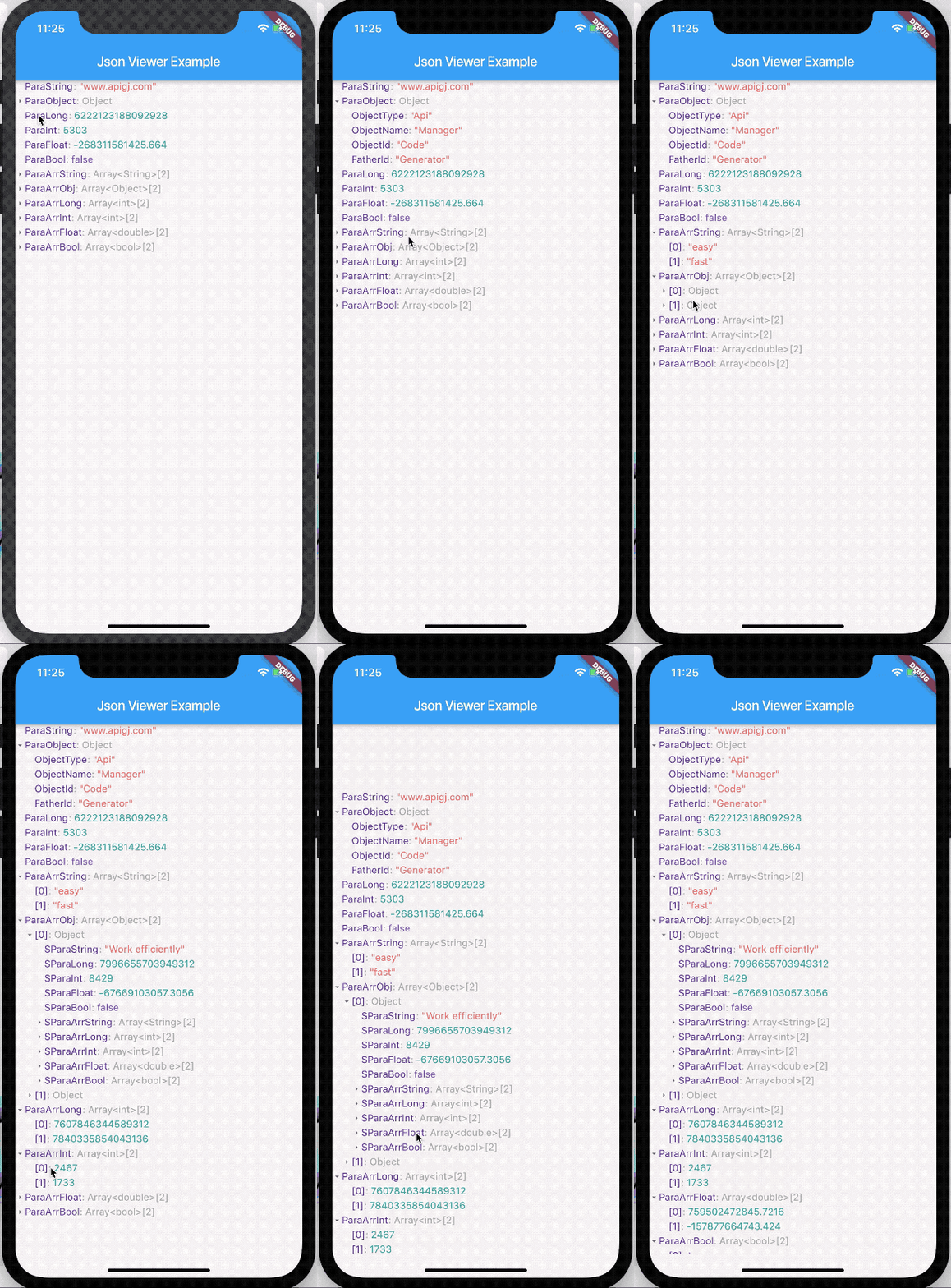
Demo

Demo

Categories

Source repository

Projects using this package

No data available yet.