Search packages, repositories and app categories

Package detailsv0.0.5

flutter_live_activities

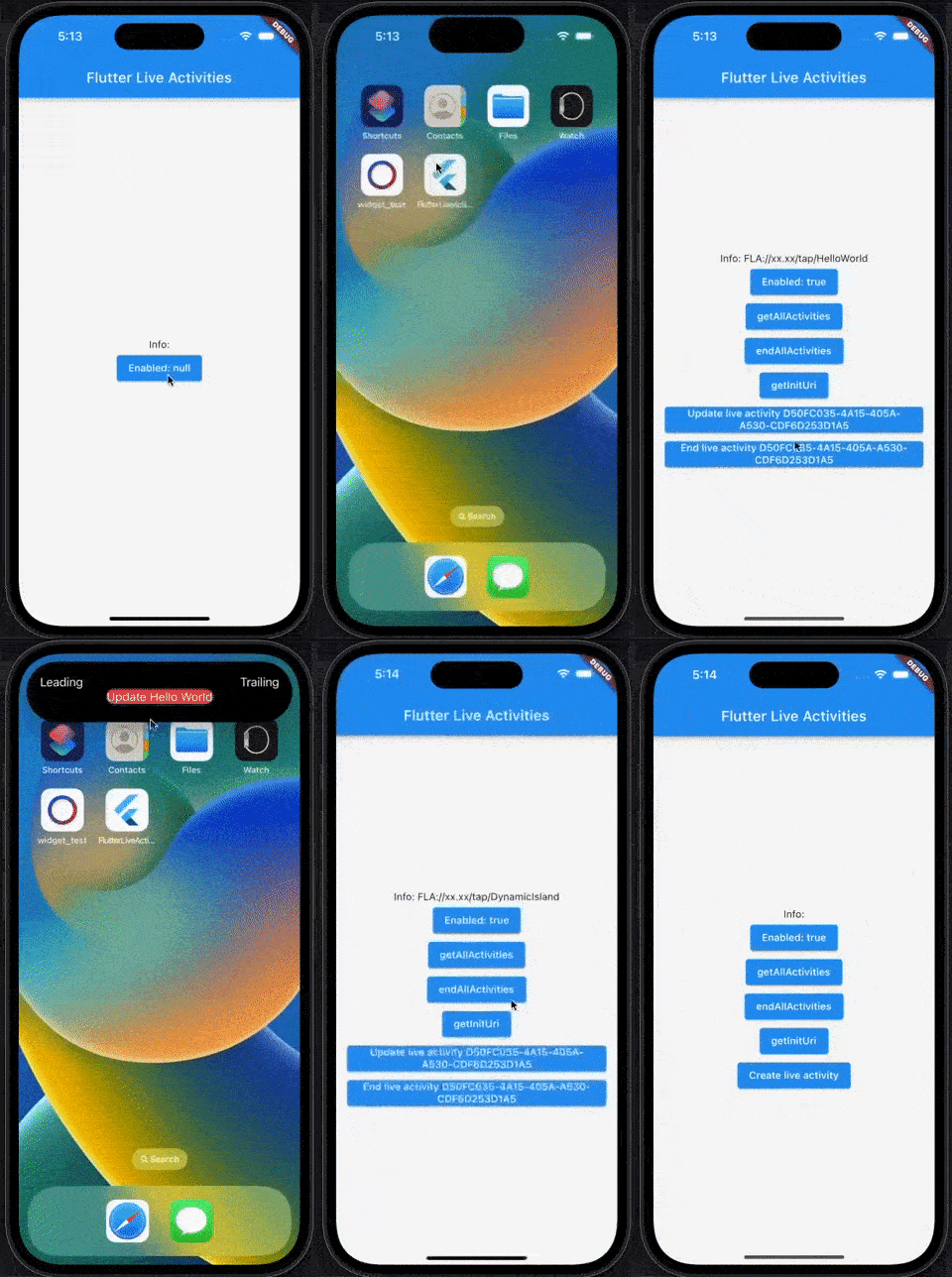
Flutter plugin for Live Activities. Use to create, update and handling action for [DynamicIsland UI] and [Lock screen/banner UI]


iOS
30-day downloads
1.6K
Likes
47
Pub points
150

Install package

flutter pub add flutter_live_activities

Package Overview

Package selection guidance compiled from public package information, community data, and project usage.

A Flutter plugin enabling developers to create and manage Live Activities on iOS, supporting both Dynamic Island and Lock Screen/Banner UIs. It allows real-time updates and user interaction through actions, enhancing app engagement with dynamic, interactive content directly on the user's home screen or lock screen. The plugin integrates seamlessly with Flutter apps targeting iOS devices.

Use cases

  • Real-time tracking displays
  • Live sports score updates
  • Music playback controls
  • Ride-sharing status updates
  • Delivery progress notifications

Key features

  • Dynamic Island support
  • Lock screen/banner integration
  • Real-time activity updates
  • Action handling for user interactions
  • iOS-only platform compatibility

Suitable for

  • Apps requiring real-time status updates
  • Fitness and navigation apps
  • Media and entertainment apps
  • Ride-hailing and delivery services
  • Interactive iOS-first applications

Considerations

  • iOS only – no Android support
  • Requires iOS 16+
  • Limited to Apple's Live Activities framework
  • Potential battery impact from continuous updates
  • Needs proper handling of background execution

Original README

Original README snapshot from the linked source repository. Visit the repository for the latest content.

Flutter Live Activities

Flutter plugin for Live Activities. Use to create, update and handling action for [DynamicIsland UI] and [Lock screen/banner UI]

English | 中文说明

pub package GitHub stars GitHub forks FlutterCandies

This plugin requires notification permission

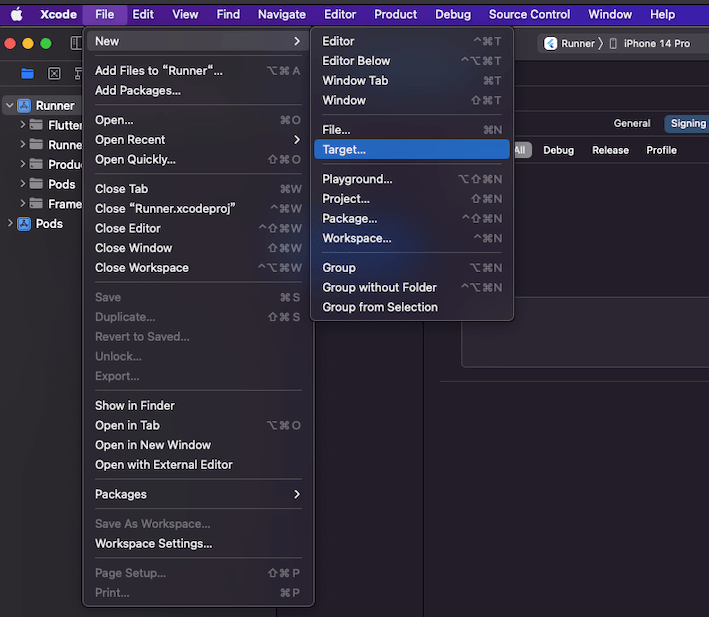
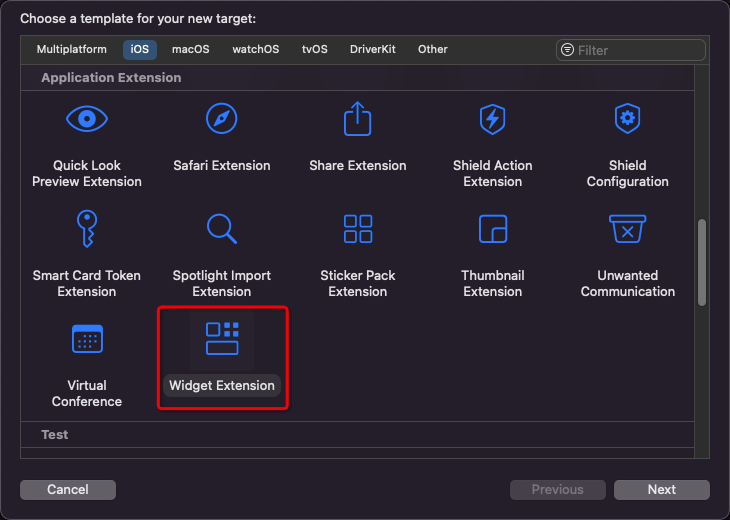
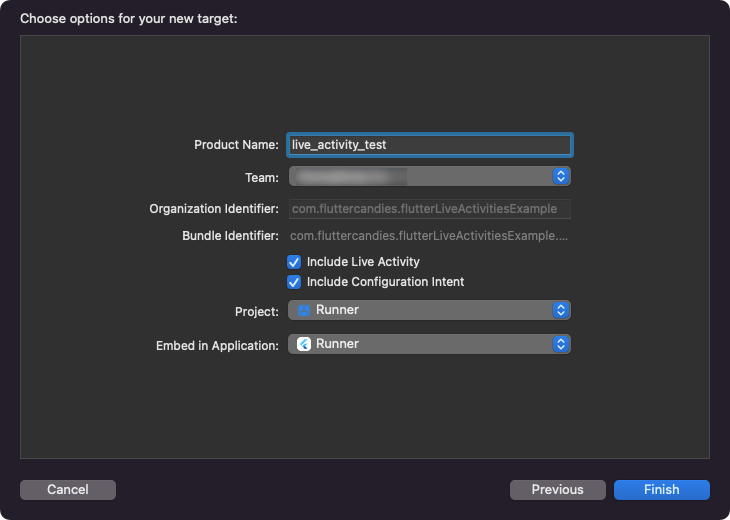
1. Add a Widget to the iOS project
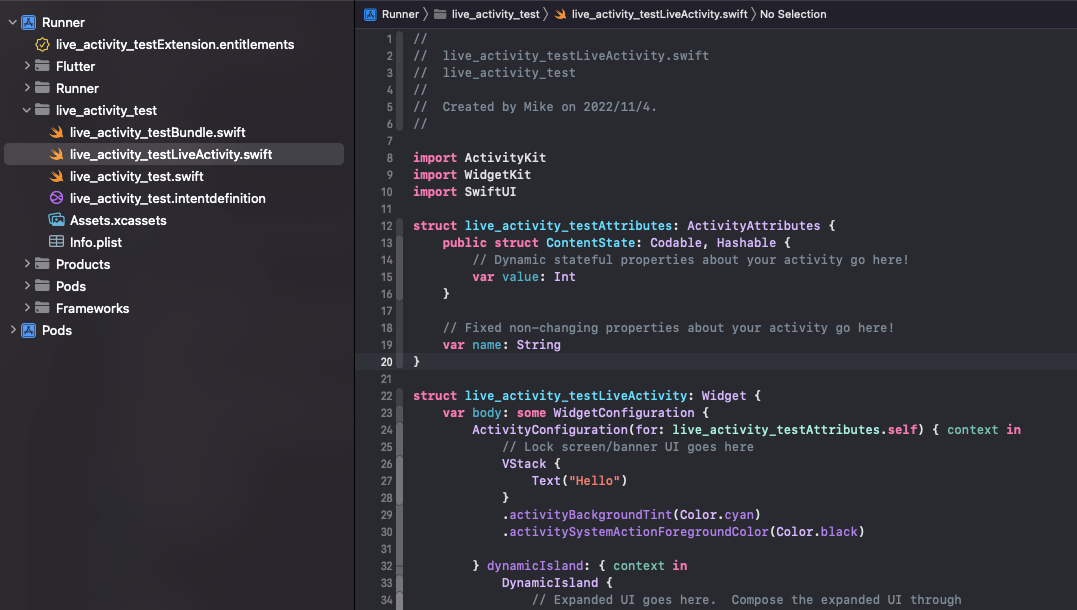
  • Directory structure
2. Edit Runner/Info.plist and live_activity_test/Info.plist

both add:

<plist version="1.0">
<dict>
    ...
	<key>NSSupportsLiveActivities</key>
	<true/>
    ...
</dict>
</plist>
3. Create a data channel in widget swift file

live_activity_test/live_activity_testLiveActivity.swift

import ActivityKit
import SwiftUI
import WidgetKit

// Custom data model
struct TestData {
    var text: String

    init?(JSONData data: [String: String]) {
        self.text = data["text"] ?? ""
    }

    init(text: String) {
        self.text = text
    }
}

// Data channel  <-  Must!
struct FlutterLiveActivities: ActivityAttributes, Identifiable {
    public typealias LiveData = ContentState

    public struct ContentState: Codable, Hashable {
        var data: [String: String]
    }

    var id = UUID()
}

@available(iOSApplicationExtension 16.1, *)
struct live_activity_testLiveActivity: Widget {
    var body: some WidgetConfiguration {
        // Binding
        ActivityConfiguration(for: FlutterLiveActivities.self) { context in

            // Lock screen/banner UI goes here

            // Json to model
            let data = TestData(JSONData: context.state.data)

            // UI
            VStack {
                Text(data?.text ?? "")
            }
            .activityBackgroundTint(Color.cyan)
            .activitySystemActionForegroundColor(Color.black)
        } dynamicIsland: { context in
            // Json to model
            let data = TestData(JSONData: context.state.data)

            // DynamicIsland
            return DynamicIsland {
                // Expanded UI goes here.  Compose the expanded UI through
                // various regions, like leading/trailing/center/bottom
                DynamicIslandExpandedRegion(.leading) {
                    Text("Leading")
                }
                DynamicIslandExpandedRegion(.trailing) {
                    Text("Trailing")
                }
                DynamicIslandExpandedRegion(.bottom) {
                    // Show data from flutter
                    Text(data?.text ?? "")
                }
            } compactLeading: {
                Text("L")
            } compactTrailing: {
                Text("T")
            } minimal: {
                Text("Min")
            }
            .keylineTint(Color.red)
        }
    }
}

For more layout information, please refer to: live activities

4. APIs
import 'package:flutter_live_activities/flutter_live_activities.dart';

...

final FlutterLiveActivities _liveActivities = FlutterLiveActivities();

String? _activityId;
  • Check if the Live Activities function is enabled
await _liveActivities.areActivitiesEnabled();
  • Get launch url
await _liveActivities.getInitUri()
  • Create a Live Activity
_activityId = await _liveActivities.createActivity(<String, String>{'text': 'Hello World'});
  • Update a Live Activity
if(_activityId != null) {
    await _liveActivities.updateActivity(_activityId!, <String, String>{'text': 'Update Hello World'});
}

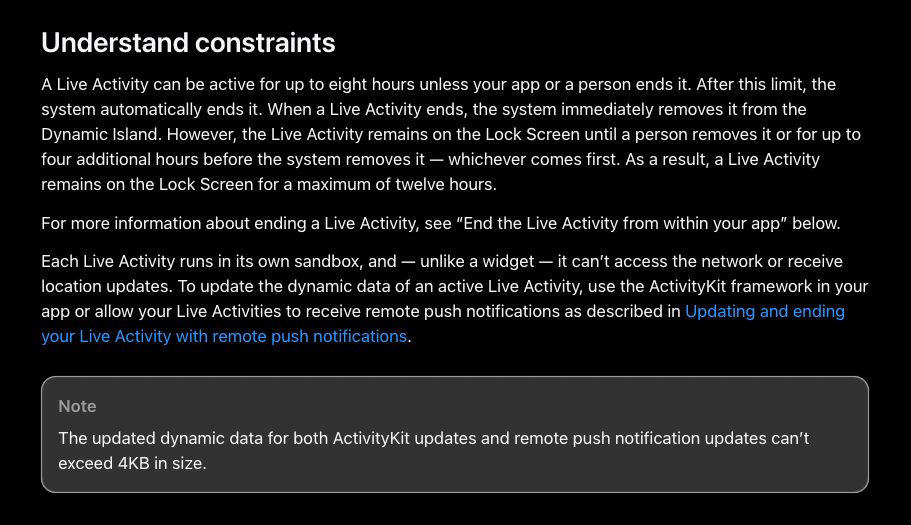
The updated dynamic data for both ActivityKit updates and remote push notification updates can’t exceed 4KB in size. doc

For more solutions, please refer to live_activities

  • End a Live Activity
if(_activityId != null) {
    await _liveActivities.endActivity(_activityId!);
}
  • End all Live Activities
await _liveActivities.endAllActivities();
  • Get all Live Activities id
await _liveActivities.getAllActivities()
5. Deeplink
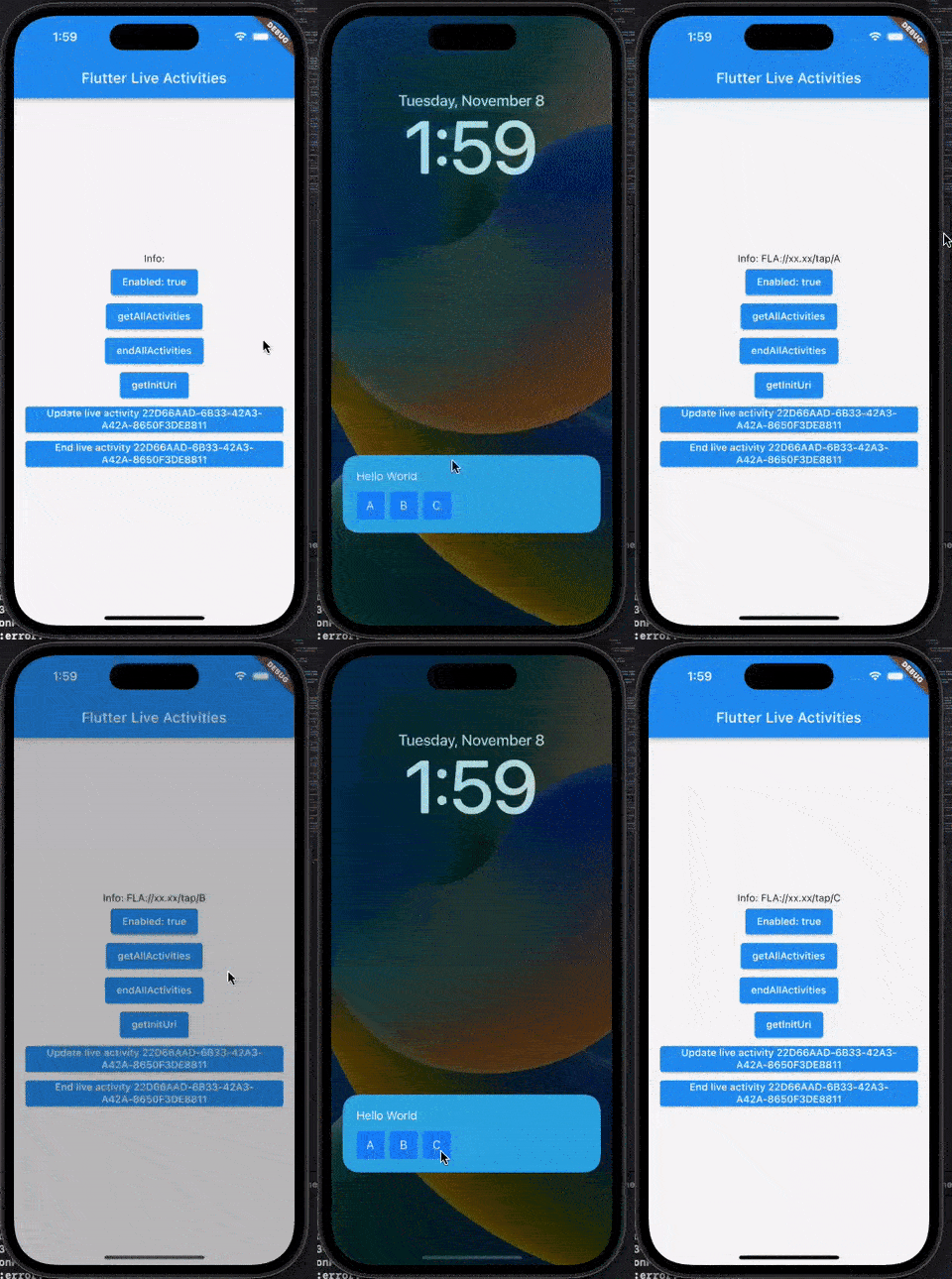
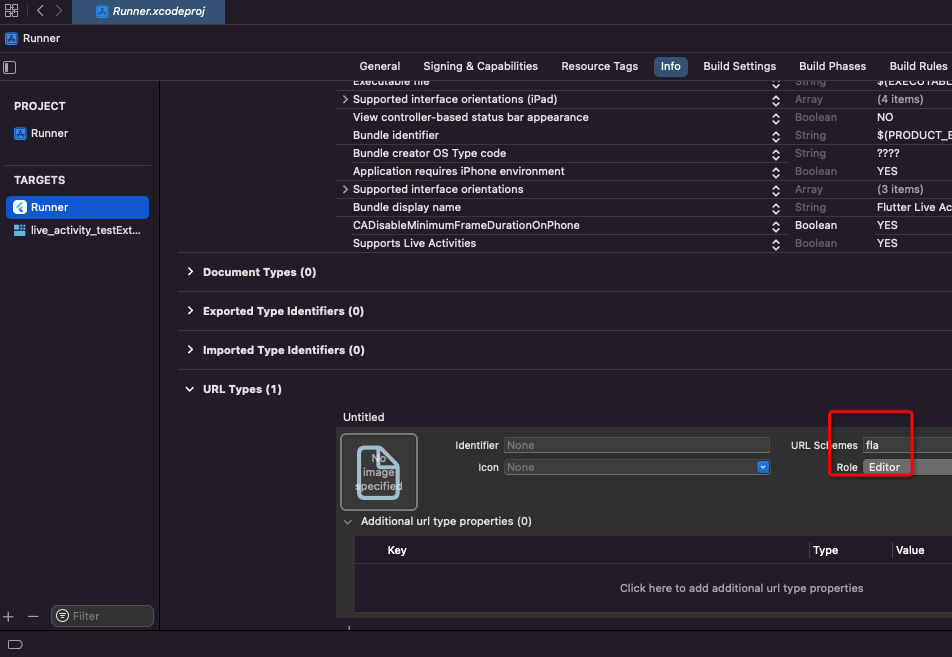
  • The default urlScheme is fla

FlutterLiveActivities({this.urlScheme = 'fla'})

  • Add urlScheme in your project
  • Swift code:
@available(iOSApplicationExtension 16.1, *)
struct live_activity_testLiveActivity: Widget {
    var body: some WidgetConfiguration {
        ActivityConfiguration(for: FlutterLiveActivities.self) { context in
            let data = TestData(JSONData: context.state.data)

            // Lock screen/banner UI goes here

            VStack(alignment: .leading) {
                Text(data?.text ?? "")
                HStack {
                    // Create an action via `Link`
                    Link(destination: URL(string: "fla://xx.xx/tap/A")!) {
                        Text("A")
                            .frame(width: 40, height: 40)
                            .background(.blue)
                    }
                    // Create an action via `Link`
                    Link(destination: URL(string: "fla://xx.xx/tap/B")!) {
                        Text("B")
                            .frame(width: 40, height: 40)
                            .background(.blue)
                    }
                    // Create an action via `Link`
                    Link(destination: URL(string: "fla://xx.xx/tap/C")!) {
                        Text("C")
                            .frame(width: 40, height: 40)
                            .background(.blue)
                    }
                }
                .frame(width: .infinity, height: .infinity)
            }
            .padding(20)
            .activityBackgroundTint(Color.cyan)
            .activitySystemActionForegroundColor(Color.black)

        } dynamicIsland: { context in

            let data = TestData(JSONData: context.state.data)

            return DynamicIsland {
                DynamicIslandExpandedRegion(.bottom) {
                    // Create an action via `Link`
                    Link(destination: URL(string: "fla://xxxxxxx.xxxxxx")!) {
                        Text(data?.text ?? "")
                            .background(.red)
                    }
                }
            } compactLeading: {
                Text("L")
            } compactTrailing: {
                Text("T")
            } minimal: {
                Text("Min")
            }
            .widgetURL(URL(string: "fla://www.apple.com")) // or use widgetURL
            .keylineTint(Color.red)
        }
    }
}
  • Dart code:
_subscription ??= _liveActivities.uriStream().listen((String? uri) {
    dev.log('deeplink uri: $uri');
});
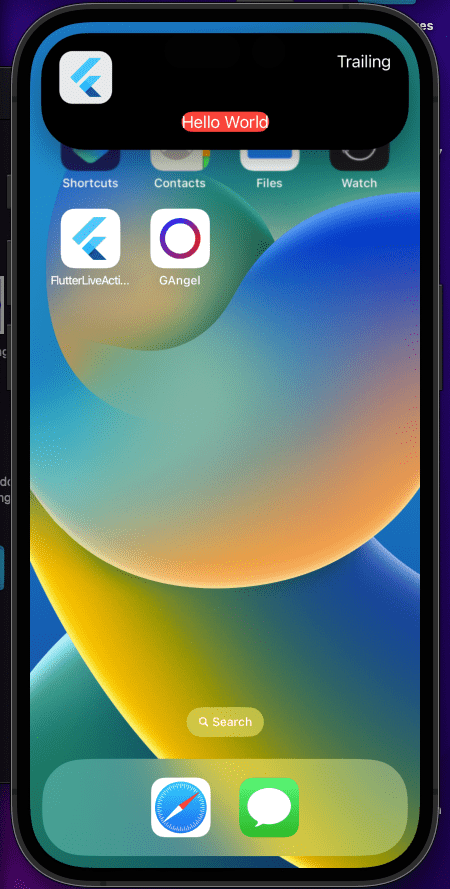
6. Display image

Due to block size limitations. We can't send metadata to LiveActivities

LiveActivities does not support async loading, so we can't use AsyncImage or read local file

Solution from Developer Forums: 716902

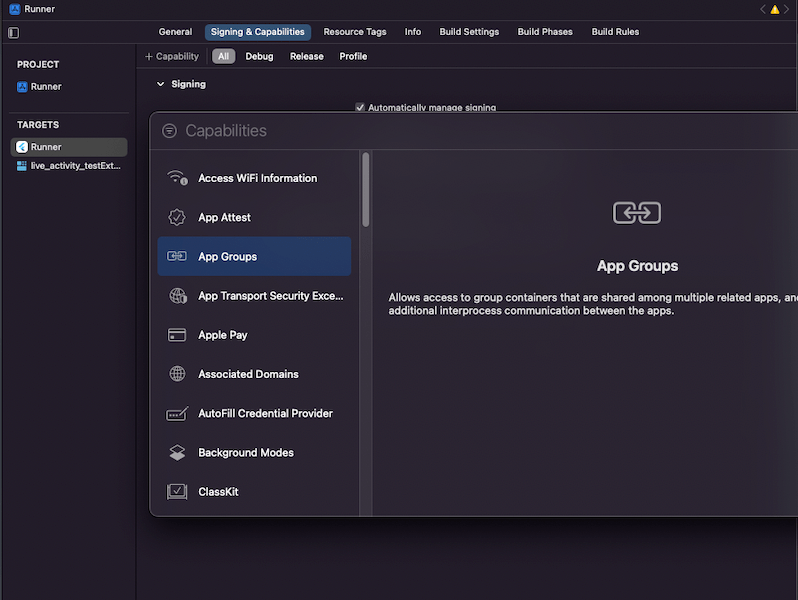
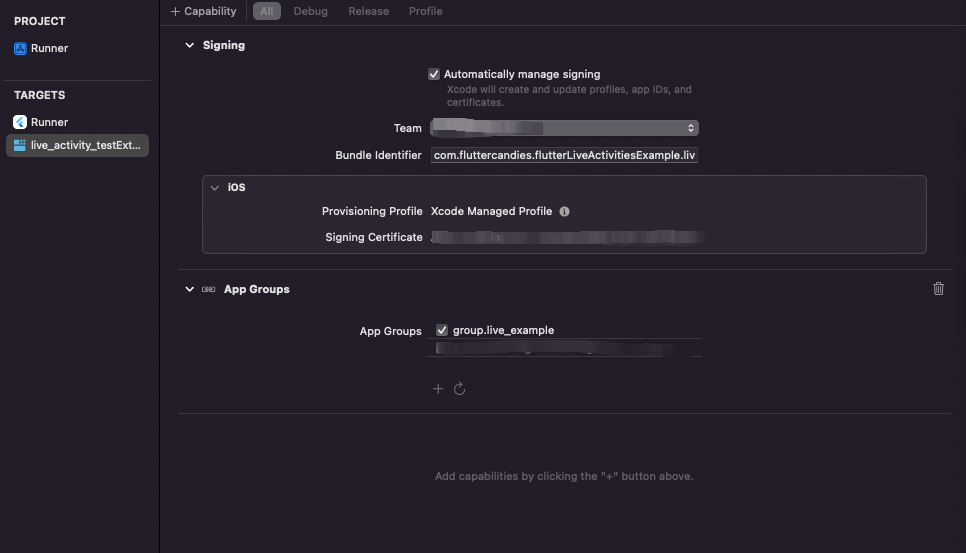
  • Add group config (Paid account required)
  • Add group id both Runner and Widget
  • Send image to group:

Dart code:

Future<void> _sendImageToGroup() async {
    const String url = 'https://cdn.iconscout.com/icon/free/png-256/flutter-2752187-2285004.png';

    final String? path = await ImageHelper.getFilePathFromUrl(url);

    if (path != null) {
        _liveActivities.sendImageToGroup(
            id: 'test-img',
            filePath: path,
            groupId: 'group.live_example',
        );
    }
}

Swift code:

DynamicIslandExpandedRegion(.leading) {
    if let imageContainer = FileManager.default.containerURL(forSecurityApplicationGroupIdentifier: "group.live_example")?.appendingPathComponent("test-img"), /// Use id here
        let uiImage = UIImage(contentsOfFile: imageContainer.path())
    {
        Image(uiImage: uiImage)
            .resizable()
            .frame(width: 53, height: 53)
            .cornerRadius(13)
    } else {
        Text("Leading")
    }
}

Categories

Dependencies

Dependency list 1 items

  • plugin_platform_interface^2.0.2

Source repository

Projects using this package

No data available yet.