Search packages, repositories and app categories

Package detailsv1.0.3

flutter_mobile_carousel

Flutter carousel slider widget, allow render cells with Drag-and-drop animation.

30-day downloads
30
Likes
24
Pub points
25

Install package

flutter pub add flutter_mobile_carousel

Package Overview

Package selection guidance compiled from public package information, community data, and project usage.

A Flutter carousel slider widget that enables smooth drag-and-drop animations for rendering scrollable cells. Designed for interactive, visually engaging content displays, it supports horizontal or vertical scrolling with fluid transitions. Ideal for showcasing images, products, or cards in a dynamic, user-friendly way. The package is lightweight and integrates easily into existing Flutter projects. It leverages native gesture handling for responsive interactions, making it suitable for apps requiring intuitive swipe-based navigation.

Use cases

  • Displaying image galleries
  • Showcasing product carousels
  • Creating interactive onboarding screens
  • Presenting card-based content
  • Building cover flow interfaces

Key features

  • Drag-and-drop animation support
  • Smooth scrolling transitions
  • Customizable cell rendering
  • Gesture-responsive design
  • Lightweight and easy integration

Suitable for

  • Mobile app UIs with visual content
  • E-commerce product displays
  • Onboarding experiences
  • Interactive media galleries
  • Swipe-based navigation patterns

Considerations

  • Limited platform-specific customization
  • No built-in pagination indicators
  • Requires manual handling of large datasets
  • Not optimized for very high frame rates
  • May need additional styling for complex layouts
Original README

Original README snapshot from the linked source repository. Visit the repository for the latest content.

Flutter carousel

Flutter carousel slider widget, allow render cells with Drag-and-drop animation.

Features

  • Easy to use API
  • Drag and drop without lags
  • Uniformly accelerated motion animation
  • Available customize carousel cells and background
  • Auto size cells by horizontal
  • Fix cells count
  • Motion event handling

Installation

Add flutter_mobile_carousel: ^1.0.2 in your pubspec.yaml dependencies. Import the library via:

import 'package:flutter_mobile_carousel/carousel.dart';

Run example

In repository directory run this commands in terminal:

cd example
flutter run

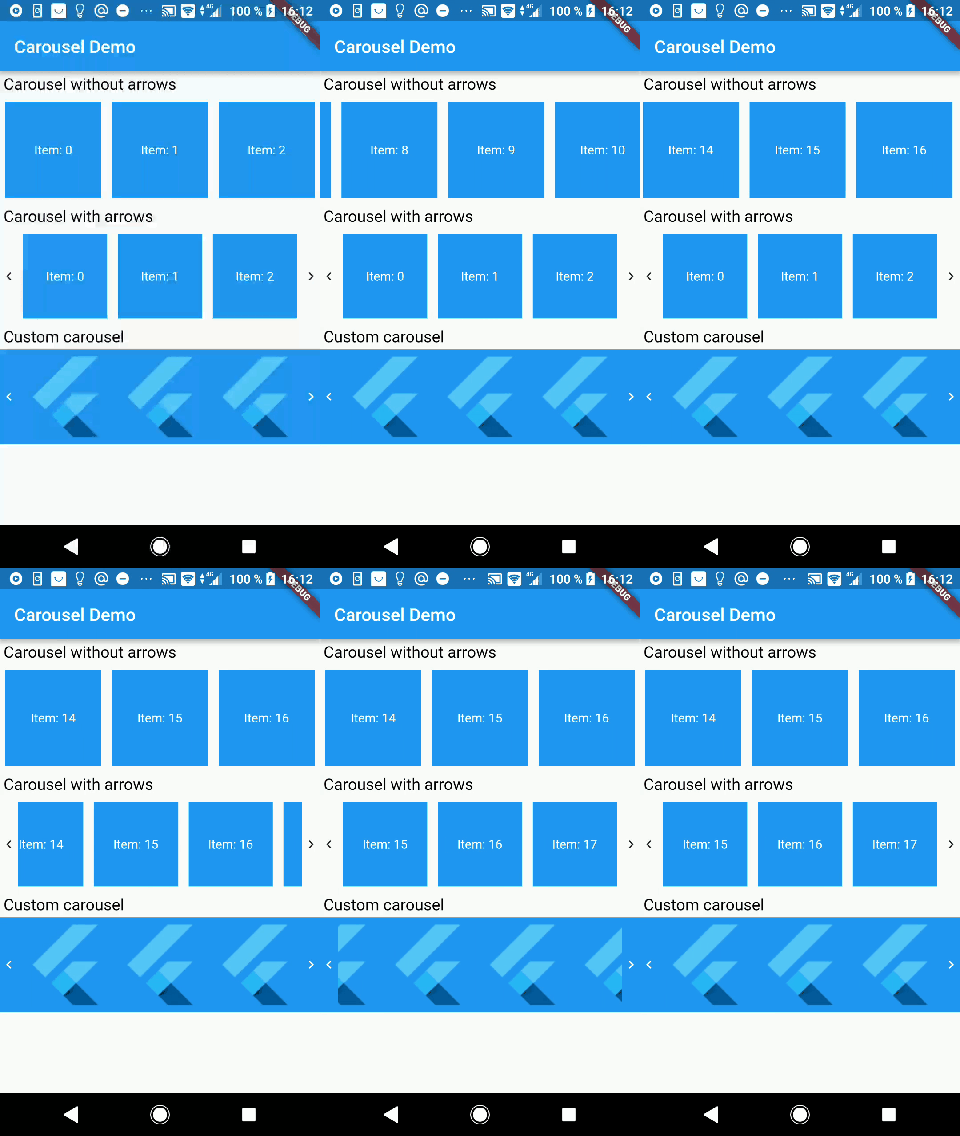
demo.gif

Usage

Create simple Carousel widget:

Carousel(
  rowCount: 3,
  children: [
    'Item 1',
    'Item 2',
    'Item 3',
    'Item 4',
    'Item 5',
    'Item 6',
  ].map((String itemText) {
    return DefaultCarouselItem(itemText);
  }).toList()
),

You can watch more examples in example directory

Categories

Source repository

Projects using this package

No data available yet.