Package selection guidance compiled from public package information, community data, and project usage.
A Flutter package that provides the height of the on-screen keyboard persistently, enabling accurate UI adjustments. It's particularly useful for positioning elements like sticker or emoji modals relative to the keyboard. The package works across both Android and iOS platforms, ensuring consistent behavior. It listens to keyboard state changes and exposes the current height through a stream, making it easy to integrate into responsive layouts.
Use cases
Adjusting UI layout when keyboard appears
Positioning modals above the keyboard
Ensuring content remains visible during input
Creating chat interfaces with dynamic input areas
Building forms with real-time keyboard awareness
Key features
Real-time keyboard height monitoring
Cross-platform support (Android & iOS)
Stream-based API for reactive updates
Minimal setup and integration
Accurate height detection even during animation
Suitable for
Chat app developers
Form builders
UI components requiring keyboard awareness
Developers creating input-heavy interfaces
Apps with floating action buttons near the keyboard
Considerations
Requires proper disposal of streams to avoid memory leaks
May need additional logic for edge cases like split keyboards
Not suitable for static keyboard height scenarios
Depends on platform-specific keyboard events
Should be tested on multiple devices and OS versions
Original README
Original README snapshot from the linked source repository. Visit the repository for the latest content.
flutter_persistent_keyboard_height
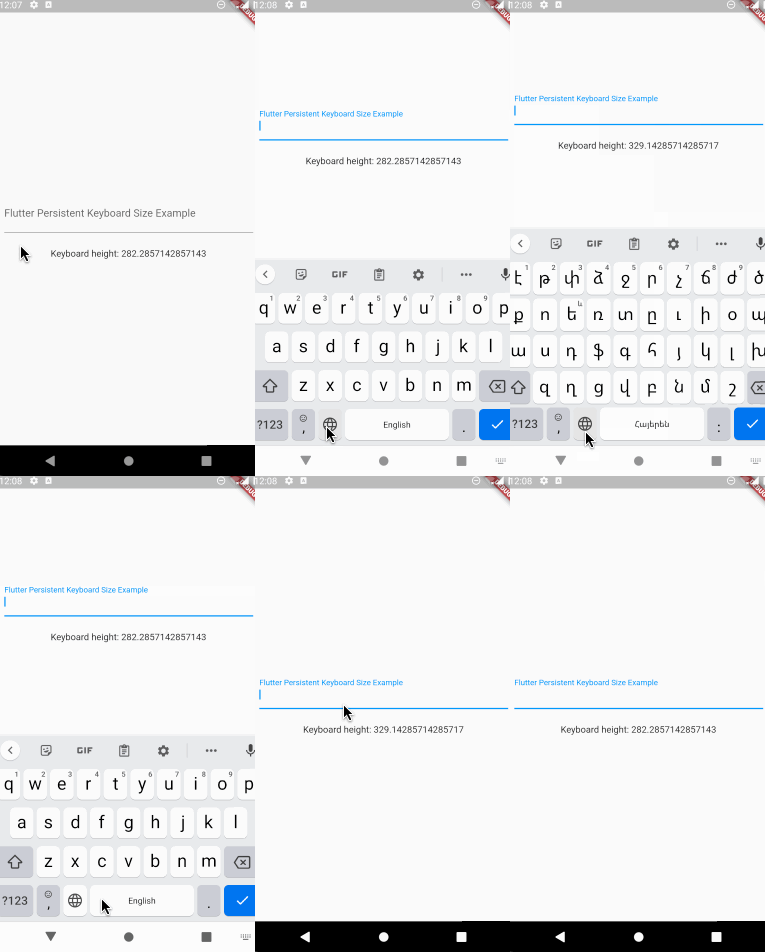
Flutter package to get keyboard height. The height is persisted during app
sessions and keyboard states (you can use the height when keyboard is closed).
Usage
Registering the provider
First thing you need to do is wrap a widget from children of which you want
to get the keyboard height with PersistentKeyboardHeightProvider.
Add it to the builder of your app widget (perhaps MaterialApp) if you
want to get keyboard height from all widgets.
By default, the package uses shared_preferences to preserve the keyboard
height but if you want to use a custom solution for preserving the height
you can do that by implementing the IPersistentKeyboardHeightStorageProvider
interface and passing an instance of the class to PersistentKeyboardHeightProvider:
Check out the example directory for a complete example app.
The development process
The first version of this package was developed in two livestreams.
Unfortunately, my voice disappeared at the middle of the first livestream but
the second livestream is okay. In case you want to check them out, here are the links:
Part 1,
Part 2.