Search packages, repositories and app categories

flutter_pin_code_fields cover
Package detailsv2.2.0

flutter_pin_code_fields

A flutter package which will help you generate customizable pin code fields. Can be used for login pins or OTP.

AndroidiOSWebmacOSWindowsLinux
30-day downloads
2.5K
Likes
28
Pub points
150

Install package

flutter pub add flutter_pin_code_fields

Package Overview

Package selection guidance compiled from public package information, community data, and project usage.

A customizable Flutter package for creating pin code fields, ideal for login pins or OTP inputs. It offers a clean, reusable interface with support for various styling options and input validation. The package is compatible across all major platforms including Android, iOS, Web, macOS, Windows, and Linux. Designed for simplicity and flexibility, it enables developers to easily integrate secure, user-friendly PIN entry experiences into their apps.

Use cases

  • OTP verification flows
  • User login with PIN
  • Secure authentication interfaces
  • Form inputs requiring numeric codes
  • Multi-step onboarding processes

Key features

  • Customizable field appearance
  • Support for different input types
  • Built-in validation
  • Cross-platform compatibility
  • Easy integration with form controllers
  • Responsive design for all devices

Suitable for

  • Developers building authentication features
  • Apps requiring secure PIN entry
  • Projects needing OTP input fields
  • UI-heavy forms with numeric input
  • Mobile and web applications with consistent UX

Considerations

  • Requires manual handling of submission logic
  • Limited built-in error feedback
  • No native support for biometric fallback
  • May need additional styling for complex themes
  • Not optimized for very long PINs beyond 6-8 digits

Original README

Original README snapshot from the linked source repository. Visit the repository for the latest content.

Flutter Pin Code Fields

GitHub workflow status Version GitHub license

A Flutter package to generate customizable pin code fields.

⭐️ to show support!

Features

  • Highly customizable
  • Responsive
  • Supports animations
  • Supports autofocus
  • Supports autofill
  • Supports obscuring text with custom character

Usage

Add flutter_pin_code_fields as a dependency in your pubspec.yaml file.

# pubspec.yaml

dependencies:
  flutter_pin_code_fields: <latest_version>
import import 'package:flutter_pin_code_fields/flutter_pin_code_fields.dart';

class MyApp extends StatelessWidget {
  @override
  Widget build(BuildContext context) {
    return PinCodeFields(
      onComplete(text) => print(text);
    );
  }
}

Examples

Basic

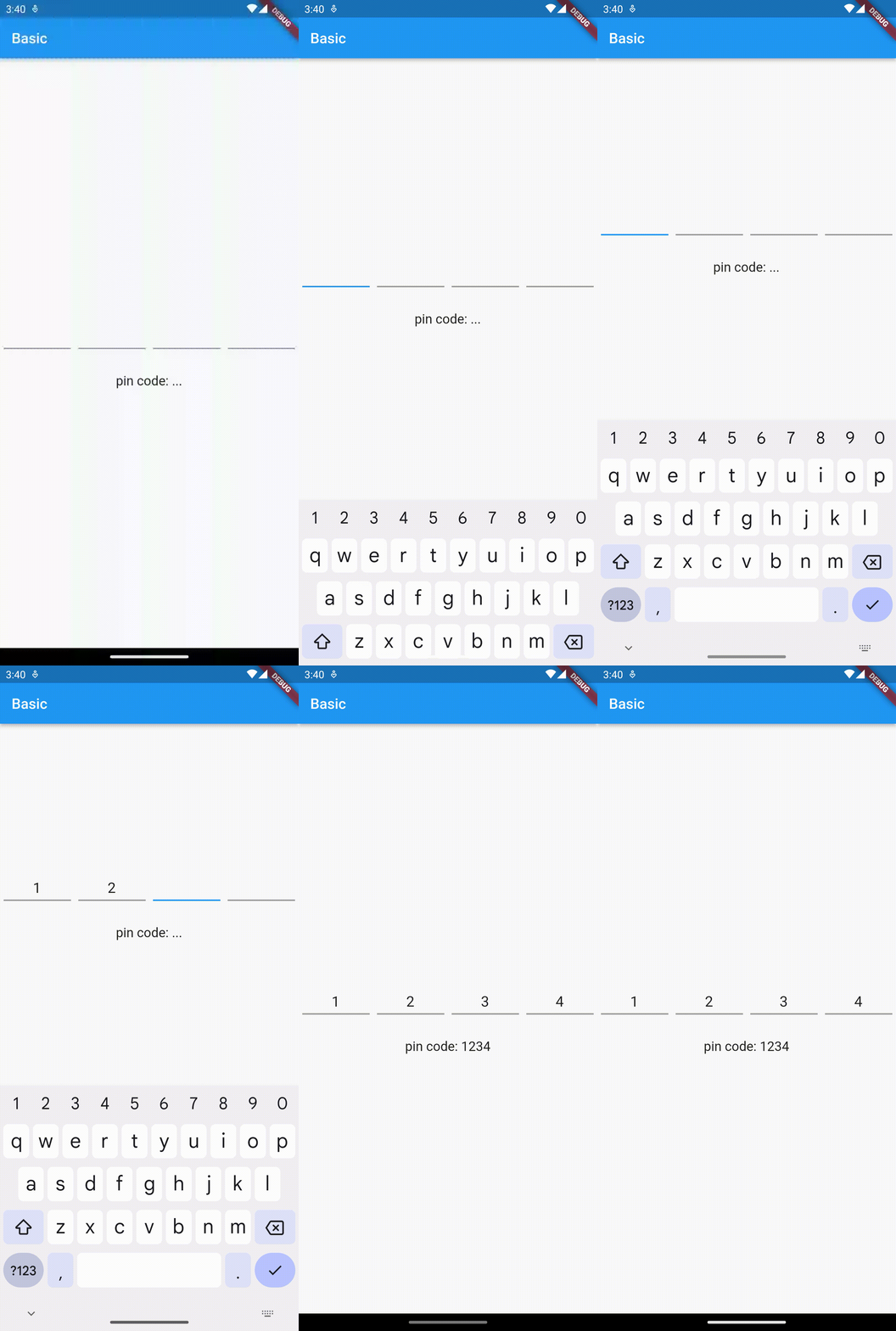
Complete example at example/lib/basic.dart.

Example - Basic
PinCodeFields(
  onComplete(text) => print(text),
)

Obscuring text

Complete example at example/lib/obscuring_text.dart.

Example - Obscuring text
PinCodeFields(
  length: 6,
  obscureText: true,
  obscureCharacter: "🔴",
  onComplete(text) => print(text),
)

Customized

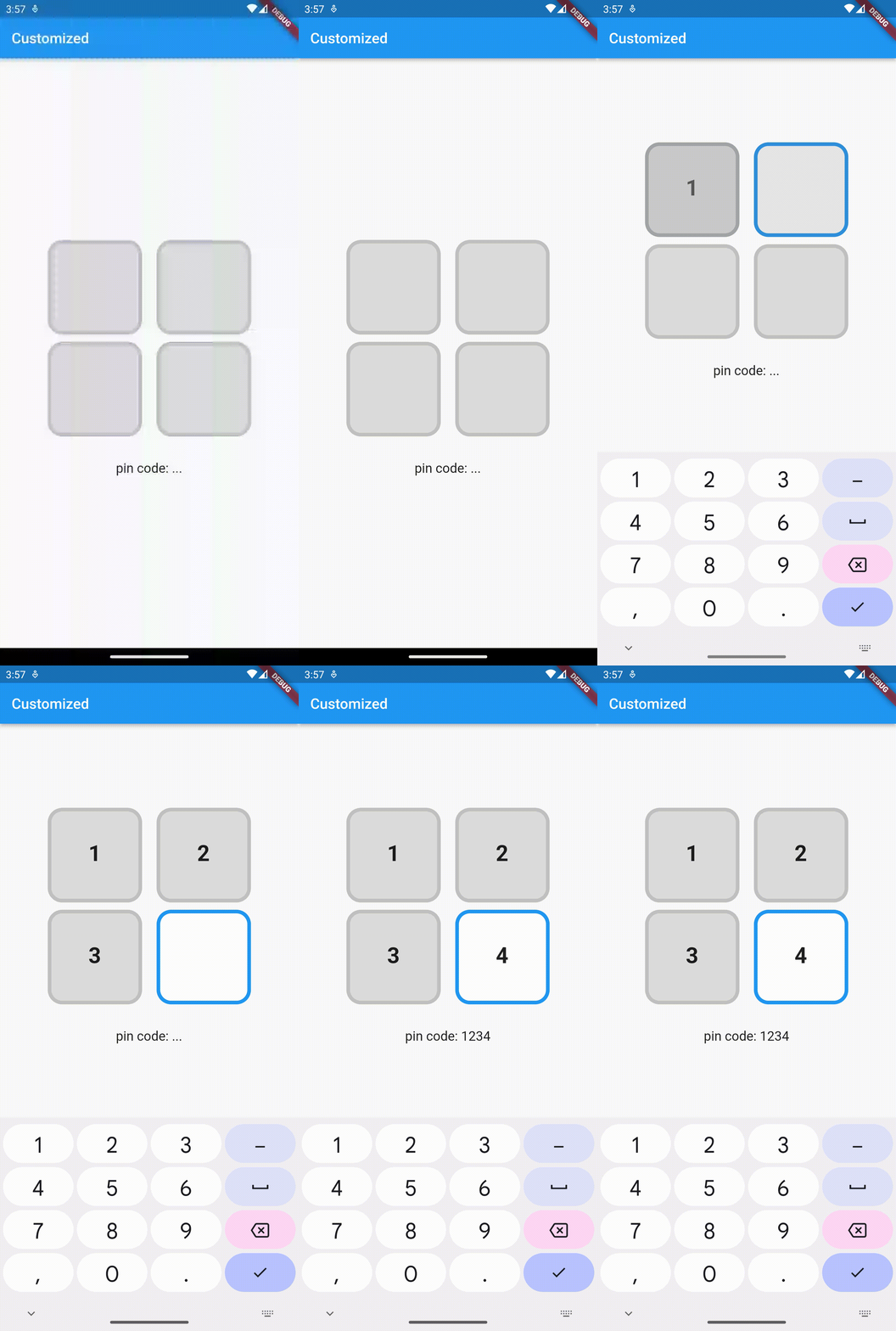
Complete example at example/lib/customized.dart.

Example - Customized
PinCodeFields(
  length: 4,
  fieldBorderStyle: FieldBorderStyle.square,
  responsive: false,
  fieldHeight: 130.0,
  fieldWidth: 130.0,
  borderWidth: 5.0,
  activeBorderColor: Colors.blue,
  activeBackgroundColor: Colors.white,
  borderRadius: BorderRadius.circular(20.0),
  keyboardType: TextInputType.number,
  inputFormatters: [FilteringTextInputFormatter.digitsOnly],
  autoHideKeyboard: false,
  fieldBackgroundColor: Colors.black12,
  borderColor: Colors.black12,
  textStyle: TextStyle(
    fontSize: 30.0,
    fontWeight: FontWeight.bold,
  ),
  onComplete(text) => print(text),
)

Animated

Complete example at example/lib/animated.dart.

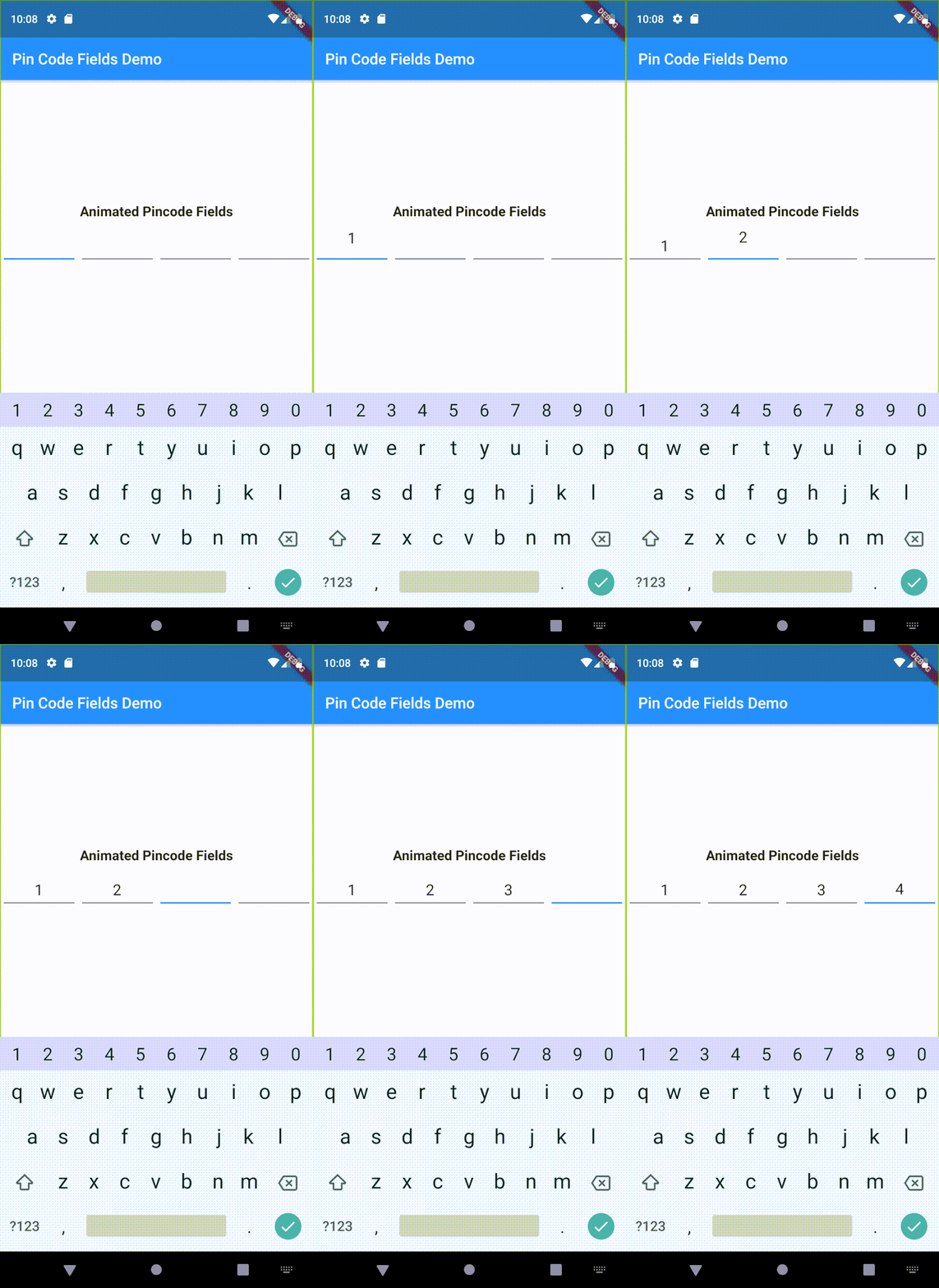
Example - Animated
PinCodeFields(
  obscureText: true,
  obscureCharacter: "❌",
  animation: Animations.rotateRight,
  animationDuration: Duration(milliseconds: 250),
  animationCurve: Curves.bounceInOut,
  switchInAnimationCurve: Curves.bounceIn,
  switchOutAnimationCurve: Curves.bounceOut,
)

Properties

Name Type Default Description
length int 4 Total number of pin code fields.
margin EdgeInsets EdgeInsets.all(5.0) Margin between the fields.
padding EdgeInsets EdgeInsets.only(bottom: 5.0) Padding within the field.
fieldHeight double Height of the field.
fieldWidth double Width of the field.
borderWidth double 2.0 Width of the border of the field.
borderRadius BorderRadius Border raduis of the field.
borderColor Color Colors.grey Border color of the field.
activeBorderColor Color Colors.blue Border color of the active field.
fieldBorderStyle FieldBorderStyle FieldBorderStyle.bottom Border styles of the field.
fieldBackgroundColor Color Colors.transparent Background color of the fields.
activeBackgroundColor Color Colors.transparent Background color of the active field.
enabled bool true Enable/ disable editing the fields.
responsive bool true Adjust the size of the fields automatically to the available space.
autofocus bool false Enable/ disabled autofocus.
textStyle TextStyle Text style for the fields.
obscureText bool false Enable/ disable obscuring the text in the fields.
obscureCharacter String * Character to obscure the text in the fields.
keyboardType TextInputType TextInputType.visiblePassword Keyboard type.
inputFormatters List<TextInputFormatter> Input formatters for the fields.
autoHideKeyboard bool true Hides the keyboard automatically on complete.
animation Animations Animations.fade Animation for the fields.
animationDuration Duration Duration(milliseconds: 150) Duration of the animation.
animationCurve Curve Curves.easeInOut Animation curve.
switchInAnimationCurve Curve Curves.easeIn Switch in animation curve.
switchOutAnimationCurve Curve Curves.easeOut Switch out animation curve.
controller TextEditingController Text editing controller for the fields.
focusNode FocusNode Focus node for the fields.
onChange ValueChanged<String> Callback that returns text on input.
onComplete [required] ValueChanged<String> Callback that returns text on filling all the fields.

Categories

Source repository

Projects using this package