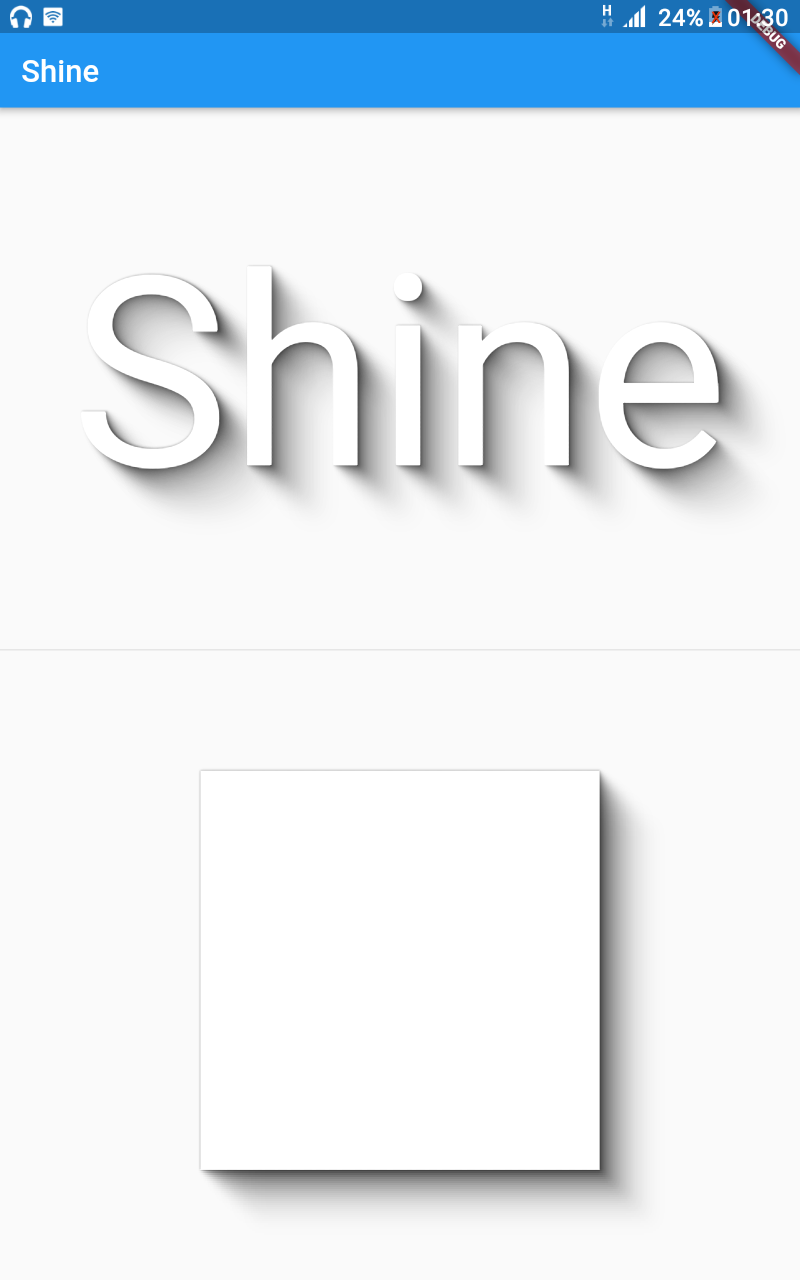
Flutter Shine is a library for pretty shadows, dynamic light positions, extremely customizable shadows, no library dependencies, text or box shadows based on content.
Package selection guidance compiled from public package information, community data, and project usage.
Flutter Shine is a lightweight, dependency-free library that enables visually appealing and dynamic shadows in Flutter applications. It supports both text and box shadows that adapt to content, with customizable light positions for realistic lighting effects. Designed for simplicity and flexibility, it enhances UIs with subtle, animated shadows without requiring external libraries. Ideal for modern, polished interfaces where depth and interactivity matter.
Use cases
Creating dynamic shadows on buttons
Enhancing text with realistic lighting effects
Designing interactive UI elements
Adding depth to cards and containers
Building animated visual feedback
Improving app aesthetics with minimal code
Key features
Dynamic light positioning
Customizable shadow intensity and color
No external dependencies
Supports text and box shadows
Content-aware shadow rendering
Lightweight and performant
Suitable for
UI designers seeking visual polish
Developers wanting minimal setup
Apps with interactive or animated elements
Projects focused on modern material design
Teams prioritizing performance and size
Considerations
Limited to shadow effects only
No built-in animation controls
Requires manual configuration for complex behaviors
Not suitable for heavy 3D effects
Best used with simple, clean UI layouts
Original README
Original README snapshot from the linked source repository. Visit the repository for the latest content.
Flutter Shine
Show some :heart: and star the repo to support the project
In order to run the command line example, please follow these steps:
Clone this repo and enter the directory
Run pub get
Run dart example/lib/main.dart
Flutter Example
Install Flutter
In order to run the flutter example, you must have Flutter installed. For installation instructions, view the online
documentation.
Run the app
Open up an Android Emulator, the iOS Simulator, or connect an appropriate mobile device for debugging.
Open up a terminal
cd into the example/lib/ directory
Run flutter doctor to ensure you have all Flutter dependencies working.
Run flutter packages get
Run flutter run
Stargazers over time
License
MIT License

Copyright (c) 2020 Jonathan Monga

Permission is hereby granted, free of charge, to any person obtaining a copy
of this software and associated documentation files (the "Software"), to deal
in the Software without restriction, including without limitation the rights
to use, copy, modify, merge, publish, distribute, sublicense, and/or sell
copies of the Software, and to permit persons to whom the Software is
furnished to do so, subject to the following conditions:

The above copyright notice and this permission notice shall be included in all
copies or substantial portions of the Software.

THE SOFTWARE IS PROVIDED "AS IS", WITHOUT WARRANTY OF ANY KIND, EXPRESS OR
IMPLIED, INCLUDING BUT NOT LIMITED TO THE WARRANTIES OF MERCHANTABILITY,
FITNESS FOR A PARTICULAR PURPOSE AND NONINFRINGEMENT. IN NO EVENT SHALL THE
AUTHORS OR COPYRIGHT HOLDERS BE LIABLE FOR ANY CLAIM, DAMAGES OR OTHER
LIABILITY, WHETHER IN AN ACTION OF CONTRACT, TORT OR OTHERWISE, ARISING FROM,
OUT OF OR IN CONNECTION WITH THE SOFTWARE OR THE USE OR OTHER DEALINGS IN THE
SOFTWARE.