Package selection guidance compiled from public package information, community data, and project usage.
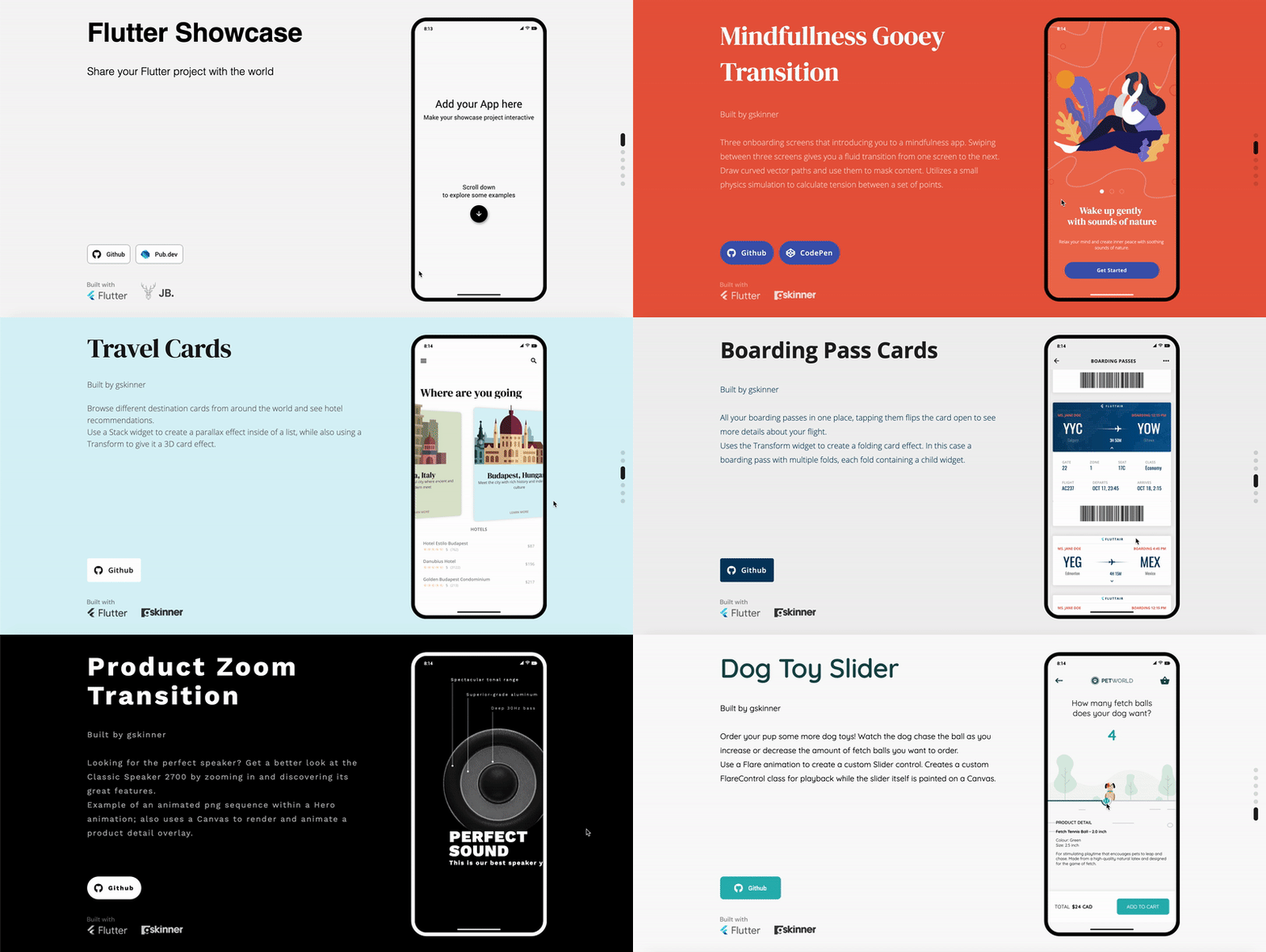
Flutter Showcase is a lightweight package designed to quickly and effortlessly share Flutter projects with others. It enables developers to generate interactive, embeddable previews of their apps, making it simple to demonstrate functionality without requiring users to clone or build the project. Ideal for showcasing on websites, portfolios, or documentation, it supports real-time interaction and visual feedback. The package integrates seamlessly into existing Flutter workflows and emphasizes speed and simplicity.
Use cases
Sharing app demos online
Showcasing projects in portfolios
Demonstrating UI/UX in documentation
Presenting apps during presentations
Quickly generating interactive previews
Key features
Easy integration with Flutter
Interactive app previews
Fast setup and deployment
Embeddable web views
Minimal configuration required
Suitable for
Developers sharing projects
UI/UX designers
Open-source contributors
Educators demonstrating apps
Portfolio builders
Considerations
Limited to web-based previews
No offline mode
Requires internet access for live demos
Not intended for production apps
May need additional styling for custom presentation
Original README
Original README snapshot from the linked source repository. Visit the repository for the latest content.
Flutter Showcase
A simple, fast and easy way to share you flutter project or mockups with the world. Demo
Intro
Flutter Showcase is a project that helps you share flutter your project online.
While building your project as a website is enough, this package aims to empower your demo.
You can can have different appareances, actionable links and social metadata.
Flutter Showcase is only displayed when building the web project. When compiling to other platforms your project will still look as before.
Right now there is only SimpleTemplate
but the goal is to provide multiple options to share your project so you can choose the one that
fits for you.
Choose the template you perfer from the class Templates.
Add actianable links
Showcase(
  // Add LinkData.github, LinkData.pub or create your custom LinkData()
  links: [
    LinkData.github(
      'https://github.com/jamesblasco/flutter_showcase'),
    LinkData.pub(
    'https://github.com/jamesblasco/flutter_showcase')
  ],
  //Add your brand logo next to the Flutter logo
  logoLink: LinkData(
      icon: Image.asset('assets/jaime_logo.png',
          fit: BoxFit.fitHeight),
      url: 'https://github.com/jamesblasco')
)
Flutter web is still limited, some features are not available and performance can be a bit low sometimes
While most of the ui packages work on web, there are some packages that won't work or will not allow to compile the app
Creating a mobile frame inside a Flutter web app makes the global positions from gestures to be a reference for the whole screen and not the framed app, this might cause problems if you are using globalPosition in any GestureDetector or more advanced Widgets
Autogenerate social media tags - Experimental
CAUTION! This feature is still experimental; It generates a new index.html, if you add your own js scrips (as Firebase) it won't work for now.
This projects aims to generate social media tags title, description, url and image for your Flutter project so
you don't have to do it.
A WebDriver is needed for making a screenshot of the project
For the experimental version I am using ChromeDriver.
Github Actions have ChromeDriver installed by default 🎉
Local instalation:
Mac users with Homebrew installed: brew tap homebrew/cask && brew cask install chromedriver
Debian based Linux distros: sudo apt-get install chromium-chromedriver
Windows users with Chocolatey installed: choco install chromedriver