Search packages, repositories and app categories

Package detailsv1.1.0

flutter_spinning_wheel

A customizable widget to use as a spinning wheel in Flutter.

30-day downloads
42
Likes
89
Pub points
40

Install package

flutter pub add flutter_spinning_wheel

Package Overview

Package selection guidance compiled from public package information, community data, and project usage.

A customizable Flutter widget designed to create interactive spinning wheels, ideal for games, rewards, and抽奖 (raffle) mechanics. It allows developers to define segments with custom labels, colors, and animations. The wheel supports smooth rotation, configurable speed, and event callbacks upon completion. Built with performance and ease of use in mind, it integrates seamlessly into Flutter apps. Perfect for engaging user experiences in gamified applications.

Use cases

  • Gamified user interfaces
  • Prize draw or raffle systems
  • Interactive product demos
  • Reward-based app features
  • Educational quizzes with random selection

Key features

  • Customizable segment design
  • Smooth animation control
  • Configurable spin speed and duration
  • Event callbacks on stop
  • Supports dynamic segment updates
  • Easy integration with Flutter UI

Suitable for

  • App developers building games
  • Designers creating interactive rewards
  • Teams implementing gamification
  • Educational app creators
  • Marketing campaigns with interactive elements

Considerations

  • Requires manual handling of spin logic
  • Limited built-in accessibility features
  • No built-in support for touch gestures on all platforms
  • Performance may vary with many segments
  • Not optimized for high-frequency spins

Original README

Original README snapshot from the linked source repository. Visit the repository for the latest content.

flutter_spinning_wheel

Build Status License: MIT Pub

A customizable widget to use as a spinning wheel in Flutter.

Getting Started

Installation

Add


flutter_spinning_wheel : ^lastest_version

to your pubspec.yaml, and run

flutter packages get

in your project's root directory.

Basic Usage

Create a new project with command

flutter create myapp

Edit lib/main.dart like this:

import 'package:flutter/material.dart';

import 'package:flutter_circular_slider/flutter_circular_slider.dart';

void main() => runApp(MyApp());

class MyApp extends StatelessWidget {
  @override
  Widget build(BuildContext context) {
    return MaterialApp(
      theme: ThemeData(
        primarySwatch: Colors.blue,
      ),
      home: MyHomePage(),
    );
  }
}

class MyHomePage extends StatelessWidget {
  @override
  Widget build(BuildContext context) {
    return Scaffold(
        backgroundColor: Colors.blueGrey,
        body: Center(
          child: Container(child:
            SpinningWheel(
              Image.asset('assets/images/wheel-6-300.png'),
              width: 310,
              height: 310,
              dividers: 6,
              onEnd: _dividerController.add,
            ),
          ),
        ));
  }
}

You can replace the image with one of your preference.

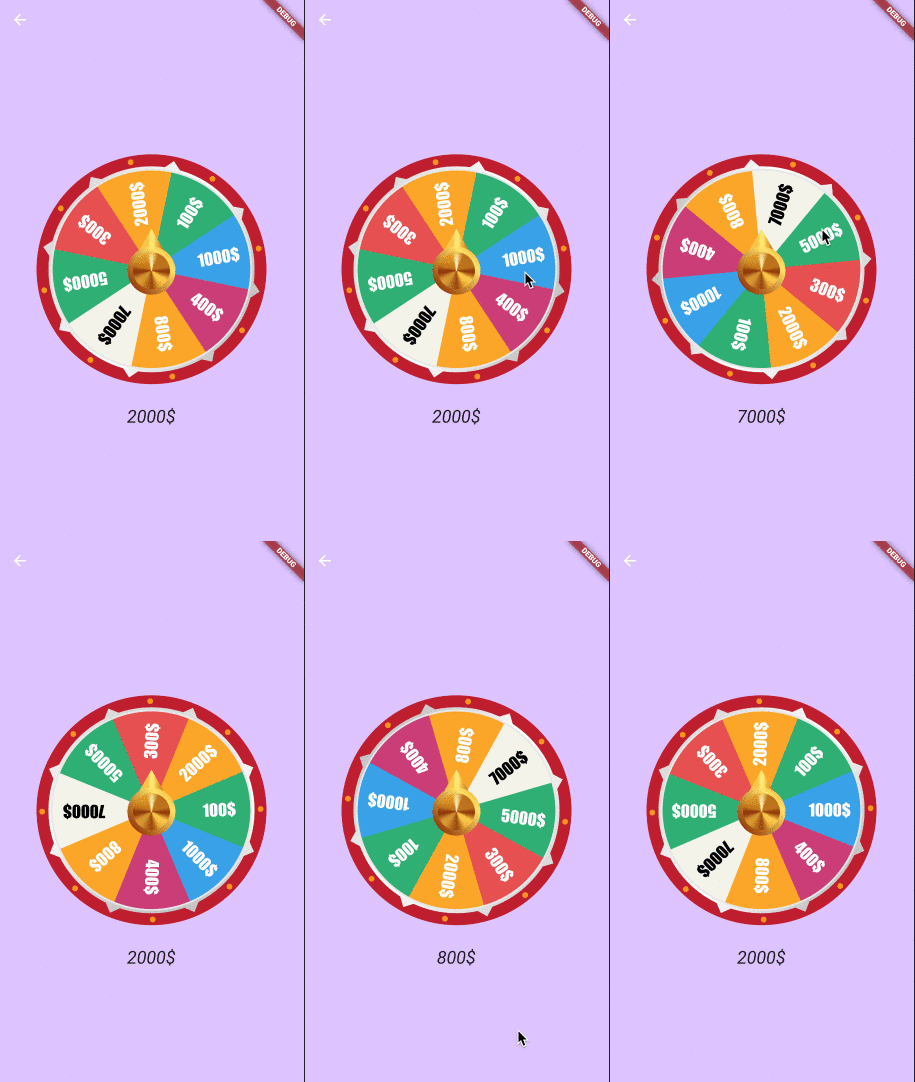
Basic Game
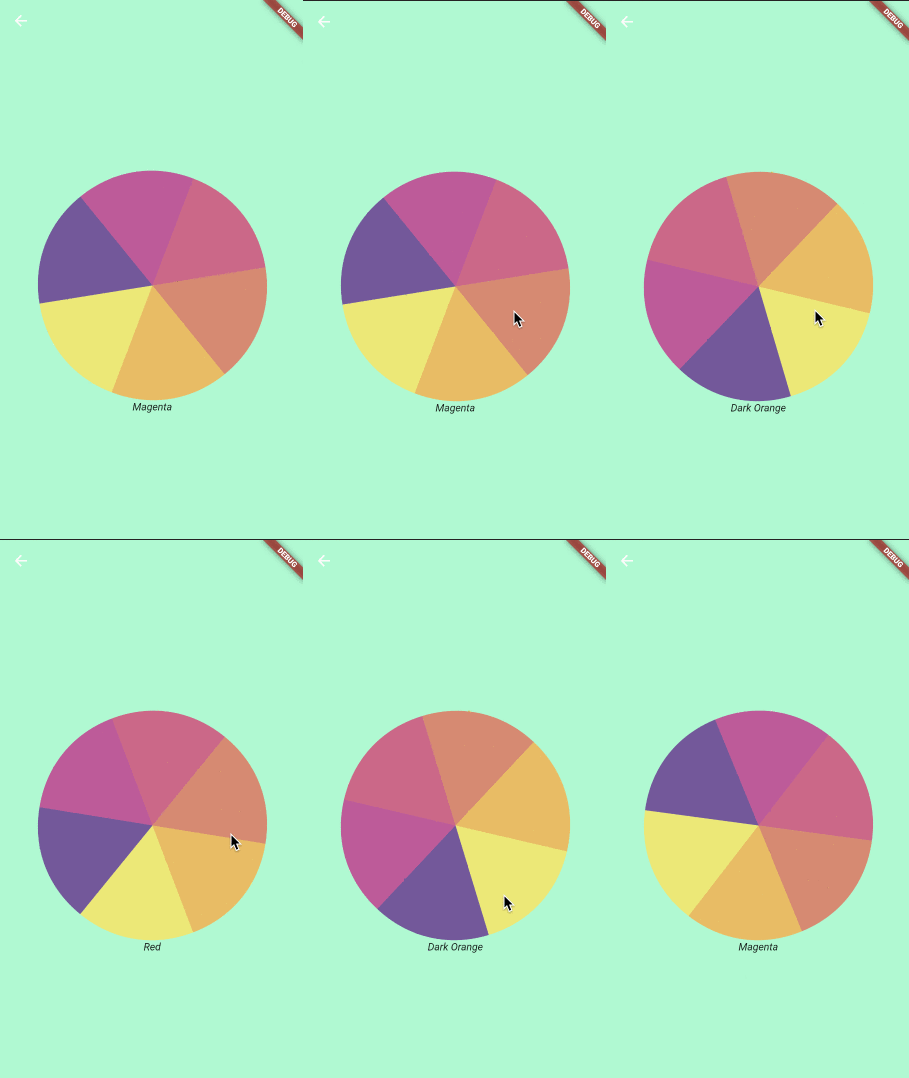
Basic Wheel Game Wheel
Constructor
Parameter Default Description
image The image to be used as wheel.
dividers The number of divisions in the image. It's important that all divisions are equal.
height Height of the container that will display the wheel.
width Width of the container that will display the wheel.
initialSpinAngle 0.0 Initial rotation angle for the wheel, so the wheel could look initialy rotated.
spinResistance 0.5 From >0.0 to 1.0 will be used to calculate the speed and deceleration of the wheel.
canInteractWhileSpinning true If set to false, once the animation starts the user won't be able to stop it.
secondaryImage Secondary image that will be rendered on top of the wheel and won't be affected by the animation.
secondaryImageHeight Height for the secondary image.
secondaryImageWidth Width for the secondary image.
secondaryImageTop Used to fine tune the position of the secondary image. Otherwise it will be centered.
secondaryImageLeft Used to fine tune the position of the secondary image. Otherwise it will be centered.
onUpdate void onUpdate(int value) Callback function executed when the selected divider changes during the animation.
onEnd void onEnd(int value) Callback function executed when the animation stops.
shouldStartOrStop Stream to interact with the wheel, with double being pixelsPerSecond in axis y (default 8000)
Use Cases
Game
import 'dart:async';
import 'dart:math';

import 'package:flutter/material.dart';
import 'package:flutter/services.dart';
import 'package:flutter_spinning_wheel/flutter_spinning_wheel.dart';

void main() {
  SystemChrome.setEnabledSystemUIOverlays([]);
  runApp(MyApp());
}

class MyApp extends StatelessWidget {
  @override
  Widget build(BuildContext context) {
    return MaterialApp(
      theme: ThemeData(
        primarySwatch: Colors.blue,
      ),
      home: MyHomePage(),
    );
  }
}

class MyHomePage extends StatelessWidget {
  final StreamController _dividerController = StreamController<int>();

  dispose() {
    _dividerController.close();
  }

  @override
  Widget build(BuildContext context) {
    return Scaffold(
      appBar: AppBar(backgroundColor: Color(0xffDDC3FF), elevation: 0.0),
      backgroundColor: Color(0xffDDC3FF),
      body: Center(
        child: Column(
          mainAxisAlignment: MainAxisAlignment.center,
          children: [
            SpinningWheel(
              Image.asset('assets/images/roulette-8-300.png'),
              width: 310,
              height: 310,
              initialSpinAngle: _generateRandomAngle(),
              spinResistance: 0.6,
              canInteractWhileSpinning: false,
              dividers: 8,
              onUpdate: _dividerController.add,
              onEnd: _dividerController.add,
              secondaryImage:
                  Image.asset('assets/images/roulette-center-300.png'),
              secondaryImageHeight: 110,
              secondaryImageWidth: 110,
            ),
            SizedBox(height: 30),
            StreamBuilder(
              stream: _dividerController.stream,
              builder: (context, snapshot) =>
                  snapshot.hasData ? RouletteScore(snapshot.data) : Container(),
            )
          ],
        ),
      ),
    );
  }

  double _generateRandomAngle() => Random().nextDouble() * pi * 2;
}

class RouletteScore extends StatelessWidget {
  final int selected;

  final Map<int, String> labels = {
    1: '1000\$',
    2: '400\$',
    3: '800\$',
    4: '7000\$',
    5: '5000\$',
    6: '300\$',
    7: '2000\$',
    8: '100\$',
  };

  RouletteScore(this.selected);

  @override
  Widget build(BuildContext context) {
    return Text('${labels[selected]}',
        style: TextStyle(fontStyle: FontStyle.italic, fontSize: 24.0));
  }
}

Game Wheel

Categories

Dependencies

Dependency list 1 items

Source repository

Projects using this package

No data available yet.