Search packages, repositories and app categories

flutter_summernote cover
Package detailsv1.1.1

flutter_summernote

Text Editor in Flutter for Android and iOS to help free write WYSIWYG HTML code based on Summernote 0.8.18 javascript wrapper.

AndroidiOSmacOS
30-day downloads
219
Likes
107
Pub points
140

Install package

flutter pub add flutter_summernote

Package Overview

Package selection guidance compiled from public package information, community data, and project usage.

flutter_summernote is a Flutter package that provides a WYSIWYG HTML text editor for Android, iOS, and macOS, powered by the Summernote 0.8.18 JavaScript library. It enables users to freely write and format content with rich text features directly within Flutter apps. The editor supports HTML output, making it ideal for applications requiring formatted text input such as blogs, content management systems, or messaging platforms. It integrates seamlessly into Flutter projects via a simple pub add command.

Use cases

  • Content creation in mobile apps
  • Blog post editors
  • Rich text messaging interfaces
  • Form inputs with formatting
  • HTML-based content management

Key features

  • WYSIWYG HTML editing
  • Supports Summernote 0.8.18
  • Cross-platform (Android, iOS, macOS)
  • HTML output generation
  • Simple integration via pub
  • Customizable toolbar

Suitable for

  • Developers building rich text input forms
  • Apps needing HTML-rich content entry
  • Mobile content editors
  • Projects using Summernote functionality in Flutter

Considerations

  • Requires webview for rendering
  • Limited native Flutter widget control
  • Depends on external JavaScript library
  • May have performance overhead on low-end devices
  • Not suitable for pure native text editing without HTML output

Original README

Original README snapshot from the linked source repository. Visit the repository for the latest content.

Flutter Summernote

All Contributors

Text Editor in Flutter for Android and iOS to help free write WYSIWYG HTML code based on Summernote 0.8.18 javascript wrapper.

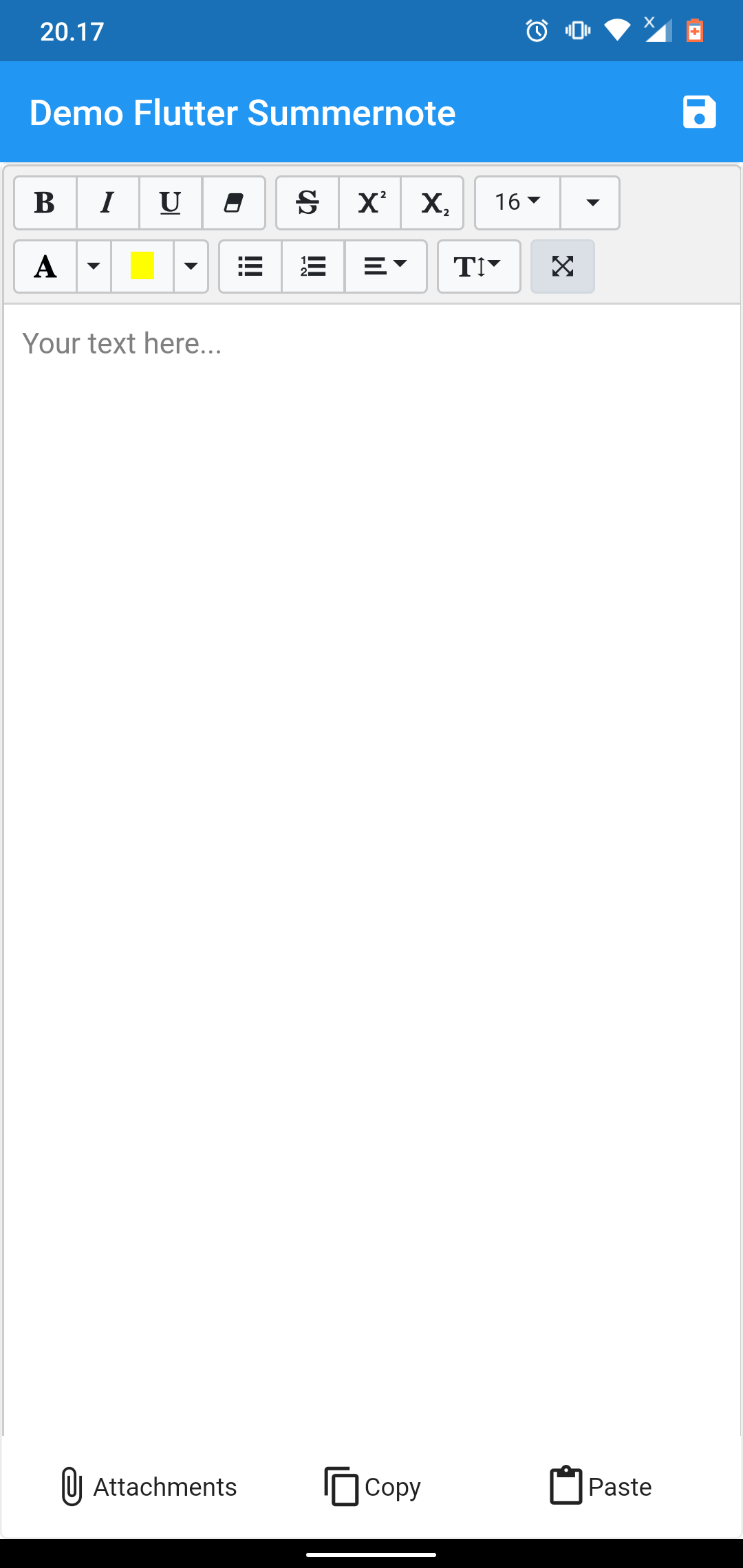
demo example demo example

NOTICE

This package dependent to the Official WebView Plugin. In this package can't add image, video, or another file using editor toolbar. To handle attach image this package give you another solution using image Image Picker at bottom of editor. This package can't use enableinteractiveSelection from TextField, to handle that this package give you another solution using copy paste at bottom of editor. Thank you for all your support.

Setup

add flutter_summernote: ^latest as deppendecy to pubspec.yaml

iOS

Add the following keys to your Info.plist file, located in /ios/Runner/Info.plist:

    <key>io.flutter.embedded_views_preview</key>
    <true/>

    <key>NSCameraUsageDescription</key>
    <string>Used to demonstrate image picker plugin</string>
    <key>NSMicrophoneUsageDescription</key>
    <string>Used to capture audio for image picker plugin</string>
    <key>NSPhotoLibraryUsageDescription</key>
    <string>Used to demonstrate image picker plugin</string>

    <key>NSAppTransportSecurity</key>
    <dict>
        <key>NSAllowsArbitraryLoads</key>
         <true/>
    </dict>
Usage
  1. import flutter html editor
    import 'package:flutter_summernote/flutter_summernote.dart';
  1. Create Global key from HTML Editor State
    GlobalKey<FlutterSummernoteState> _keyEditor = GlobalKey();
  1. Add HTML Editor to widget
    FlutterSummernote(
        hint: "Your text here...",
        key: _keyEditor
    ),
    FlutterSummernote(
        hint: "Your text here...",
        key: _keyEditor,
        customToolbar: """
            [
                ['style', ['bold', 'italic', 'underline', 'clear']],
                ['font', ['strikethrough', 'superscript', 'subscript']]
            ]"""
    )
  1. Get text from Html Editor
    final _etEditor = await keyEditor.currentState.getText();
Avalaible option parameters
Parameter Type Default Description
key GlobalKey required for get method & reset
value String empty initiate text content for text editor
height double 380 height of text editor
decoration BoxDecoration empty Decoration editor
widthImage String 100% width of image picker
hint String empty Placeholder hint text
customToolbar String empty Add all available Toolbar. Don't use insert (video & picture), please use hasAttachment option.
customPopover String empty Add all available Popover (the same paragraph as for toolbar, but below)
hasAttachment Boolean false Use this option if you want to show or hide attachment button
showBottomToolbar Boolean false Use this option if you want to show or hide bottom toolbar
returnContent Function null Use this callback to return text content on await keyEditor.currentState.getText() function call.

License

This project is licensed under the MIT License - see the LICENSE file for details.

Contributors ✨

Thanks goes to these wonderful people (emoji key):

Chandra Abdul Fattah

🚇 💻
yusuf afandi
yusuf afandi

💻
Ivan Terekhin
Ivan Terekhin

💻

This project follows the all-contributors specification. Contributions of any kind welcome!

Categories

Dependencies

Dependency list 5 items

Source repository

Projects using this package

No data available yet.