Search packages, repositories and app categories

Package detailsv1.0.2

flutter_text_detect_area

Flutter Text Detect Area's text recognition can recognize/detect text from image's particular area by dragging/moving/panning area selector.

AndroidiOS
30-day downloads
127
Likes
29
Pub points
150

Install package

flutter pub add flutter_text_detect_area

Package Overview

Package selection guidance compiled from public package information, community data, and project usage.

Flutter Text Detect Area is a Flutter package designed for precise text recognition within specific regions of an image. By allowing users to drag, move, or pan a selector over an image, it isolates and detects text from the chosen area. Ideal for applications requiring focused OCR, such as document scanning or data extraction from images, it leverages machine learning and computer vision techniques. The package supports both Android and iOS platforms, making it accessible across mobile devices. It integrates seamlessly with Flutter projects via pub.dev.

Use cases

  • Document scanning
  • Image-based data extraction
  • Selective text recognition
  • Mobile OCR apps
  • Real-time text detection in images

Key features

  • Drag-and-pan area selection
  • Precise region-based text detection
  • Cross-platform support (Android & iOS)
  • Easy integration with Flutter
  • Real-time OCR processing

Suitable for

  • Developers building OCR features
  • Apps needing selective text extraction
  • Mobile applications with image analysis
  • Educational tools with image reading
  • Field data collection apps

Considerations

  • Requires camera or image input
  • Performance depends on device capabilities
  • Accuracy varies with image quality
  • Limited to text within selected area
  • May need additional preprocessing for low-quality images

Original README

Original README snapshot from the linked source repository. Visit the repository for the latest content.

Flutter Text Detect Area

pub package GitHub stars License: GPLv3 Flutter Compatible Platform


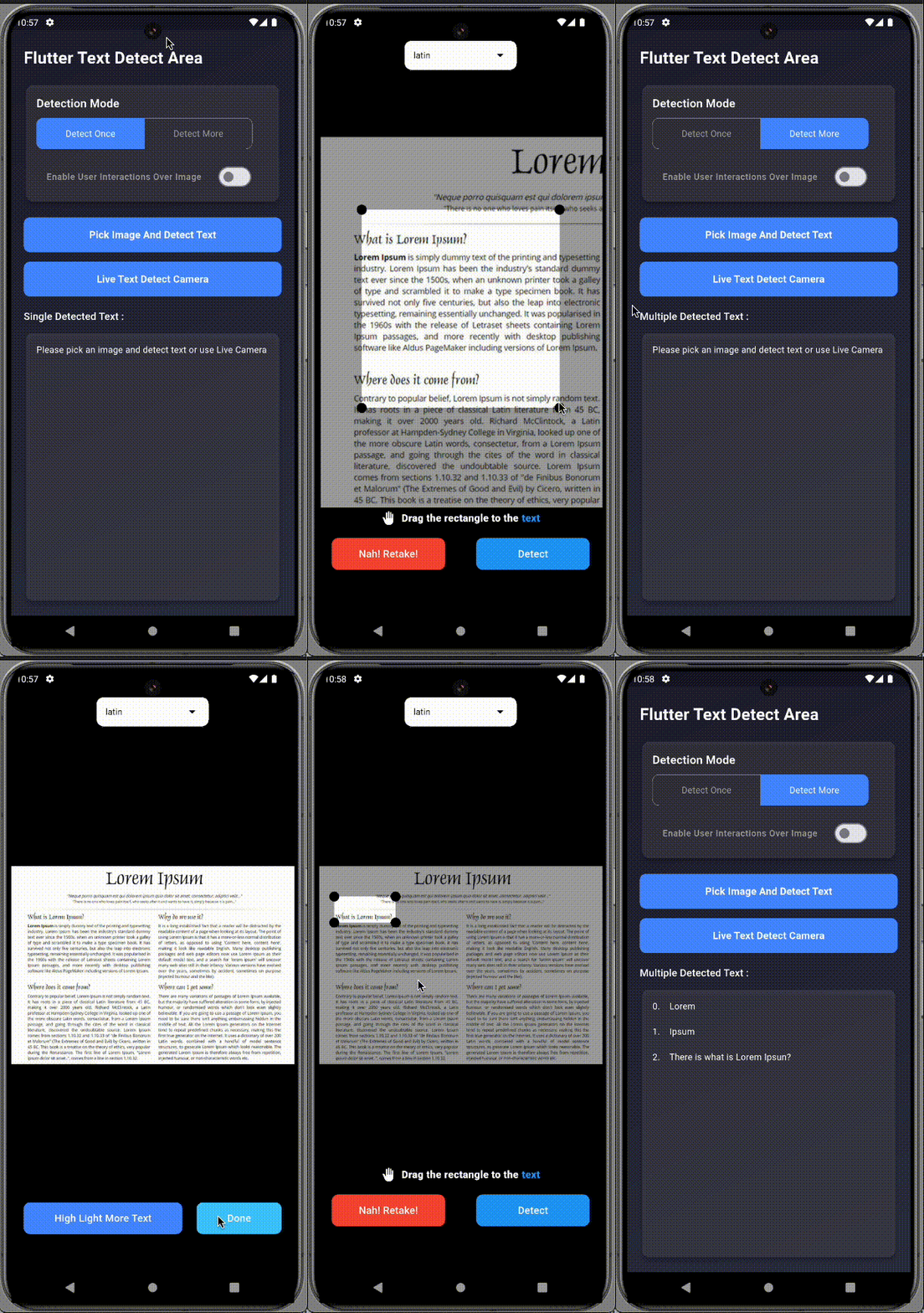
A Flutter plugin that enables text detection from specific areas of an image or live camera preview. Just drag/select the area you want to scan, and let it extract the text using ML Kit.

Perfect for scanning:

  • 🧾 Receipts image
  • 📄 Documents image
  • 📘 PDFs image
  • 🧠 Custom fields in images

🚀 Features

  • 📸 Supports both live camera and gallery image input
  • ✍️ Manual area selection (drag, resize, pan, freeze)
  • 🔁 Detect text once or continuously
  • 📱 Android & iOS support
  • ✅ Simple integration

📦 Installation

Add to your pubspec.yaml:

dependencies:
  flutter_text_detect_area: <latest-version>

Import in your Dart file:

import 'package:flutter_text_detect_area/flutter_text_detect_area.dart';

📸 Preview

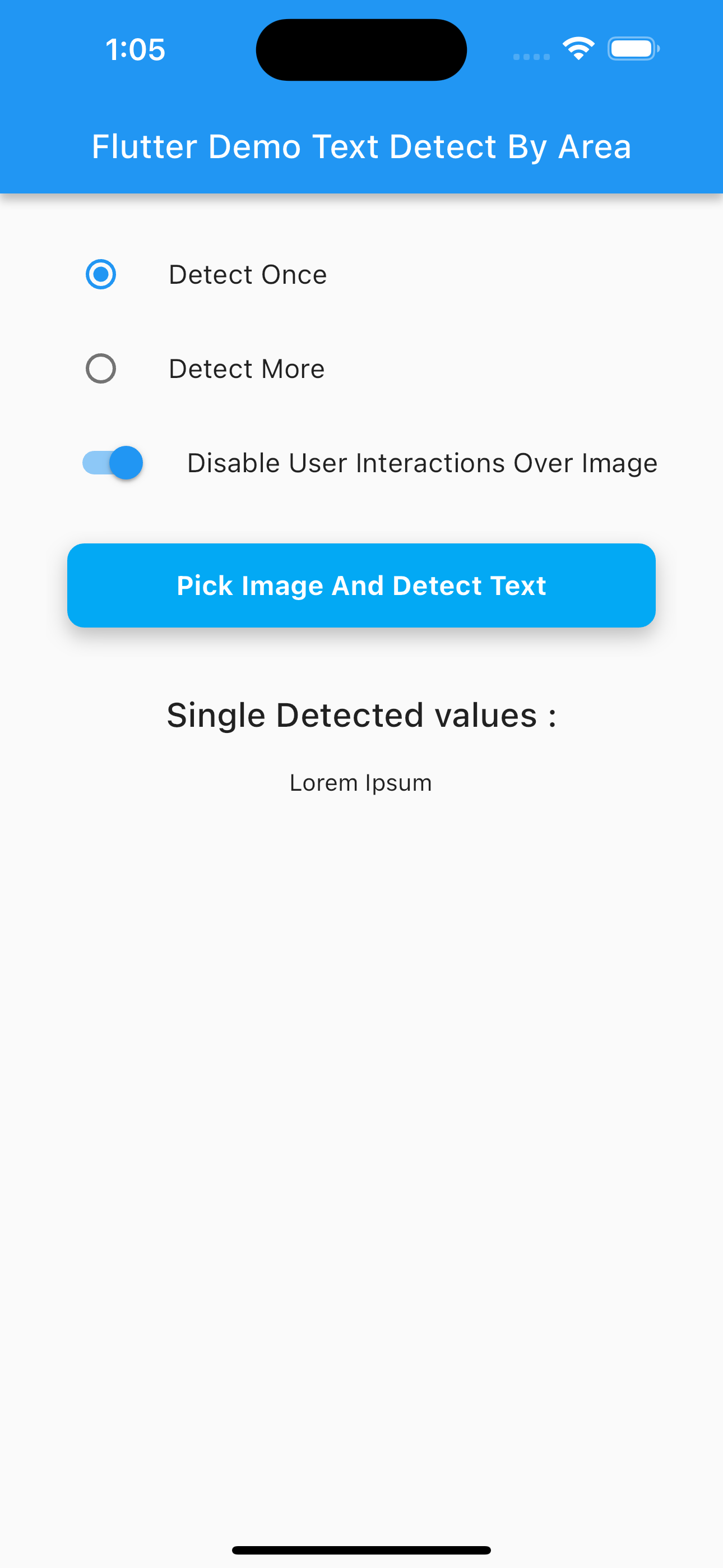
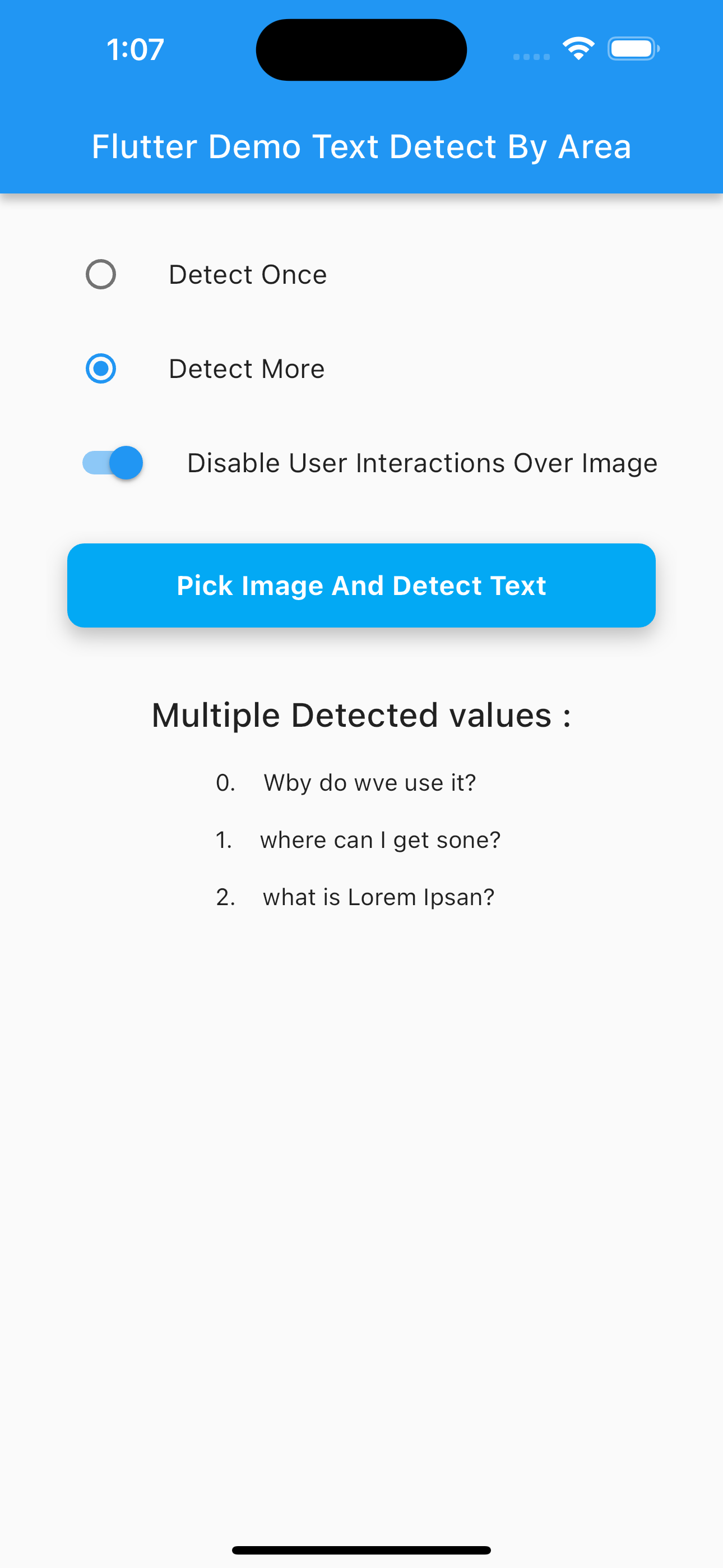
Pick Image (GIF) Live Camera (GIF)
Pick Camera
Multi Text Detection (PNG) Single Text Detection Camera (PNG)
Multi Single

📂 Image Picker Setup

Use the image_picker package to choose an image:

final pickedFile = await ImagePicker().pickImage(source: ImageSource.gallery);

✨ Example Usage

Navigator.of(context).push(
  MaterialPageRoute(
    builder: (context) => SelectImageAreaTextDetect(
      detectOnce: true, // Set to false for continuous scan
      enableImageInteractions: true,
      imagePath: pickedFile?.path ?? '',
      onDetectText: (value) {
        if (value is String) {
          print("Detected: $value");
        } else if (value is List<String>) {
          for (int i = 0; i < value.length; i++) {
            print("${i + 1}. ${value[i]}");
          }
        }
      },
      onDetectError: (error) {
        if (error is PlatformException &&
            (error.message?.contains("InputImage width and height should be at least 32!") ?? false)) {
          ScaffoldMessenger.of(context).showSnackBar(
            const SnackBar(content: Text("Selected area must be at least 32x32 pixels.")),
          );
        }
      },
    ),
  ),
);

🔐 Permissions

Android (AndroidManifest.xml)
<uses-permission android:name="android.permission.CAMERA"/>
<uses-permission android:name="android.permission.READ_EXTERNAL_STORAGE"/>
iOS (Info.plist)
<key>NSCameraUsageDescription</key>
<string>Need camera access for live scanning</string>
<key>NSPhotoLibraryUsageDescription</key>
<string>Need photo access to pick images</string>

✅ Platform Support

Platform Supported
Android ✅
iOS ✅
Web ❌

🔍 Output Format

  • If detecting once: returns String
  • If detecting multiple areas: returns List<String>

💡 Use Cases

  • Scan receipts for expenses
  • Extract fields from identity cards
  • Detect table content from scanned documents
  • Select and extract from academic papers or books

👨‍💻 Contributors


📄 License

This project is licensed under the GNU GPLv3.

Categories

Dependencies

Dependency list 7 items

Source repository

Projects using this package

No data available yet.