Search packages, repositories and app categories

Package detailsv0.0.2

flutter_visualizers

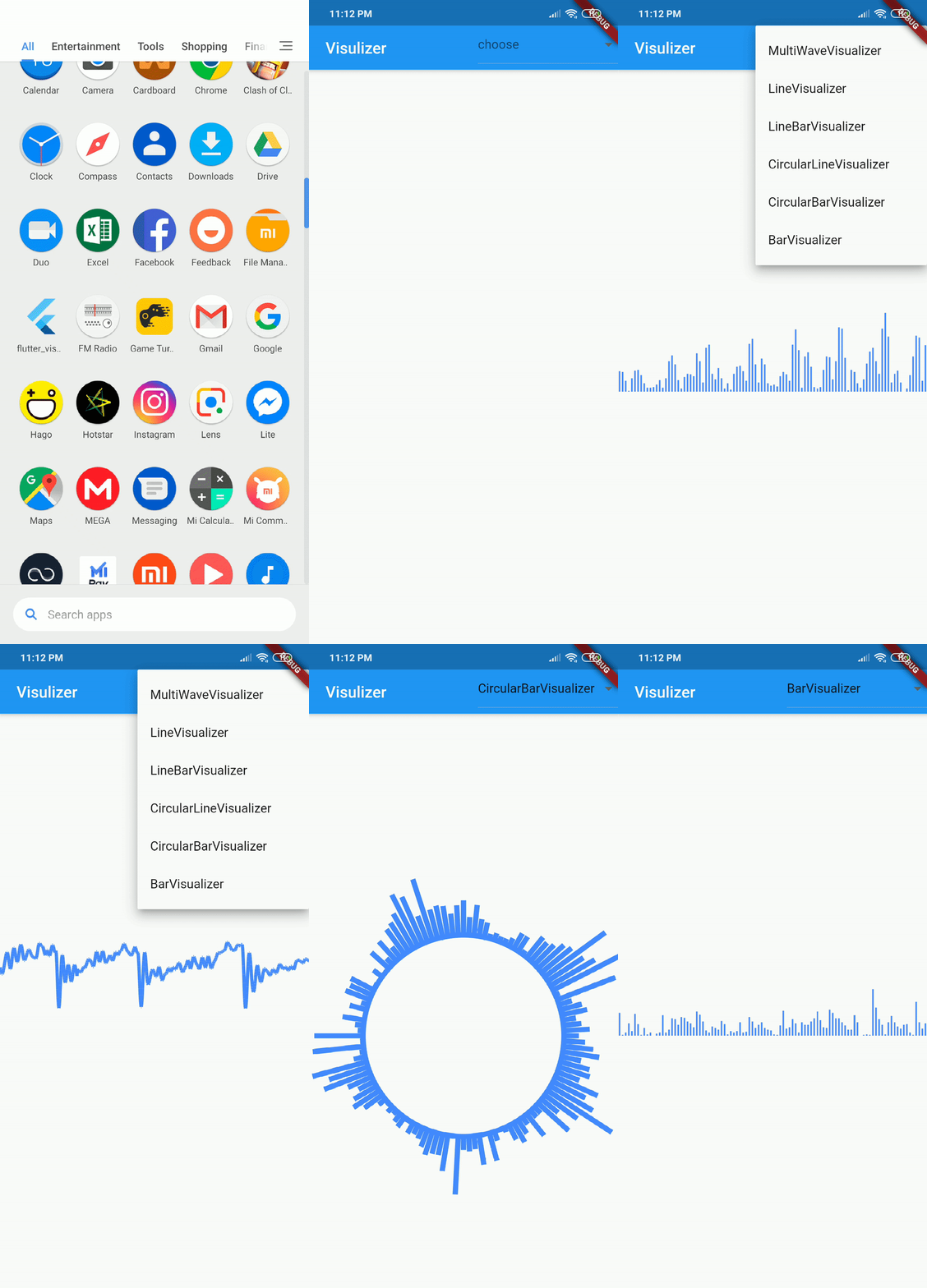
A Flutter plugin to Visualize the audio being played (only android).

30-day downloads
32
Likes
67
Pub points
40

Install package

flutter pub add flutter_visualizers

Package Overview

Package selection guidance compiled from public package information, community data, and project usage.

flutter_visualizers is a Flutter plugin designed to visualize audio playback on Android devices. It provides real-time visual representations of audio signals, making it ideal for music players or audio analysis applications. The plugin leverages Android's built-in visualization APIs to render waveforms or spectrum graphs directly in the app UI. Currently, it only supports Android, limiting its cross-platform use. Developers can integrate it easily via pub.dev and customize the visual style to match their app’s design. It enhances user engagement by offering dynamic audio feedback during playback.

Use cases

  • Music player apps
  • Audio waveform visualization
  • Live audio analysis
  • Interactive audio dashboards
  • Educational audio tools

Key features

  • Real-time audio visualization
  • Android-only support
  • Simple integration with pub.dev
  • Customizable visual styles
  • Built-in Android visualization APIs

Suitable for

  • Android-focused audio apps
  • Music and sound visualization projects
  • Developers seeking real-time audio feedback
  • Apps requiring live waveform display
  • Educational or experimental audio tools

Considerations

  • Not available for iOS or other platforms
  • Limited to Android-specific features
  • Requires Android SDK setup
  • May have performance impact on low-end devices
  • No official documentation beyond GitHub repo

Original README

Original README snapshot from the linked source repository. Visit the repository for the latest content.

flutter_visualizers (Depreciated & Not maintaining)Pub

A Flutter plugin to Visualize the audio being played (only android).

Usage

  • Add this to your pubspec.yaml

    dependencies:
    flutter_visualizers: ^0.0.2
    
    
  • Get package from Pub:

    flutter packages get
    
  • Import it in your file

    import 'package:flutter_visualizers/flutter_visualizers.dart';
    

Example

  • Firstly, get a audioSessionID from your native android Mediaplayer.

    player.getAudioSessionId()
    
  • Simply Include this code in body

    new Visualizer(
            builder: (BuildContext context, List<int> wave) {
              return new CustomPaint(
                painter: new LineVisualizer(
                  waveData: wave,
                  height: MediaQuery.of(context).size.height,
                  width : MediaQuery.of(context).size.width,
                  color: Colors.blueAccent,
                ),
                child: new Container(),
              );
            },
            id: playerID,
          )
    

    Here playerId is the AudioSessionId which id needed to initialize the Visualizer. (Required Audio Recording Permission in Android)

    See the Complete Example

Sample

Video

Credits

License

Copyright [2019] [Sahdeep Singh]

Licensed under the Apache License, Version 2.0 (the "License");
you may not use this file except in compliance with the License.
You may obtain a copy of the License at

   http://www.apache.org/licenses/LICENSE-2.0

Unless required by applicable law or agreed to in writing, software
distributed under the License is distributed on an "AS IS" BASIS,
WITHOUT WARRANTIES OR CONDITIONS OF ANY KIND, either express or implied.
See the License for the specific language governing permissions and
limitations under the License.
Getting Started with Flutter

This project is a starting point for a Flutter plug-in package, a specialized package that includes platform-specific implementation code for Android and/or iOS.

For help getting started with Flutter, view our online documentation, which offers tutorials, samples, guidance on mobile development, and a full API reference.

Categories

Source repository

Projects using this package

No data available yet.