Search packages, repositories and app categories

Package detailsv2.0.2

flutter_volume_controller

A Flutter plugin to control system volume and listen for volume changes on different platforms.

AndroidiOSmacOSWindowsLinux
30-day downloads
61K
Likes
76
Pub points
150

Install package

flutter pub add flutter_volume_controller

Package Overview

Package selection guidance compiled from public package information, community data, and project usage.

A Flutter plugin that enables control of system volume and real-time listening for volume changes across Android, iOS, macOS, Windows, and Linux. It provides a consistent API to adjust volume levels and respond to user-driven or system-triggered volume adjustments. Ideal for media apps, audio players, or any application requiring precise volume management. The plugin abstracts platform-specific implementations, ensuring cross-platform compatibility with minimal setup.

Use cases

  • Media player volume control
  • Real-time volume monitoring
  • Audio app integration
  • System-level volume adjustment
  • Cross-platform audio applications

Key features

  • Cross-platform volume control
  • Volume change event listeners
  • Platform-agnostic API
  • Support for Android, iOS, macOS, Windows, and Linux
  • Simple integration via pub add

Suitable for

  • Audio and media applications
  • Apps needing system volume access
  • Developers targeting multiple platforms
  • Interactive audio experiences
  • Applications requiring volume feedback

Considerations

  • Requires platform-specific permissions on some OS
  • Limited to system volume (not app-specific)
  • Behavior may vary slightly between platforms
  • Not suitable for low-level audio processing
  • May require additional configuration on desktop platforms

Original README

Original README snapshot from the linked source repository. Visit the repository for the latest content.

Flutter Volume Controller

A Flutter plugin to control system volume and listen for volume changes on different platforms.

pub package

Features

  • Control system and media volumes.
  • Listen for volume changes.

Platform Support

  • ✅ Android
  • ✅ iOS
  • ✅ macOS
  • ✅ Windows
  • ✅ Linux
  • ✅ ohos

Swift Package Manager Support

This plugin supports Swift Package Manager (SPM) on Apple platforms:

  • ✅ iOS
  • ✅ macOS

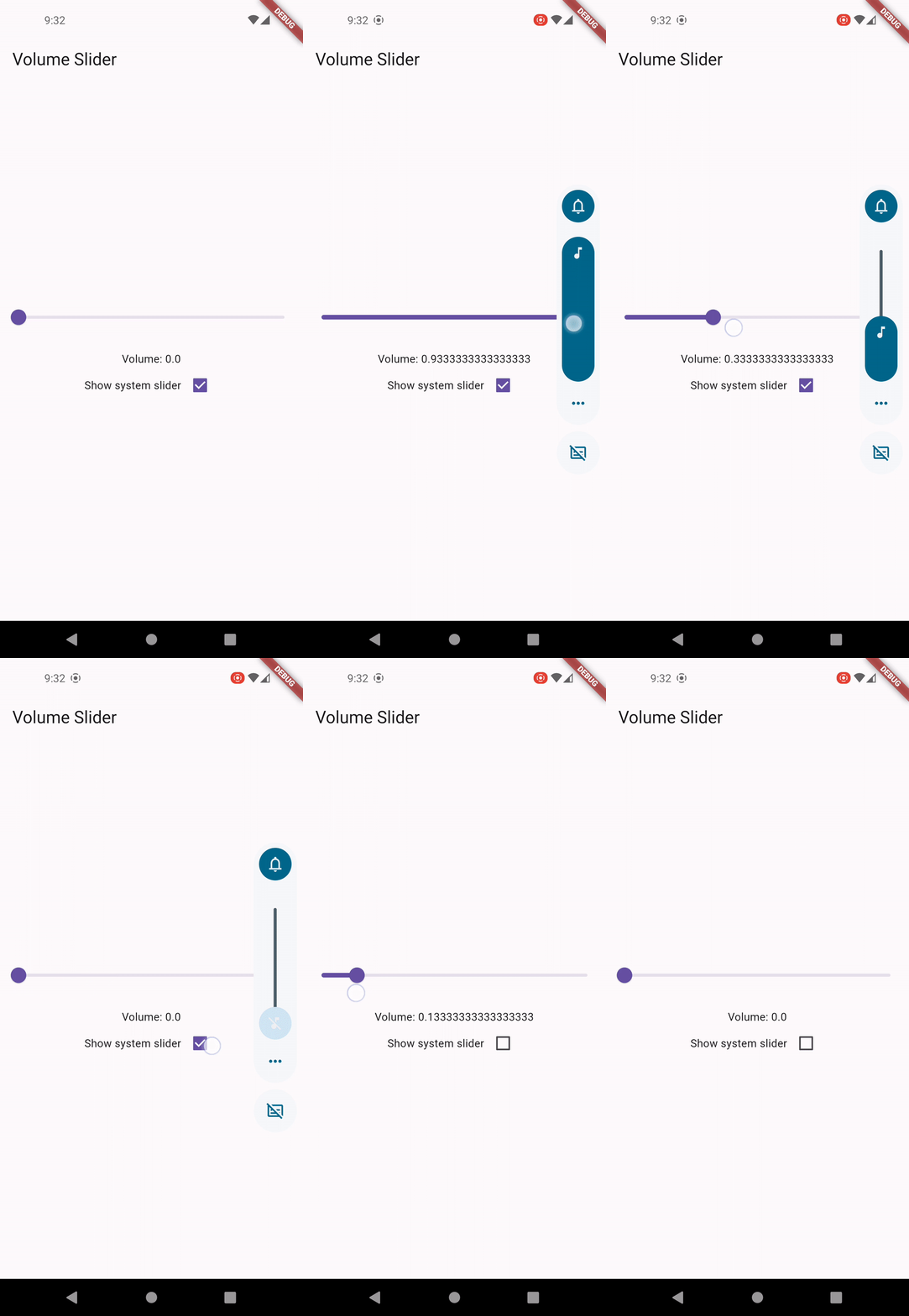
Example

Custom Volume Slider

Usage

Control System UI Visibility
  • Set to true to display system volume slider when changing volume.
  • This setting only works on Android, iOS and ohos.
  • Note: this setting doesn't control the volume slider invoked by physical buttons on Android.
await FlutterVolumeController.updateShowSystemUI(true);
Get Volume
final volume = await FlutterVolumeController.getVolume();
Set Volume
await FlutterVolumeController.setVolume(0.5);
Increase Volume
  • On Android, Windows and ohos, when step is set to null, it will use the default system stepping value.
  • On iOS, macOS, Linux, if step is undefined, the default stepping value is set to 0.15.
await FlutterVolumeController.raiseVolume(0.2);
await FlutterVolumeController.raiseVolume(null);
Decrease Volume
  • On Android, Windows and ohos, when step is set to null, it will use the default system stepping value.
  • On iOS, macOS, Linux, if step is undefined, the default stepping value is set to 0.15.
await FlutterVolumeController.lowerVolume(0.2);
await FlutterVolumeController.lowerVolume(null);
Check Mute
  • On Android, iOS and ohos, we check if the current volume level is already dropped to zero.
  • On macOS, Windows, Linux, we check if the mute switch is turned on.
final isMuted = await FlutterVolumeController.getMute();
Set Mute
  • On Android, iOS and ohos, we either set the volume to zero or revert to the previous level.
  • On macOS, Windows, Linux, we control the mute switch. Volume will be restored once it's unmuted.
await FlutterVolumeController.setMute(true);
await FlutterVolumeController.setMute(false);
Toggle Mute
await FlutterVolumeController.toggleMute();
Set Audio Stream on Android
  • Adjusts to the audio stream whose volume should be changed by the hardware volume controls.
  • Supported streams: AudioStream.voiceCall, AudioStream.system, AudioStream.ring , AudioStream.music, AudioStream.alarm, AudioStream.notification.
  • For more details, visit AudioManager
await FlutterVolumeController.setAndroidAudioStream(stream: AudioStream.system);
Get Audio Stream on Android
  • Get the current audio stream on Android.
final stream = await FlutterVolumeController.getAndroidAudioStream();
Set Audio Session Category on iOS
  • Adjusts to a different set of audio behaviors.
  • Supported categories: AudioSessionCategory.ambient, AudioSessionCategory.multiRoute , AudioSessionCategory.playAndRecord, AudioSessionCategory.playback , AudioSessionCategory.record, AudioSessionCategory.soleAmbient
  • For more details, visit AVAudioSession.Category
await FlutterVolumeController.setIOSAudioSessionCategory(category: AudioSessionCategory.playback);
Get Audio Session Category on iOS
  • Get the current audio session category on iOS.
final category = await FlutterVolumeController.getIOSAudioSessionCategory();
Listen for Volume Changes
  • Use emitOnStart to control whether volume level should be emitted immediately right after the listener is attached.
@override
void initState() {
  super.initState();
  FlutterVolumeController.addListener(
    (volume) {
      debugPrint('Volume changed: $volume');
    },
  );
}

@override
void dispose() {
  FlutterVolumeController.removeListener();
  super.dispose();
}

Notes

Volume controls doesn't work on iOS simulator
  • On iOS, volume control uses MPVolumeView internally which does not works on simulator. Please uses physical device for testing.
Fine-grained volume control
  • Due to platform and device difference, it's normal that volume level could not be controlled precisely. For example, Android supports only 15 volume steps by default, the volume after being set would be a rounded off value.
Audio devices without volume control
  • On desktop platforms like Windows and Linux, you may encounter PlatformException if the default audio device doesn't support volume control, like an external monitor.
Controlling Android volume slider UI
  • Currently there is no trivial way to control the volume slider invoked by physical buttons on Android in plugin level. You may override FlutterActivity::onKeyDown to customize the buttons action.
HarmonyOS compatible SDK version

Having Bugs?

  • This package is under active development. If you find any bug, please create an issue on GitHub.

Support

"Buy Me A Coffee"

Categories

Dependencies

Dependency list 1 items

Source repository

Projects using this package