Package selection guidance compiled from public package information, community data, and project usage.
FlutterWeekView is a highly customizable calendar widget that displays weekly or daily views, enabling users to visualize and manage events with smooth scrolling and zooming capabilities. It supports dynamic event rendering, intuitive navigation, and responsive design across multiple platforms. Ideal for scheduling applications, it offers extensive customization options for styling and behavior. The package integrates seamlessly into Flutter apps and is actively maintained by its publisher.
Use cases
Scheduling appointments
Managing daily tasks
Displaying event timelines
Planning workweeks
Creating calendar dashboards
Key features
Customizable week/day views
Event rendering with drag-and-drop
Zoom in/out functionality
Smooth horizontal/vertical scrolling
Responsive design across platforms
Extensible styling options
Suitable for
Productivity apps
Calendar applications
Task management tools
Time-tracking software
Event planning platforms
Considerations
Requires careful handling of large event datasets
May need performance optimization for dense calendars
Limited built-in localization support
Custom styling may require advanced Flutter knowledge
Original README
Original README snapshot from the linked source repository. Visit the repository for the latest content.
Flutter Week View
Displays a highly customizable week view (or day view) which is able to display events, to be scrolled, to be zoomed-in & out and a lot more !
Getting started with Flutter Week View is very straight forward.
You have the choice between two widgets : DayView and WeekView.
Use the first one to display a single day and use the second one to display
multiple days.
Example
If you want a real project example, you can check this one on Github.
Here are the options that are available for both DayView and WeekView :
events Events to display.
style Allows you to style your widget. A lot of different styles are available so don't hesitate to try them out !
hourColumnStyle Same, it allows you to style the hour column on the left.
controller Controllers allow you to manually change the zoom settings.
inScrollableWidget Whether to put the widget in a scrollable widget (disable if you want to manage the scroll by yourself).
minimumTime The minimum hour and minute to display in a day.
maximumTime The maximum hour and minute to display in a day.
initialTime The initial hour and minute to put the widget on.
userZoomable Whether the user is able to (un)zoom the widget.
currentTimeIndicatorBuilder Allows you to change the default current time indicator (rule and circle).
onHourColumnTappedDown Provides a tapped down callback for the hour column. Pretty useful if you want your users to add your own events at a specific time.
onBackgroundTappedDown Provides a similar callback as the above, but when the user clicks on the background (an empty region of the calendar).
onDayBarTappedDown Provides a tapped down callback for the day bar.
dragAndDropOptions Enables drag-and-drop of events.
resizeEventOptions Enables resizing events, by dragging the bottom of the event up/down.
eventWidgetBuilder The widget builder that customizes how events are rendered.
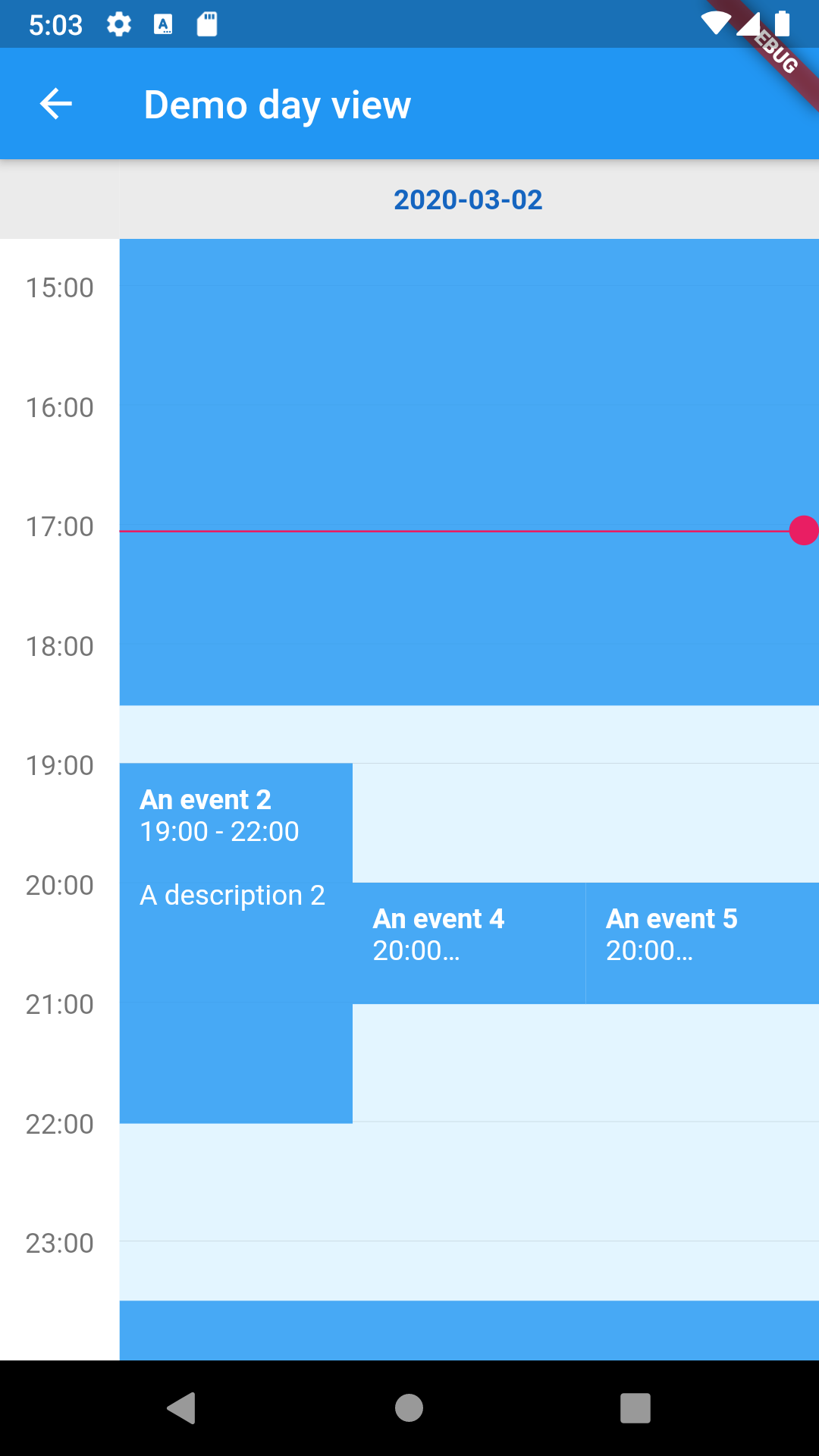
Flutter day view
Here are the specific options of DayView :
date The widget date.
dayBarStyle The day bar style.
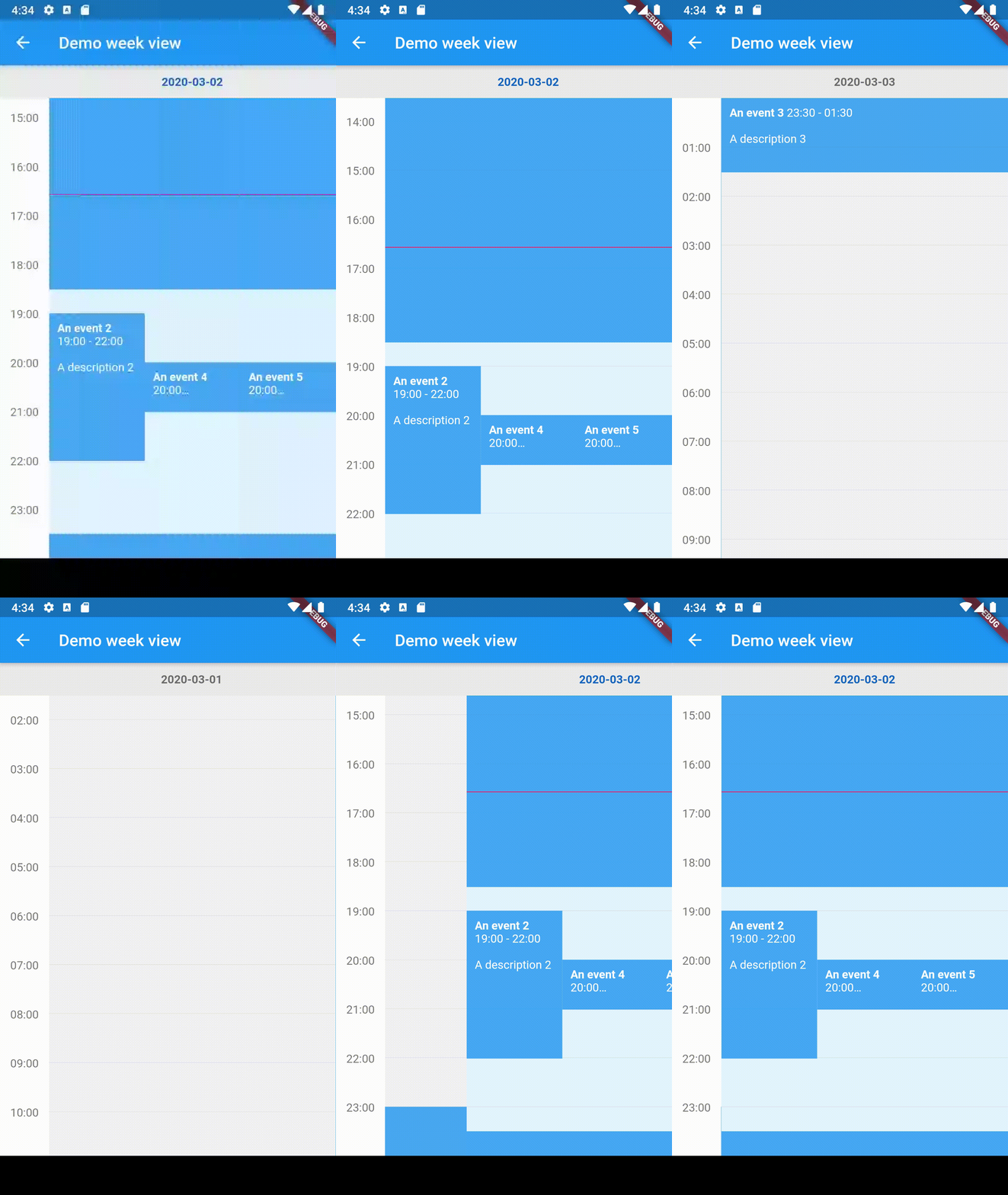
Flutter week view
Here are the specific options of WeekView :
dates The widget dates.
dayViewStyleBuilder The function that allows to build a Day View style according to the provided date.
dayBarStyleBuilder The function that allows to build a Day Bar style according to the provided date.
Please note that you can create a WeekView instance using a builder.
All previous options are still available but you don't need to provide the dates list.
However, you need to provide a DateCreator (and a date count if you can, if it's impossible for you to do it then scrollToCurrentTime will not scroll to the current date).
Contributions
You have a lot of options to contribute to this project ! You can :