Package selection guidance compiled from public package information, community data, and project usage.
ftoast is a Flutter package designed to help developers create flexible, concise, and visually appealing toast notifications. It provides a simple API for displaying temporary messages across various platforms, including Android, iOS, Web, macOS, Windows, and Linux. With customizable animations, positioning, and styling options, ftoast enhances user experience by delivering timely feedback without disrupting the interface. The package is lightweight and integrates seamlessly into existing Flutter projects.
Use cases
Displaying brief user feedback
Showing success or error messages
Enhancing UX with subtle notifications
Providing quick status updates
Customizing toast appearance
Supporting multi-platform apps
Key features
Cross-platform compatibility
Customizable animations
Flexible positioning
Styling options
Simple API
Lightweight design
Suitable for
Flutter developers seeking clean toast UI
Projects requiring consistent notification style
Apps targeting multiple platforms
Developers wanting minimal setup
Teams prioritizing UX consistency
Prototyping rapid feedback mechanisms
Considerations
Requires manual configuration for advanced styling
Limited built-in themes
No native dark mode integration
May need additional dependencies for complex layouts
Not ideal for persistent notifications
Best suited for transient messages only
Original README
Original README snapshot from the linked source repository. Visit the repository for the latest content.
ftoast
Simple, beautiful Toast
Help developers create flexible, concise and beautiful Toast
FToast.toast(
context,
msg: "This is Msg",
/// 配置 subMsg////// set subMsg
subMsg: "Welcome to use FToast. This is subMsg!",
/// 配置 SubMsg 样式////// set SubMsg style
subMsgStyle: TextStyle(color: Colors.white, fontSize: 13),
)
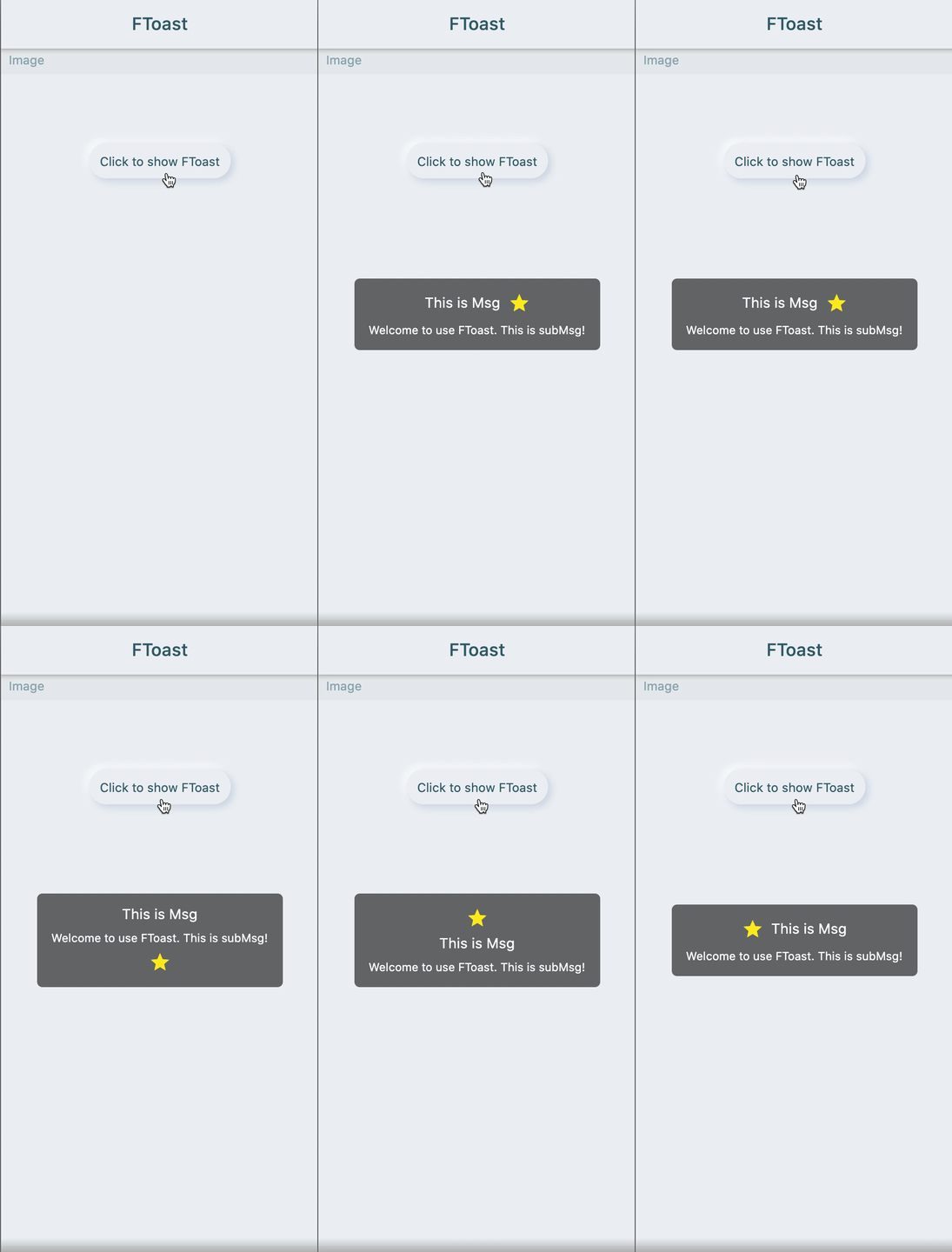
🔳 Image
FToast.toast(
context,
msg: "This is Msg",
subMsg: "Welcome to use FToast. This is subMsg!",
/// 配置图标////// set image
image: Icon(
Icons.star,
color: Colors.yellow,
),
/// 配置图标相对文本的位置////// set position of icon relative to text
imageDirection: up,
)
Add dependencies in the project pubspec.yaml file:
🌐 pub dependency
dependencies:ftoast:^<versionnumber>
⚠️ Attention,please go to [pub] (https://pub.dev/packages/ftoast) to get the latest version number of FToast
🖥 Git dependency
dependencies:ftoast:git:url:'git@github.com:Fliggy-Mobile/ftoast.git'ref:'<Branch number or tag number>'
⚠️ Attention,please refer to [FToast] (https://github.com/Fliggy-Mobile/ftoast) official project for branch number or tag.
💡 License
Copyright2020-present FliggyAndroidTeam <alitrip_android@list.alibaba-inc.com>.
Licensed under the ApacheLicense, Version2.0 (the "License");
you may not use this file except in compliance with the License.
You may obtain a copy of the License at following link.
http://www.apache.org/licenses/LICENSE-2.0Unlessrequired by applicable law or agreed to in writing, software
distributed under the Licenseis distributed on an "AS IS" BASIS,
WITHOUT WARRANTIES OR CONDITIONS OF ANY KIND, either express or implied.
See the Licensefor the specific language governing permissions and
limitations under the License.