Search categories, packages and repositories

gallery_view cover
Package detailsv1.0.0+1

gallery_view

A plugin for shwoing list of images in exactly looging in gallery view.

AndroidiOS
30-day downloads
16
Likes
37
Pub points
120

Install package

flutter pub add gallery_view

Package Overview

Package selection guidance compiled from public package information, community data, and project usage.

Gallery View is a Flutter plugin designed to display a list of images in a visually appealing gallery layout. It enables users to browse images with smooth scrolling and intuitive interactions, ideal for photo galleries or image-heavy applications. The plugin supports both Android and iOS platforms, ensuring consistent performance across devices. Built with simplicity in mind, it integrates easily into existing projects using a straightforward API.

Use cases

  • Photo gallery apps
  • Image browsing interfaces
  • E-commerce product image displays
  • Social media image feeds
  • Portfolio展示

Key features

  • Smooth gallery scrolling
  • Cross-platform support (Android & iOS)
  • Simple integration with Flutter
  • Responsive image layout
  • Built-in swipe gestures

Suitable for

  • Developers building image-centric apps
  • Apps requiring intuitive image navigation
  • Projects needing lightweight gallery solutions
  • Mobile-first UI designs
  • Fast prototyping of image galleries

Considerations

  • Limited customization options
  • No built-in image loading optimization
  • Requires manual handling of large image sets
  • Not suitable for complex image manipulation
  • Depends on external image loading libraries for advanced features
Original README

Original README snapshot from the linked source repository. Visit the repository for the latest content.

Image Gallery View Widget

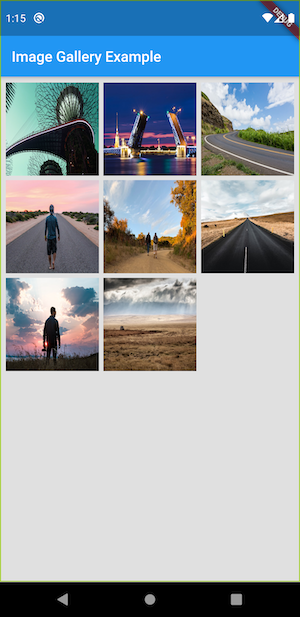
A new plugin to show the list of network image and show it in a gallery view with hero animation

Getting Started

Feature
1. Show user list of network image using urls in gallery view
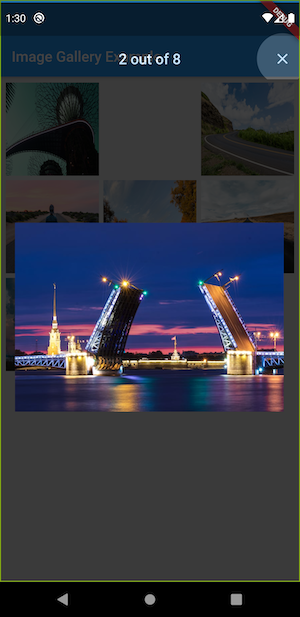
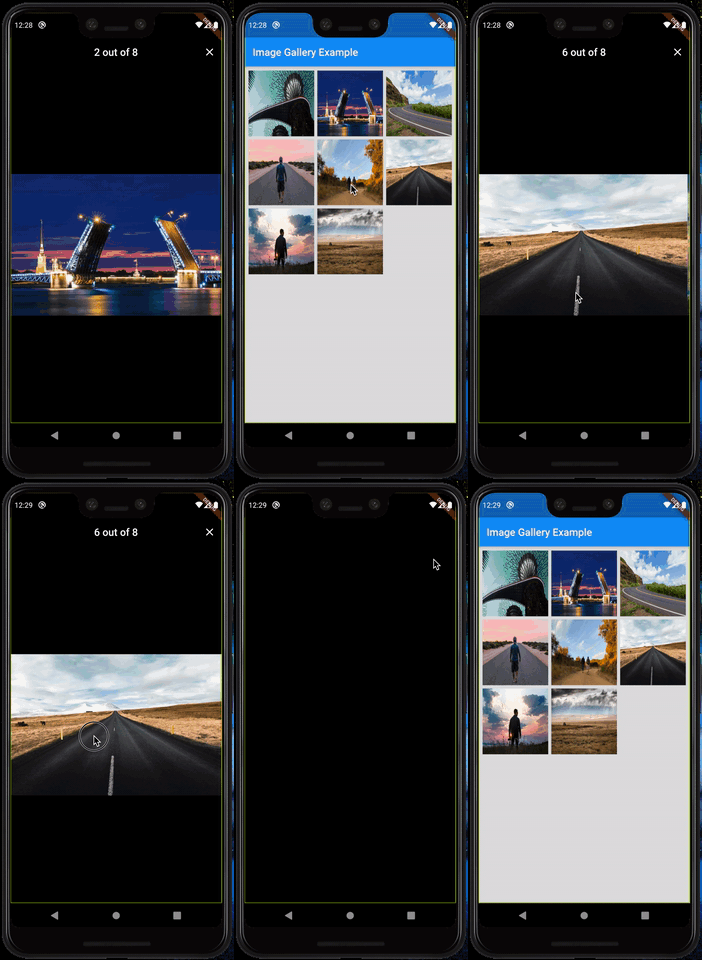
2. Added Hero animation for smooth transition effect.
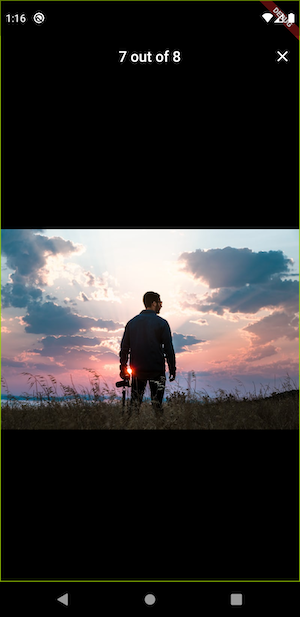
3. User able to zoom into image and swipe left and right to swipe between images.
4. Also showing loading icon while image is loading from url.
Example
import 'package:flutter/material.dart';
import 'package:gallery_view/gallery_view.dart';

void main() {
  runApp(MaterialApp(
    home: Scaffold(
      body: Center(
      child: GalleryView(
       imageUrlList:[
                     "https://images.unsplash.com/photo-1500100586562-f75ff6540087?ixlib=rb-1.2.1&ixid=eyJhcHBfaWQiOjEyMDd9&auto=format&fit=crop&w=800&q=60",
                     "https://images.unsplash.com/photo-1523719185231-aff40a400361?ixlib=rb-1.2.1&ixid=eyJhcHBfaWQiOjEyMDd9&auto=format&fit=crop&w=800&q=60",
                    "https://images.unsplash.com/photo-1500100586562-f75ff6540087?ixlib=rb-1.2.1&ixid=eyJhcHBfaWQiOjEyMDd9&auto=format&fit=crop&w=800&q=60",
                     "https://images.unsplash.com/photo-1523719185231-aff40a400361?ixlib=rb-1.2.1&ixid=eyJhcHBfaWQiOjEyMDd9&auto=format&fit=crop&w=800&q=60",
                     "https://images.unsplash.com/photo-1500100586562-f75ff6540087?ixlib=rb-1.2.1&ixid=eyJhcHBfaWQiOjEyMDd9&auto=format&fit=crop&w=800&q=60",
                     "https://images.unsplash.com/photo-1523719185231-aff40a400361?ixlib=rb-1.2.1&ixid=eyJhcHBfaWQiOjEyMDd9&auto=format&fit=crop&w=800&q=60",
                     "https://images.unsplash.com/photo-1500100586562-f75ff6540087?ixlib=rb-1.2.1&ixid=eyJhcHBfaWQiOjEyMDd9&auto=format&fit=crop&w=800&q=60",
                     "https://images.unsplash.com/photo-1523719185231-aff40a400361?ixlib=rb-1.2.1&ixid=eyJhcHBfaWQiOjEyMDd9&auto=format&fit=crop&w=800&q=60",
                    
                   ]
        ),
      ),
    ),
  ));
}


The example app running in Android

More screenshots
Image Gallery View View Image Hero animation
In action In action In action

Usage

To use this plugin, add gallery_view as a dependency in your pubspec.yaml file.

Categories

Dependencies

Dependency list 2 items

Source repository

Projects using this package

No data available yet.