Search packages, repositories and app categories

giffy_dialog cover
Package detailsv2.3.0

giffy_dialog

A Flutter package for a quick, handy and beautiful giffy dialogs and bottom sheets.

AndroidiOSWebmacOSWindowsLinux
30-day downloads
1.2K
Likes
605
Pub points
150

Install package

flutter pub add giffy_dialog

Package Overview

Package selection guidance compiled from public package information, community data, and project usage.

GiffyDialog is a Flutter package that provides animated, visually appealing dialogs and bottom sheets using GIFs. It enables developers to quickly implement engaging user interactions with minimal code. The package supports multiple platforms including Android, iOS, Web, macOS, Windows, and Linux. With customizable themes and easy integration via a simple command, it enhances app UX by adding fun and dynamic visual feedback. Perfect for onboarding screens, alerts, or celebratory moments in apps.

Use cases

  • Onboarding screens
  • User alerts
  • Celebration pop-ups
  • App guidance
  • Feedback prompts

Key features

  • Animated GIF support
  • Customizable dialogs
  • Cross-platform compatibility
  • Simple API
  • Bottom sheet integration

Suitable for

  • Mobile app developers
  • UX-focused projects
  • Interactive UI enhancements
  • Quick dialog implementation

Considerations

  • Large GIF files may impact performance
  • Limited customization for complex layouts
  • Requires careful GIF file optimization
  • Not ideal for lightweight dialogs
  • Depends on network if loading remote GIFs

Original README

Original README snapshot from the linked source repository. Visit the repository for the latest content.

Giffy Dialog

Open Source Love License Dart CI CodeCov Version

A beautiful and custom alert dialog for flutter highly inspired from FancyAlertDialog-Android.

Show some ❤️ and star the repo to support the project

Live Demo: https://xsahil03x.github.io/giffy_dialog

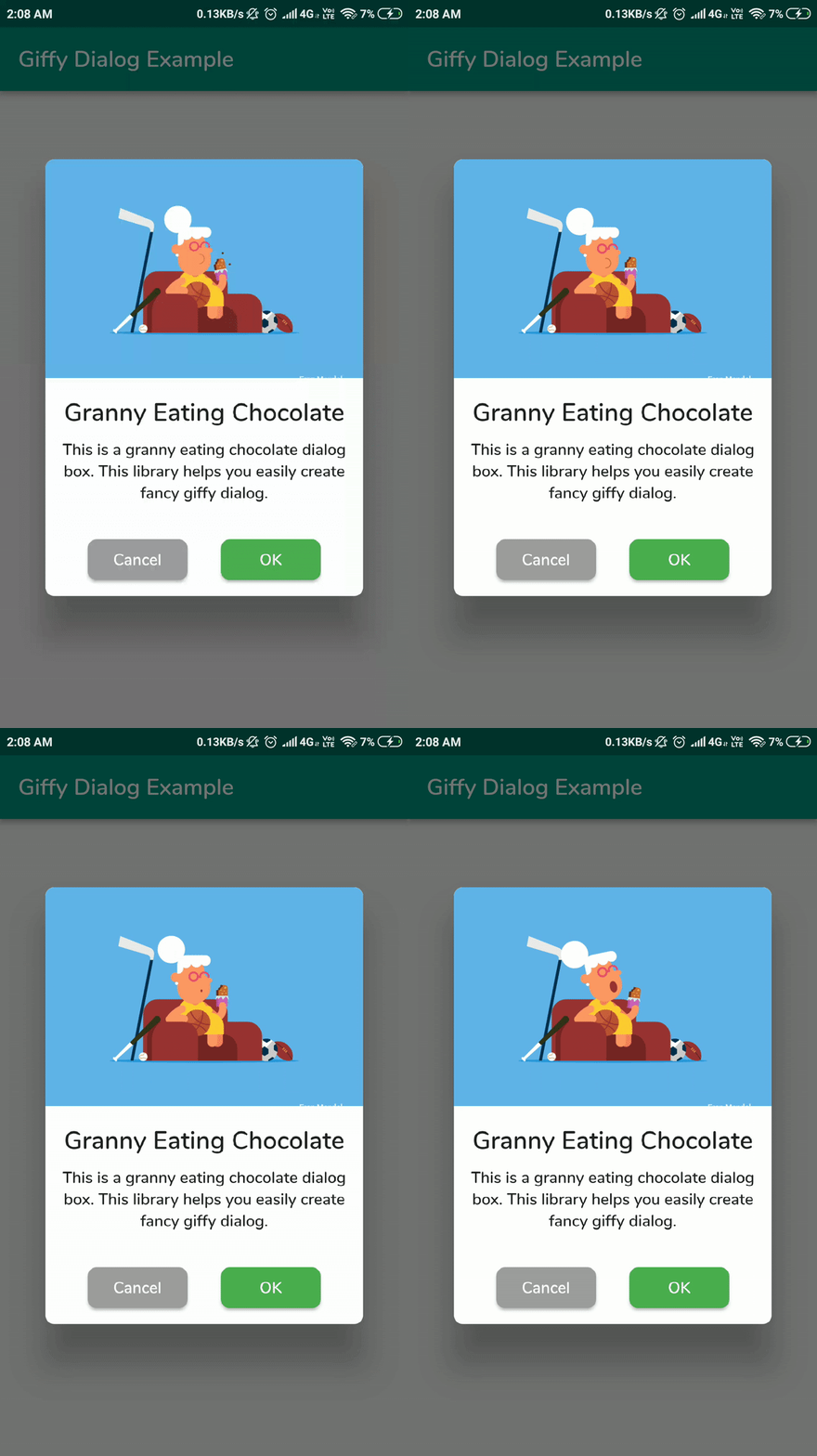
An animated image of the GiffyDialog

Migration from v1 to v2

Please refer to the migration guide to migrate from v1 to v2.

Installation

Add the following to your pubspec.yaml and replace [version] with the latest version:

dependencies:
  giffy_dialog: ^[version]

Usage

Import the package:

import 'package:giffy_dialog/giffy_dialog.dart';

Use it like a dialog:

 showDialog(
   context: context,
   builder: (BuildContext context) {
     return GiffyDialog.image(
       Image.network(
         "https://raw.githubusercontent.com/Shashank02051997/FancyGifDialog-Android/master/GIF's/gif14.gif",
         height: 200,
         fit: BoxFit.cover,
       ),
       title: Text(
         'Image Animation',
         textAlign: TextAlign.center,
       ),
       content: Text(
         'This is a image animation dialog box. This library helps you easily create fancy giffy dialog.',
         textAlign: TextAlign.center,
       ),
       actions: [
         TextButton(
           onPressed: () => Navigator.pop(context, 'CANCEL'),
           child: const Text('CANCEL'),
         ),
         TextButton(
           onPressed: () => Navigator.pop(context, 'OK'),
           child: const Text('OK'),
         ),
       ],
     );
   },
 );

Or use it like a bottom sheet:

 showModalBottomSheet(
   context: context,
   clipBehavior: Clip.antiAlias,
   isScrollControlled: true,
   shape: RoundedRectangleBorder(
     borderRadius: BorderRadius.vertical(
       top: Radius.circular(useMaterial3 ? 32 : 4),
     ),
   ),
   builder: (BuildContext context) {
     return GiffyBottomSheet.image(
       Image.network(
         "https://raw.githubusercontent.com/Shashank02051997/FancyGifDialog-Android/master/GIF's/gif14.gif",
         height: 200,
         fit: BoxFit.cover,
       ),
       title: Text(
         'Image Animation',
         textAlign: TextAlign.center,
       ),
       content: Text(
         'This is a image animation bottom sheet. This library helps you easily create fancy giffy bottom sheet.',
         textAlign: TextAlign.center,
       ),
       actions: [
         TextButton(
           onPressed: () => Navigator.pop(context, 'CANCEL'),
           child: const Text('CANCEL'),
         ),
         TextButton(
           onPressed: () => Navigator.pop(context, 'OK'),
           child: const Text('OK'),
         ),
       ],
     );
   },
 );

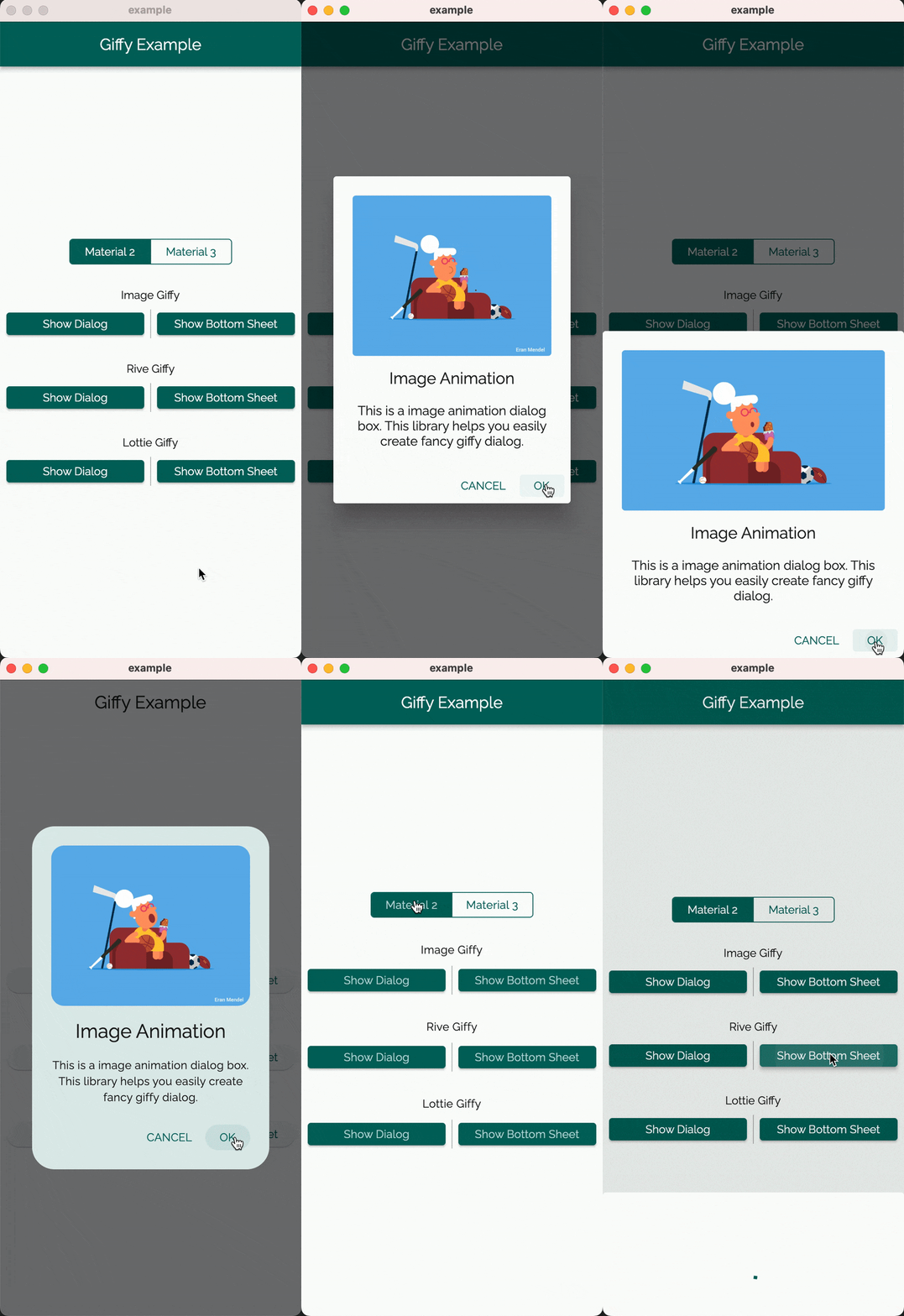
Demo

Giffy Dialog Giffy BottomSheet
Material 2 Material 3 Material 2 Material 3
Image Giffy Image Giffy Dialog Image Giffy Dialog Image Giffy Dialog Image Giffy Dialog
Rive Giffy Image Giffy Dialog Image Giffy Dialog Image Giffy Dialog Image Giffy Dialog
Lottie Giffy Image Giffy Dialog Image Giffy Dialog Image Giffy Dialog Image Giffy Dialog

Customization

The GiffyDialog widget provides several customization options, such as the dialog title, description, buttons, animations, and more. Please refer to the documentation for a complete list of available options.

Contributors

Thanks goes to these wonderful people (emoji key):


ArtemKolichenkov

📖 🤔

Alex Fierro

💻

Kasidech C.

💻

Jai Sachdeva

💬

Tarekk Mohamed Abdalla

💻

madhukesh_048

⚠️

dpedrinha

💻

Nate

💻 💡

Alex

💻

jritchie

💻

Saad Bin Shahid

💻

This project follows the all-contributors specification. Contributions of any kind welcome!

License

MIT License

Categories

Dependencies

Dependency list 2 items

Source repository

Projects using this package