Package selection guidance compiled from public package information, community data, and project usage.
Glass Kit is a Flutter package that provides ready-to-use widgets for implementing glass morphism effects in applications. It enables developers to create visually appealing, translucent UI components with blur and transparency effects, commonly seen in modern design trends. The package supports multiple platforms including Android, iOS, Web, macOS, Windows, and Linux, ensuring consistent glassmorphic styling across devices. With simple integration via pub add, it streamlines the process of adding sophisticated UI elements without complex custom coding.
Use cases
Creating modern app interfaces
Designing translucent overlays
Building dashboard backgrounds
Implementing floating cards with blur
Enhancing user experience with visual depth
Key features
Pre-built glass morphism widgets
Support for blur effects
Transparency and gradient customization
Cross-platform compatibility
Easy integration with Flutter
Responsive design support
Suitable for
UI designers seeking modern aesthetics
Developers building sleek mobile or web apps
Projects requiring immersive visual effects
Teams focused on polished user interfaces
Apps targeting modern design trends
Considerations
Performance impact with heavy blur effects
May require optimization on lower-end devices
Limited customization beyond basic glass styles
Best suited for light-themed designs
Not ideal for high-contrast or dark mode-heavy apps
Original README
Original README snapshot from the linked source repository. Visit the repository for the latest content.
A package containing widgets to implement glass morphism in flutter apps
GlassMorphism, is a new UI trend with a huge popularity among designers. Glass Kit provides you with widgets and other elements to implement this style in your flutter apps easily and efficiently.
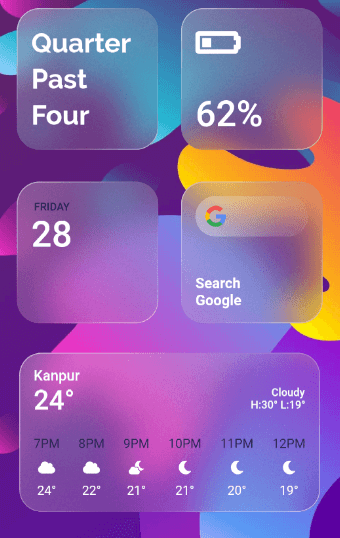
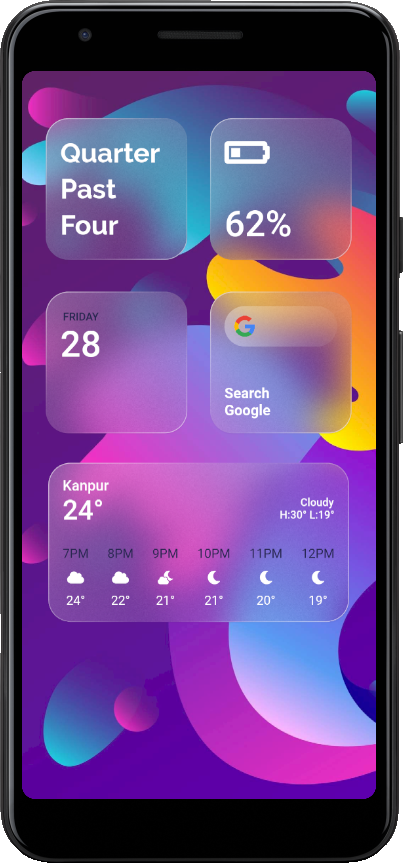
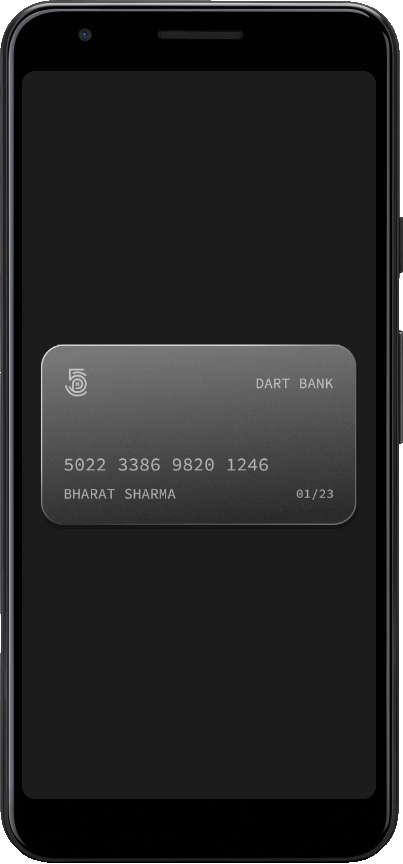
Gallery:
Source code for the above can be found in the example directory here
Getting Started
You should add the following to the pubspec.yaml file:
dependencies:glass_kit:^4.0.2
You should then run flutter packages get in your terminal so as to get the package.
Now import the package in the dart file:
import'package:glass_kit/glass_kit.dart';
Usage
To create a basic clear glass container you can use the clearGlass constructor. If needed, just provide the height and width and you are good to go. The clearGlass and frostedGlass constructors assign default values to the properties if not provided.
GlassContainer.clearGlass(child: Child());
To create a frosted glass container use the frostedGlass constructor.
Depending on your requirements you can tweak with the properties and create awesome glass widgets. You can also use the GlassContainer constructor to create fully customizable glass widgets.
Note : GlassContainer comes with properties as in a regular Container but with some exceptions and additions. Checkout the docs for the list of properties and their default values.
Here's a fully customized GlassContainer with shape as circle:
Note : You can also provide borderRadius but when the shape is BoxShape.rectangle.
Bugs or Requests
If you encounter any problems feel free to open an issue. If you feel the library is missing a feature, please raise a ticket on GitHub and I'll look into it. Pull requests are also welcome.