Search packages, repositories and app categories

glowy_borders cover
Package detailsv1.0.2

glowy_borders

A package for making your borders glow up

AndroidiOSWebmacOSWindowsLinux
30-day downloads
7.3K
Likes
84
Pub points
130

Install package

flutter pub add glowy_borders

Package Overview

Package selection guidance compiled from public package information, community data, and project usage.

Glowy Borders is a Flutter package that enhances UI design by adding vibrant, animated glow effects to widget borders. It allows developers to easily apply smooth, customizable glows around any widget with minimal code. Ideal for modern app interfaces, it supports multiple platforms including Android, iOS, Web, macOS, Windows, and Linux. The package leverages Flutter's rendering capabilities to deliver fluid animations and visual depth. Perfect for buttons, cards, or interactive elements needing a dynamic touch.

Use cases

  • Creating animated button borders
  • Enhancing card UIs with glow effects
  • Designing interactive UI components
  • Adding visual feedback to user interactions
  • Building modern, sleek app interfaces

Key features

  • Customizable glow color and intensity
  • Smooth animation transitions
  • Support for multiple platforms
  • Easy integration with existing widgets
  • Configurable glow radius and blur

Suitable for

  • UI designers seeking visual flair
  • Developers building modern Flutter apps
  • Projects requiring animated border effects
  • Apps targeting cross-platform consistency
  • Creative or gaming-style interfaces

Considerations

  • May impact performance on low-end devices
  • Requires careful tuning for optimal visual balance
  • Limited customization beyond glow properties
  • Not suitable for minimalist design styles
  • Best used sparingly to avoid visual clutter
Original README

Original README snapshot from the linked source repository. Visit the repository for the latest content.

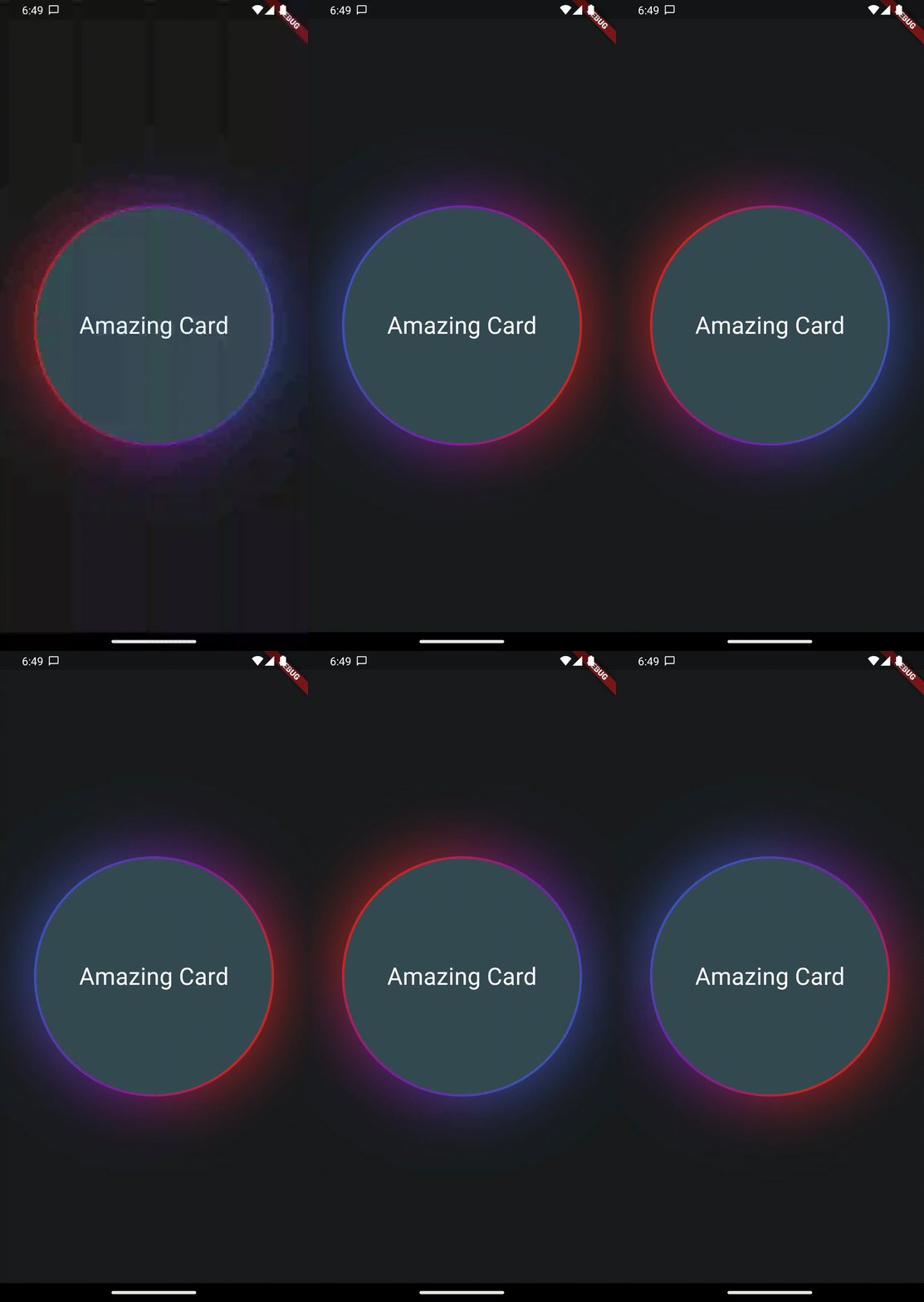
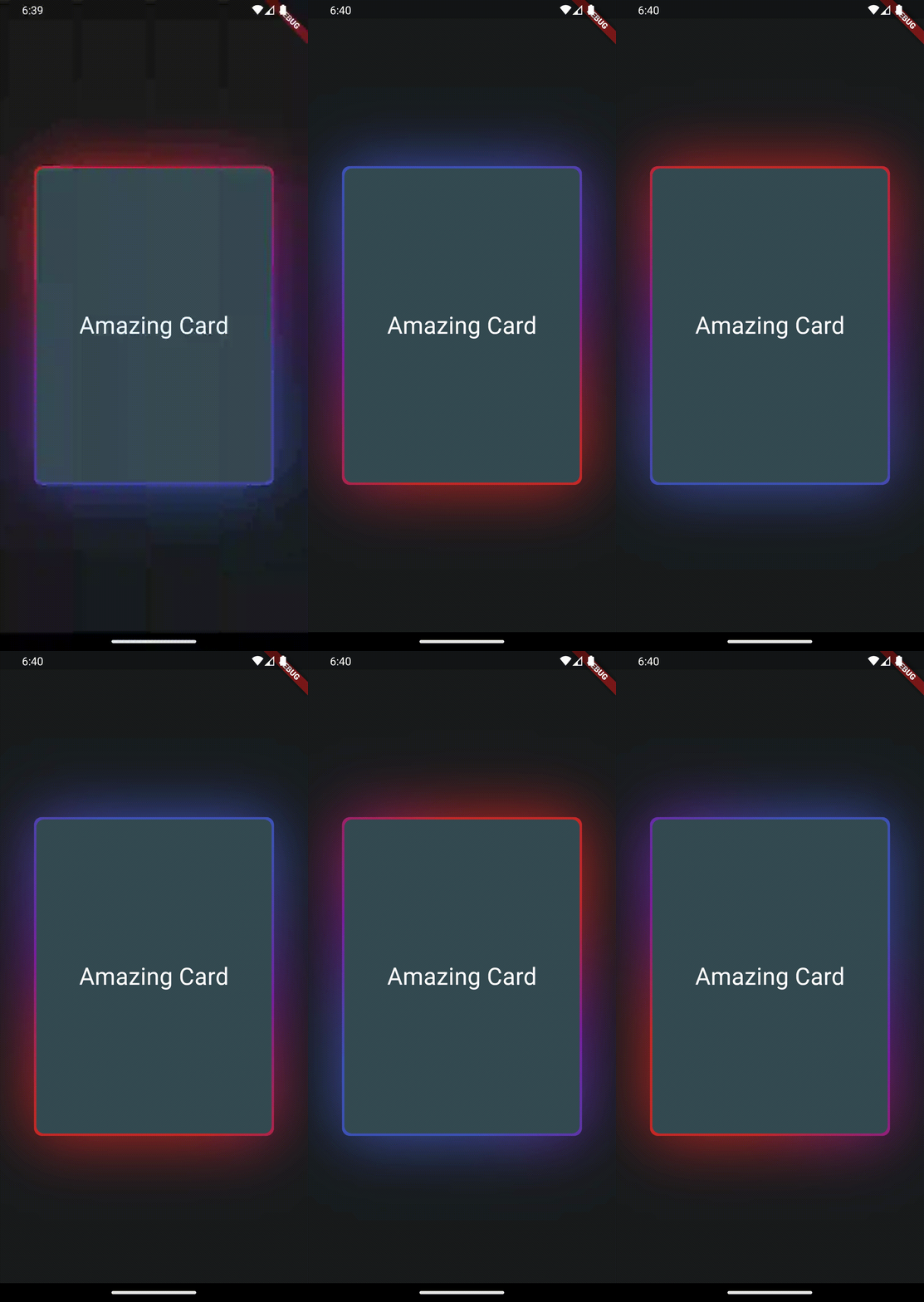
This package provides a wrapper widget to animate borders around your widgets. You can choose to provide current Animation Progress externally or use an indefinitely animation.

| |

Features

AnimatedGradientBorder Widget
  • Wrapper to Animate widgets border with gradients and glow
  • Set animation progress manually or loop indefinitely
  • control size of glow, border and colors to achieve stunning effects

Getting started

Create your flutter app, import this package and use AnimatedGradientBorder to wrap some element.

Usage

In this example you only need to wrap the widget with a full size Column in your app to see the results. Also note the currentProgress variable which is used to set animation state. If you remove it or set it to null, the animation will play indefinitely.

Please Note that you will need to set the same border radius for the wrapper as well as the child to make it look like a true border.

Also note, that this widget will not work in stretched alignments if you don't provide the parameter stretchAlongAxis and specify which axis you want to stretch along


final widget = Scaffold(
  extendBody: true,
  body: SafeArea(
    child: Center(
      child: Column(
        mainAxisAlignment: MainAxisAlignment.center,
        crossAxisAlignment: CrossAxisAlignment.center,
        children: [
          const Column(
            children: [Text('Hallo Welt')],
          ),
          AnimatedGradientBorder(
            borderSize: 2,
            glowSize: 10,
            gradientColors: [
              Colors.transparent,
              Colors.transparent,
              Colors.transparent,
              Colors.purple.shade50
            ],
            animationProgress: currentProgress,
            borderRadius: BorderRadius.all(Radius.circular(999)),
            child: SizedBox(
              width: 300,
              height: 300,
              child: Container(
                decoration: BoxDecoration(
                    borderRadius: BorderRadius.all(Radius.circular(999)),
                    color: Theme
                        .of(context)
                        .colorScheme
                        .secondaryContainer),
                child: Column(
                  mainAxisAlignment: MainAxisAlignment.center,
                  children: [
                    Text("current value: $currentProgress",
                        style: TextStyle(color: Colors.white, fontSize: 30.0)),
                  ],
                ),
              ),
            ),
          ),
        ],
      ),
    ),
  ),
);

Additional information

This feature uses Backdrop Filter under the hood which can cause performance issues if used extensively. Keep that in mind.

Categories

Source repository

Projects using this package

No data available yet.