Search packages, repositories and app categories

Package detailsv4.2.0

google_places_autocomplete_text_field

A fully customizable Google Places autocomplete TextFormField for Flutter iOS, Android and Web.

AndroidiOSmacOSWindowsLinux
30-day downloads
3.1K
Likes
38
Pub points
160

Install package

flutter pub add google_places_autocomplete_text_field

Package Overview

Package selection guidance compiled from public package information, community data, and project usage.

A customizable Flutter text field for Google Places autocomplete, supporting iOS, Android, and web platforms. It enables users to search and select locations with real-time suggestions powered by the Google Places API. The widget is designed for seamless integration into forms requiring address or location input, offering flexibility in styling and behavior. Ideal for apps needing accurate geolocation data from user-entered addresses.

Use cases

  • Address input in forms
  • Location selection in travel apps
  • Delivery address entry
  • Geolocation-based services
  • User profile setup

Key features

  • Real-time place suggestions
  • Customizable UI and styling
  • Cross-platform support (iOS, Android, Web)
  • Integration with Google Places API
  • Built-in error handling and validation

Suitable for

  • Mobile and web applications requiring location input
  • Apps with delivery or mapping features
  • Forms needing precise address entry
  • Developers using Google Places API
  • Projects prioritizing UX with autocomplete

Considerations

  • Requires Google Places API key
  • May incur usage costs based on queries
  • Depends on internet connectivity
  • Limited customization of suggestion list appearance
  • Potential latency in response time during high load
Original README

Original README snapshot from the linked source repository. Visit the repository for the latest content.

google_places_autocomplete_text_field

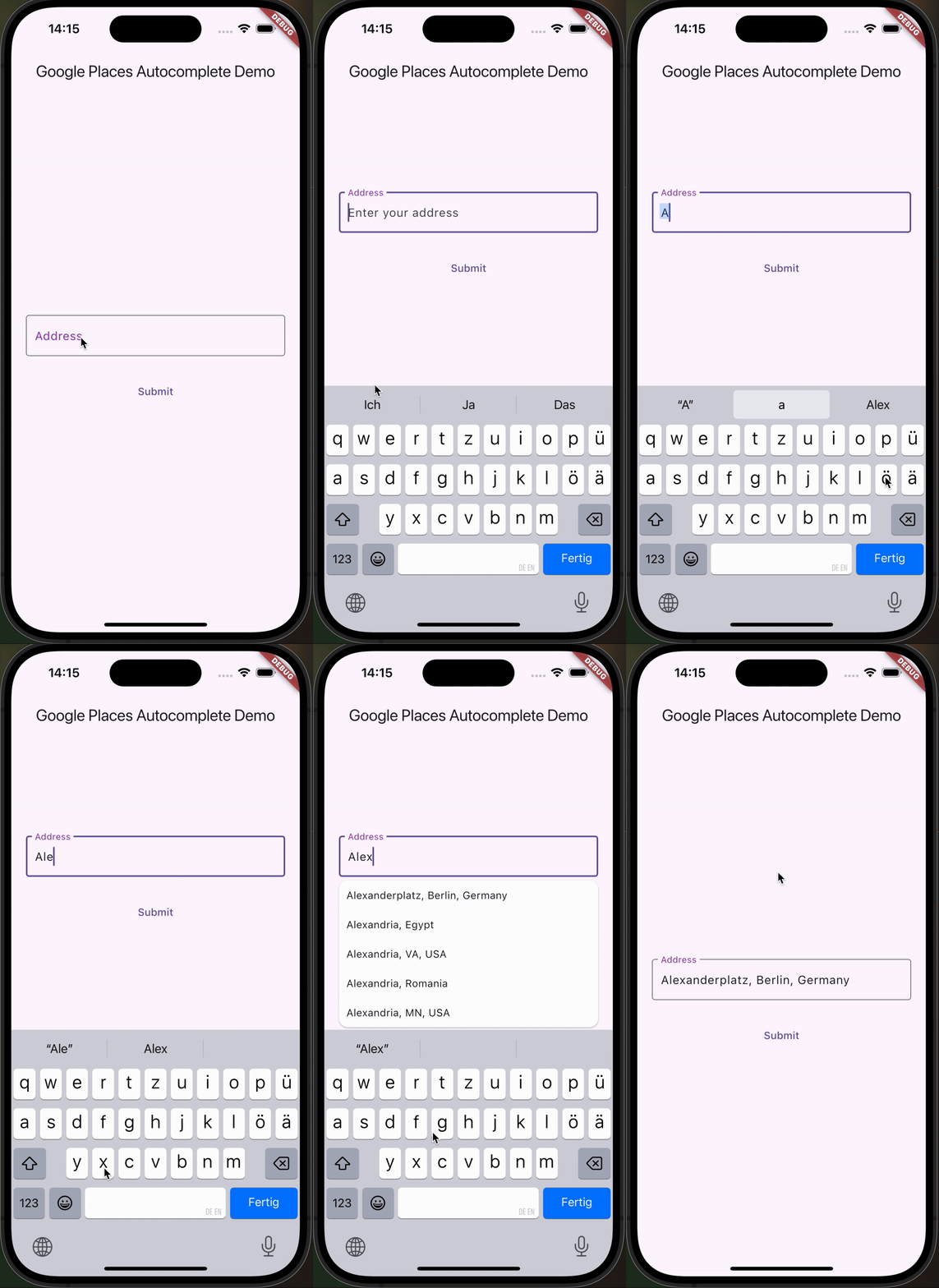
This Flutter package helps you build a TextField that provides autocompletion suggestions from the new Google Places API.

Go check it out on pub.dev!

Add the dependency to pubspec.yml ➕

dependencies:
  flutter:
    sdk: flutter
  google_places_autocomplete_text_field: <last-version>

Integrate the Google AutoComplete TextField Widget in your code 🧩

    GooglePlacesAutoCompleteTextFormField(
        textEditingController: controller,
        config: const GoogleApiConfig(
          apiKey: 'YOUR_GOOGLE_API_KEY',
          // only needed if you build for the web
          proxyURL: 'https://your-proxy.com/',
          countries: ['de'], // optional, by default the list is empty (no restrictions)
          fetchPlaceDetailsWithCoordinates: true,  // if you require the coordinates from the place details
          debounceTime: 400, // defaults to 600 ms
          locationRestriction: LocationConfig.circle(
            circleCenter: const Coordinates(latitude: 52.5200, longitude: 13.4050),
            circleRadiusInKilometers: 1000,
          ), // either this or locationBias (or nothing)
          placeTypeRestriction: PlaceType.city, // if you want specific place types
        ),
        onPredictionWithCoordinatesReceived: (prediction) {
         // this method will return latlng with place detail
        print("Coordinates: (${prediction.lat},${prediction.lng})");
        // the place details are returned on the prediction as well
        print("Address: ${prediction.formattedAddress}");
        print("Components: ${prediction.addressComponents}");
        }, // this callback is called when fetchPlaceDetailsWithCoordinates is true
        onSuggestionClicked: (prediction) {
         controller.text = prediction.description;
          controller.selection = TextSelection.fromPosition(TextPosition(offset: prediction.description.length));
        }
    )

Integrate the Google AutoComplete TextField Widget in your Web code 🌐

In case you're building for the web, you need to pass the widget a proxy URL, otherwise you will receive a CORS-Error, as there are calls to the Google Maps API being made from the frontend. If you are not Google, your domain will probably be different, thus leading to the CORS-Error. If you are Google: how ya doin 😏? I'd love to do an internship.

Customization Option

You can customize the GooglePlacesAutoCompleteTextFormField as you would with any other TextFormField.

Categories

Dependencies

Dependency list 3 items

Source repository

Projects using this package

No data available yet.