Package selection guidance compiled from public package information, community data, and project usage.
A Flutter plugin enabling iOS and macOS apps to upload, download, and manage files within the app's iCloud container. It provides a straightforward interface for interacting with iCloud's file storage system, allowing seamless synchronization of user data across devices. The plugin is designed specifically for Apple platforms, leveraging native iCloud APIs for reliable and secure file handling. Developers can use it to store documents, media, or app-specific data in iCloud without managing complex cloud infrastructure. It integrates directly into Flutter projects via pub.dev.
Use cases
Syncing user documents across Apple devices
Storing app-specific data in iCloud
Backing up media files automatically
Enabling offline access to iCloud-stored content
Managing file versions in iCloud
Key features
Native iCloud integration on iOS and macOS
Simple upload and download methods
File management within app container
Automatic device synchronization
Secure, encrypted storage
Suitable for
iOS and macOS Flutter apps needing iCloud support
Apps requiring cross-device data sync
Document-based applications using iCloud
Developers targeting Apple ecosystem exclusively
Projects needing minimal cloud infrastructure
Considerations
Only available on iOS and macOS platforms
Requires iCloud entitlements in app configuration
Limited to Apple's iCloud service
No support for Android or web platforms
Dependent on user's iCloud account and storage limits
Original README
Original README snapshot from the linked source repository. Visit the repository for the latest content.
icloud_storage
A flutter plugin for upload, download and manage files in the app's iCloud container.
Introduction
Documents and other data that is user-generated and stored in the <Application_Home>/Documents directory can be automatically backed up by iCloud on iOS devices, if the iCloud Backup setting is turned on. The data can be recovered when user sets up a new device or resets an existing device. If you need to do backup and download outside the forementioned scenarios, this plugin could help.
Prerequisite
The following setups are needed in order to use this plugin:
An apple developer account
Created an App ID and iCloud Container ID
Enabled iCloud capability and assigned iCloud Container ID for the App ID
Note: The 'startUpload' API is to start the upload process. The returned future completes without waiting for the upload to complete. Use 'onProgress' to track the upload progress. If the 'destinationRelativePath' contains a subdirectory that doesn't exist, it will be created.
Note: The 'startDownload' API is to start the download process. The returned future completes without waiting for the download to complete. Use 'onProgress' to track the download progress.
catch (err) {
if (err isPlatformException) {
if (err.code == PlatformExceptionCode.iCloudConnectionOrPermission) {
print(
'Platform Exception: iCloud container ID is not valid, or user is not signed in for iCloud, or user denied iCloud permission for this app');
} elseif (err.code == PlatformExceptionCode.fileNotFound) {
print('File not found');
} else {
print('Platform Exception: ${err.message}; Details: ${err.details}');
}
} else {
print(err.toString());
}
}
Support for macOS
When uploading and downloading files, make sure the File Access is enabled for the local files if App Sandbox is enabled. Access are enabled for the files in the app's container (/Users/{username}/Library/Containers/{bundle_identifier}). Files in other locations can be enabled from XCode.
Migrating from version 1.x.x to 2.0.0
Version 2 supports operations on multiple containers. Therefore, ICloudStorage.getInstance('iCloudContainerId') is no longer needed. Instead, you'll need to specifiy the iCloudContainerId in each method.
All methods in version 2 have been changed to static methods.
gatherFiles has been renamed to gather.
startUpload has been renamed to upload.
startDownload has been renamed to download.
FAQ
Q: I uploaded a file from a device. I signed in to a simulator using the same iCloud account. But the file is not showing up in the gatherFiles result.
A: From the menu 'Features' click 'Tigger iCloud Sync'.
Q: I uploaded a file from device A. I signed in to device B using the same iCloud account. But the file is not showing up in the gatherFiles result.
A: The API only queries files that's been synced to the iCloud container, which lives in the local device. You'll need to wait for iOS to sync the files from iCloud to the local container. There's no way to programmatically trigger iOS to Sync with iCloud.
Q: I removed a file using 'delete' method then called 'gatherFiles'. The deleted file still shows up in the list.
A: This is most likely to be an issue with the native code. However, if you call 'gatherFiles' first and listen the update, then do the deletion, the list is refreshed immediately in the onUpdate stream.
How to set up iCloud Container and enable the capability
Log in to your apple developer account and select 'Certificates, IDs & Profiles' from the left navigation.
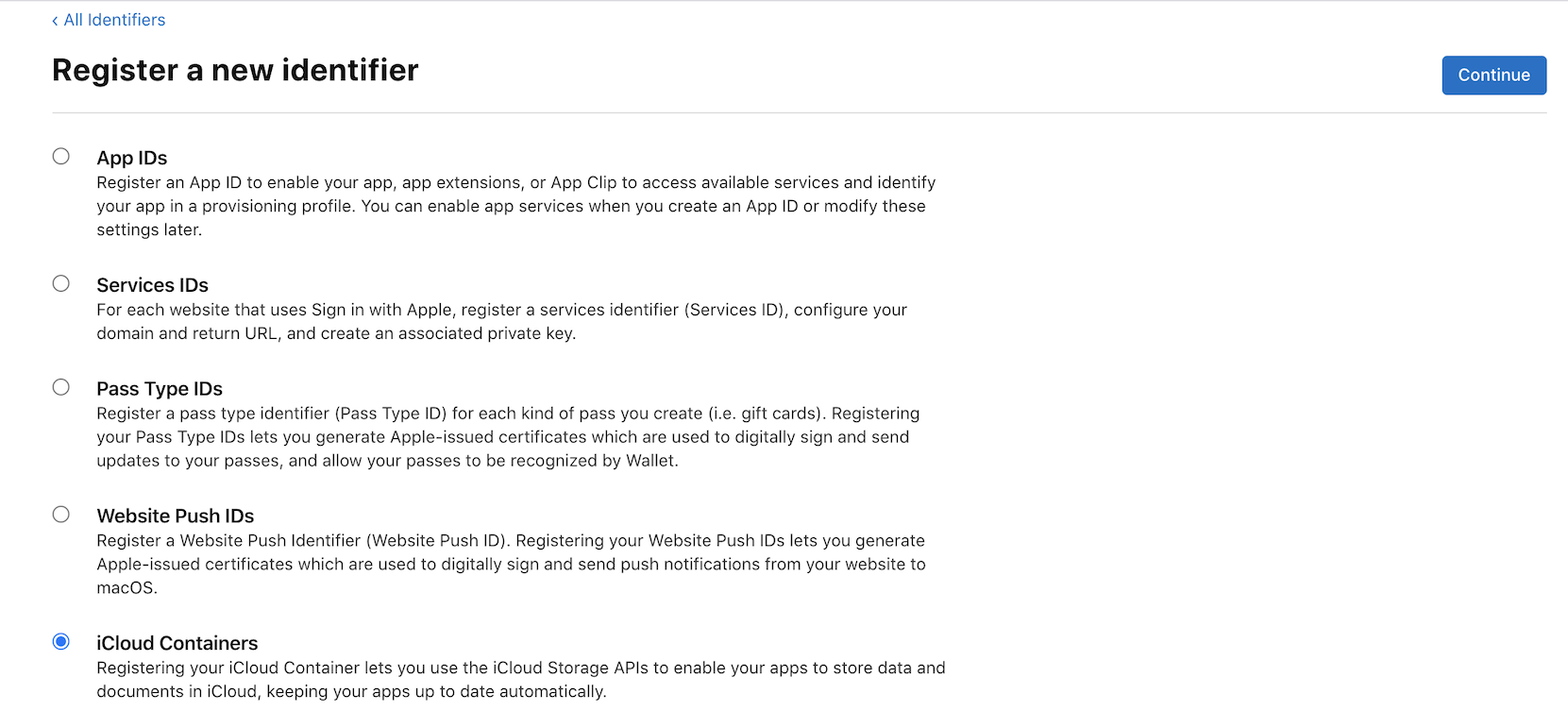
Select 'Identifiers' from the 'Certificates, IDs & Profiles' page, create an App ID if you haven't done so, and create an iCloud Containers ID.
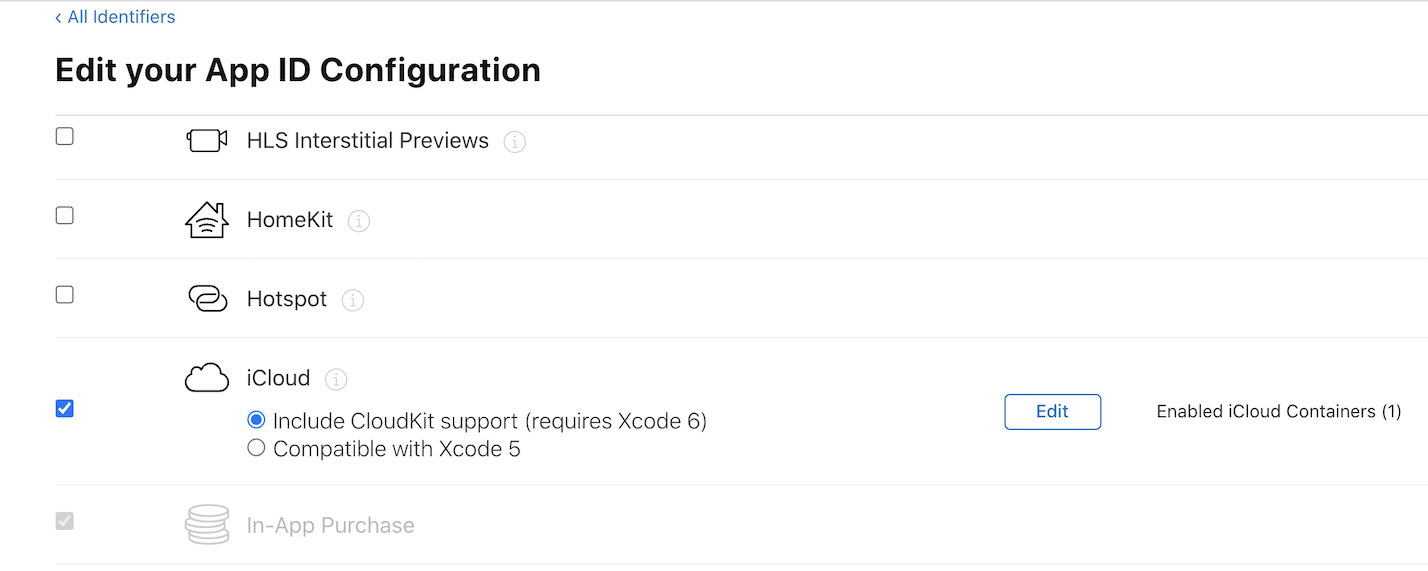
Click on your App ID. In the Capabilities section, select 'iCloud' and assign the iCloud Container created in step 2 to this App ID.
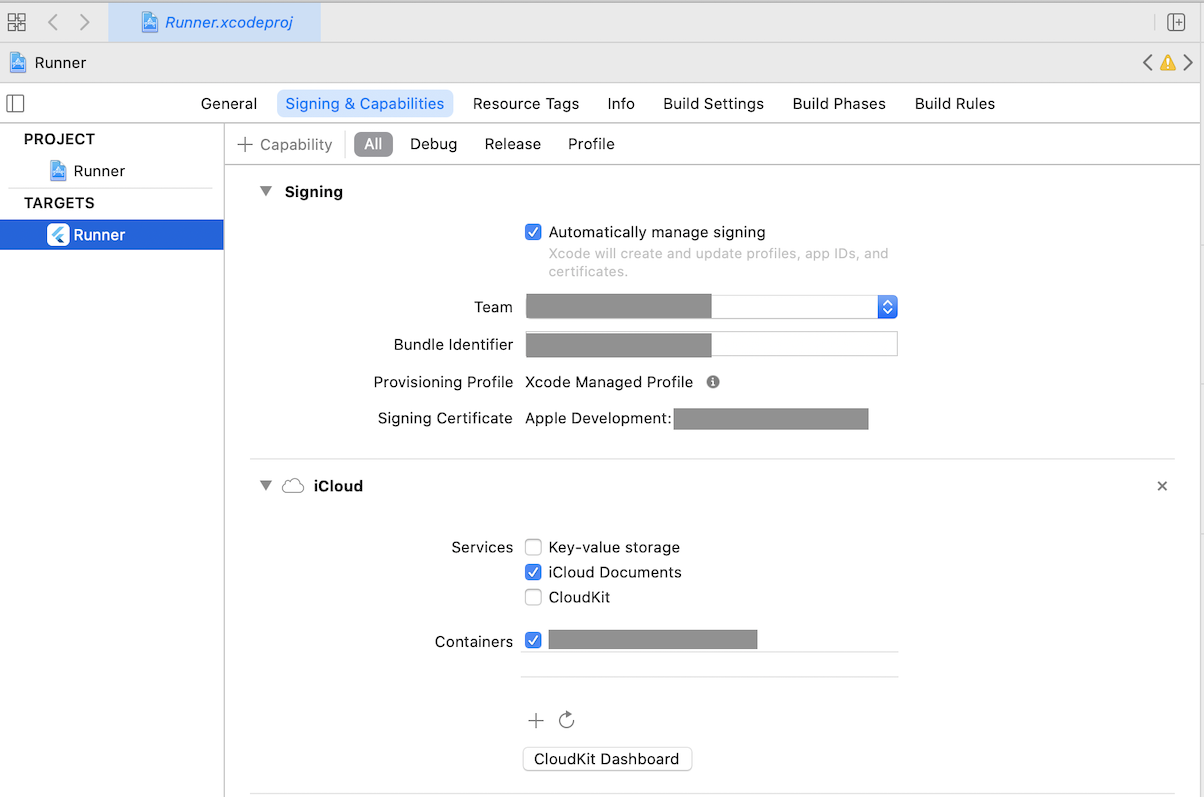
Open your project in Xcode. Set your App ID as 'Bundle Identifier' if you haven't done so. Click on '+ Capability' button, select iCloud, then tick 'iCloud Documents' in the Services section and select your iCloud container.