Search packages, repositories and app categories

Package detailsv0.1.0

image_watermark

Flutter package to add text or image watermark on image,you can customize the position of watermark and color.

AndroidiOSWebmacOSWindowsLinux
30-day downloads
900
Likes
64
Pub points
150

Install package

flutter pub add image_watermark

Package Overview

Package selection guidance compiled from public package information, community data, and project usage.

A Flutter package that enables adding text or image watermarks to images with customizable positioning and color. It supports various platforms including Android, iOS, Web, macOS, Windows, and Linux. Developers can easily integrate watermarking functionality into their apps for protecting images or branding purposes. The package provides a simple API to define watermark content, opacity, alignment, and offset, making it suitable for both static and dynamic watermarking needs.

Use cases

  • Adding copyright notices to images
  • Branding photos with logos
  • Protecting digital assets
  • Creating watermarked previews
  • Customizing watermark appearance

Key features

  • Supports text and image watermarks
  • Customizable position and alignment
  • Adjustable opacity and color
  • Cross-platform compatibility
  • Simple and intuitive API
  • Configurable offset and padding

Suitable for

  • Image editing apps
  • Photo sharing platforms
  • Digital content creators
  • E-commerce applications
  • Apps requiring image protection

Considerations

  • Requires image loading before watermarking
  • Performance may vary with large images
  • Limited to basic watermark styles
  • No built-in preview feature
  • May need additional handling for complex layouts

Original README

Original README snapshot from the linked source repository. Visit the repository for the latest content.

Image Watermark

Languages

Spanish

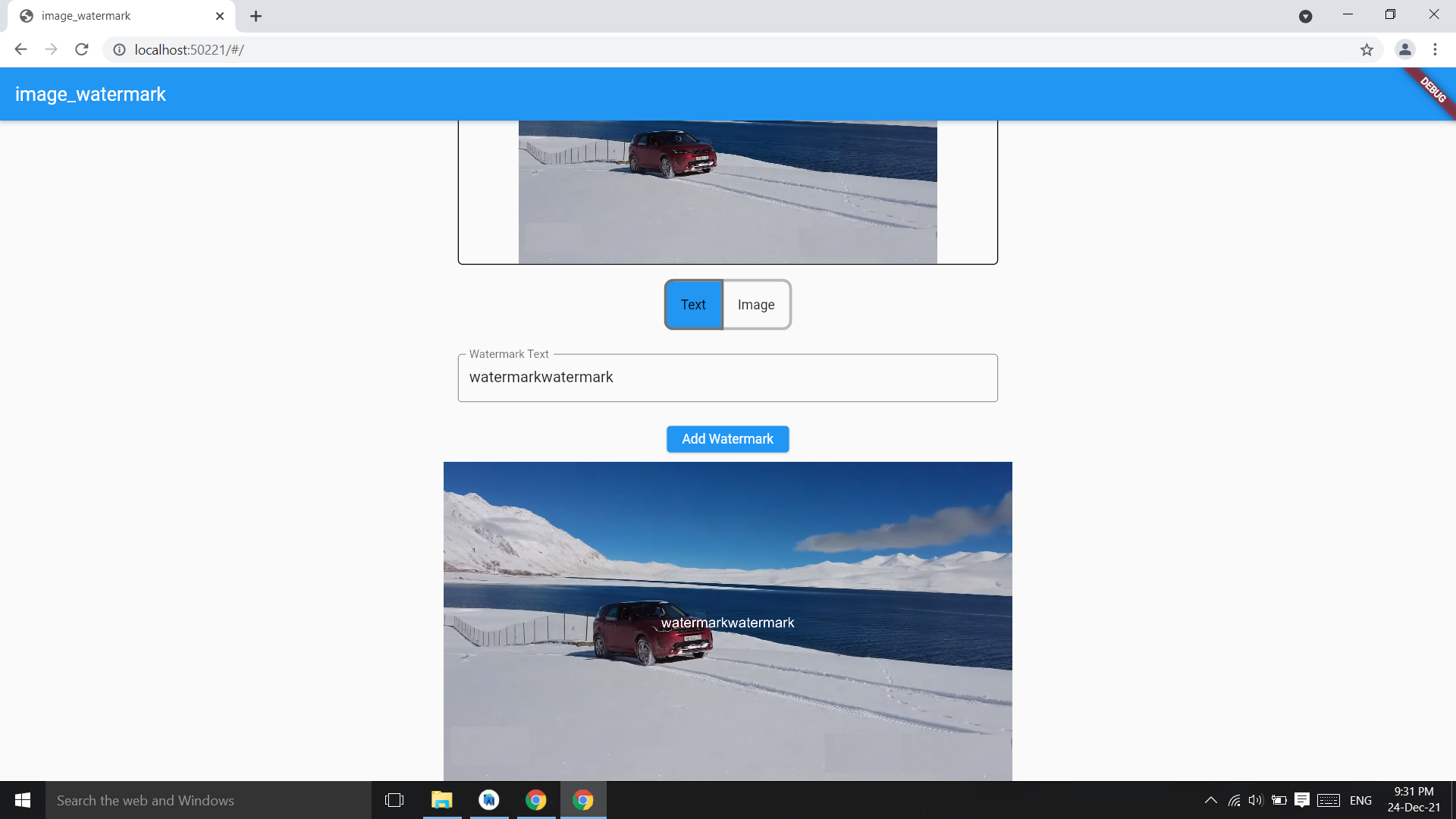
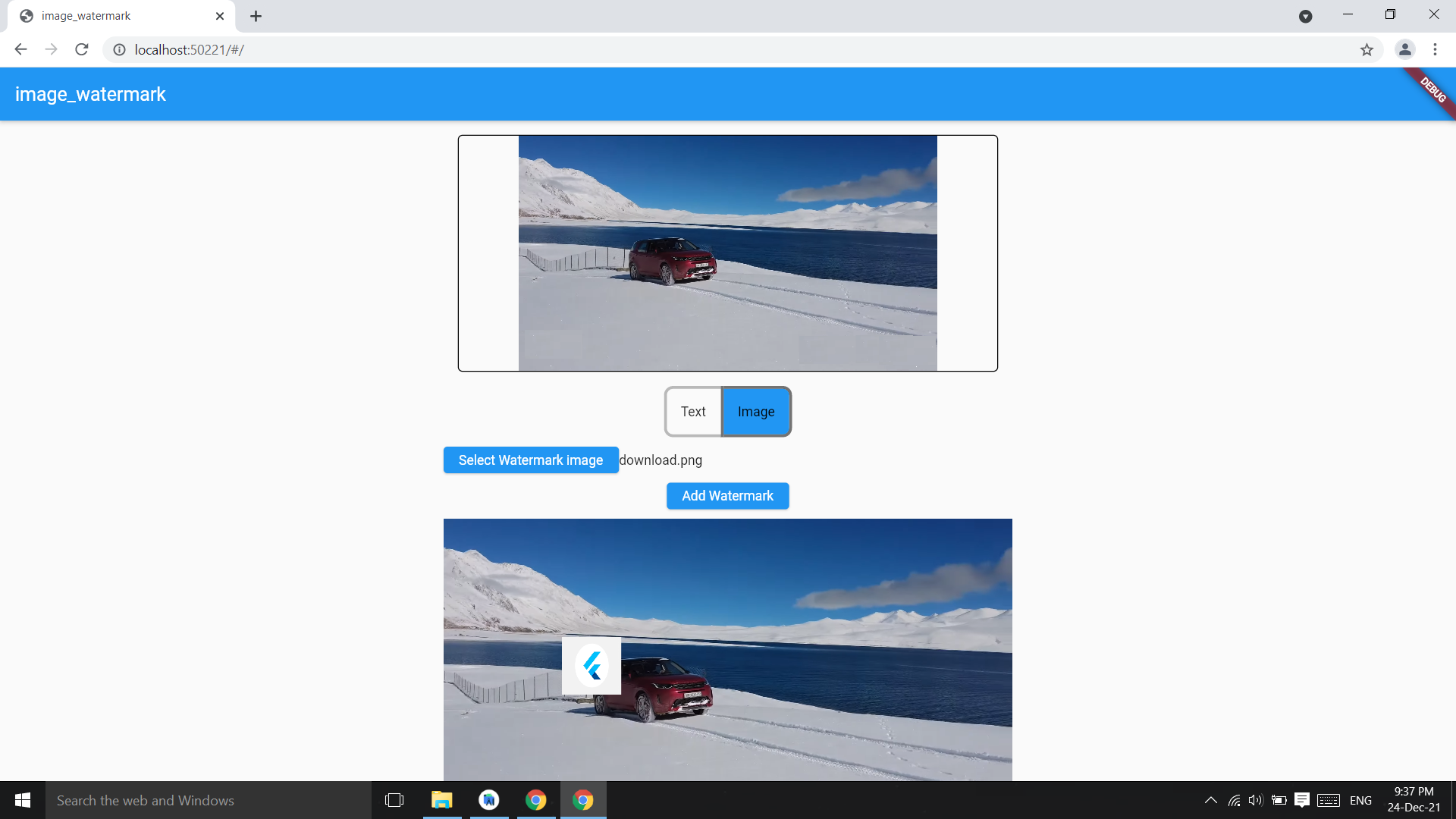
Image watermark is flutter pacakge to add text watermark and image watermark on image,you can customize the position of watermark and color.

Based on Image pacakge.

Check on pub.dev

Example code

Add watermark text at center of image,parameter image bytes and string and it returns image bytes

final watermarkedImg = 
  await ImageWatermark.addTextWatermark(
    imgBytes: imgBytes,
    watermarktext: 'watermarkText',
  );
final watermarkedImgBytes = 
    await ImageWatermark.addTextWatermark(
            imgBytes: imgBytes, ///image bytes
            watermarktext: 'watermarkText', ///watermark text
            color: Colors.white, ///default : Colors.black
          );

Change the position of watermark

final watermarkedImg = 
    await ImageWatermark.addTextWatermark(
            imgBytes: imgBytes,             ///image bytes
            watermarktext: 'watermarkText',      ///watermark text
            dstX: 20,                   ///position of watermark x coordinate
            dstY: 30,                   ///y coordinate
            color: Colors.green, ///default : Colors.black
          );

Add image as watermark on image

final watermarkedImgBytes = 
    await ImageWatermark.addImageWatermark(
            originalImageBytes: imgBytes,
            waterkmarkImageBytes: watermarkImgByte,
          );
final watermarkedImgBytes = 
    await ImageWatermark.addImageWatermark(
            originalImageBytes: imgBytes,  //image bytes
            waterkmarkImageBytes: imgBytes2, //watermark img bytes
            imgHeight: 200,   //watermark img height
            imgWidth: 200,    //watermark img width
            dstY: 400, //watermark position Y
            dstX: 400, //watermark position X
          );
Add Fonts

Image package only have arial Fonts, you can change the font converting a .ttf font in .fnt format:

  1. Download your font in .ttf format.

  2. Convert the font to .fnt format using the next site.

  3. Use ImageFont class, readOtherFontZip if you use .zip file; readOtherFont if you unzip and get the .fnt & .png files.

Example to change fonts

Add the font in pubspec.yaml:

  assets:
  - path/to/font.zip

Then use it as follows:

final assetFont = await rootBundle.load('path/to/font.zip');

final font = assetFont.buffer.asUint8List(assetFont.offsetInBytes, assetFont.lengthInBytes);

final bitMapFont = ImageFont.readOtherFontZip(font);

...

await ImageWatermark.addTextWatermark(
  imgBytes: imgBytes,
  font: bitMapFont, /// Font from .zip
  watermarkText: 'watermark text',
  dstX: 20,
  dstY: 40,
)

Screenshots

Screenshot

Screenshot

Screenshot

Categories

Dependencies

Dependency list 1 items

Source repository

Projects using this package

No data available yet.