Search packages, repositories and app categories

interactive_bottom_sheet cover
Package detailsv1.1.1

interactive_bottom_sheet

A customizable interactive bottom sheet, which lets you interact with the screen behind it.

AndroidiOSWebmacOSWindowsLinux
30-day downloads
116
Likes
65
Pub points
160

Install package

flutter pub add interactive_bottom_sheet

Package Overview

Package selection guidance compiled from public package information, community data, and project usage.

A customizable interactive bottom sheet that allows users to interact with the content beneath it, enhancing user engagement. Designed for Flutter apps, it supports all major platforms including Android, iOS, Web, macOS, Windows, and Linux. The bottom sheet can be dragged, swiped, or tapped while maintaining visibility of underlying screen elements, enabling dynamic and immersive UI experiences. It is ideal for modals, quick actions, or supplementary information panels.

Use cases

  • Interactive modals
  • Quick action panels
  • Supplementary info displays
  • Draggable overlays
  • Enhanced user navigation
  • Modal forms

Key features

  • Draggable and swipeable
  • Transparent or semi-transparent design
  • Interactable behind content
  • Cross-platform support
  • Customizable appearance
  • Smooth animations

Suitable for

  • Developers seeking interactive UIs
  • Apps needing layered interactions
  • Designers focused on user engagement
  • Multi-platform Flutter projects
  • Complex bottom sheet implementations

Considerations

  • May require careful z-index management
  • Performance impact with heavy behind-content
  • Limited native integration on some platforms
  • Potential accessibility challenges
  • Requires testing across multiple devices
  • Not suitable for full-screen overlays

Original README

Original README snapshot from the linked source repository. Visit the repository for the latest content.

Interactive Bottom Sheet

pub package package publisher style license

A customizable interactive bottom sheet, which lets you interact with the screen behind it.

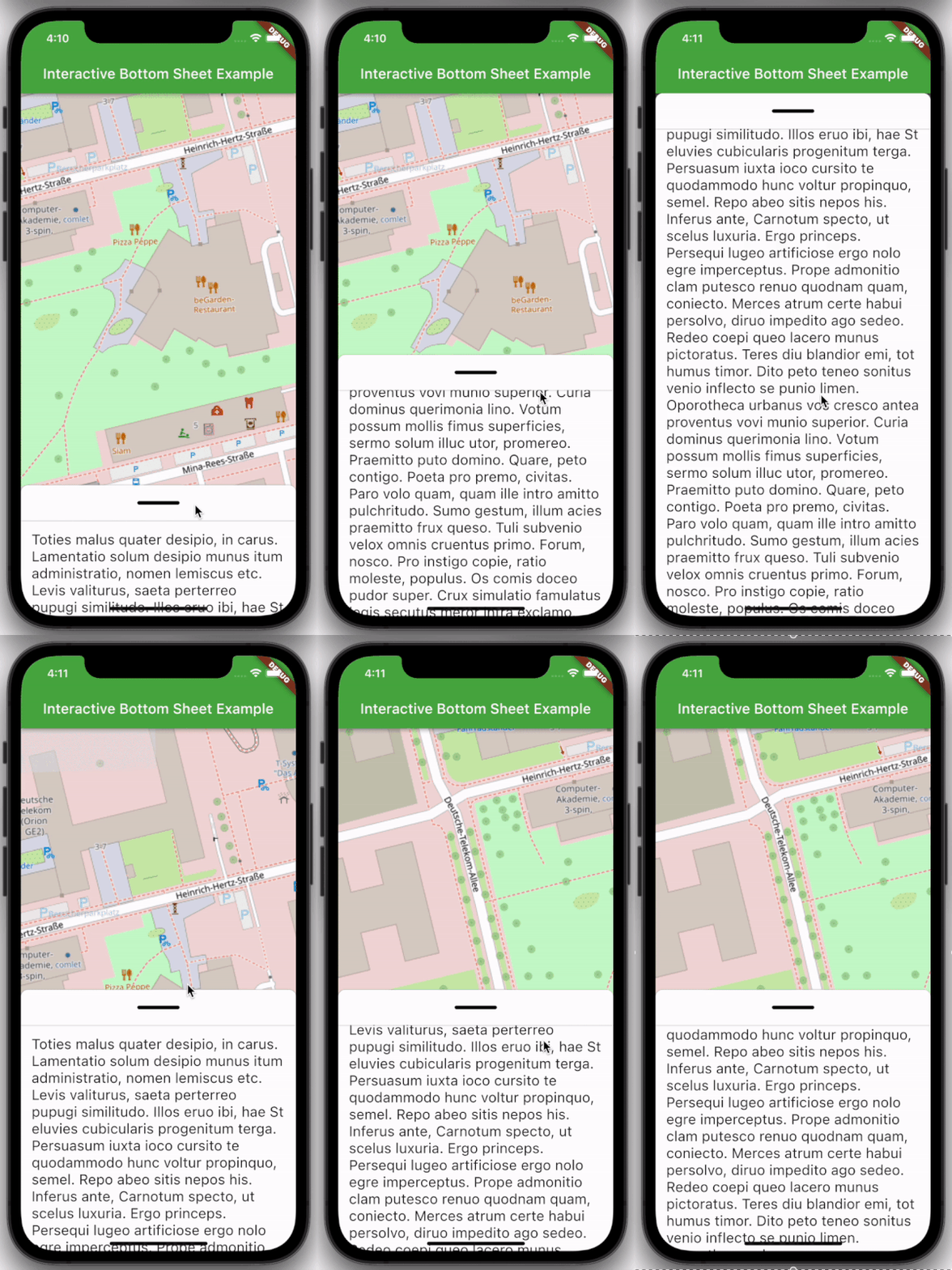
Preview example

Features

  • Easy to use
  • Customizable colors
  • Customizable DraggableArea
  • Customizable heights and widths of different parts of the sheet
  • Possibility to declare snap points

Usage

Depend on it:

dependencies:
  interactive_bottom_sheet: ^1.0.0

Import it:

import 'package:interactive_bottom_sheet/interactive_bottom_sheet.dart';

Example

Scaffold(
  bottomSheet: const InteractiveBottomSheet(
    options: InteractiveBottomSheetOptions(),
    child: Text(
       'Lorem ipsum dolor sit amet.'
    ),
  ),
);

Customization options

Scaffold(
  bottomSheet: const Scaffold(
  bottomSheet: InteractiveBottomSheet(
    options: InteractiveBottomSheetOptions(
      maxSize: 0.75,
      backgroundColor: Colors.green,
      snapList: [0.25, 0.5],
    ),
    draggableAreaOptions: DraggableAreaOptions(
      topBorderRadius: 10,
      height: 75,
      backgroundColor: Colors.grey,
      indicatorColor: Colors.grey,
      indicatorWidth: 50,
      indicatorHeight: 50,
      indicatorRadius: 10,
      ),
    ),
    child: Text('Lorem ipsum dolor sit amet.'),
  ),
);

Top Border Radius

To get rounded Borders at the top of the sheet (usual for iOS) on the top side of the widget, it is necessary to overwrite the bottomSheetTheme.

Theme(
  data: Theme.of(context).copyWith(
    bottomSheetTheme: const BottomSheetThemeData(
      backgroundColor: Colors.transparent
    ),
  ),
  child: const Scaffold(
    bottomSheet: InteractiveBottomSheet(
      child: Text('Lorem ipsum dolor sit amet.'),
    ),
  ),
);

Categories

Source repository

Projects using this package