Package selection guidance compiled from public package information, community data, and project usage.
A Flutter package that efficiently builds scrollable lists and provides real-time notifications when list items enter or exit the visible screen area. It leverages the power of `ListView` while adding a reactive mechanism to detect in-view status, enabling optimized rendering, lazy loading, and performance improvements. Ideal for scenarios like image loading, analytics tracking, or animations triggered by visibility. The package supports all major platforms including mobile, web, and desktop.
Use cases
Lazy loading images or content
Tracking viewability for analytics
Triggering animations on visibility
Optimizing resource usage in long lists
Implementing infinite scrolling with visibility checks
Key features
Real-time in-view detection
Efficient widget reuse with ListView
Cross-platform support
Simple callback-based API
Minimal boilerplate for integration
Suitable for
Developers building performance-sensitive lists
Apps requiring visibility-based actions
Content-heavy applications with dynamic data
Teams prioritizing smooth scrolling and responsiveness
Considerations
May increase memory usage if many listeners are active
Requires careful handling of callbacks to avoid leaks
Not ideal for very short lists where overhead outweighs benefits
Best suited for lists with frequent updates or large datasets
Original README
Original README snapshot from the linked source repository. Visit the repository for the latest content.
inview_notifier_list
A Flutter package that builds a ListView or CustomScrollView and notifies when the widgets are on screen within a provided area.
Add the required property isInViewPortCondition to the InViewNotifierList widget. This is the function that defines the area which the widgets overlap should be notified as currently in-view.
deltaTop: It is the distance from top of the widget to be notified in the list view to top of the viewport(0.0).
deltaBottom: It is the distance from bottom of the widget to be notified in the list view to top of the viewport(0.0).
viewPortDimension: The height or width of the viewport depending on the srollDirection property provided. The image below showcases the values if the srollDirection is Axis.vertical.
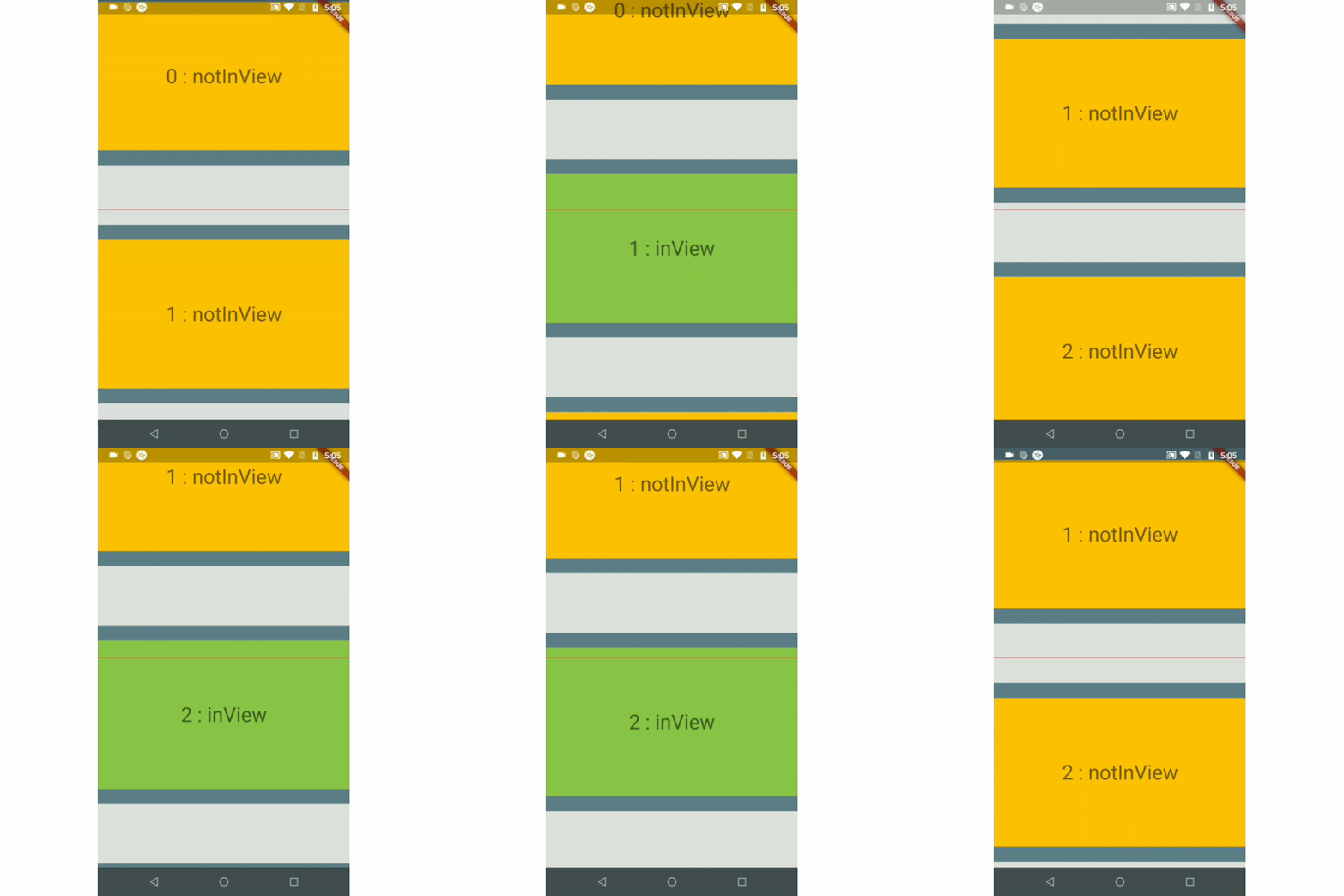
Here is an example that returns true only when the widget's top is above the halfway of the viewport and the widget's bottom is below the halfway of the viewport. It is shown in example1.
Use the InViewNotifierWidget to get notified if the required widget is currently in-view or not.
The InViewNotifierWidget consists of the following properties:
id: a required String property. This should be unique for every widget that wants to get notified.
builder : Signature for a function that creates a widget for a given index. The function that defines and returns the widget that should be notified as inView. See InViewNotifierWidgetBuilder.
isInViewPortCondition: [Required] The function that defines the area within which the widgets should be notified as in-view.
initialInViewIds: The String list of unique ids of the child widgets that should be initialized as in-view when the list view is built for the first time.
endNotificationOffset: The distance from the bottom of the list where the onListEndReached should be invoked. Defaults to the end of the list i.e 0.0.
onListEndReached: The function that is invoked when the list scroll reaches the end or the endNotificationOffset if provided.
throttleDuration: The duration to be used for throttling the scroll notification. Defaults to 200 milliseconds.
scrollDirection: The axis along which the scroll view scrolls.
scrollViewWrapper: An optional callback that wraps the internal scroll view with an additional widget, such as a pull-to-refresh or shimmer wrapper, while keeping in-view detection working. It receives the fully built scroll view and must return a widget that contains it.
Note: The wrapper must let ScrollNotification events bubble up from the inner scroll view (most widgets do by default). If the wrapper provides its own ScrollController, make sure it does not conflict with the one passed to InViewNotifierList.