Package selection guidance compiled from public package information, community data, and project usage.
json_editor_flutter is a user-friendly Flutter package that enables interactive editing of JSON objects within your app. It provides a clean, intuitive interface for creating, modifying, and deleting JSON keys and values. The widget supports real-time validation and nested object manipulation, making it ideal for developers who need to work with JSON data directly in their UI. With support across all major platforms, it integrates seamlessly into Flutter applications requiring dynamic JSON input.
Use cases
Editing configuration files
Debugging API responses
Building form builders
Creating JSON schema editors
Prototyping data structures
Key features
Interactive JSON tree view
Real-time validation
Support for nested objects
Cross-platform compatibility
Easy integration with Flutter forms
Suitable for
Developers building admin panels
App creators needing JSON input
Educational tools for learning JSON
Tools for API testing and debugging
Considerations
May require custom styling for complex layouts
Limited to basic JSON operations
Not optimized for very large JSON files
No built-in export/import functionality
Original README
Original README snapshot from the linked source repository. Visit the repository for the latest content.
JsonEditor class
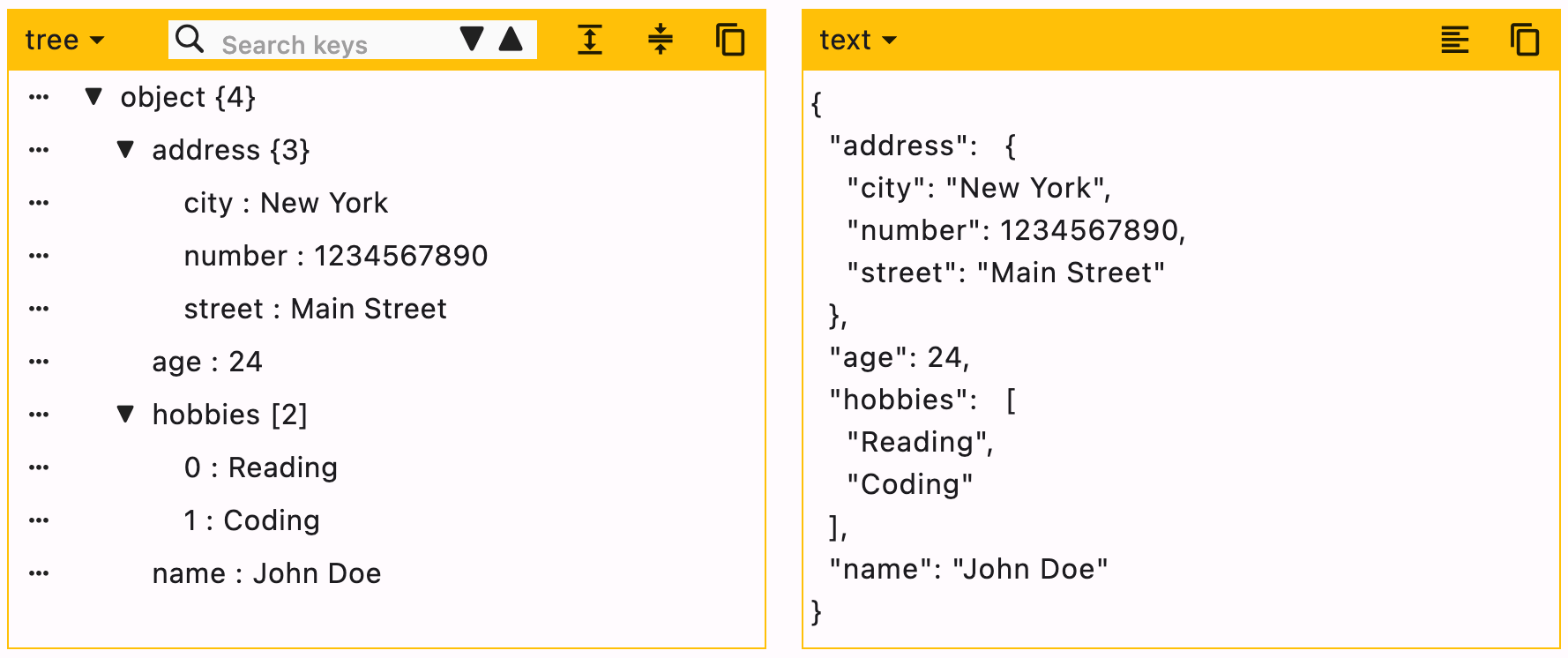
Edit your JSON object with this package. Create, edit and format objects using this user friendly widget.
JSON can be edited in two ways, Tree editor or text editor. You can disable either of them.
When UI editor is active, you can disable adding/deleting keys by using enableMoreOptions. Editing keys and values can also be disabled by using enableKeyEdit and enableValueEdit.
When text editor is active, it will simply ignore enableMoreOptions, enableKeyEdit and enableValueEdit.
duration is the debounce time for onChanged function. Defaults to 500 milliseconds.
editors is the supported list of editors. First element will be used as default editor. Defaults to [Editors.tree, Editors.text].
[expandedObjects] refers to the objects that will be expanded by default. Index can be provided when the data is a List.
data = {
  "hobbies": ["Reading books", "Playing Cricket"],
  "education": [
    {"name": "Bachelor of Engineering", "marks": 75},
    {"name": "Master of Engineering", "marks": 72},
  ],
}
For the given data
To expand education pass => ["education"]
To expand hobbies and education pass => ["hobbies", "education"]
To expand the first element (index 0) of education list, this means we need to expand education too. In this case you need not to pass "education" separately. Just pass a list of all nested objects => [["education", 0]]