Package selection guidance compiled from public package information, community data, and project usage.
A Flutter package that enables developers to create widgets that dynamically attach to the on-screen keyboard, enhancing user experience by providing context-aware controls or content directly above the keyboard. It supports multiple platforms including Android, iOS, macOS, Windows, and Linux, ensuring consistent behavior across devices. The package simplifies integration with existing UIs by offering a clean API for positioning and managing attached widgets.
Use cases
Adding action buttons above the keyboard
Displaying suggestions or emojis near input fields
Creating custom keyboard overlays
Improving form usability with inline controls
Enabling quick access to tools during text entry
Key features
Cross-platform compatibility
Easy integration with existing widgets
Dynamic positioning relative to keyboard
Support for various widget types
Minimal boilerplate code
Suitable for
Developers building interactive forms
Apps requiring frequent keyboard interaction
UI designers seeking enhanced input experiences
Multi-platform applications with keyboard-centric workflows
Teams prioritizing user engagement in text inputs
Considerations
May require careful layout management
Performance impact with complex widgets
Limited customization for keyboard height changes
Potential conflicts with other overlay widgets
Requires testing across different device sizes and orientations
Original README
Original README snapshot from the linked source repository. Visit the repository for the latest content.
keyboard_attachable
A Flutter package to build widgets that can be attached to the soft keyboard.
Features
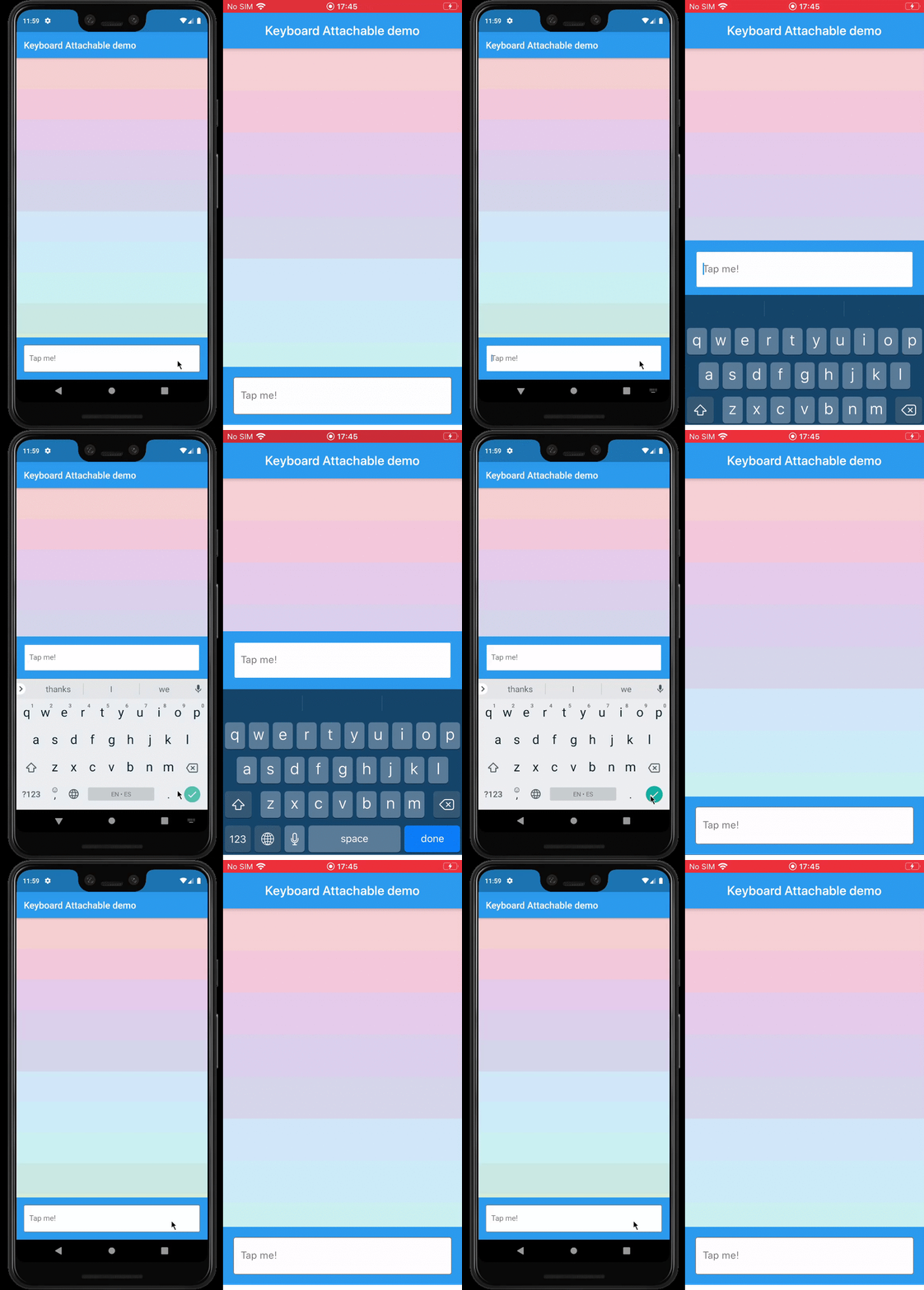
An alternative to Scaffold's resizeToAvoidBottomInset, with animations.
Control the animations that should happen when the soft keyboard is shown and hidden with a transition builder.
Animate the shrinkage and expansion of the page when the soft keyboard is shown and hidden, matching the platform soft keyboard animation.
Easily add permanent page footers that can be attached to the top of the soft keyboard.
Usage
This package exposes a FooterLayout stateless widget and a KeyboardAttachable stateful widget.
FooterLayout is a widget that can lay out a child widget above a footer. It does that by
positioning a footer widget at the bottom of the available space first, and then positioning a
child widget in the remaining space.
KeyboardAttachable is a widget that adds space below its baseline when the soft keyboard is shown
and hidden with an animation that matches that of the platform keyboard. This widget can be used to
animate its child when the soft keyboard is shown or hidden, so that the child widget appears to be
attached to the keyboard.
You can combine these two widgets by passing a KeyboardAttachable widget as the footer of a
FooterLayout to create a page that shrinks and expands when the soft keyboard appears and
disappears, with an animation that matches the platform keyboard animation. Additionally, you can
pass a child widget to your KeyboardAttachable to have a footer in your page that attaches itself
to the soft keyboard when shown.
Warning: In order for this to work with animations, the resizeToAvoidBottomInset parameter
of the Scaffold above the page has to be false. In addition to that, when there are SafeAreas
involved the layout, it is recommended to set their maintainBottomViewPadding property to true in
order for the animations to run smoothly, like so:
/// Builds a [Scaffold] that lays out a footer at the bottom of the page.classKeyboardAttachablePageextendsStatelessWidget{
@overrideWidgetbuild(BuildContext context) => Scaffold(
backgroundColor: Colors.blue,
resizeToAvoidBottomInset: false,
appBar: AppBar(title: constText("Keyboard Attachable demo")),
body: SafeArea(
maintainBottomViewPadding: true,
child: FooterLayout(
footer: KeyboardAttachableFooter(),
child: ColorsList(),
),
),
);
}
Getting started
In the pubspec.yaml of your flutter project, add the following dependency: