Search packages, repositories and app categories

keymap cover
Package detailsv0.0.92

keymap

A reusable keyboard shortcuts widget with a flexible, minimal UI and focus handling.

AndroidiOSmacOSWindowsLinux
30-day downloads
1.1K
Likes
34
Pub points
140

Install package

flutter pub add keymap

Package Overview

Package selection guidance compiled from public package information, community data, and project usage.

Keymap is a Flutter package that provides a reusable widget for implementing keyboard shortcuts with minimal and flexible UI. It supports focus management and works across multiple platforms, including Android, iOS, macOS, Windows, and Linux. The package allows developers to define key combinations easily and respond to user input without boilerplate code. Ideal for applications requiring efficient keyboard navigation or hotkeys, it enhances accessibility and user experience through intuitive shortcut handling.

Use cases

  • Implementing keyboard shortcuts in desktop apps
  • Enhancing accessibility in productivity tools
  • Creating hotkeys for game controls
  • Building responsive web and desktop interfaces
  • Enabling fast navigation in forms

Key features

  • Flexible and minimal UI design
  • Built-in focus handling
  • Cross-platform support
  • Reusable shortcut definitions
  • Simple API for key combination mapping

Suitable for

  • Desktop application developers
  • Accessibility-focused projects
  • Productivity tool creators
  • Web and multi-platform Flutter apps
  • UIs requiring keyboard navigation

Considerations

  • Requires manual focus management in complex widgets
  • May need additional styling for custom appearance
  • Limited built-in visual feedback
  • Not optimized for mobile-only use cases
  • Depends on platform-specific keyboard event handling

Original README

Original README snapshot from the linked source repository. Visit the repository for the latest content.

Keymap

A keymap widget letting a developer easily allow end users to use keyboard shortcuts and an associated help screen overlay to any app.

This is pre-alpha and the API will probably change in the future.

Getting started

pub package

dependencies:
  keymap: <latest-version>

Features

  • Easily add keyboard shortcuts to any widget tree
  • Clear, readable help screen
  • Allows rich text introductions with images using the Markdown format
  • Handles focus, passing up unhandled key events
  • Respects application theme colors and fonts

Usage

Add a KeyMap widget to your tree in the build method

@override
Widget build(BuildContext context) {
  return KeyboardWidget(
    bindings: [
      KeyAction.fromString('A','increment the counter', () {
        setState(() {
          count++;
        });}, isControlPressed: true),
      KeyAction(LogicalKeyboardKey.keyD, 'decrement the counter', () {
        setState(() {
          count--;
        });
      }, isAltPressed: true, isControlPressed: true),
    ],
    child: Column(
      children: [
        const Text('Up arrow for adding, down arrow to subtract'),
        Text('count: $count'),
      ],
    ),
  );
}

You can optionally set the number of columns for the text shown in the help screen

  @override
  Widget build(BuildContext context) {
    return KeyboardWidget(
      columnCount: 2,
      child: Scaffold(

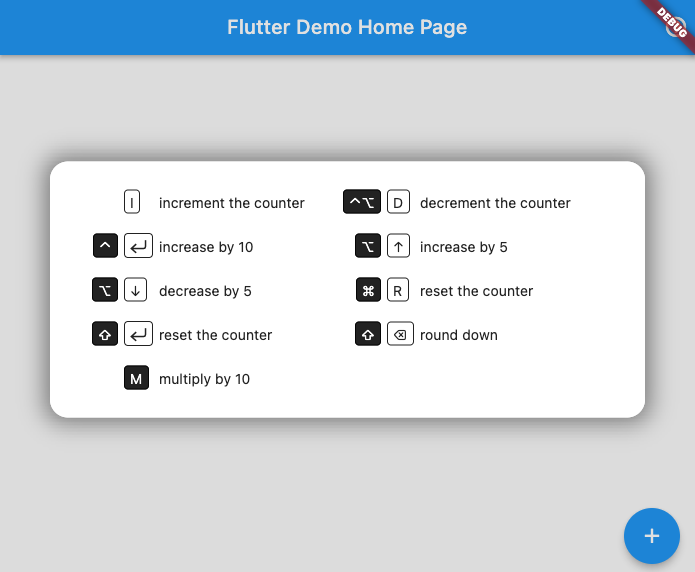
This creates keyboard shortcuts that call the referenced methods and a help screen that can be called up by pressing F1 (or any key you choose):

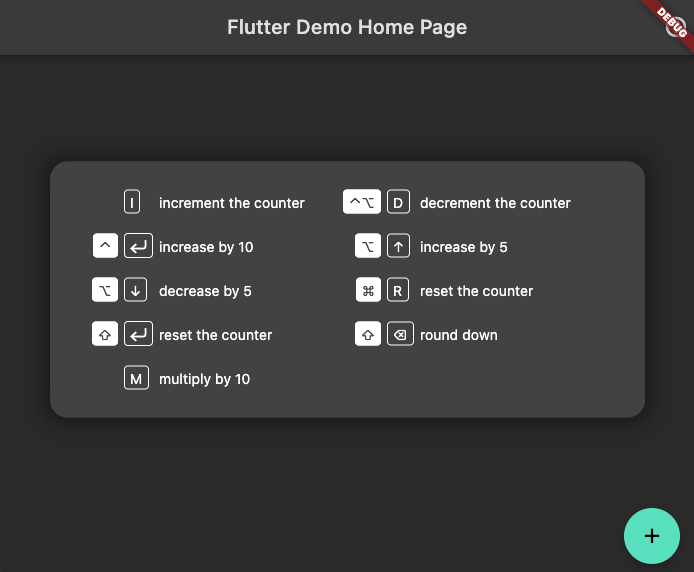
It will shift colors to match your app's theme (here in dark mode)

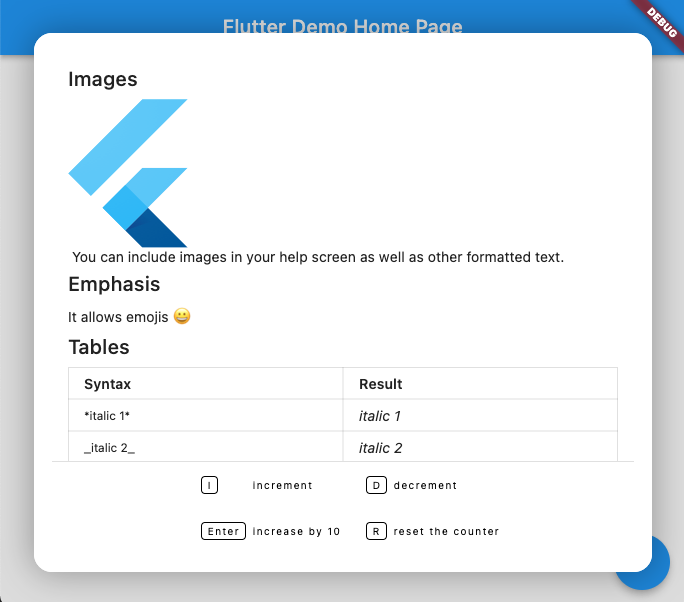
You can add rich text (using Markdown format) above the keyboard map. A code sample showing how to do this can be found in the examples directory

Categories

Dependencies

Dependency list 1 items

Source repository

Projects using this package