Search packages, repositories and app categories

mapbox_autocomplete_search_widget cover
Package detailsv0.0.6

mapbox_autocomplete_search_widget

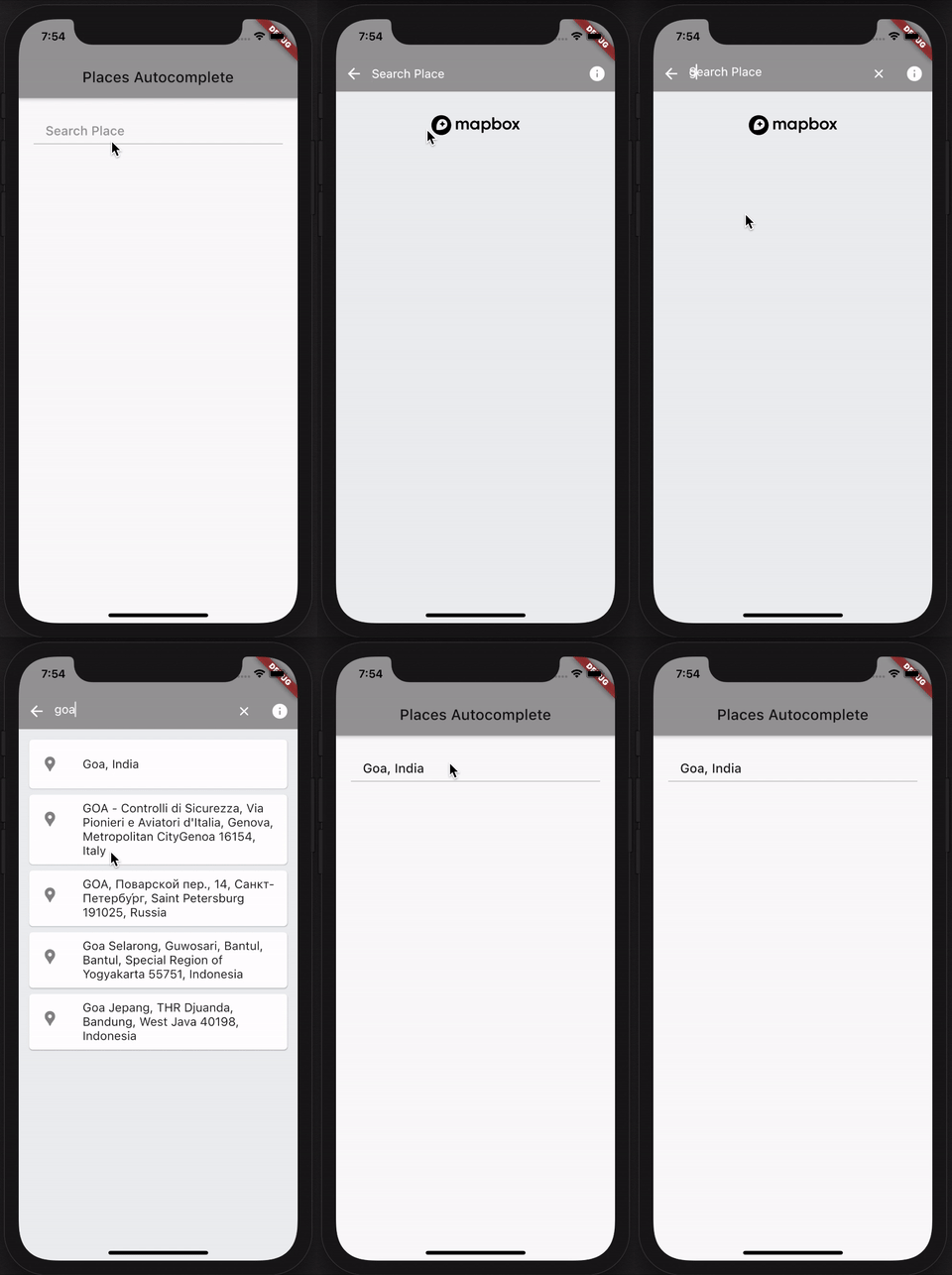
MapboxAutocompleteSearchWidget is a flutter package that allows you to search for place name in a autocomplete fashion.

30-day downloads
15
Likes
5
Pub points
75

Install package

flutter pub add mapbox_autocomplete_search_widget

Package Overview

Package selection guidance compiled from public package information, community data, and project usage.

MapboxAutocompleteSearchWidget is a Flutter package that enables users to search for place names with real-time autocomplete suggestions. Built for seamless integration, it leverages Mapbox's geocoding API to provide accurate and responsive location input. Ideal for apps requiring address or place selection, it enhances user experience by reducing typing effort and minimizing errors. The widget is lightweight and customizable, supporting both iOS and Android platforms. It simplifies the process of adding location-aware features without extensive setup.

Use cases

  • Location-based app search
  • Address input in forms
  • Travel and delivery apps
  • Geolocation filtering
  • User profile location setup

Key features

  • Real-time autocomplete
  • Mapbox-powered geocoding
  • Customizable UI
  • Cross-platform support
  • Simple integration with Flutter

Suitable for

  • Developers building location-aware apps
  • Apps needing address pickers
  • Mobile apps with map interactions
  • Prototyping location features
  • Projects using Mapbox services

Considerations

  • Requires Mapbox API key
  • Limited to Mapbox backend
  • May need styling adjustments
  • Depends on network connectivity
  • Not suitable for offline use

Original README

Original README snapshot from the linked source repository. Visit the repository for the latest content.

mapbox_autocomplete_search_widget

Language: English

mapbox_autocomplete_search_widget

MapboxAutocompleteSearchWidget is a flutter package that allows you to search for place name in a autocomplete fashion.

Technical Notes: The search is carried out only when search text length is greater than 2 and also a delay of 1 second is added before placing a server call. (Since user types continuously, unnessarry calls will be made to server. So we make the call with 1 second delay after user has stopped typing.)

The package uses Riverpod for state management. So Please ensure you import flutter_riverpod and wrap the app with ProviderScope.

import 'package:flutter_riverpod/flutter_riverpod.dart';

  runApp(
    ProviderScope(
      child: MyApp(),
    ),
  );

To use this Package, Please get the Access-Token from here https://docs.mapbox.com/help/glossary/access-token/

The Package has necessarry attributions to Mapbox and can doesnot violate mapbox Terms and Conditions.

How to use it.

the usage is very simple, just use the following

  runApp(
    ProviderScope(
      child: MyApp(),
    ),
  );
  MapboxAutocompleteSearchWidget(
      onPlaceSelected: (BuildContext context, Place place) {
        
      },
      mapboxApiKey: 'mapboxApiKey',
    ),

parameters

parameter description value
onPlaceSelected Completion Handler which returns a BuildContext and selected place from picker (BuildContext context, Place place) {}
mapboxApiKey Your Mapbox ApiKey (Auth-Token) ApiKey Value
appBarColor Color of App Bar widget This is a optional parameter
backButtonColor Color of back arrow button This is a optional parameter
infoButtonColor Color of mapbox info button This is a optional parameter
clearButtonColor Color of clear button in Search widget This is a optional parameter
cursorColor Color of cursor in Search widget This is a optional parameter
searchTextColor Color of Text in Search widget This is a optional parameter
searchBackgroundColor Color of Search area background This is a optional parameter

git repo here

Made with ❤ and dedicated with respect to the Saviour Sonu Sood

Categories

Dependencies

Dependency list 3 items

Source repository

Projects using this package

No data available yet.