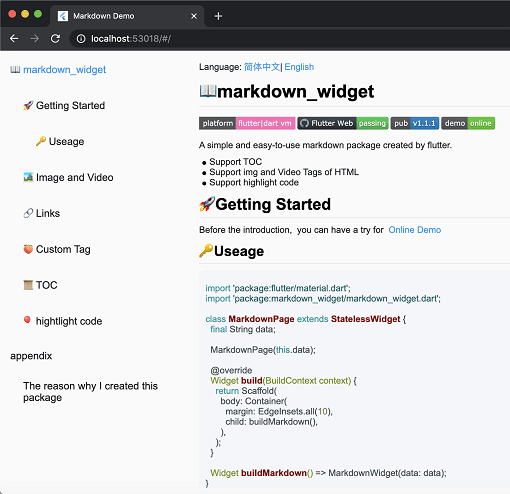
Package selection guidance compiled from public package information, community data, and project usage.
A cross-platform markdown rendering package for Flutter that supports table of contents generation, syntax highlighting for code blocks, and seamless integration across Android, iOS, Web, macOS, Windows, and Linux. Built with simplicity and performance in mind, it enables developers to display rich markdown content with minimal configuration. The package is actively maintained and designed for use in apps requiring dynamic text rendering from markdown sources.
Use cases
Rendering documentation within apps
Displaying user-generated content
Creating help or FAQ sections
Generating dynamic blog posts
Building knowledge base interfaces
Key features
Table of contents support
Syntax highlighting
Cross-platform compatibility
Lightweight and fast rendering
Customizable styling
Supports all major platforms
Suitable for
Documentation apps
Educational tools
Content-heavy applications
Developer tools
Web and desktop Flutter apps
Considerations
Requires markdown source formatting
Limited to basic HTML rendering
May need custom theme adjustments
Not suitable for complex layouts
Performance depends on content size
No built-in image loading support
Original README
Original README snapshot from the linked source repository. Visit the repository for the latest content.
Cross-platform support for Select All and Copy function.
🌐Html tag
As the current package only implements the conversion of Markdown tags, it does not support the conversion of HTML tags by default. However, this functionality can be supported through extension. You can refer to the usage in html_support.dart for more details.
The example includes support for Mermaid diagrams, which can render flowcharts, sequence diagrams, state diagrams, and more. Refer to the implementation in mermaid.dart
Features:
Multiple diagram types (flowchart, sequence diagram, state diagram, ER diagram, etc.)
Theme support (auto light/dark mode)
Interactive display modes (code only, diagram only, or both)
Fullscreen viewer with pan & zoom support
Independent horizontal scrolling for wide diagrams
Smart caching and debouncing for optimal performance
By passing a SpanNodeGeneratorWithTag to MarkdownGeneratorConfig, you can add new tags and the corresponding SpanNodes for those tags. You can also use existing tags to override the corresponding SpanNodes.
You can also customize the parsing rules for Markdown strings using InlineSyntax and BlockSyntax, and generate new tags.
You can refer to this issue to learn how to implement a custom tag.
If you have any good ideas or suggestions, or have any issues using this package, please feel free to open a pull request or issue.
🧾Appendix
Here are the other libraries used in markdown_widget