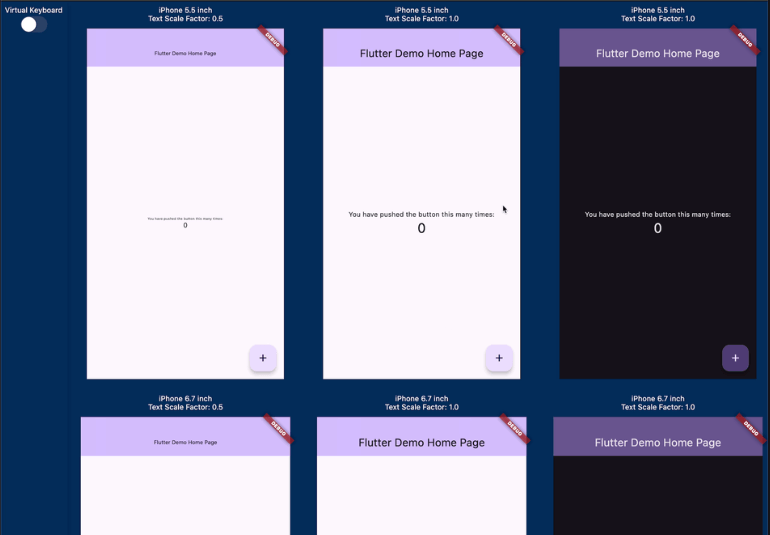
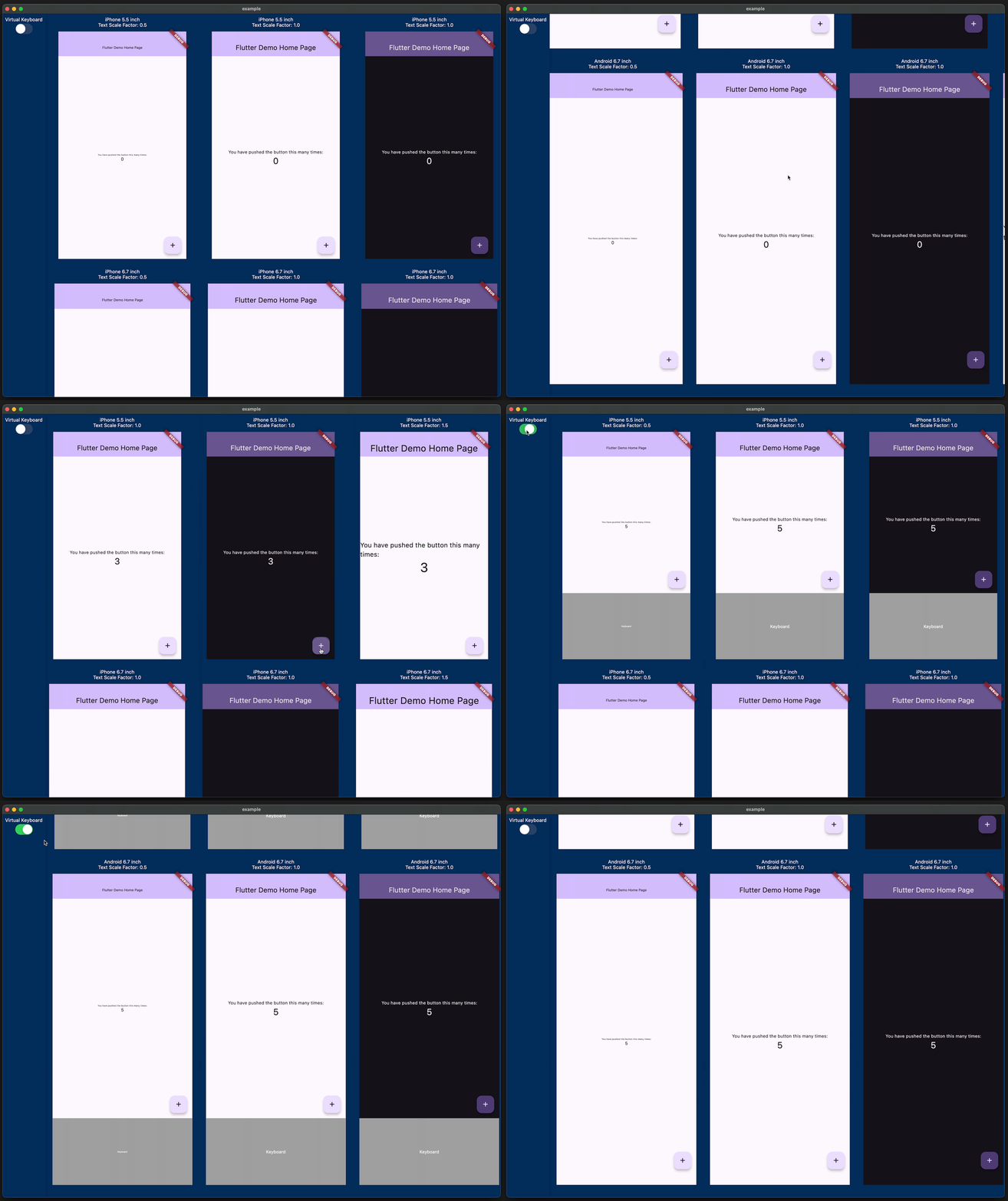
This package enables UI preview across various devices and conditions, supporting custom devices, brightness, and text scales. Ideal for development, not production.
Package selection guidance compiled from public package information, community data, and project usage.
MediaQueryPreview is a development tool that allows real-time UI previews across different devices, screen sizes, brightness levels, and text scaling. It helps developers visualize how their app will appear on various configurations without deploying to physical devices. The package supports custom device definitions and is designed exclusively for development workflows, not production use. It integrates seamlessly with Flutter's MediaQuery, enabling quick iteration during design and testing phases.
Use cases
Testing responsive layouts
Simulating different device screens
Adjusting for accessibility settings
Validating UI behavior under various conditions
Streamlining UI development workflow
Key features
Supports custom device configurations
Real-time preview of screen size changes
Adjustable brightness and text scale
Cross-platform compatibility
Easy integration with existing Flutter projects
Suitable for
Flutter developers in design phase
Teams focusing on responsive UI
Accessibility testing
Rapid prototyping
Considerations
Not intended for production use
Requires manual setup for custom devices
Limited to development environment
May impact performance during heavy use
Does not replace actual device testing
Original README
Original README snapshot from the linked source repository. Visit the repository for the latest content.
Have you ever experienced your UI breaking when the font size is too large or the screen size of the device is small? Checking for these issues can be a hassle.
This package allows you to preview how your implemented UI will appear on various devices with different screen sizes, text scales, and brightness.
If you are using riverpod, you can do the following.
// Initialize Providerfinal container = ProviderContainer();
final previewDevices = [
[
PreviewDevice.iPhone5_5inch(
textScaleFactor: 0.5,
),
PreviewDevice.iPhone5_5inch(),
PreviewDevice.iPhone5_5inch(
brightness: Brightness.dark,
),
PreviewDevice.iPhone5_5inch(
textScaleFactor: 1.5,
),
],
[
PreviewDevice.iPhone6_7inch(
textScaleFactor: 0.5,
),
PreviewDevice.iPhone6_7inch(),
PreviewDevice.iPhone6_7inch(
brightness: Brightness.dark,
),
PreviewDevice.iPhone6_7inch(
textScaleFactor: 1.5,
),
],
[
PreviewDevice.android6_7inch(
textScaleFactor: 0.5,
),
PreviewDevice.android6_7inch(),
PreviewDevice.android6_7inch(
brightness: Brightness.dark,
),
PreviewDevice.android6_7inch(
textScaleFactor: 1.5,
),
]
];
runApp(
MediaQueryPreview(
previewDevices: previewDevices,
builder: (_, previewDevice) {
// If you want to change the theme based on the targetPlatform,// you can get the targetPlatform from [previewDevice.targetPlatform].returnUncontrolledProviderScope(
container: container,
child: constMyApp(),
);
},
),
);
If you are not using riverpod, it is even simpler.
runApp(
MediaQueryPreview(
previewDevices: previewDevices,
builder: (_, previewDevice) {
// If you want to change the theme based on the targetPlatform,// you can get the targetPlatform from [previewDevice.targetPlatform].returnconstMyApp();
},
),
);
Attention
It is recommended to use this package only development. Please do not use it in production.
This package allows you to display multiple instances of the Widget you implemented at the same time, which may lead to poor performance or issues with state management.
If you manage GlobalKey with global variables, they will be shared across each preview, which can lead to errors or unintended behavior. Since the widget trees of each preview are independent, it is recommended to generate a separate GlobalKey for each tree.
Future
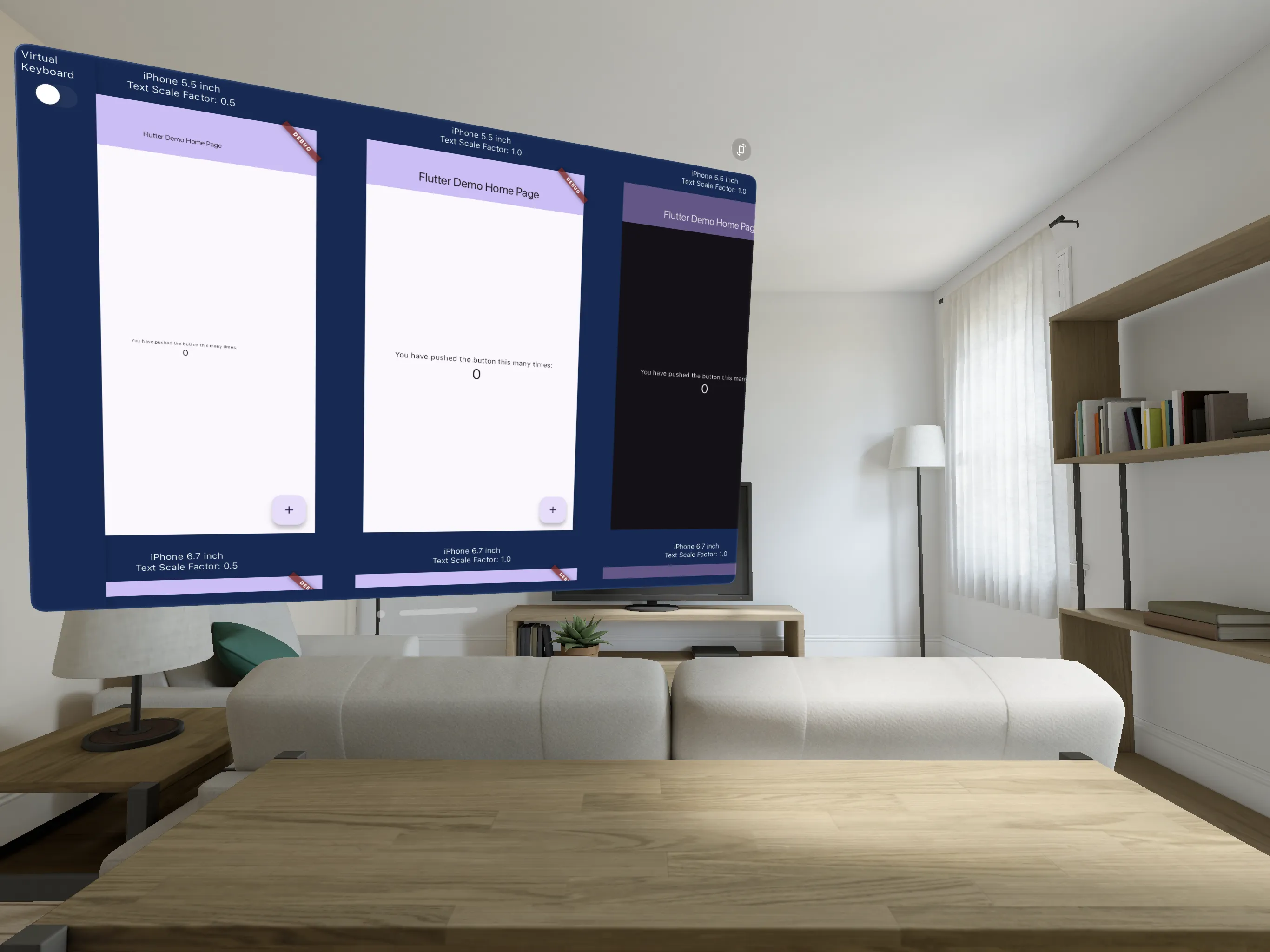
If you have Apple Vision Pro, you can use it as a "Designed for iPad" app. This is the future!