Package selection guidance compiled from public package information, community data, and project usage.
A Flutter package designed to simplify the creation of multi-screen user experiences, particularly for dual-screen and folding devices. It provides a set of customizable widgets that handle layout adjustments across multiple displays, ensuring seamless transitions and responsive designs. The package abstracts complex screen management logic, enabling developers to focus on UI/UX without deep platform-specific knowledge. Ideal for apps targeting modern Android devices with flexible form factors.
Use cases
Building apps for foldable phones
Creating split-screen layouts
Designing adaptive interfaces for dual displays
Developing responsive UIs for Android tablets
Supporting dynamic screen configurations
Key features
Pre-built widgets for multi-screen layouts
Automatic layout adaptation
Responsive design support
Easy integration with existing Flutter projects
Optimized for Android dual-screen devices
Suitable for
Developers targeting foldable Android devices
Teams building adaptive UIs
Apps requiring split-screen functionality
Flutter projects focused on innovative device support
UI designers working with dynamic screen sizes
Considerations
Limited to Android platforms
Requires understanding of multi-screen use cases
May need additional testing on physical devices
Not suitable for non-foldable or non-dual-screen apps
Depends on device hardware capabilities
Original README
Original README snapshot from the linked source repository. Visit the repository for the latest content.
Multi Screen Layout for Flutter
A collection of Widgets that make multi screen user experiences easy to build
Supported Devices
[x] Surface Duo
[x] Surface Duo 2
[x] Galaxy Z Fold 1 (Flex Mode)
[x] Galaxy Z Fold 2 (Flex Mode)
[x] Galaxy Z Flip (Flex Mode)
[ ] LG Wing
If you know of other devices that could support multi screen layouts, please submit a PR and add them to this list.
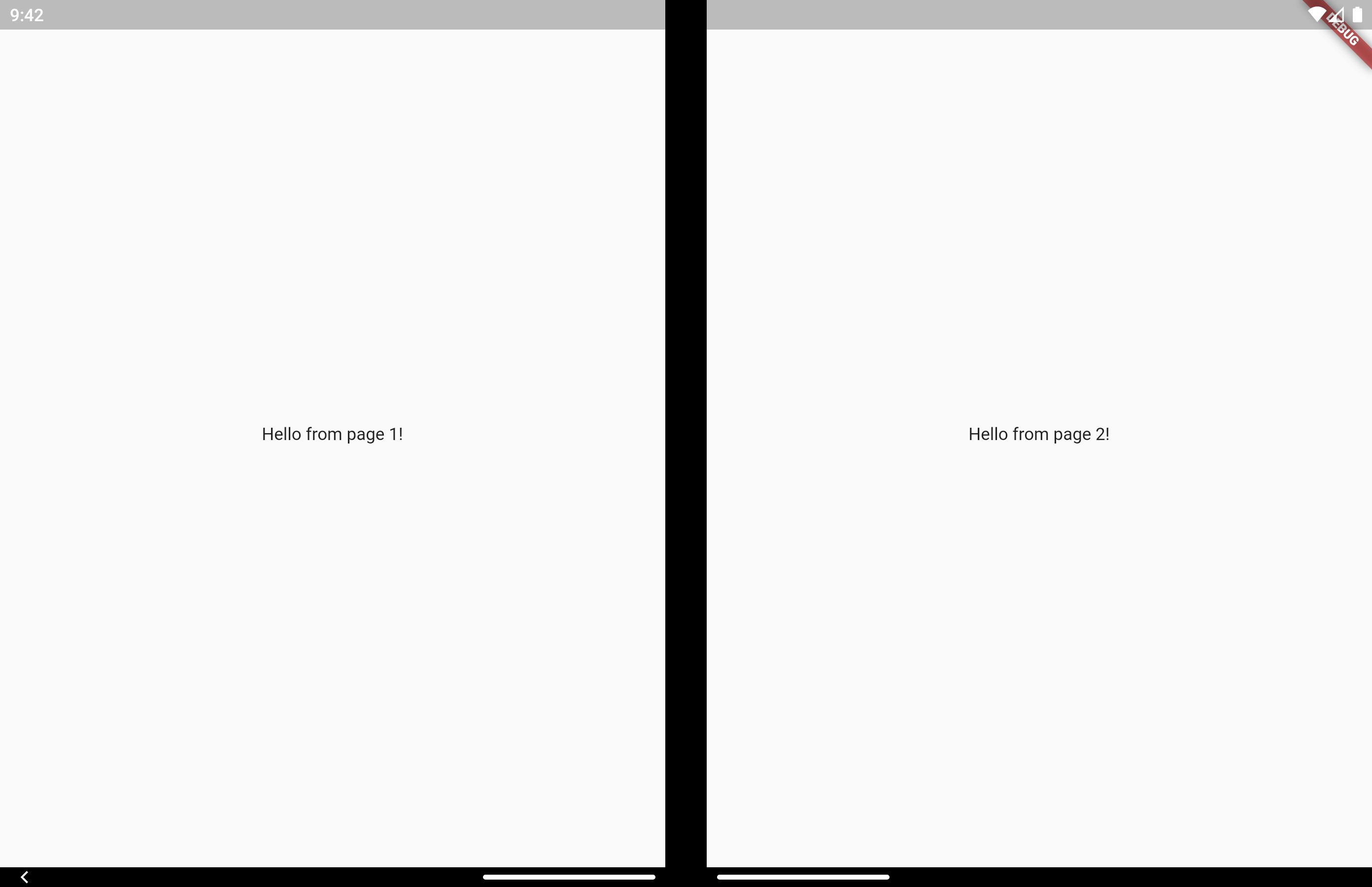
On a Microsoft dual screen device when the app is being spanned across two screens, TwoPageLayout displays both widgets, one per screen. This is designed to help you build Two Page, Dual View, and Companion Pane dual screen app patterns from Microsoft.
On a folding screen device when the display could be utilized to split content areas, TwoPageLayout displays both widgets, one per content area. This is designed to help you build Flex Mode user experiences. You can read more about how when to split content is decided in the AndroidX WindowManager documentation.
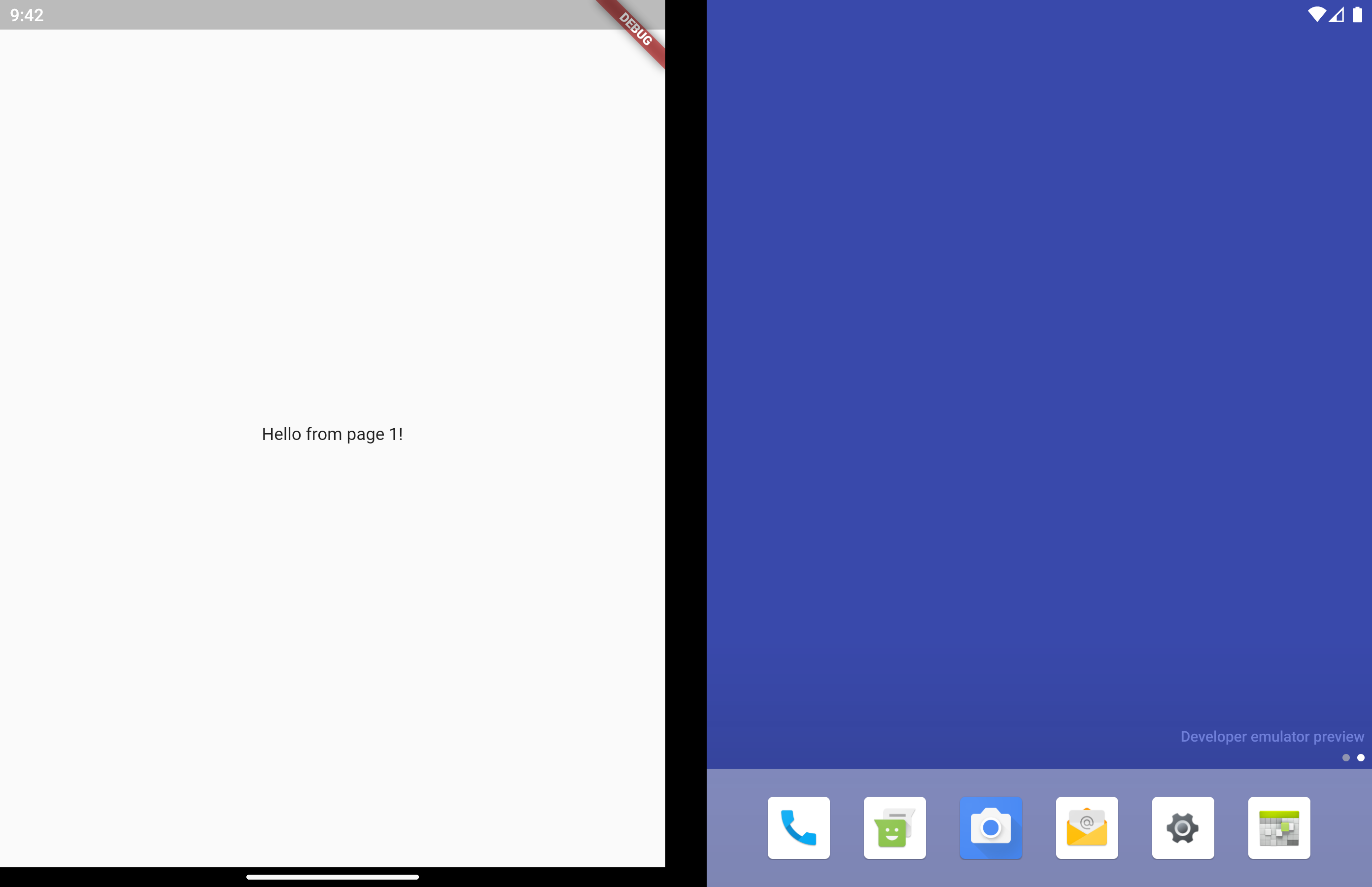
On a single screen device, or when the app is only running on a single screen, only child will be displayed.
Very similar to TwoPageLayout. This layout has better support for having related, "deeper", content in the second page that would usually be accessed by navigating to a new page.
It's common to use this type of layout when you have a list of items that when tapped let you view a detailed view of the item. Email and instant messaging apps are good examples of this.
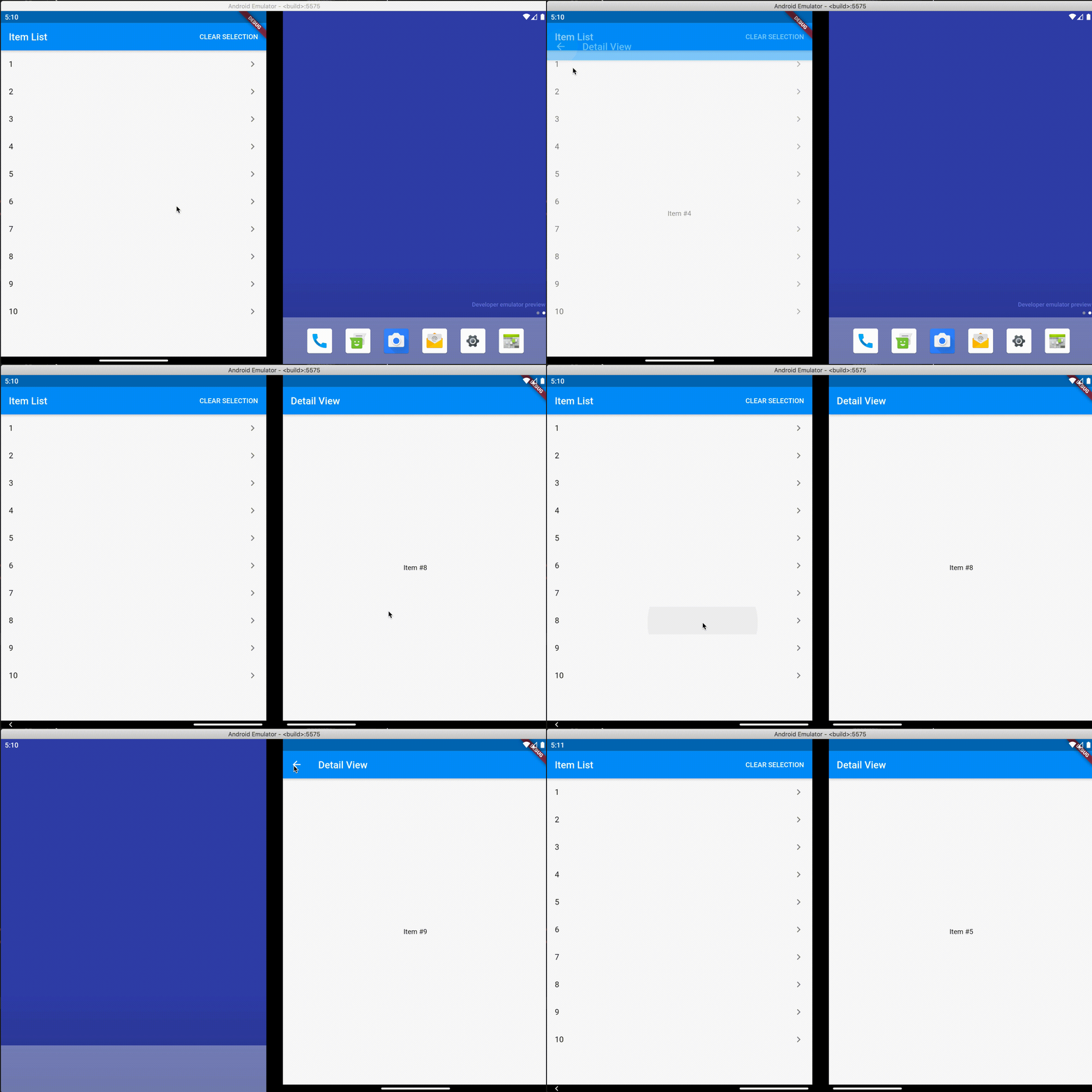
On a single screen device, or when the app is only running on a single screen, master will display first. When isSelected is true, detail is displayed as a new page on top of master, similar to using Navigator.push.
When displaying on 2 screens, both master and detail display at the same time and no navigation occurs. Even when isSelected is false.
Similar to TwoPageLayout, on a folding screen device when the screen is half opened the screen is treated as a dual screen device.
MasterDetailLayout also handles switching between spanned and non-spanned modes appropriately, so the UI will be the same if you select and then span, or span and then select.
Direct access is for advanced uses cases. The above layouts should be suitable for most apps.
There may be cases where you want to access multi screen information instead of just using the above layout widgets. Here is how to do that.
MultiScreenInfo
MultiScreenInfo is a Widget that lets you access information about the device directly in your Widget tree, it will rebuild when the data changes.
classMyAppextendsStatelessWidget{
@overrideWidgetbuild(BuildContext context) {
returnScaffold(
body: MultiScreenInfo(
builder: (info) {
returnColumn(
children: <Widget>[
Text('The below information is from the Surface Duo SDK'),
Text('isAppSpanned: ${info.surfaceDuoInfoModel.isSpanned}'),
Text('hingeAngle: ${info.surfaceDuoInfoModel.hingeAngle}'),
],
);
},
),
);
}
}
PlatformHandlers
If you need access to information about the device outside of the Widget tree, you can also make platform calls yourself.
SurfaceDuoPlatformHandler
FuturegetSurfaceDuoInfo() async {
var hingeAngle = awaitSurfaceDuoPlatformHandler.getHingeAngle();
var isDual = awaitSurfaceDuoPlatformHandler.getIsDual();
var isSpanned = awaitSurfaceDuoPlatformHandler.getIsSpanned();
var nonFunctionalBounds = awaitSurfaceDuoPlatformHandler.getNonFunctionalBounds();
}