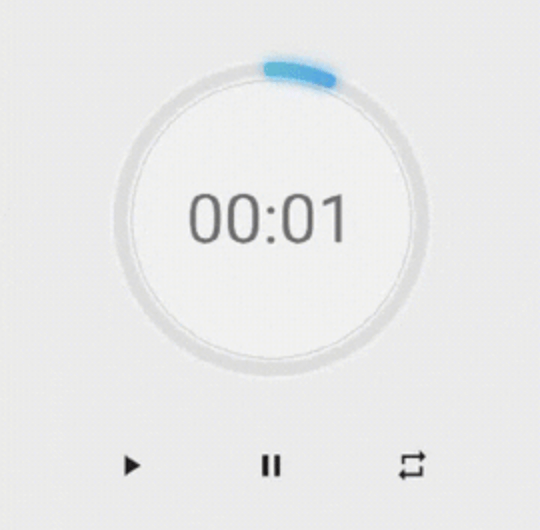
A package that helps you to build a timer quickly with a beautiful UI, it's highly customizable you can change the color,the thickness of the timer,the clock text style.
Package selection guidance compiled from public package information, community data, and project usage.
NeonCircularTimer is a Flutter package designed to create visually appealing circular timers with minimal effort. It offers a sleek, customizable interface allowing users to adjust colors, stroke thickness, and text style for the timer display. Ideal for countdowns, fitness apps, or any app requiring a dynamic time indicator, it supports all major platforms including Android, iOS, Web, macOS, Windows, and Linux. The package enhances user experience with smooth animations and modern neon-inspired aesthetics.
Use cases
Fitness tracking
Study session timers
Game countdowns
Event reminders
Interactive app interfaces
Key features
Highly customizable appearance
Smooth animated transitions
Supports multiple platforms
Adjustable stroke width and colors
Customizable text styling
Neon-style visual effects
Suitable for
Developers building countdown features
Design-focused applications
Cross-platform timer implementations
Apps needing engaging UI elements
Projects with aesthetic emphasis
Considerations
May require performance tuning on low-end devices
Customization options can increase complexity
Limited to circular timer design
Not suitable for non-countdown time displays
Depends on external animation libraries for advanced effects
Original README
Original README snapshot from the linked source repository. Visit the repository for the latest content.
neon_circular_timer
Make a timer application with a fancy neon effect and beautiful UI
v0.0.3 and above now the timer has also a neumorphic border
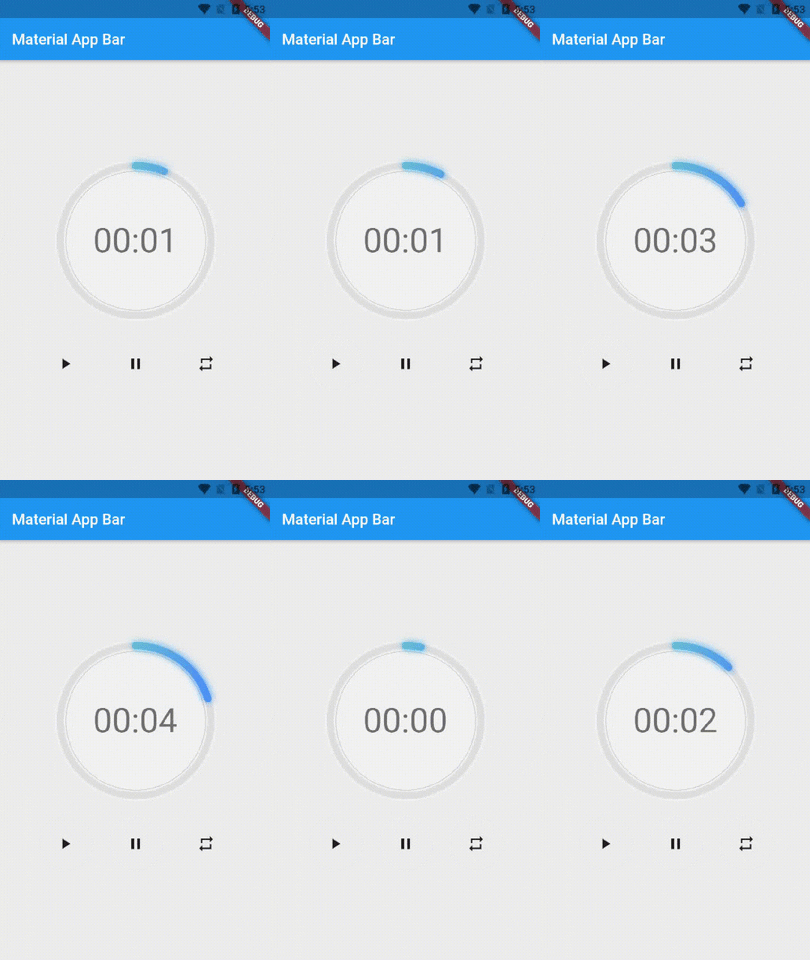
Preview of example
Usage
Use neumorphicEffect to show or hide the neumorphic border
Use isTimerTextShown to show or hide the text
With neumorphicEffect is true and isTimerTextShown is false
Controls (i.e Start, Pause, Resume, Restart) the Countdown Timer.
width
double
required
Width of the rectangle that surrounds the circle ( Diameter of the Countdown Timer).
neonColor
Color
Colors.white54
neon Color for Countdown Widget.
neonGradient
Gradient
null
neon Gradient for Countdown Widget. Note that neonColor will not be effective if gradient is provided.
neumorphicEffect
bool
true
show neumorphic border
innerFillColor
Color
Colors.black12
Filling Color for Countdown Widget.
innerFillGradient
Gradient
null
Filling Gradient for Countdown Widget. Note that fillColor will not be effective if gradient is provided.
outerStrokeColor
Color
Colors.white
border Color for Countdown Widget.
backgroundColor
Color
Colors.white54
must be provided if you choose to use neumorphic effect .
outerStrokeGradient
Gradient
null
border Gradient for Countdown Widget. Note that backgroundColor will not be effective if gradient is provided.
strokeWidth
double
10.0
Border Thickness of the Countdown Ring.
strokeCap
StrokeCap
StrokeCap.round
Begin and end contours with a flat edge and no extension.
textStyle
TextStyle
Theme.of(context).textTheme.headline3
Text Style for Countdown Text.
textFormat
String
TextFormat.MM_SS
Format for the Countdown Text.
isReverse
bool
false
Handles Countdown Timer (true for Reverse Countdown (max to 0), false for Forward Countdown (0 to max)).
isReverseAnimation
bool
false
Handles Animation Direction (true for Reverse Animation, false for Forward Animation).
isTimerTextShown
bool
true
Handles visibility of the Countdown Text.
autoStart
bool
true
Handles the timer start.
onStart
VoidCallback
null
This Callback will execute when the Countdown Starts.
onComplete
VoidCallback
null
This Callback will execute when the Countdown Ends.
About the Controller
to get the time in seconds use :
controller.getCurrentTimeInSeconds();
to get the time formated into the selected TextFormat use:
controller.getTime();
to control the timer use :
controller.restart(); // to reset the timer
controller.start(); // to start the timer from 0
controller.pause(); // to pause the timer
controller.resume(); // to continue from the value where the timer stopped