Package selection guidance compiled from public package information, community data, and project usage.
The new_version package helps Flutter apps determine if the current version is up to date by checking against a specified version on a remote source, such as a JSON file or API endpoint. It supports multiple platforms including Android, iOS, macOS, Windows, and Linux. The package enables developers to prompt users to update their app when a newer version is available, improving user experience and ensuring access to the latest features and security fixes. It's lightweight and easy to integrate with minimal configuration.
Use cases
Prompt users to update the app
Check for updates on app launch
Verify version compatibility
Notify users of new releases
Integrate with CI/CD workflows
Key features
Cross-platform support
Simple integration
Remote version checking
Customizable update prompts
Supports JSON and HTTP endpoints
Suitable for
Apps requiring version control
Developers managing app updates
Projects with frequent releases
User-facing mobile applications
Teams using automated deployment
Considerations
Requires internet access
Relies on external version source
May need caching strategy
Not suitable for offline-first apps
Version comparison logic must be defined
Original README
Original README snapshot from the linked source repository. Visit the repository for the latest content.
Archive Notice
This plugin is relatively stable and feature-complete, but I won't be working on it or accepting pull requests going forward. If anyone is interested in taking over as maintainer, feel free to email me. I'm also happy to link to popular forks that have spun off. Thanks.
New Version Plugin 🎉
A Flutter plugin that makes it possible to:
Check if a user has the most recent version of your app installed.
Show the user an alert with a link to the appropriate app store page.
In main.dart (or wherever your app is initialized), create an instance of NewVersion.
final newVersion = NewVersion();
The plugin will automatically use your Flutter package identifier to check the app store. If your app has a different identifier in the Google Play Store or Apple App Store, you can overwrite this by providing values for androidId and/or iOSId.
For iOS: If your app is only available outside the U.S. App Store, you will need to set iOSAppStoreCountry to the two-letter country code of the store you want to search. See http://en.wikipedia.org/wiki/ISO_3166-1_alpha-2 for a list of ISO Country Codes.
You can then use the plugin in two ways.
Quickstart
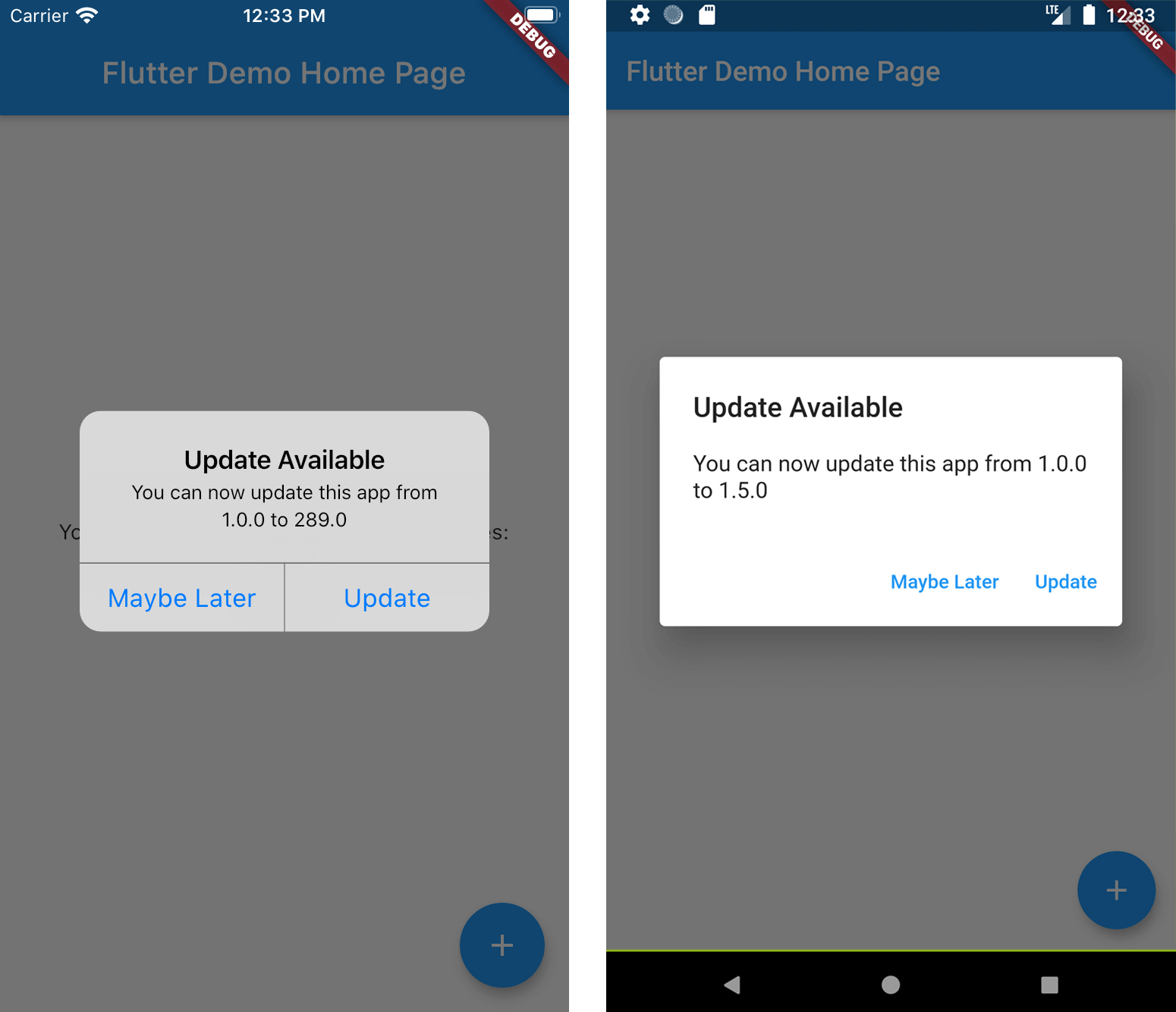
Calling showAlertIfNecessary with your app's BuildContext will check if the app can be updated, and will automatically display a platform-specific alert that the user can use to go to the app store.
If you want to create a custom alert or use the app version information differently, call getVersionStatus. This will return a Future<VersionStatus> with information about the local and app store versions of the app.
final status = await newVersion.getVersionStatus();
status.canUpdate // (true)
status.localVersion // (1.2.1)
status.storeVersion // (1.2.3)
status.appStoreLink // (https://itunes.apple.com/us/app/google/id284815942?mt=8)
If you want to present a customized dialog, you can pass your VersionStatus to showUpdateDialog().