
Search packages, repositories and app categories

number_selection cover
Package detailsv1.0.0

number_selection

Cool number picker concept

AndroidiOSWebmacOSWindowsLinux
30-day downloads
43
Likes
22
Pub points
130

Install package

flutter pub add number_selection

Package Overview

Package selection guidance compiled from public package information, community data, and project usage.

A Flutter package that provides a visually appealing and interactive number picker widget, inspired by a cool conceptual design. It allows users to select numbers through intuitive scrolling or tapping, suitable for forms, settings, or any input requiring numeric selection. The widget is customizable and supports multiple platforms including Android, iOS, Web, macOS, Windows, and Linux. It enhances user experience with smooth animations and responsive feedback.

Use cases

  • Form inputs requiring numeric selection
  • Settings with adjustable values
  • Interactive UI components
  • Mobile and desktop applications
  • Custom number input interfaces

Key features

  • Smooth scrolling interface
  • Cross-platform compatibility
  • Customizable appearance
  • Responsive touch interactions
  • Animated transitions
  • Supports keyboard navigation

Suitable for

  • Developers building form-based apps
  • Design-focused UI implementations
  • Multi-platform Flutter projects
  • Apps needing intuitive number entry

Considerations

  • May require additional styling for integration
  • Limited to numeric input only
  • Performance impact on large datasets
  • Not optimized for very high-frequency updates
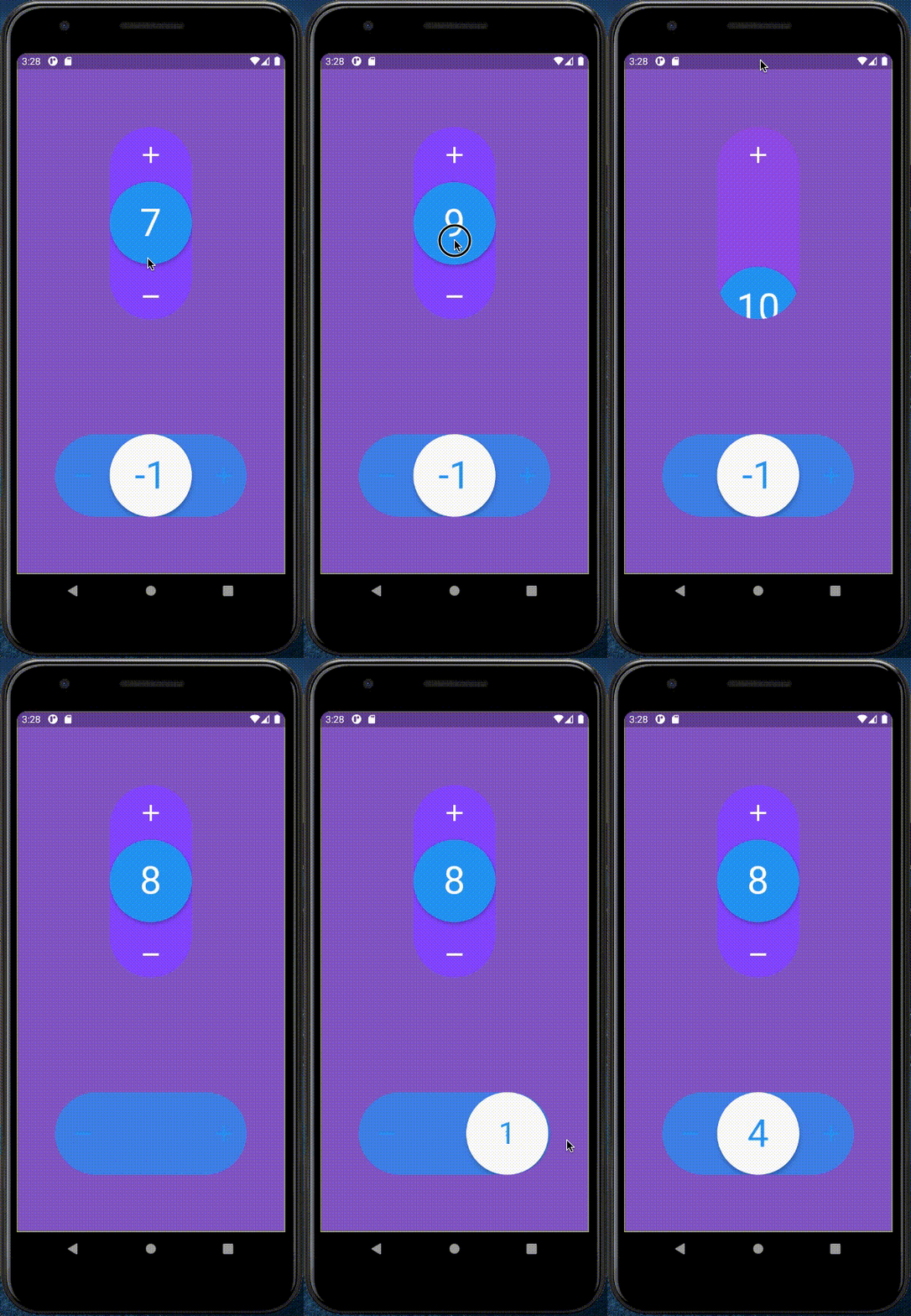
Original README

Original README snapshot from the linked source repository. Visit the repository for the latest content.

Example

Demo

How to use

  • Import number_selection.dart
import 'package:number_selection/number_selection.dart';
  • And here an use example
NumberSelection(
    theme: NumberSelectionTheme(
        draggableCircleColor: Colors.blue,
        iconsColor: Colors.white,
        numberColor: Colors.white,
        backgroundColor: Colors.deepPurpleAccent,
        outOfConstraintsColor: Colors.deepOrange),
    initialValue: 1,
    minValue: -10,
    maxValue: 10,
    direction: Axis.vertical,
    withSpring: true,
    onChanged: (int value) => print("value: $value"),
    enableOnOutOfConstraintsAnimation: true,
    onOutOfConstraints: () => print("This value is too high or too low"),
);

Categories

Source repository

Projects using this package

No data available yet.