Search packages, repositories and app categories

numeric_keyboard cover
Package detailsv1.1.0

numeric_keyboard

Flutter plugin to display a simple numeric keyboard on Android & iOS.

AndroidiOSWebmacOSWindowsLinux
30-day downloads
2.3K
Likes
94
Pub points
150

Install package

flutter pub add numeric_keyboard

Package Overview

Package selection guidance compiled from public package information, community data, and project usage.

A Flutter plugin that provides a simple numeric keyboard for Android, iOS, Web, macOS, Windows, and Linux. It enables users to input numbers efficiently in forms or fields without the need for a full on-screen keyboard. The keyboard is customizable and integrates seamlessly into Flutter applications. Designed for simplicity and cross-platform compatibility, it supports basic number entry with optional decimal and backspace functionality. Ideal for PIN entry, quantity inputs, or any scenario requiring numeric-only input.

Use cases

  • PIN entry screens
  • quantity input fields
  • form data collection
  • payment amount entry
  • login authentication
  • numeric-only user input

Key features

  • Cross-platform support
  • Customizable layout
  • Decimal input support
  • Backspace functionality
  • Simple integration
  • Lightweight design

Suitable for

  • Mobile app developers
  • Form-based applications
  • Security-sensitive inputs
  • Embedded numeric interfaces
  • Quick prototyping

Considerations

  • Limited to numeric input only
  • No special character support
  • Requires manual handling of input validation
  • Not suitable for text-heavy input
  • May need additional styling for UI consistency

Original README

Original README snapshot from the linked source repository. Visit the repository for the latest content.

numeric_keyboard

pub package

A simple numeric keyboard widget

Installation

Add numeric_keyboard: ^1.1.0 in your pubspec.yaml dependencies. And import it:

import 'package:numeric_keyboard/numeric_keyboard.dart';

How to use

Simply create a NumericKeyboard widget and pass the required params:

NumericKeyboard(
  onKeyboardTap: _onKeyboardTap
)

_onKeyboardTap(String value) {
  setState(() {
    text = text + value;
  });
}

Params

NumericKeyboard(
  onKeyboardTap: _onKeyboardTap,
  textColor: Colors.red,
  rightButtonFn: () {
    setState(() {
      text = text.substring(0, text.length - 1);
    });
  },
  rightIcon: Icon(Icons.backspace, color: Colors.red,),
  leftButtonFn: () {
    print('left button clicked');
  },
  leftIcon: Icon(Icons.check, color: Colors.red,),
  mainAxisAlignment: MainAxisAlignment.spaceEvenly
)

For a more detail example please take a look at the example folder.

Example

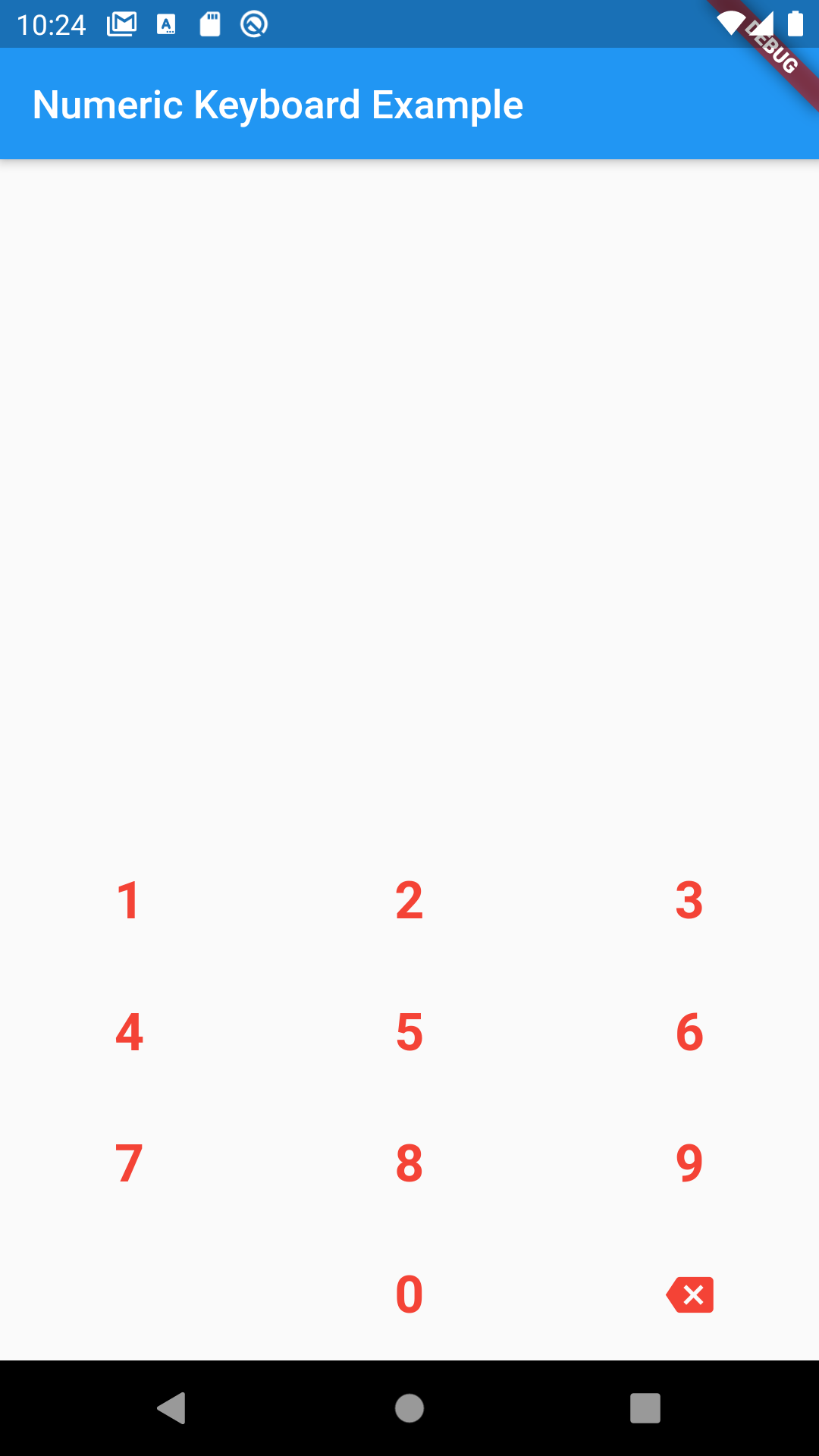
Numeric keyboard:

-

If something is missing, feel free to open a ticket or contribute!

Categories

Source repository

Projects using this package

No data available yet.