Package selection guidance compiled from public package information, community data, and project usage.
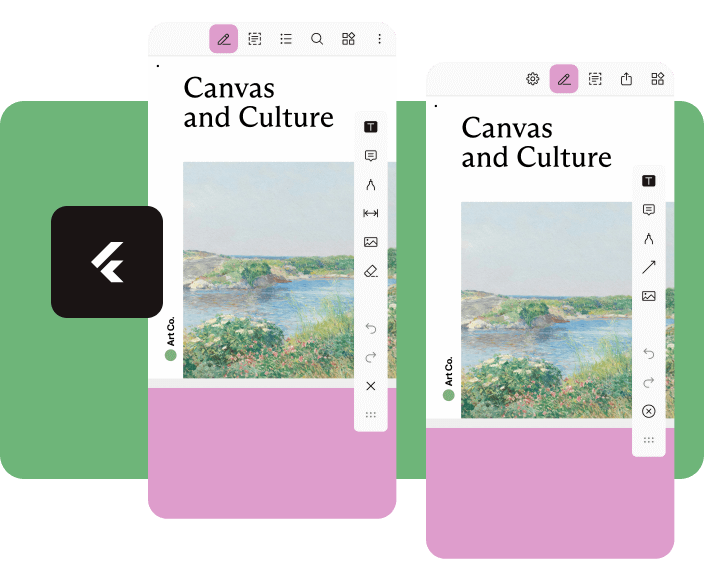
Nutrient Flutter is a powerful plugin that integrates the Nutrient PDF SDK into Flutter applications, enabling rich PDF viewing and editing capabilities. It supports rendering, annotating, signing, and manipulating PDFs with high performance across Android and iOS platforms. Designed for developers seeking a seamless, feature-complete PDF experience, it offers a native-like interface with customizable tools and robust document handling. The plugin simplifies complex PDF workflows, making it ideal for apps requiring advanced document interaction.
Use cases
Document management apps
E-signature workflows
Educational platforms
PDF annotation tools
Collaborative editing environments
Key features
High-performance PDF rendering
Interactive annotations
Digital signature support
Customizable UI components
Cross-platform compatibility
Suitable for
Developers building document-centric apps
Teams needing secure PDF handling
Apps requiring user collaboration on documents
Enterprise-level PDF integration
Considerations
Requires licensing from nutrient.io
May increase app size due to SDK inclusion
Limited customization without advanced configuration
Dependent on external SDK updates
Potential learning curve for new users
Original README
Original README snapshot from the linked source repository. Visit the repository for the latest content.
Flutter Document SDK by Nutrient
Add powerful PDF functionality to your Flutter apps with the Nutrient Flutter SDK. View, annotate, and edit PDFs seamlessly across Android, iOS, and Web platforms.
Requirements
Flutter SDK (latest stable version)
For Android:
Android Studio (latest stable version)
Android NDK
Android Virtual Device or physical device
For iOS:
Xcode 16 or later
iOS 17.0 or later
For Web:
Modern web browser with WebAssembly support
Installation
Add the Nutrient Flutter SDK to your pubspec.yaml:
dependencies:nutrient_flutter:any
Run the following command:
flutter pub get
Platform Setup
Android Setup
Update your Android configuration in android/app/build.gradle:
Note: Replace 1.13.0 with the latest version of Nutrient Web SDK. Check the latest releases for the current version.
Option 2: Local Installation
Download Nutrient Web SDK. The download will start immediately and save a .tar.gz archive like PSPDFKit-Web-binary-<version>.tar.gz to your computer.
Once downloaded, extract the archive and copy the entire contents of its dist folder to your project's web/assets folder.
Verify your assets folder contains:
nutrient-viewer.js file
nutrient-viewer-lib directory with library assets
Add the Nutrient library to your web/index.html:
<scriptsrc="assets/nutrient-viewer.js"></script>
Note: Your server must have the Content-Type: application/wasm MIME type configured for WebAssembly files.
Sample Document Setup
Create a PDFs directory in your project root:
mkdir PDFs
Download our sample PDF document and save it as Document.pdf in the PDFs directory.
Add the assets directory to your pubspec.yaml:
flutter:assets:-PDFs/
Usage
Create a new file lib/main.dart with the following content:
import'package:flutter/material.dart';
import'package:nutrient_flutter/nutrient_flutter.dart';
import'dart:io';
import'package:flutter/foundation.dart';
constString documentPath = 'PDFs/Document.pdf';
voidmain() async {
WidgetsFlutterBinding.ensureInitialized();
// Initialize the Nutrient SDK with your license keyawaitNutrient.initialize(
androidLicenseKey: 'YOUR_ANDROID_LICENSE_KEY',
iosLicenseKey: 'YOUR_IOS_LICENSE_KEY',
webLicenseKey: 'YOUR_WEB_LICENSE_KEY',
);
runApp(constMaterialApp(
home: MyApp(),
));
}
classMyAppextendsStatelessWidget{
constMyApp({super.key});
Future<String> extractAsset(BuildContext context, String assetPath) async {
if (kIsWeb) {
return assetPath;
}
final bytes = awaitDefaultAssetBundle.of(context).load(assetPath);
final list = bytes.buffer.asUint8List();
final tempDir = awaitNutrient.getTemporaryDirectory();
final tempDocumentPath = '${tempDir.path}/$assetPath';
final file = File(tempDocumentPath);
await file.create(recursive: true);
file.writeAsBytesSync(list);
return file.path;
}
@overrideWidgetbuild(BuildContext context) {
returnScaffold(
body: FutureBuilder<String>(
future: extractAsset(context, documentPath),
builder: (context, snapshot) {
if (snapshot.hasData) {
/// NutrientView is a widget that displays a PDF document.returnNutrientView(
documentPath: snapshot.data!,
);
} elseif (snapshot.hasError) {
returnCenter(
child: Text('${snapshot.error}'),
);
} else {
returnconstCenter(
child: CircularProgressIndicator(),
);
}
}),
);
}
}
Note: Replace 'YOUR_ANDROID_LICENSE_KEY', 'YOUR_IOS_LICENSE_KEY', and 'YOUR_WEB_LICENSE_KEY' with your actual license keys. Do not pass any license keys if you want to run the SDK in demo mode, the SDK will run in demo mode with a watermark.