Search packages, repositories and app categories

o_popup cover
Package detailsv1.0.1

o_popup

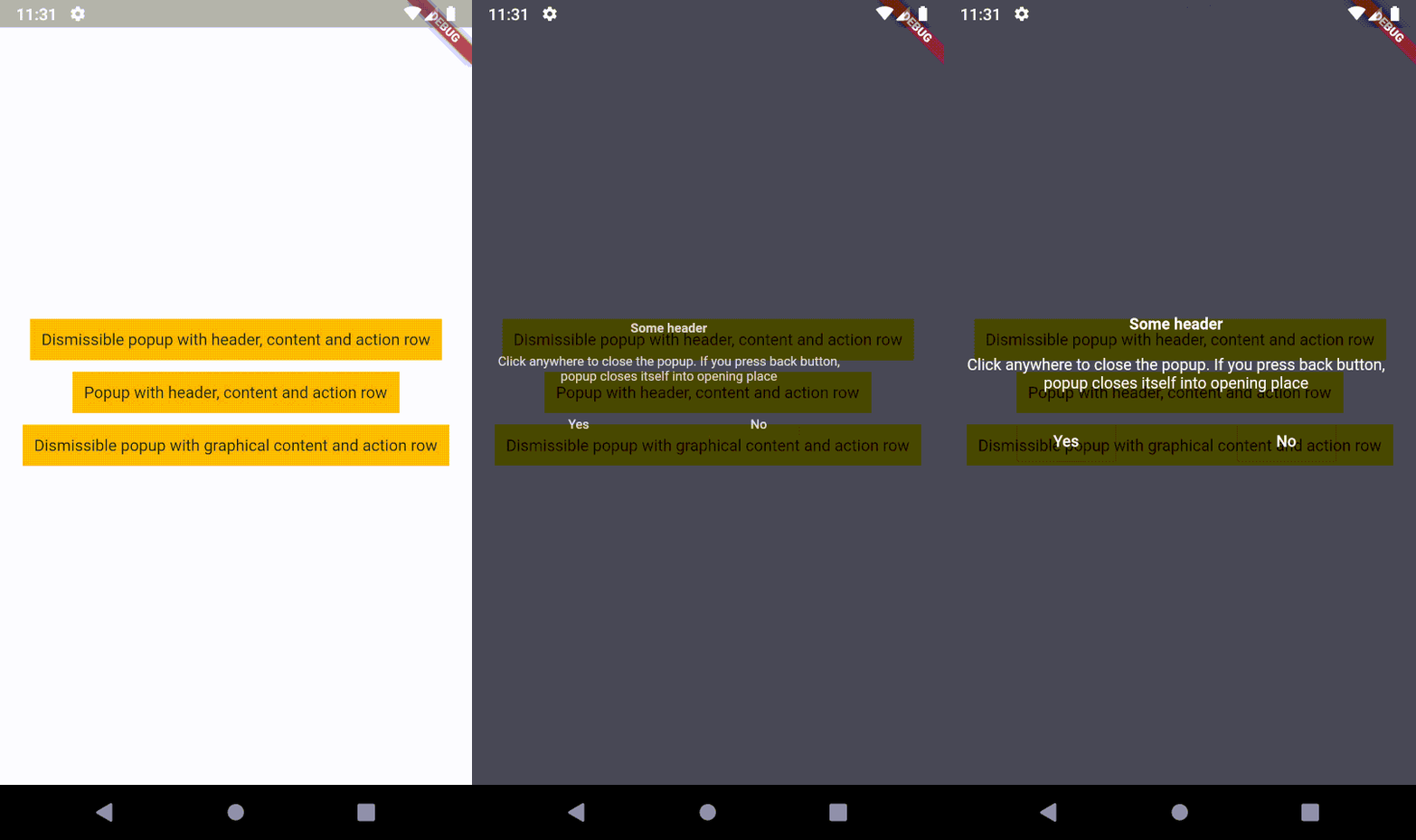
An overlaid content, which closes itself into opening place (on back button) or into the position where the pointer contacted the screen. It means, popup supports tap gesture.

AndroidiOSWebmacOSWindowsLinux
30-day downloads
41
Likes
26
Pub points
140

Install package

flutter pub add o_popup

Package Overview

Package selection guidance compiled from public package information, community data, and project usage.

o_popup is a Flutter package that provides an overlaid content widget designed to close either by pressing the back button or by returning to the position where the pointer initially touched the screen. It supports tap gestures, making it ideal for interactive popups that respond naturally to user input. The popup animates smoothly into place and returns to its original location, enhancing user experience across platforms. It's particularly useful for contextual menus, tooltips, or temporary overlays in apps targeting Android, iOS, Web, macOS, Windows, and Linux.

Use cases

  • Contextual action menus
  • Tooltips and hints
  • Temporary information overlays
  • Gesture-based popups
  • Modal-like interactions without full modality
  • Quick settings panels

Key features

  • Auto-closes on back press
  • Returns to touch point on dismiss
  • Smooth animations
  • Cross-platform support
  • Tap gesture recognition
  • Customizable overlay content

Suitable for

  • Developers building interactive UIs
  • Apps needing lightweight popups
  • Cross-platform mobile and web apps
  • UX-focused interfaces with gesture feedback
  • Simple modal alternatives

Considerations

  • May require careful positioning logic
  • Not suitable for complex nested dialogs
  • Performance depends on overlay complexity
  • Limited customization for advanced layouts
  • Best used with simple, transient content

Original README

Original README snapshot from the linked source repository. Visit the repository for the latest content.

License: MIT style: effective dart Travis CI


Description

An overlaid content, which closes itself into opening place (on back button) or into the position where the pointer contacted the screen. It means, popup supports tap gesture!

Implementation

First of all, you need to install the package.

The second step is to create a popup. I recommend to use OPopupTrigger class in order to simply create the popup as in the example. It pushes OPopupOverlay widget into Navigation stack, thus a user can dismiss the popup by back button or by tapping anywhere on a screen. In the OPopupTrigger class you can also set barrierDismissible to false (to prevent dismissing popup by taping anywhere) and for example create a button, which pops the popup from Navigator stack (Navigator.of(context).pop()) in order to close the popup - like buttons in the example.

Customization

If you do not want to use OPopupContent class as a content of a popup triggered by OPopupTrigger you should skip popupHeader and popupActionRow fields and set your own widget to popupContent field. It gives you an ability to fully customize the content of the popup: size, alignment etc.

You can also overwrite OPopupContent (create a class which extends OPopupContent), customize it inside your own class and set your version of OPopupContent to OPopupTrigger.popupContent (also do not set popupHeader and popupActionRow in order to omit original OPopupContent).

Documentation

Extended documentation is available on pub.dev.

Commercial Use

If you use this code in commercial project, please donate me via GitHub Sponsors. I do the same for packages which I use, because it ensures stable development for all of us!

Categories

Source repository

Projects using this package

No data available yet.