Package selection guidance compiled from public package information, community data, and project usage.
OCR Scan Text is a Flutter package that wraps the Google ML Kit Text Recognition library, enabling developers to extract text from images captured via camera or selected from the device's gallery. It provides accurate and fast text detection with support for multiple languages and handwriting recognition. The package simplifies integration of advanced OCR capabilities into mobile apps without requiring deep knowledge of underlying machine learning frameworks. Built for Android and iOS, it ensures cross-platform consistency in text scanning functionality.
Use cases
Extract text from documents
Scan business cards
Read handwritten notes
Capture text from screenshots
Automate data entry
Key features
Real-time text recognition
Support for multiple languages
Handwriting detection
Camera integration
Offline operation
Suitable for
Document scanning apps
Note-taking tools
Data entry automation
Accessibility features
Mobile inventory systems
Considerations
Requires camera permissions
Performance varies by device
Best results with clear images
Limited to text-only recognition
May require image preprocessing for low-quality inputs
Original README
Original README snapshot from the linked source repository. Visit the repository for the latest content.
Flutter OCR Scan Text
OCR Flutter
v1.3.1
Flutter OCR Scan Text is a wrapper around the "Google ML kit Text Recognition" library.
It helps to facilitate accurate text search and display of results from the camera. It also allows to manage text searches from an image or a pdf.
Features
Allows you to easily scan text from the camera, extract accurate results and display them to the user.
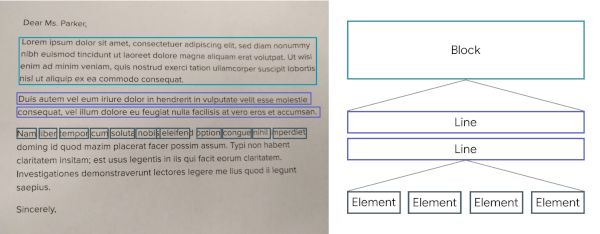
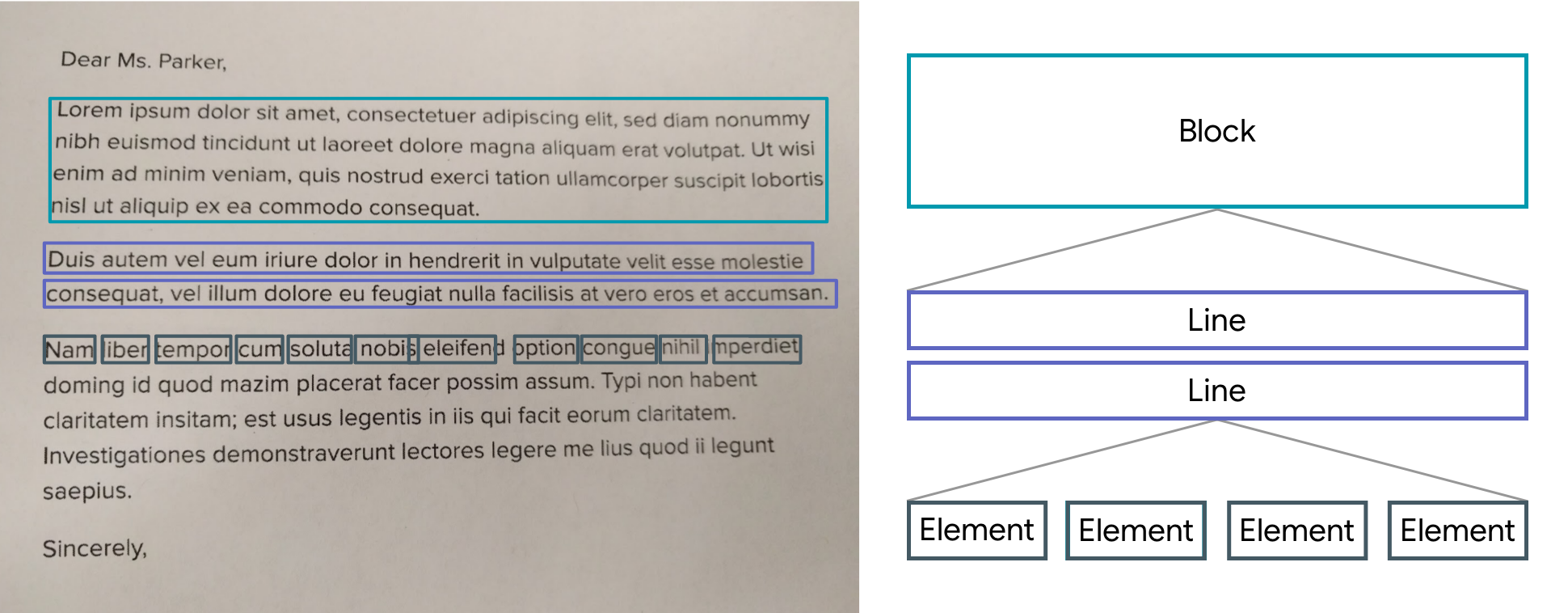
The results are returned by list of Block.
A Block contains: the global text of the block, a list of Lines and the position.
A Line contains: the global text of the line, a list of Elements and the position.
An Element contains: a word and the position.
Note: The library uses the Camera package, be sure to ask for permission.
A LiveScanWidget needs a module list to start detection.
Validated results will be returned to the "matchedResult" method.
Create a scan module :
In this example (see the /example folder), we consider all Elements to be results.
Create a scan module :
classScanAllModuleextendsScanModule
The constructor of a module:
label: A label (optional) that will be displayed to the user during rendering
color: A color (optional) that will be used for rendering
validateCountCorrelation: The number of times the same result must be found in the same place for it to be valid. (As the camera moves certain numbers / letters may be misinterpreted over several frames).
The purpose of a module is to search among the Blocks for a list of results (ScanResult) and to return it using the "matchedResult" method.
@overrideFuture<List<ScanResult>> matchedResult(List<TextBlock> textBlock, String text) async {
List<ScanResult> list = [];
for (var block in textBlock) {
for (var line in block.lines) {
for (var element in line.elements) {
list.add(ScanResult(cleanedText: element.text, scannedElementList: [element]));
}
}
}
return list;
}
Start a module :
module.start();
Stop a module :
module.stop();
Scan file with Widget (Supported extension : png, jpg and pdf )
You can use TextBlockHelper methods to help find results.
TextBlockHelper.extractTextElementsWithRegex :
Find the list of elements that match with the regex
TextBlockHelper.nextTextElement :
Find the next TextElement a right or left of TextElement
TextBlockHelper.combineRecreateTextLine :
When texts are on the same line but distant, MLKit can create two different TextBlock. The "combineRecreateTextLine" method will create a TextLine, from a starting TextElement, taking into account the Elements of each TextBlock
TextBlockHelper.combineLeftTextElement :
Return a List of TextElement with all TextElement to the left of startElement including startElement.
TextBlockHelper.combineRightTextElement :
Return a List of TextElement with all TextElement to the right of startElement including startElement.
TextBlockHelper.combineBetweenTextElement :
Return a List of TextElement between startElement and endElement