
Overview
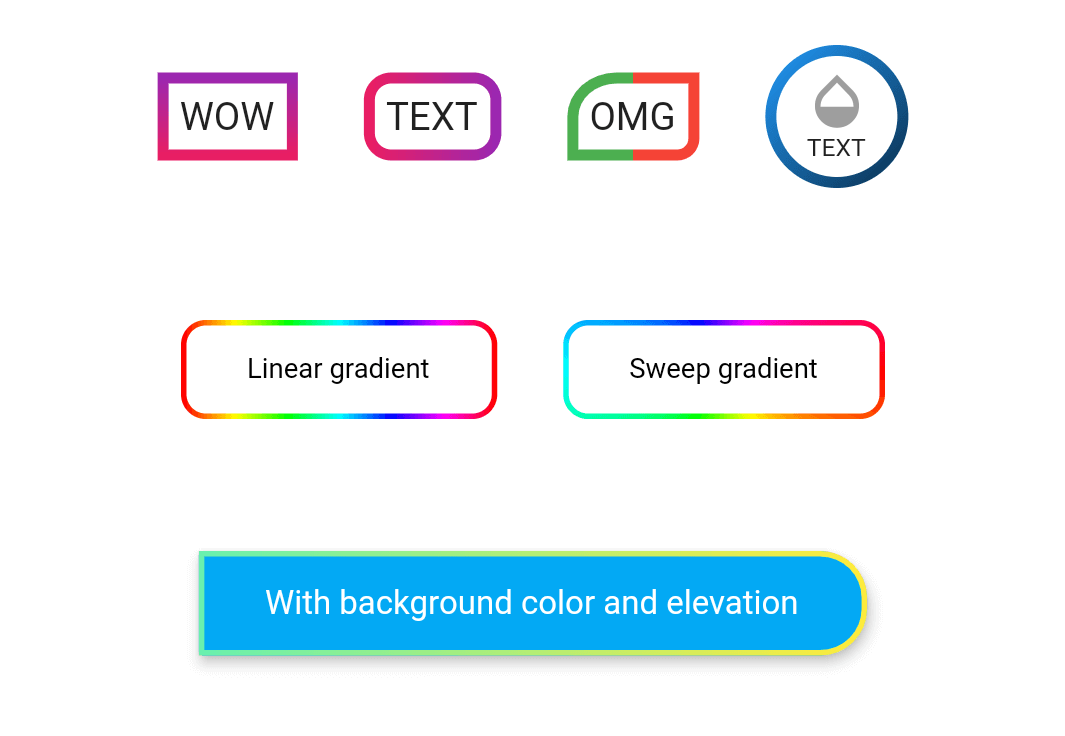
The outline_gradient_button package enables developers to create visually appealing buttons with gradient outlines in Flutter applications. It extends the standard button widgets by adding customizable gradient borders, allowing for modern and dynamic UI designs. Ideal for apps seeking a stylish, eye-catching interface without sacrificing functionality. The package supports all major platforms including Android, iOS, Web, macOS, Windows, and Linux, ensuring consistent appearance across devices. With minimal setup via pub add, it integrates seamlessly into existing projects.
Use cases
- Creating stylish UI elements
- Enhancing app visual appeal
- Designing interactive call-to-action buttons
- Building modern mobile and web interfaces
- Adding gradient effects to form buttons
Key features
- Gradient outline styling
- Cross-platform compatibility
- Easy integration with Flutter
- Customizable border colors and width
- Supports various button types (e.g., ElevatedButton, TextButton)
- Lightweight and performant
Suitable for
- UI designers seeking visual flair
- Developers building modern Flutter apps
- Projects requiring gradient-based interactive elements
- Apps targeting multiple platforms
- Prototyping and production-ready interfaces
Considerations
- May require additional styling for complex gradients
- Limited to outline effects, not fill gradients
- Performance impact on large numbers of buttons
- Best used with contrasting background colors for visibility