Search packages, repositories and app categories

outline_material_icons cover
Package detailsv1.0.0

outline_material_icons

Provides the new outline theme of material design icons from Google.

AndroidiOSWebmacOSWindowsLinux
30-day downloads
859
Likes
95
Pub points
50

Install package

flutter pub add outline_material_icons

Package Overview

Package selection guidance compiled from public package information, community data, and project usage.

A Flutter package that provides the outline variant of Google's Material Design icons, offering a clean, minimalist aesthetic. These icons are part of the updated Material Design system and are ideal for modern UIs that prioritize simplicity and clarity. The package is easy to integrate via pub, supports all major platforms, and ensures consistent iconography across applications. It’s particularly useful for developers aiming to align their app’s design with current Material Design guidelines.

Use cases

  • Modern app interfaces
  • Minimalist UI design
  • Cross-platform apps
  • Material Design 3 compliance
  • Consistent icon styling

Key features

  • Outline-style Material Design icons
  • Supports all Flutter platforms
  • Easy integration via pub
  • Regular updates from source
  • Lightweight and efficient

Suitable for

  • UI designers using Material Design 3
  • Developers targeting multiple platforms
  • Apps needing consistent icon sets
  • Projects following modern design trends

Considerations

  • Requires internet for initial pub fetch
  • Limited to Google's outlined icon set
  • No customization options for individual icons
  • Dependent on upstream GitHub repository
  • Not suitable for custom icon needs

Original README

Original README snapshot from the linked source repository. Visit the repository for the latest content.

outline_material_icons

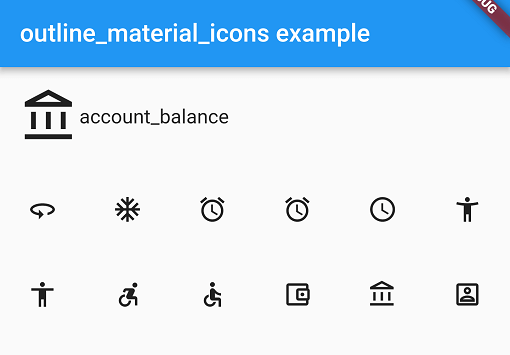
This package provides the 'outline' theme of icons on the Material Design website, which is not available in Flutter or as a .ttf font file.

Example

These icons were downloaded in September 2018, they may be updated in the future.

Usage

Add the package to pubspec.yaml and use the OMIcons class.

  Widget build(BuildContext context) => Icon(OMIcons.sentimentSatisfied);

Browse available icons using the example app or the Material Design icons website above.

There is a Map<String, int> of snake_case icon names to codepoints if you want to list all the icons. See the example app code for how. Using the OMIcons class directly is preferable in most cases.

Changes and omissions

All 'partly filled' icons are removed due to single colour restriction for .ttf fonts. This includes partly-filled battery icons and not-full-strength wifi/reception icons.

Icons with an underline have had the line made solid: border_color, format_color_fill and format_color_text.

These icons were renamed to avoid Dart errors/clashes: 360 -> icon360, class -> classIcon, sync -> syncIcon

Getting Started

For help getting started with Flutter, view our online documentation.

For help on editing package code, view the documentation.

Categories

Source repository

Projects using this package