Search packages, repositories and app categories

overflow_text_animated cover
Package detailsv0.0.6

overflow_text_animated

A Flutter package project that handles text overflow with animation.

AndroidiOSWebmacOSWindowsLinux
30-day downloads
211
Likes
51
Pub points
155

Install package

flutter pub add overflow_text_animated

Package Overview

Package selection guidance compiled from public package information, community data, and project usage.

A Flutter package that animates text overflow by smoothly revealing or hiding overflowing text. It enhances user experience with subtle animations when text exceeds its container bounds, ideal for dynamic UIs where space is limited. The package supports multiple platforms and integrates seamlessly into existing Flutter projects. It's designed for developers seeking elegant visual feedback during text truncation.

Use cases

  • Dynamic text containers
  • Animated text truncation
  • User interface enhancements
  • Responsive design elements
  • Interactive text displays
  • Visual feedback on overflow

Key features

  • Smooth animation on overflow
  • Cross-platform support
  • Easy integration with Flutter
  • Customizable animation duration
  • Supports multiline text
  • Minimal boilerplate required

Suitable for

  • UI/UX designers
  • Flutter developers
  • Apps with variable text content
  • Interactive dashboards
  • Mobile and web applications

Considerations

  • May impact performance with large text blocks
  • Animation behavior may vary across platforms
  • Requires careful tuning for optimal UX
  • Not suitable for static text only
  • Limited customization beyond basic animation
  • Depends on Flutter's rendering pipeline
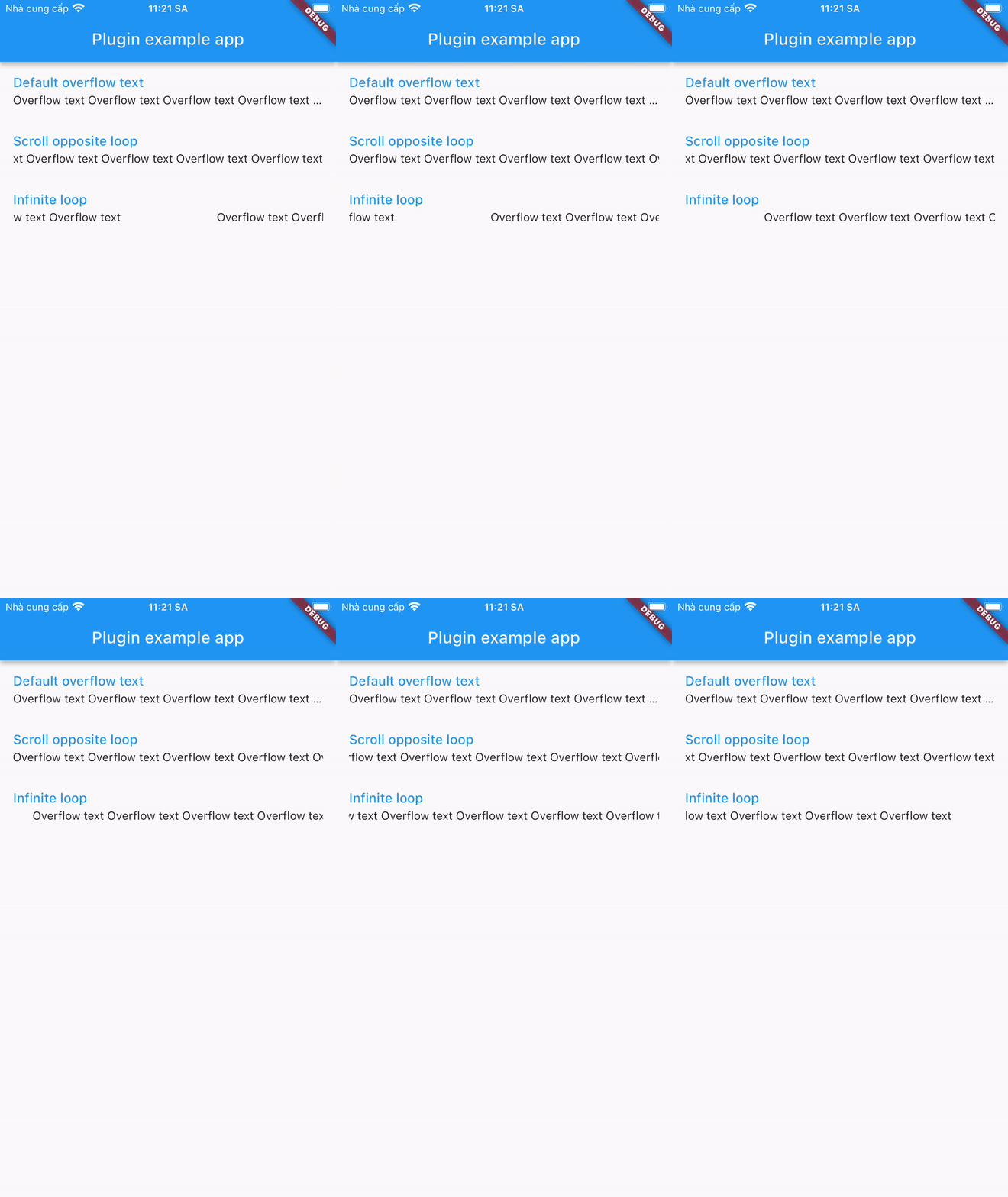
Original README

Original README snapshot from the linked source repository. Visit the repository for the latest content.

A plugin that displays overflowed text in a different way:

Installing

1. Depend on it

Add this to your package's pubspec.yaml file:

dependencies:
  overflow_text_animated: ^0.0.6
2. Install it

You can install packages from the command line:

with pub:

$ pub get

with Flutter:

$ flutter pub get
3. Import it

Now in your Dart code, you can use:

import 'package:overflow_text_animated/overflow_text_animated.dart';

Usage

OverflowTextAnimated is a Stateful Widget. Include it in your build method like:

OverflowTextAnimated(
  text: overflowText,
  style: descriptionStyle,
  curve: Curves.fastEaseInToSlowEaseOut,
  animation: OverFlowTextAnimations.scrollOpposite,
  animateDuration: Duration(milliseconds: 1500),
  delay: Duration(milliseconds: 500),
)

OverflowTextAnimated is used as default text widget. It has many configurable properties, including:

  • text - required properties
  • style – style of text
  • curve – motion curves of animation effects
  • animation - animation type
  • animateDuration – is the duration of the animation
  • delay – is the break time between 2 animations

Note: Widget is only available when its parent has a specified width.

Categories

Source repository

Projects using this package

No data available yet.