Search packages, repositories and app categories

page_flip_builder cover
Package detailsv0.1.4

page_flip_builder

A custom Flutter widget that enables interactive page-flip transitions in your app.

AndroidiOSWebmacOSWindowsLinux
30-day downloads
360
Likes
122
Pub points
145

Install package

flutter pub add page_flip_builder

Package Overview

Package selection guidance compiled from public package information, community data, and project usage.

A Flutter widget that provides interactive page-flip animations, ideal for creating immersive reading or presentation experiences. It enables smooth, realistic flip transitions between pages, enhancing user engagement in apps like digital books, portfolios, or interactive tutorials. Built with performance and customization in mind, it supports touch gestures and can be integrated into various layouts. The package is lightweight and compatible across all major platforms.

Use cases

  • Digital book readers
  • Interactive presentations
  • Portfolio showcases
  • Educational apps
  • Gaming UIs

Key features

  • Realistic page-flip animations
  • Gesture-driven interaction
  • Cross-platform support
  • Customizable transition effects
  • Lightweight and efficient
  • Easy integration with existing widgets

Suitable for

  • App developers seeking engaging UIs
  • Creators of e-books or digital magazines
  • Designers focusing on interactive storytelling
  • Developers building educational or tutorial apps
  • Teams targeting multiple platforms

Considerations

  • May require optimization for complex layouts
  • Performance depends on device capabilities
  • Limited to 2D flip effects (no 3D depth)
  • Not suitable for high-frequency animation loops
  • Best used with simple, focused content

Original README

Original README snapshot from the linked source repository. Visit the repository for the latest content.

Page Flip Builder

Pub Language License Twitter

A custom Flutter widget that enables interactive page-flip transitions in your app.

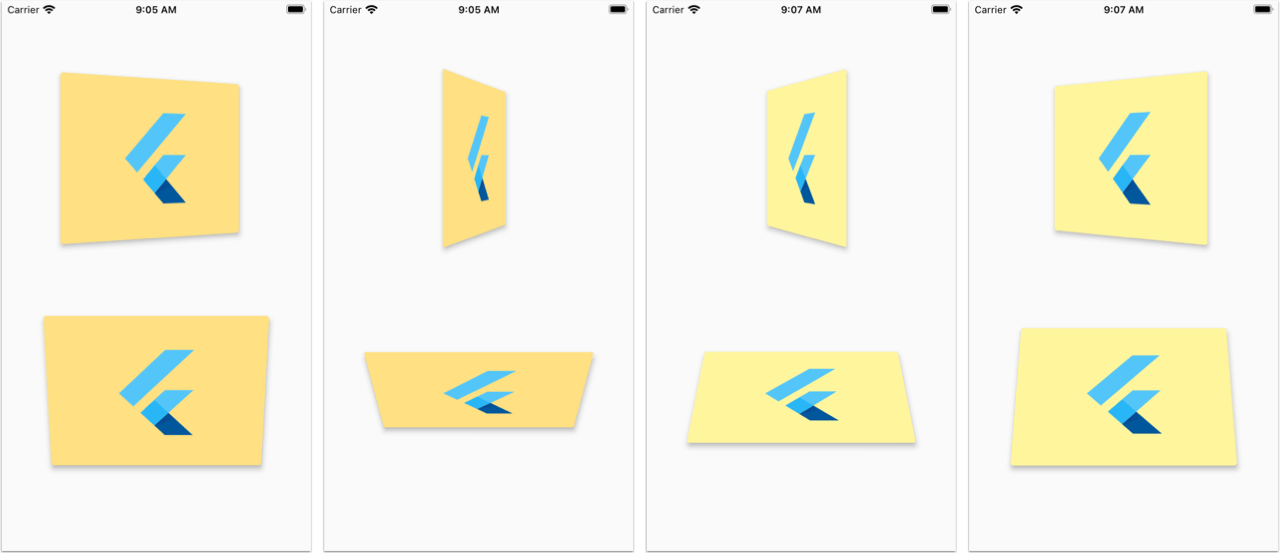
You can use this to flip images, cards, or widgets of any size.

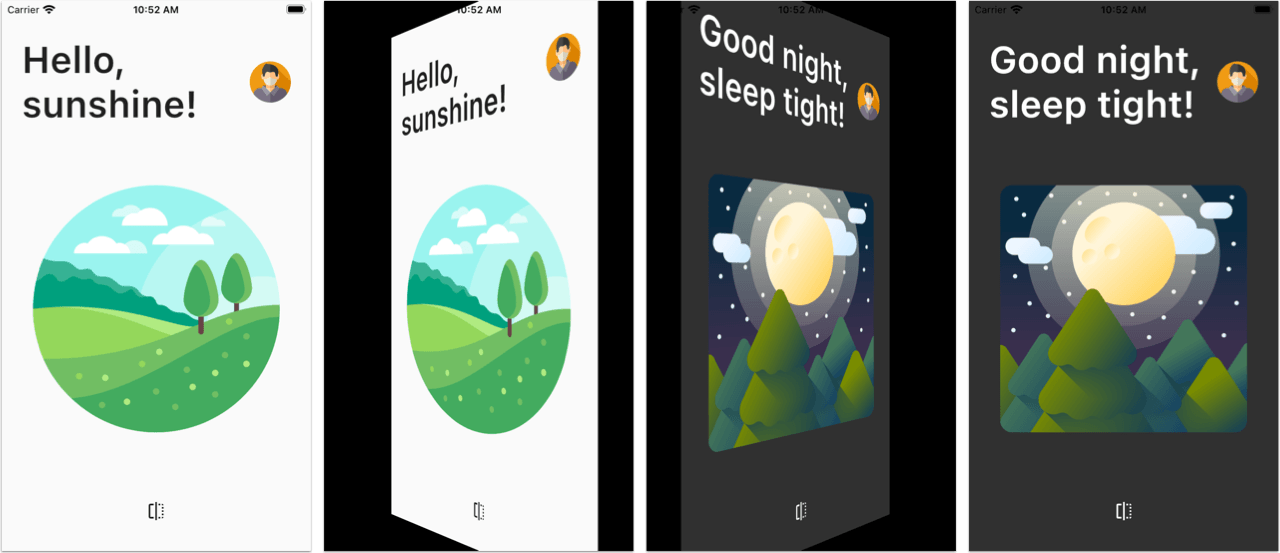
Preview

Page Flip screenshots

Card Flip screenshots

Also see the Flutter Web Live Preview.

Usage

Note: This package uses null-safety.

PageFlipBuilder is best used for full-screen page-flip transitions, but works with widgets of any size as long as their width and height is not unbounded.

PageFlipBuilder uses a drag gesture to interactively transition between a "front" and a "back" widget. These are specified with the frontBuilder and backBuilder arguments:

class MyApp extends StatelessWidget {
  @override
  Widget build(BuildContext context) {
    return MaterialApp(
      home: Container(
        // add a black background to prevent flickering on Android when the page flips
        color: Colors.black,
        child: PageFlipBuilder(
          frontBuilder: (_) => LightHomePage(),
          backBuilder: (_) => DarkHomePage(),
        ),
      ),
    );
  }
}

By defalt the flip happens along the vertical axis, but you can change the flipAxis to Axis.horizontal if you want.

For more control, you can also add a GlobalKey<PageFlipBuilderState> and programmatically flip the page with a callback-based API:

class MyApp extends StatelessWidget {
  // used to flip the page programmatically
  final pageFlipKey = GlobalKey<PageFlipBuilderState>();
  @override
  Widget build(BuildContext context) {
    return MaterialApp(
      home: Container(
        // add a black background to prevent flickering on Android when the page flips
        color: Colors.black,
        child: PageFlipBuilder(
          key: pageFlipKey,
          frontBuilder: (_) => LightHomePage(
            onFlip: () => pageFlipKey.currentState?.flip(),
          ),
          backBuilder: (_) => DarkHomePage(
            onFlip: () => pageFlipKey.currentState?.flip(),
          ),
          // flip the axis to horizontal
          flipAxis: Axis.horizontal,
          // customize tilt value
          maxTilt: 0.003,
          // customize scale
          maxScale: 0.2,
          // be notified when the flip has completed
          onFlipComplete: (isFrontSide) => print('isFrontSide: $isFrontSide'),
        ),
      ),
    );
  }
}

Features

  • Interactive flip transition using drag gestures (forward and reverse)
  • Fling animation to complete the transition on drag release
  • Flip page programmatically via callbacks
  • Flip around the horizontal or vertical axis
  • Flip widgets of any size
  • Customizable flip duration, tilt, scale

Testing the example app

Before running the example app, you need to create the ios, android, web folders as needed:

flutter create . --platform ios
flutter create . --platform android
flutter create . --platform web
LICENSE: MIT

Categories

Source repository

Projects using this package

No data available yet.